

Spotify is adding more features to allow users to have more control over their music experience. After relaunching the direct messaging within the app, the streaming giant has now introduced Smart Filters, a new method to organize saved music based on genre, activity, mood, and more.
Smart Filters are currently only available to Spotify Premium users, but they are also created to make it easier to work with large libraries. Instead of scrolling, users can sort their saved tracks in seconds into relaxation, funny, rebellious, angsty, or amped lists. Spotify explains that the available options can change based on the kind of music in each account, making the feature more personalized.
How to use Spotify’s Smart Filters
Spotify is rolling out Smart Filters to Premium subscribers in Australia, Canada, Ireland, New Zealand, South Africa, the UK, and the US today. To try it
- Open the Spotify app.
- Tap the filters button (two horizontal lines with circles on either end).
- Select a filter based on your preferred mood, genre, or activity.
- Your library will then reorganize itself to only display songs that fit the chosen filter.
- To return to your full library, tap the X in the top left corner of the library tab.
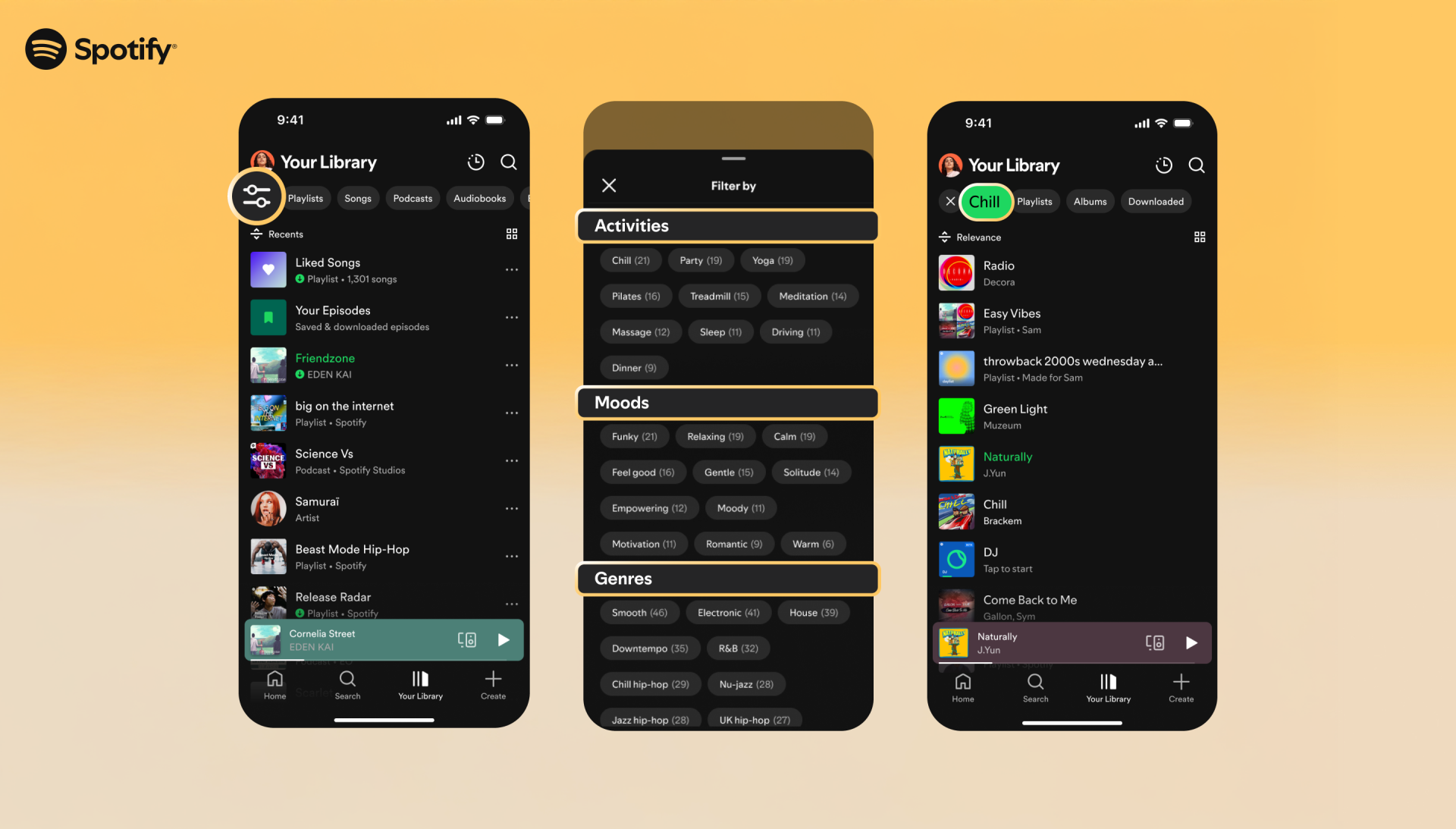
According to Spotify, this filtering system does not hide the songs that do not fit but permanently removes them so that the user has the flexibility of switching between moods or activities.
Smart Filters are only a part of Spotify’s ongoing updates to improve music discovery and personalization. Recently, the company has introduced the ability to snooze tracks for 30 days, a playlist hide option, and a desktop mini player to provide a distraction-free listening experience.






A little discussion goes a long way.
Ask a question, share your experience, or help someone find an answer.
There is room for your perspective.
No discussions match this view yet.
Your voice belongs here
Keep it useful. Keep it kind.