

WhatsApp rolled out a fun update for Android and iOS that lets users add themes and wallpapers to chats, making conversations more lively and personal. We can choose from 22 standard themes and 30 new wallpapers.
What’s New in the WhatsApp Update?
With the new WhatsApp update, you can do:
- Use chat themes to select standard styles for bubbles and backgrounds.
- Select wallpapers to add variety with fresh designs.
- Customize chats and apply unique themes for each conversation.
- Change the outgoing message color and modify how your messages look.
- Adjust the background brightness to make it lighter or darker.
- Upload personal wallpapers from gallery images.
The good thing is that these modifications are private, and only you can see them. Also, WhatsApp Channels support this personalization.
Table of Contents
How to Change WhatsApp Chat Themes
You can apply themes globally for all chats or individually for specific conversations.
To apply a theme to all chats
- Open WhatsApp.
- Go to Settings > Chats > Default chat theme.
- Choose your preferred theme and apply it.
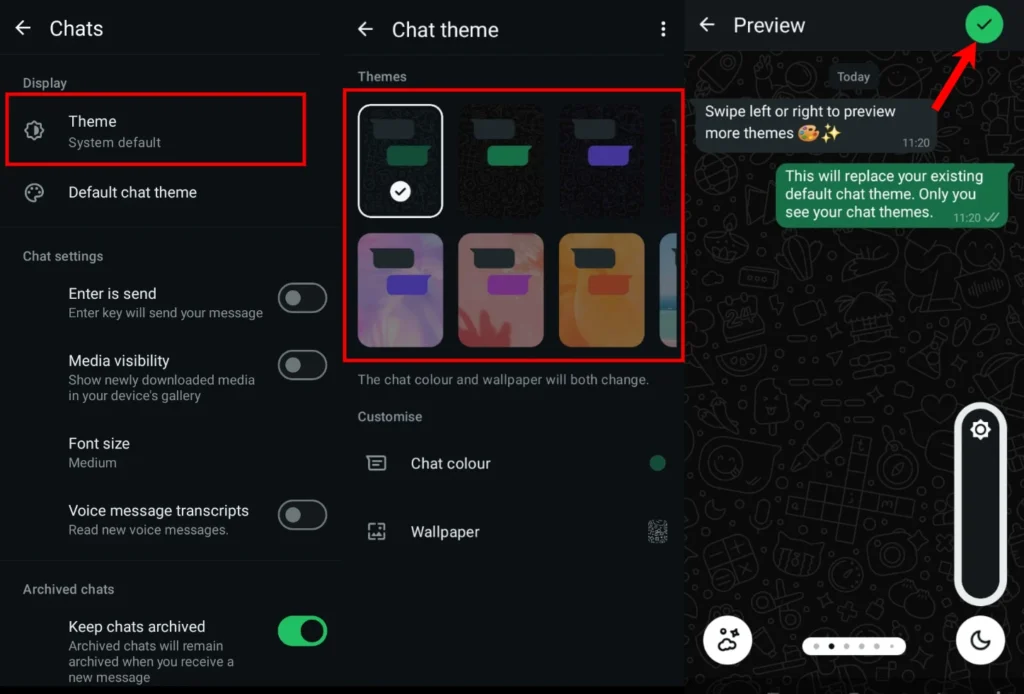
To change themes for a specific chat
For iOS users
- Open the chat.
- Tap the chat name at the top.
- Select Chat theme and pick a new one.
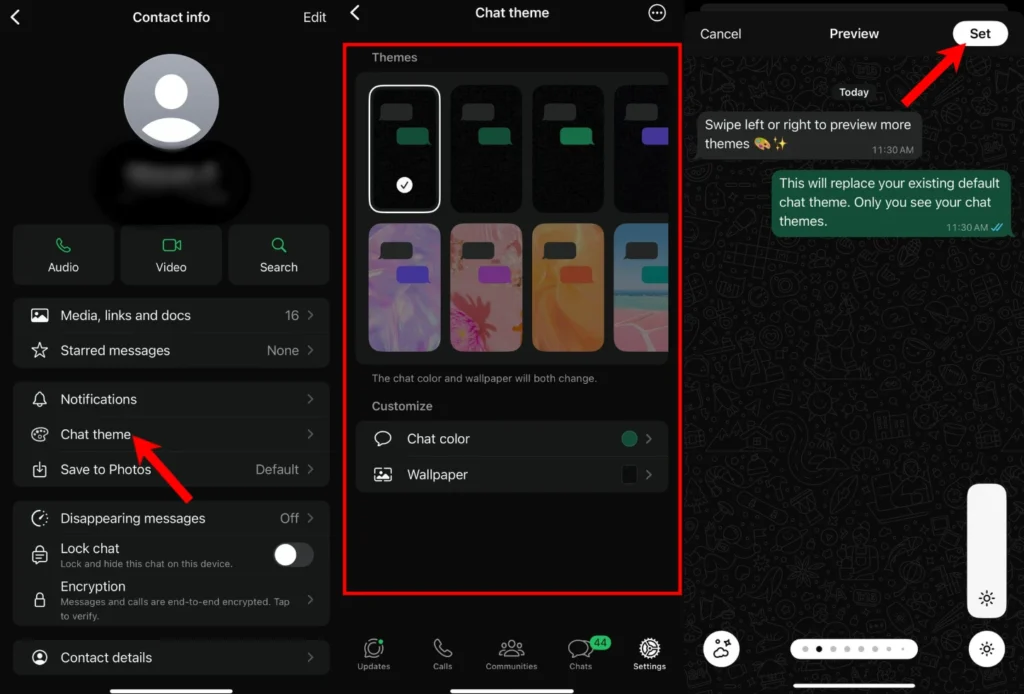
For Android users
- Open the chat.
- Tap the three-dot menu in the top-right corner.
- Select Chat theme and apply a new one.
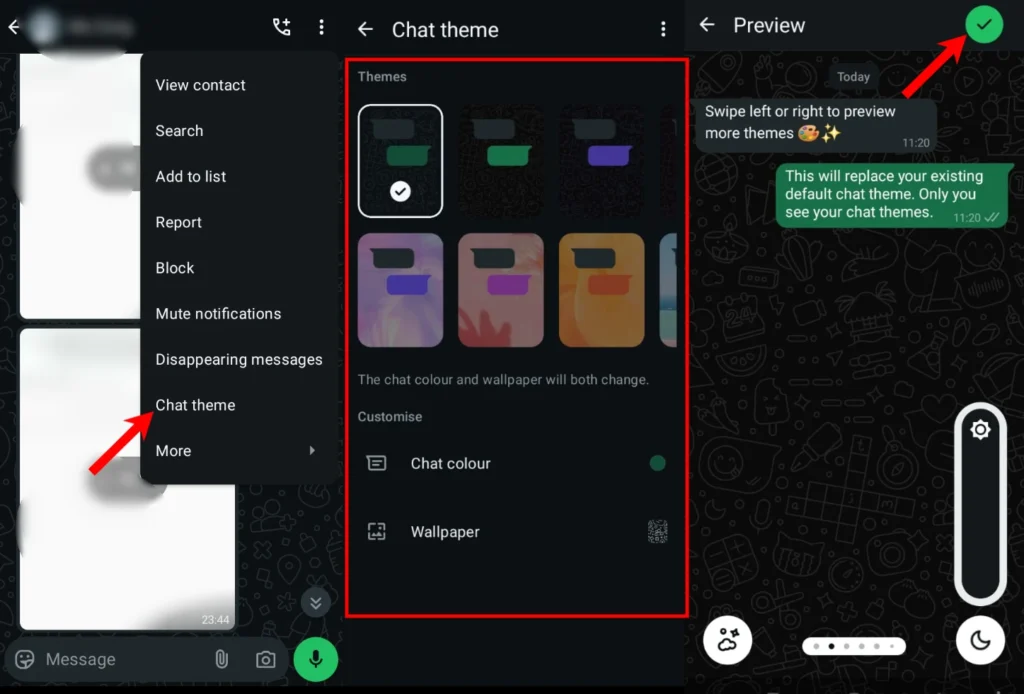
This update will be gradually available worldwide to all users in the weeks ahead.
Earlier this year, several long-awaited WhatsApp beta features were shared publicly, along with this exciting customization update.







A little discussion goes a long way.
Ask a question, share your experience, or help someone find an answer.
There is room for your perspective.
No discussions match this view yet.
Your voice belongs here
Keep it useful. Keep it kind.