
When I first tried switching to an eSIM, I thought my phone would support it because it was quite new. But I was wrong. After wasting time on settings and reading mixed answers online, I finally learned that there are only a few ways to check eSIM support, and one of them works almost everywhere.
If you do not want to be confused, this guide will help you. I explain the universal methods, the iPhone method, and the method to check other devices, including Android phones.
- Universal method (works on almost every phone)
- Dial this code
- What to Look For
- How to check eSIM support on iPhone
- Method 1: From iPhone settings
- Method 2: From Cellular Settings
- How to check eSIM support on Android phones
- Method 1: Check Network Settings
- Method 2: Dialer code (most reliable)
- Why do some phones show eSIM but still don’t work
- Frequently Asked Questions
Universal method (works on almost every phone)
This is the fastest and most trusted method I use, no matter what phone brand or operating system.
Dial this code
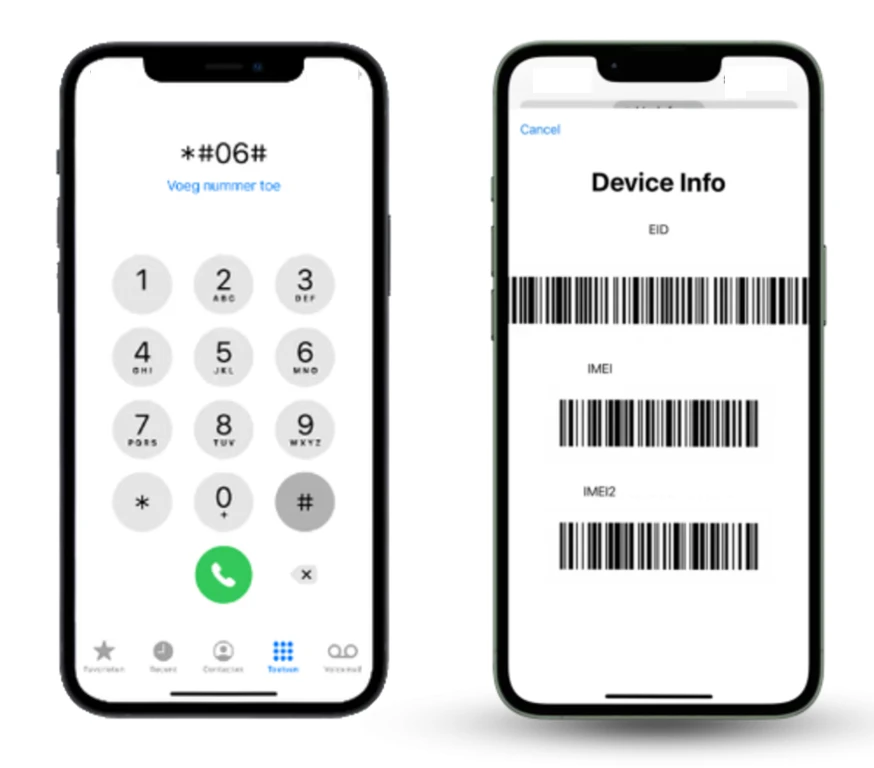
Open your phone’s dialer and enter: *#06#
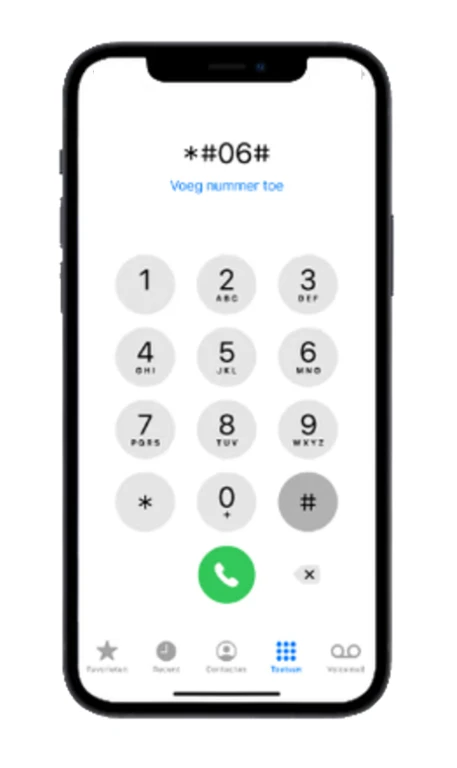
Your phone will display its identification details.
What to Look For
If you see EID (Embedded Identity Document) on the screen, your phone supports eSIM.
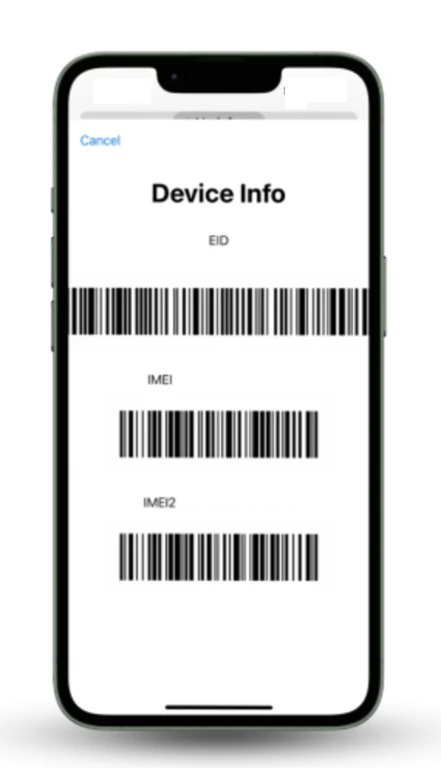
This number is only available on phones that support eSIM. If EID does not appear, your phone does not support eSIM.
I use this method because
- It works on Android and iPhone
- It does not depend on software
- It avoids misleading settings options
If you only remember one method, remember this one.
How to check eSIM support on iPhone
Apple makes eSIM support easier to verify, but I still recommend checking it properly.
Method 1: From iPhone settings
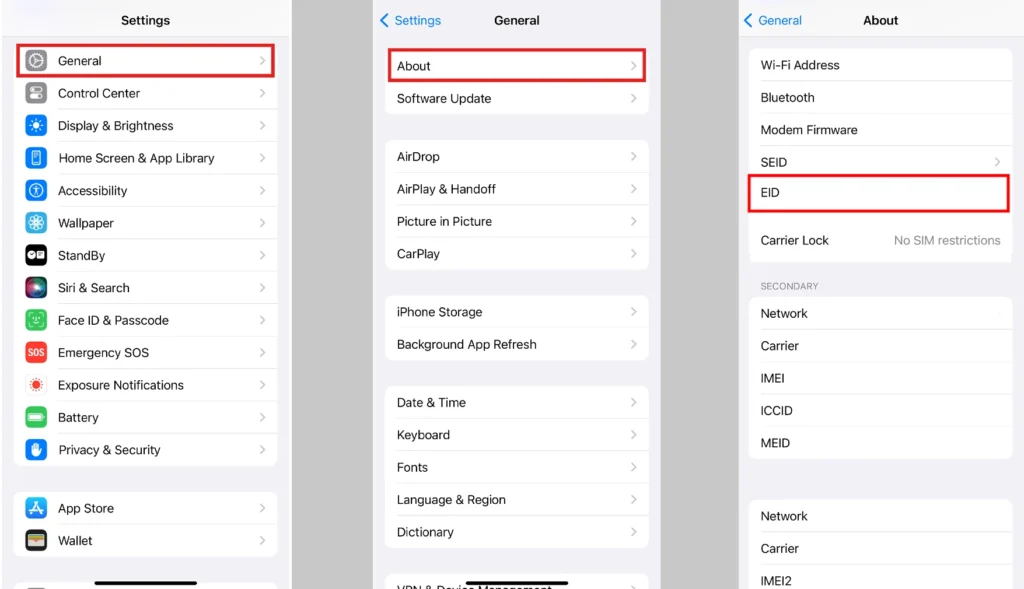
- Open Settings
- Tap General
- Tap About
- Scroll down and look for EID
If EID is listed, your iPhone supports eSIM.
Method 2: From Cellular Settings
- Go to Settings
- Tap Cellular or Mobile Data
- If you see Add eSIM or Add Cellular Plan, your iPhone supports eSIM
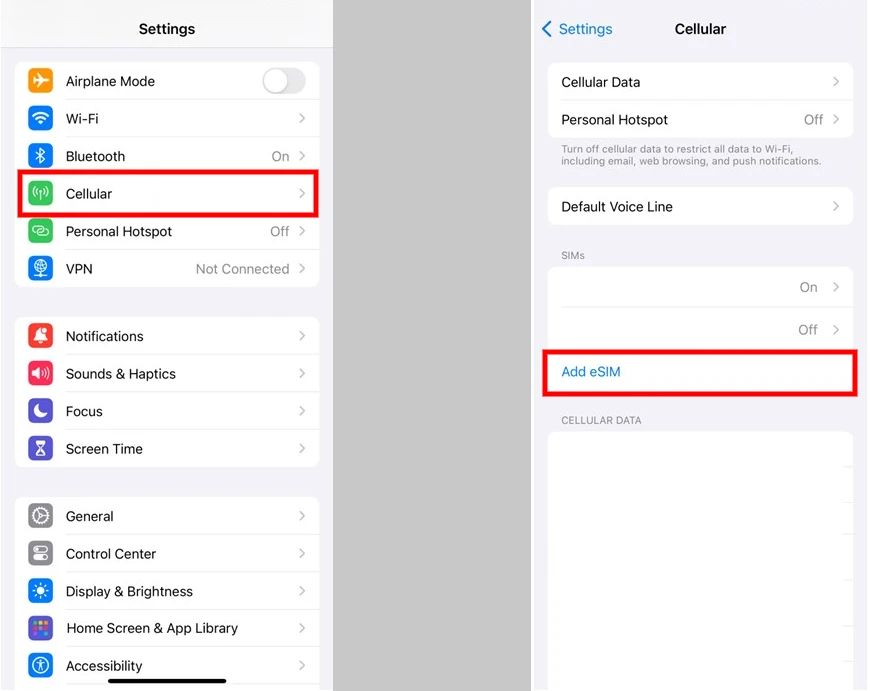
iPhones starting from iPhone XS and XR support eSIM. Even newer models support it better, but regional differences can still apply.
How to check eSIM support on Android phones
Android devices vary a lot by brand, so I always apply multiple methods.
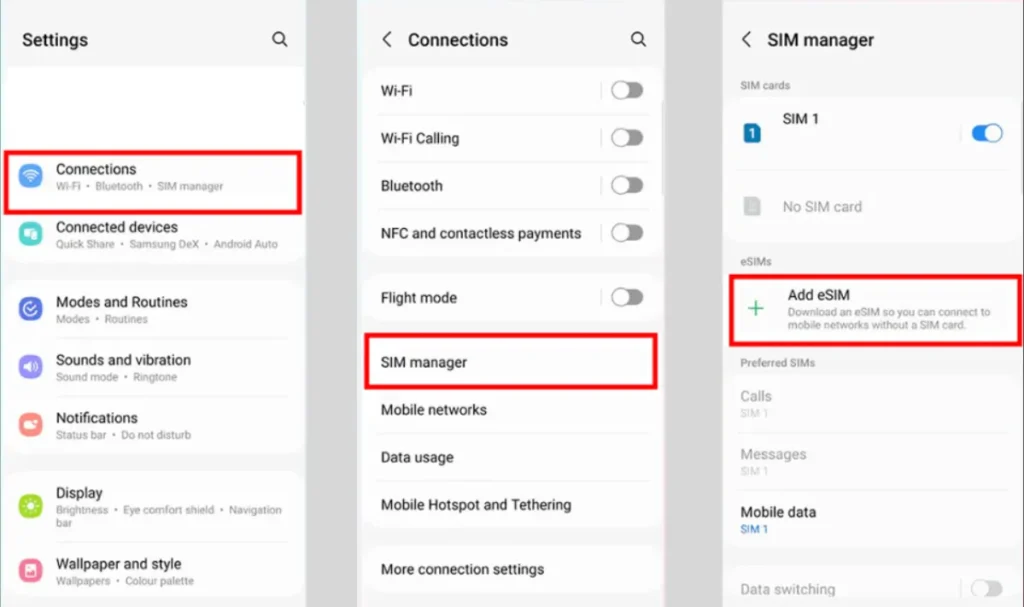
Method 1: Check Network Settings
- Open Settings
- Tap Network & Internet or Connections
- Look for SIMs, Mobile Network, or SIM Manager
- If you see Add eSIM, Download SIM, or Add Mobile Plan, your phone supports eSIM
Method 2: Dialer code (most reliable)
Dial *#06#
If EID appears, your phone supports eSIM, even if the option is hidden in settings.
This is helpful for brands like Xiaomi, Oppo, Vivo, and Huawei.
Why do some phones show eSIM but still don’t work
Most people do not know about this until they try to activate an eSIM. Your phone may support eSIM, but
- The carrier may block eSIM
- The feature may be disabled in your region
- A software update may be required
- The phone may be carrier locked
That’s why checking EID is important, but you need to check compatibility with carriers.







A little discussion goes a long way.
Ask a question, share your experience, or help someone find an answer.
There is room for your perspective.
No discussions match this view yet.
Your voice belongs here
Keep it useful. Keep it kind.