
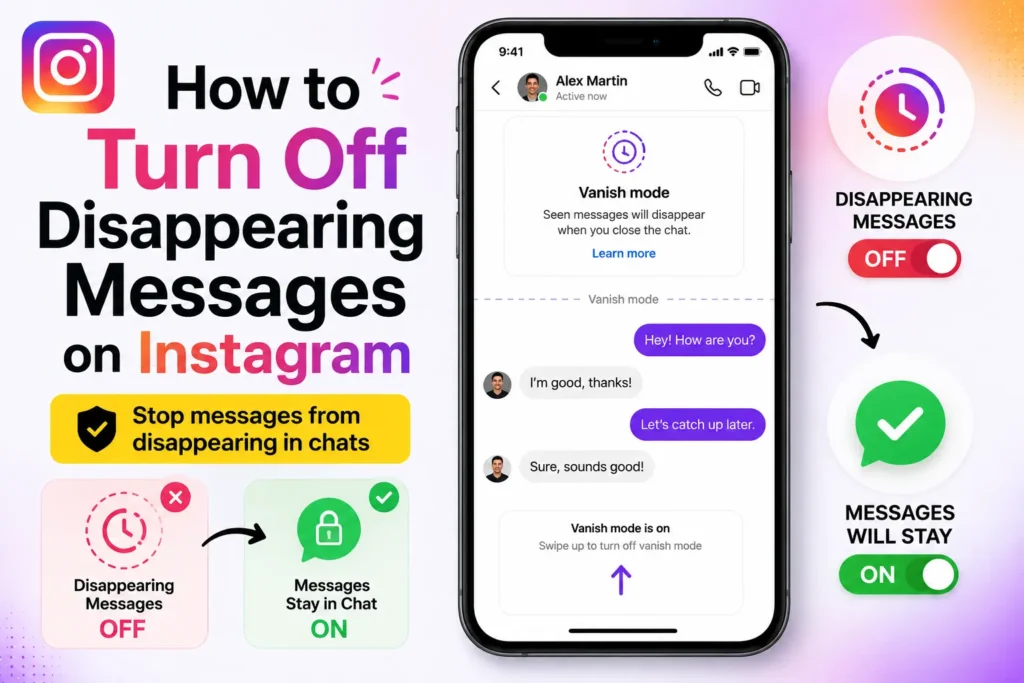
I first noticed that messages were disappearing on Instagram when an important message disappeared in a chat. At first, I thought it was a bug. I later realized that Instagram had automatically turned on a feature that deletes messages once they are seen or as you leave the chat. It can be annoying if you are using Instagram DMs for work, to receive or send customer replies, or even personal conversations.
After testing this feature on both Android and iPhone, here’s how to turn it off.
How to turn off vanish mode on Instagram
Vanish Mode is the most common reason messages disappear. I accidentally enabled it by swiping up in a chat.
Follow these steps to turn it off.
- Open the Instagram app on your phone.
- Tap the Messenger icon in the top right corner.
- Open the chat where messages are disappearing.
- Swipe up from the bottom of the chat screen.
- Release your finger when turning off.
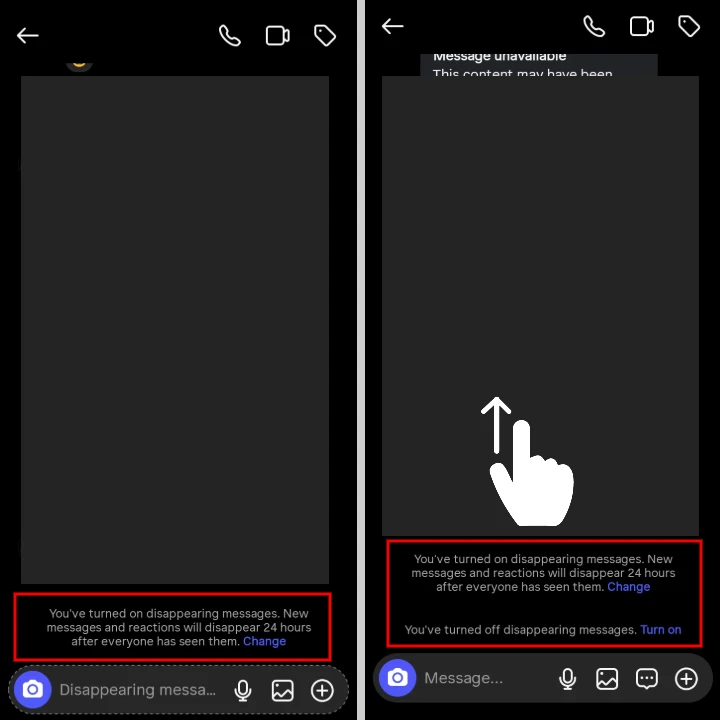
Once Vanish Mode is off, messages will stay in the chat normally.
I tested this immediately by sending a message, closing the chat, and reopening it. The message stayed visible.
How to stop photos and videos from disappearing
Instagram also allows photos and videos to disappear after one view or allow replay once.
- Open any Instagram chat.
- Tap the camera icon to send a photo or video.
- Before sending, look for the option below the preview.
- Select “Unlimited views”.
- Send the photo or video.
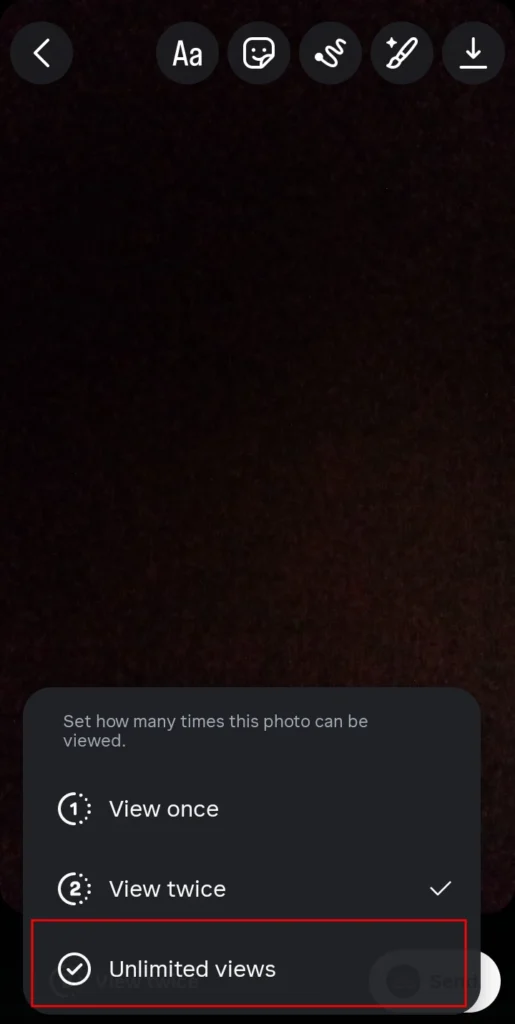
From now on, media sent using this setting will not disappear.
Why Instagram automatically use disappearing messages
Instagram pushes disappearing messages to support privacy and reduce stored data. It can be used in light conversation, not serious conversation.
From experience, it works best for temporary chats, not business, support, or long-term planning.







A little discussion goes a long way.
Ask a question, share your experience, or help someone find an answer.
There is room for your perspective.
No discussions match this view yet.
Your voice belongs here
Keep it useful. Keep it kind.