Google is rolling out another useful upgrade for Gmail on Android, featuring photo and attachment previews in the Android notification. After recently introducing the Mark as read option, this new feature makes it easier to identify attachments without even opening the app.
Years ago, Gmail notifications used to show the sender, subject line, and a preview of the message. Google is now redesigning them to highlight attachments, especially images, so users can quickly skim incoming emails.
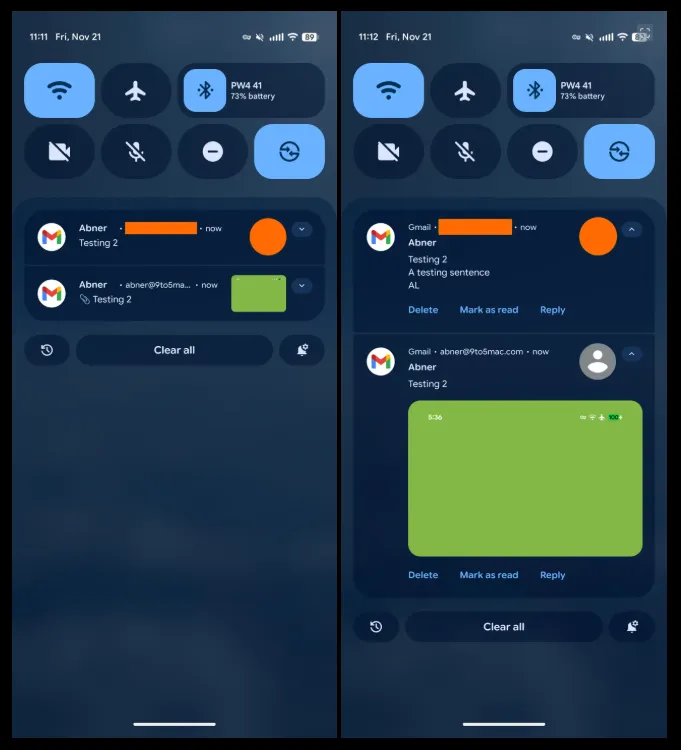
Previously, Gmail alerts displayed a small sender icon after the subject and message body. With the new update, Gmail has replaced the sender image on the right side with a mini photo preview whenever the email has image attachments.
When you expand the notification, Gmail displays a large rectangular preview of the image. This means you can view the attached photo without having to open the email.
However, there’s a small trade-off
The expanded image preview replaces the text body snippet that can annoy users who rely on email text for quick context, especially in work-related messages.
If an email contains multiple photos, Gmail displays a bottom row showing additional images, making it easy to know how many attachments are included.
The update is not just for photos.
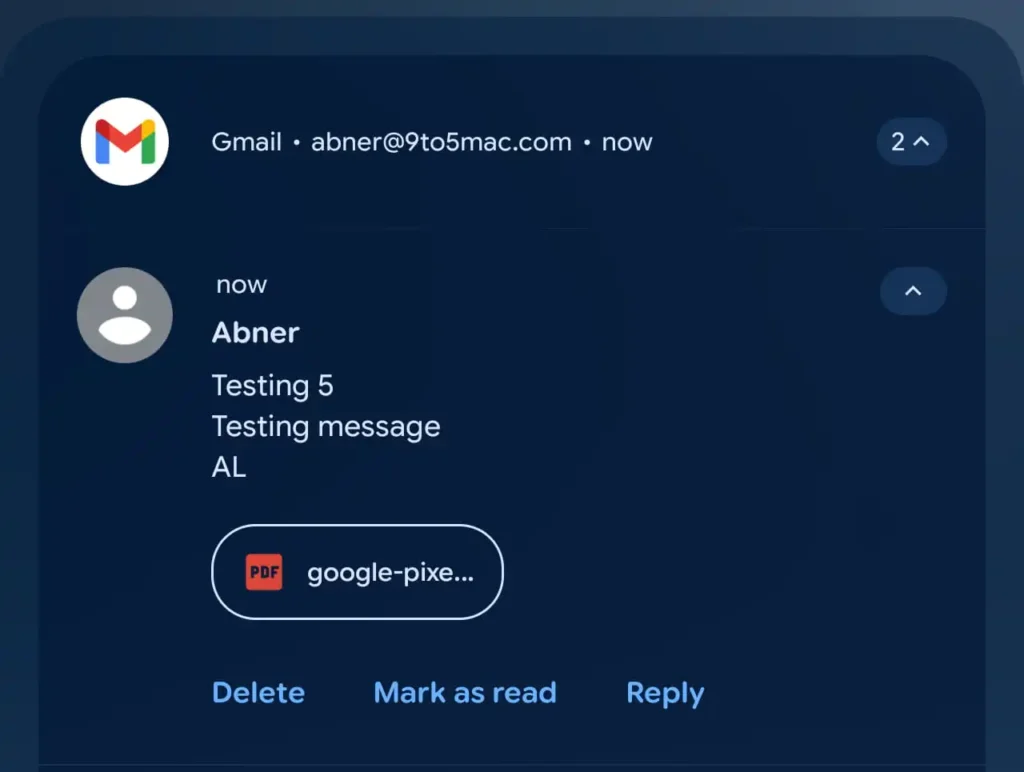
Gmail now highlights other file types, such as PDFs, by displaying a file pill with the document’s icon and a part of the document name. It is now far easier to differentiate between images, documents, and other attachments from the notification.