
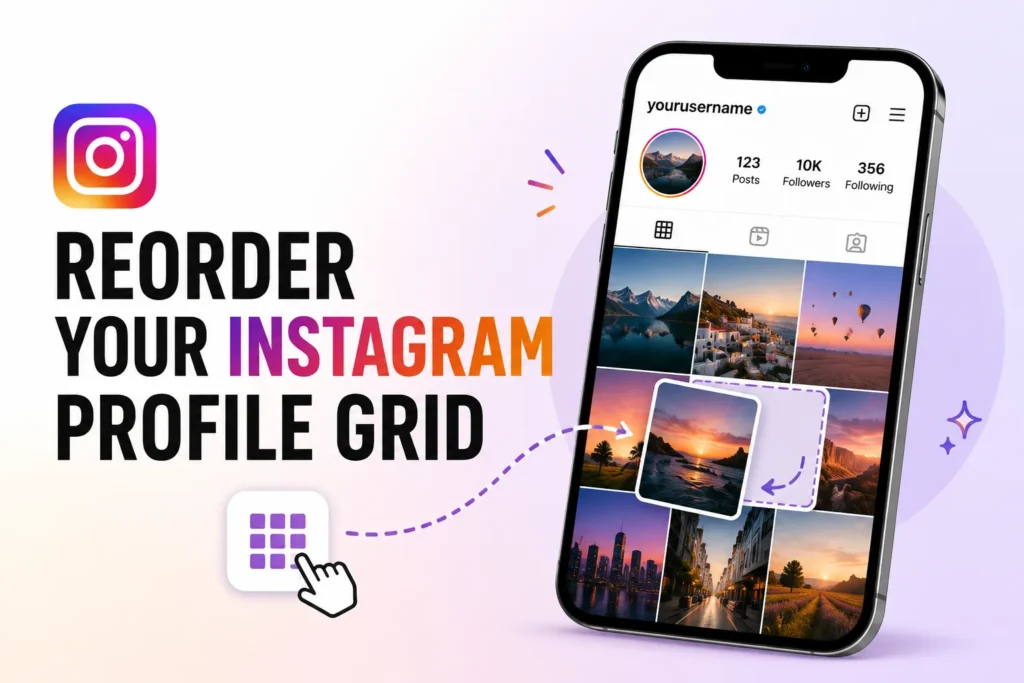
Instagram has finally rolled out a feature that many users have been requesting for years. Now you can rearrange posts on your profile grid without deleting or reposting.
The update will provide users more control over how their profile appears. From a creator, business owner, photographer or casual user, you can now now organize your content the way you want.
Until now, Instagram profiles displayed posts in chronological order. This would gradually older posts to be move down in the grid, as new content was published.
Instagram now lets users reorder profile posts
Instagram’s latest feature for the profile customization tool allows users to relocate their existing posts to other positions on their profile grid.
Users can now make a layout that more reflects their brand, style, and personal taste, instead of having to stick to the original posting order.
The feature was first teased by Instagram head Adam Mosseri and has now started rolling out to users globally.
Instagram’s CEO Adam Mosseri first teased the feature, and it’s now rolling out for users globally.
Who will benefit the most?
The feature is expected to be useful for:
Content creators
Creators can place their best-performing content to place where it can be seen more easily and create a stronger first impression for new visitors.
Businesses
Brands can organize product launches, promotions and campaigns in a more professional and strategic way.
Photographers and Artists
Visual creators can keep their profile looking aesthetically consistent without worrying about the order of content was originally published.
Influencers
Influencers can highlight collaborations, sponsored content, and important announcements by placing them in prominent positions.
How to rearrange your Instagram profile grid
Instagram has made the process simple. Follow these steps
- Open the Instagram app.
- Go to your profile page.
- Press and hold a post on your grid.
- Select the Reorder Grid option.
- Drag and drop posts into your preferred positions.
- Save the new layout.
The changes will appear on your profile immediately.
Profile grid customization has been one of Instagram’s most requested features for years.
Many users wanted more flexibility over how their profiles appeared, as Instagram has moved from a photo-sharing platform to one for business, marketing and personal branding.
This new feature allows users more creative freedom without the need for complex workarounds.
Frequently Asked Questions
What is Instagram’s Reorder Grid feature?
The Reorder Grid feature lets you move existing posts to different positions on your Instagram profile. This allows you to customize your profile layout without deleting or reposting content.
Can I rearrange old Instagram posts?
Yes. You can change the position of older posts on your profile grid while keeping their original upload date, likes, comments, and captions.
Who can use the Instagram Reorder Grid feature?
The feature is rolling out gradually to Instagram users worldwide. If you don’t see it yet, update the app and wait until it becomes available for your account.
Does rearranging posts affect engagement?
No. Moving posts only changes how they appear on your profile grid. Your likes, comments, views, and posting date remain unchanged.
Why should I rearrange my Instagram profile?
Reordering your profile helps highlight important posts, improve your profile’s appearance, and create a better first impression for visitors.
Can business accounts use the Reorder Grid feature?
Yes. Personal, creator, and business accounts can use the feature once it becomes available for their account.




A little discussion goes a long way.
Ask a question, share your experience, or help someone find an answer.
There is room for your perspective.
No discussions match this view yet.
Your voice belongs here
Keep it useful. Keep it kind.