
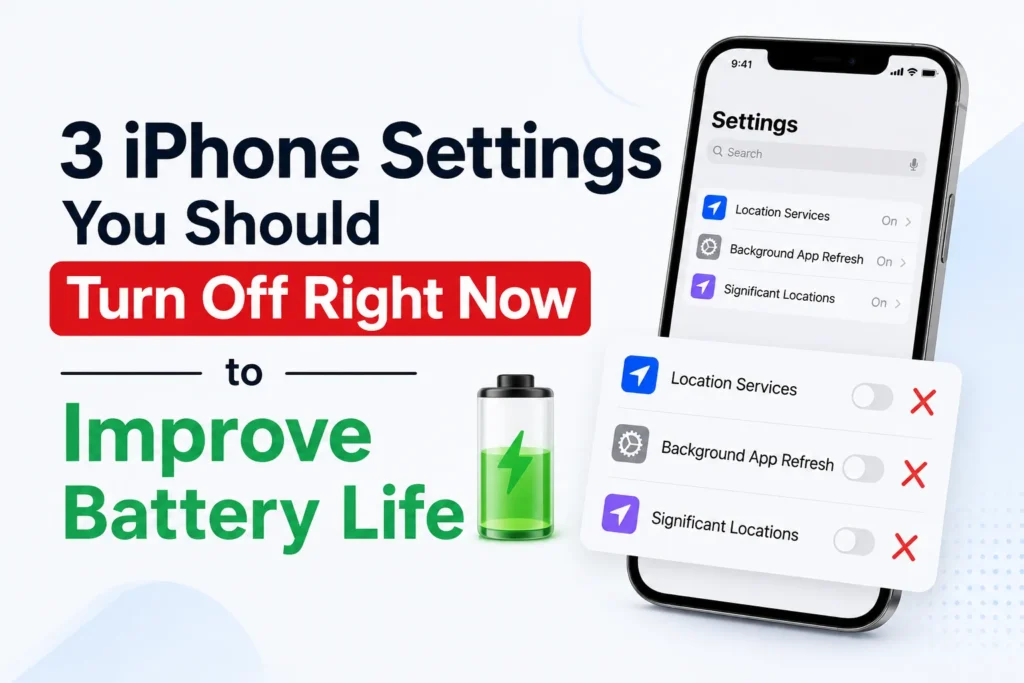
When your iPhone battery is draining more rapidly than normal, the problem may not be your apps, 5G network, or screen time. Hidden background settings are quietly using power all day long.
According to Apple experts and user experiences, some built-in iPhone features are also major sources of battery drain. The good news? Turning them off can help to live a lot longer on battery without affecting your phone’s performance.
Below are the three settings you should review.
1. Background App Refresh
Background App Refresh allows apps to run and update even when you are not using them. Apps like Facebook, Gmail, TikTok, and Maps keep updating their feeds in the background, which results in unnecessary battery use.
While this feature makes apps load faster, it silently drains your battery and also consumes more mobile data.
How to turn it off
- Go to Settings
- Tap General
- Select Background App Refresh
- Set it to Off (or choose Wi-Fi Only to reduce data usage)
Turning this off immediately reduces the hidden battery usage and will not affect regular notifications.
2. Auto-brightness & motion effects
Your iPhone uses sensors to adjust screen brightness automatically depending on the light conditions. Meanwhile, motion effects add smooth transitions and icon animations.
Both features consume additional processing power and lead to consistent battery drain during the day.
How to fix brightness
- Go to Settings
- Tap Accessibility
- Select Display & Text Size
- Turn Auto-Brightness off
Leave Auto Brightness enabled unless you regularly keep your screen dim manually. For most users, Auto Brightness helps reduce battery usage by adjusting the screen based on ambient lighting.
How to reduce motion effects
- Go to Settings
- Tap Accessibility
- Select Motion
- Turn Reduce Motion on
This reduces unnecessary animations and can save your battery.
3. Raise to wake
Raise to Wake feature automatically turns on the screen every time you pick up your iPhone. While convenient, but at the same time, it also lights up your screen dozens or even hundreds of times a day without you noticing.
This adds screen-on time, which is currently one of the biggest battery drain contributors.
How to turn it off
- Go to Settings
- Tap Display & Brightness
- Toggle Raise to Wake off
You will especially notice improved battery life at night or when your phone is in your pocket.
Check your battery health
It’s also important to check your battery’s overall condition:
- Go to Settings
- Tap Battery
- Select Battery Health
Check your battery’s Maximum Capacity and any battery health messages. If the capacity is significantly reduced, such as below 80%, or iOS recommends service, you may notice shorter battery life and lower performance. Replacing the battery can restore normal battery life.
Frequently Asked Questions
Which iPhone settings drain the battery the most?
Some of the biggest battery drains include Background App Refresh, Raise to Wake, high screen brightness, location services, and unnecessary visual effects. These features continue using power throughout the day, even if you are not actively using your iPhone.
Does turning off Background App Refresh improve battery life?
Yes. Turning off Background App Refresh can reduce battery usage because apps stop updating content when they are running in the background. You can disable it completely or allow it only on Wi-Fi if you still want limited background updates.
Is it safe to disable Raise to Wake on an iPhone?
Yes. Disabling Raise to Wake does not affect your iPhone’s core functions. It simply prevents the display from turning on every time you pick up the phone, which can help reduce unnecessary screen on time and save battery.
Will Reduce Motion help save battery?
Enabling Reduce Motion can slightly improve battery life by limiting certain animations and visual effects. While the difference may not be dramatic on newer iPhones, it can still help, especially when combined with other battery saving settings.
How do I know if my iPhone battery needs replacing?
Open Settings > Battery > Battery Health & Charging and check the Maximum Capacity. If it is below 80%, Apple generally recommends replacing the battery because its ability to hold a charge has significantly decreased.
Will turning these settings off affect my iPhone’s performance?
For most people, no. Disabling these features mainly reduces background activity and unnecessary screen usage. Your apps, calls, messages, and everyday functions will continue to work normally, although some apps may take a moment longer to refresh when you open them.







A little discussion goes a long way.
Ask a question, share your experience, or help someone find an answer.
There is room for your perspective.
No discussions match this view yet.
Your voice belongs here
Keep it useful. Keep it kind.