
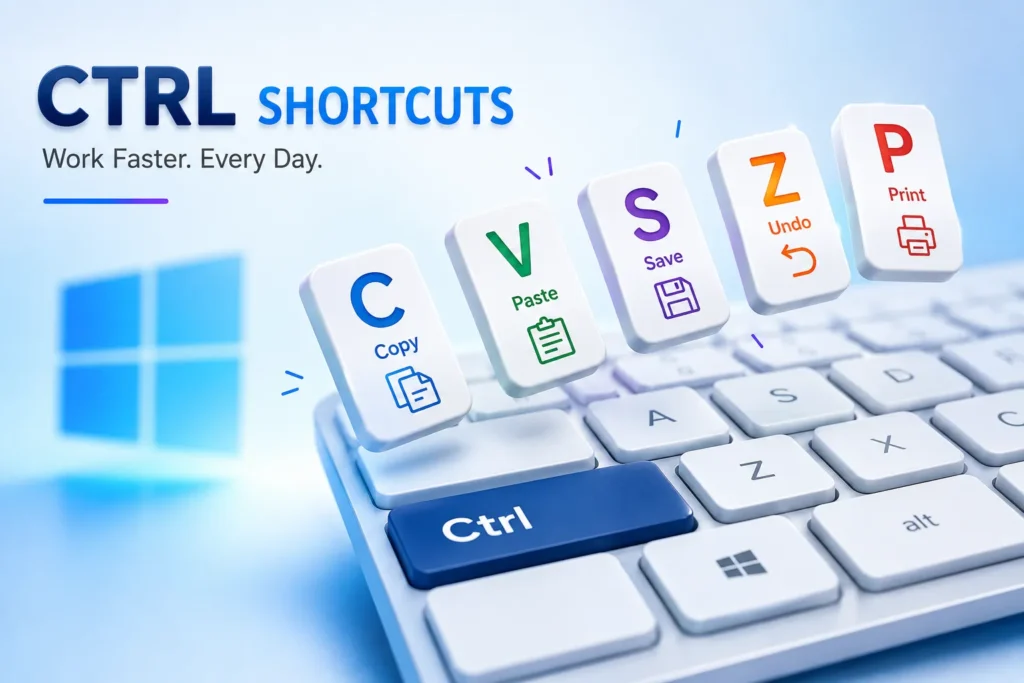
A Windows PC is already mighty; using keyboard shortcuts can make it even more convenient. CTRL commands and shortcuts help you work faster, multitask, change documents, or manage files.
Here, we will explain the best CTRL commands that can help you work more smoothly every day.
Basic CTRL Keyboard Shortcuts for Windows
Most applications, including browsers, word processors, and system tools, work with these shortcuts.
- Ctrl + A – Select all content in the current window or document.
- Ctrl + B – Bold selected text (in text editors).
- Ctrl + C – Copy selected items to the clipboard.
- Ctrl + D – Delete the selected item (sends it to the Recycle Bin).
- Ctrl + E – Center-align a paragraph (text editors).
- Ctrl + F – Open the Find dialog box to search within documents/webpages.
- Ctrl + G – Find the next instance of your search term.
- Ctrl + H – Open the Replace dialog to substitute text.
- Ctrl + I – Italicize selected text.
- Ctrl + J – Justify a paragraph.
- Ctrl + K – Insert a hyperlink.
- Ctrl + L – Align text to the left.
- Ctrl + M – Indent a paragraph.
- Ctrl + N – Open a new document or window.
- Ctrl + O – Open an existing file or document.
- Ctrl + P – Print the current page or document.
- Ctrl + Q – Clear formatting in a paragraph.
- Ctrl + R – Refresh or reload the current page.
- Ctrl + S – Save your work.
- Ctrl + T – Open a new tab (in most browsers).
- Ctrl + U – Underline selected text.
- Ctrl + V – Paste copied content.
- Ctrl + W – Close the current window or tab.
- Ctrl + X – Cut the selected item.
- Ctrl + Y – Redo the last undone action.
- Ctrl + Z – Undo the last action.

Advanced CTRL Shortcuts for Power Users
You can achieve more in Windows by using combinations of several buttons:
- Ctrl + Shift + N – Create a new folder (File Explorer).
- Ctrl + Shift + T – Reopen the last closed browser tab.
- Ctrl + Shift + Esc – Open Task Manager instantly.
- Ctrl + Alt + Del – Access the security options screen (Lock, Switch User, Task Manager, etc.).
- Ctrl + Tab – Switch to the next open tab (browsers and tabbed apps).
- Ctrl + Shift + Tab – Switch to the previous tab.
- Ctrl + Esc – Open the Start Menu (handy if your Windows key is broken).
- Ctrl + Space – Select current item (in apps like Excel or Windows Explorer).
- Ctrl + Enter – Submit a form or add a line break (depends on the app).
- Ctrl + Plus (+) – Zoom in.
- Ctrl + Minus (-) – Zoom out.
- Ctrl + 0 – Reset zoom to default.

Shortcuts can seem too much at first, but pick a couple you will use most to begin with. An example of these is that Ctrl+C copies text, Ctrl+V pastes it, and Ctrl+Z is the shortcut for Undo. Later, start using other shortcuts, such as Ctrl+Shift+Esc and Ctrl+P, to make your work easier.
Frequently Asked Questions
What are CTRL keyboard shortcuts?
CTRL keyboard shortcuts are key combinations that let you perform common Windows tasks quickly, such as copying files, saving documents, searching text, and switching between tabs.
What is the most useful CTRL shortcut?
Some of the most commonly used shortcuts are Ctrl + C (Copy), Ctrl + V (Paste), Ctrl + X (Cut), Ctrl + Z (Undo), and Ctrl + S (Save).
How do I open Task Manager using the keyboard?
Press Ctrl + Shift + Esc to open Task Manager directly without going through additional menus.
Do CTRL shortcuts work in every application?
Many CTRL shortcuts work across Windows and most applications, but some shortcuts may behave differently depending on the software you’re using.
How can I reopen a closed browser tab?
Press Ctrl + Shift + T to restore the last closed tab in most modern web browsers, including Chrome, Edge, Firefox, and Opera.
Can CTRL shortcuts improve productivity?
Yes. Learning a few common shortcuts can save time, reduce mouse usage, and help you complete everyday tasks more efficiently.






A little discussion goes a long way.
Ask a question, share your experience, or help someone find an answer.
There is room for your perspective.
No discussions match this view yet.
Your voice belongs here
Keep it useful. Keep it kind.