Close Menu
    Facebook X (Twitter) Instagram Pinterest YouTube Bluesky WhatsApp TikTok Threads RSS
    WikiTechLibrary
    • Converters & Media
    • Web Tools
    • Finance & Tax
    • Utility & Bills
    • Vehicle Tax
    WikiTechLibrary

    Truecaller to end call recording support on iPhones from September 30, 2025

    By Waqas AmjadAugust 5, 2025No Comments3 Mins Read
    Facebook Twitter WhatsApp Threads Copy Link
    truecaller ending call recording ios sept 30 2025

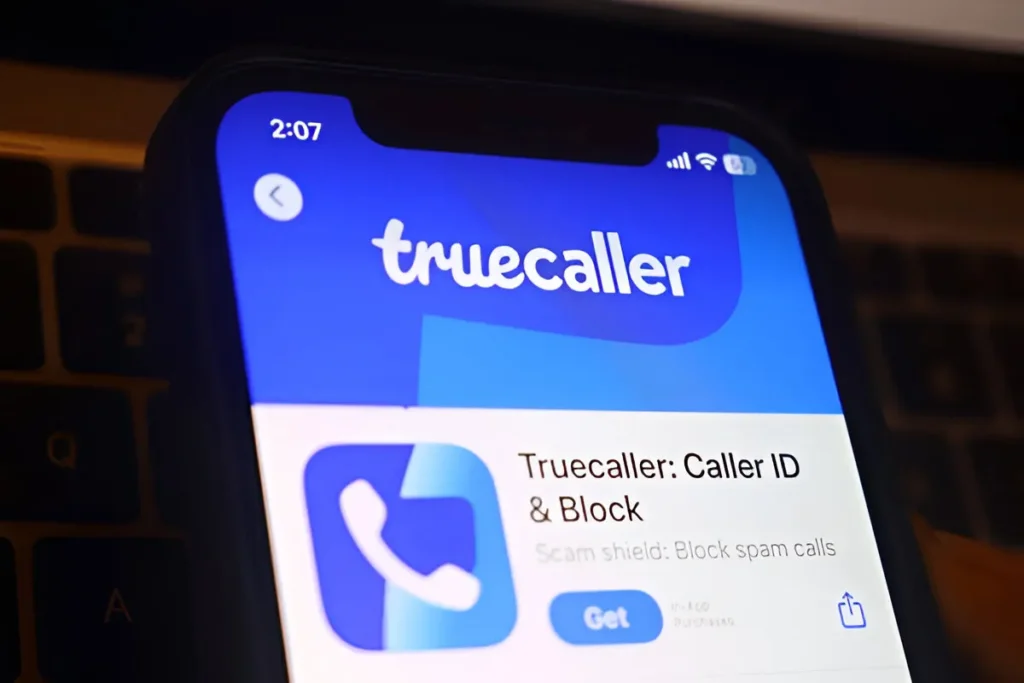
    Truecaller, the most popular caller ID and spam-blocking app in the world, has announced an important update that will affect its iPhone users. As of September 30, 2025, the app on iOS devices will stop recording a call. The decision aligns with the strategic move by the company to focus more on spam protection and detecting scams.

    Why Truecaller is removing call recording on iOS

    This decision is part of Truecaller’s larger efforts to enhance its anti-spam efforts. According to the company’s Product Director for iOS, removing the call recording feature lets it spend more effort and resources on enhancing Live Caller ID, real-time spam analysis, and auto-blocking.

    Despite call recording being available on both Android and iOS almost two years ago, iPhone users have been faced with more technical steps to access the feature. Unlike Android built-in button on Truecaller’s dialer, iOS users had to merge the calls with a dedicated recording line or a floating action button, making the task more complex.

    What will happen after September 30?

    After the September 30 deadline, iPhone users will be unable to make call recordings with Truecaller, and existing recordings on their phones with the app will no longer be available. Users are advised to take action and back up their files before it is too late.

    Truecaller has already updated its support pages with a detailed guide on how to save or export recordings in the app. Below is a summary of the steps iOS users need to take.

    How to save your call recordings from Truecaller on iPhone

    If you have used Truecaller call recording feature on an iPhone, follow these steps to export your recordings.

    To Switch to iCloud Storage

    • Open the Truecaller app.
    • Go to the Record tab.
    • Tap the Settings icon in the top-right corner.
    • Select Storage Preference.
    • Choose iCloud.
    • If the option is greyed out, go to your iPhone Settings > Your Profile > iCloud, and enable Truecaller under the “Saved to iCloud” section.

    To Manually Save or Share Specific Recordings

    • Go to the Record tab in the app.
    • Swipe left on the recording you want to export.
    • Tap the Share icon.
    • Save the file using the Files app or share it via email, messaging apps, or AirDrop.

    What about Android users?

    Currently, there is no indication that this change will affect Android users. Android phones still have the call recording feature, and users can still record calls using this feature.


    save Truecaller call recordings Truecaller Turecaller call recording
    Share. Facebook Twitter Pinterest LinkedIn Email WhatsApp Threads
    Waqas Amjad
    • Facebook
    • X (Twitter)
    • Instagram

    Waqas Amjad is a tech writer and the founder of WikiTechLibrary, focused on gaming, telecom, and how-to content. He has 8 years of experience testing apps, tools, and tech products, and writes practical guides based on hands-on use rather than surface-level research.

    Related Articles

    best whatsapp web extensions

    The browser extensions that finally make WhatsApp Web feel complete

    can you see who views your instagram highlights

    Can you see who views your Instagram highlights?

    whatsapp without phone number

    Can you use WhatsApp without a phone number?

    animate childrens drawings with ai how to

    I Tested AI Tools That Animate Kids Drawings, Here Is What Actually Worked

    crosh commands in chromebook

    What are CROSH Commands in Chromebook? Complete Guide

    weirdest tech innovations history

    7 Weirdest Tech Innovations in History That Actually Existed

    JOIN THE CONVERSATION

    A little discussion goes a long way.

    Ask a question, share your experience, or help someone find an answer.

    0 comments
    NewestOldestMost helpfulUnanswered
    ◇

    There is room for your perspective.

    No discussions match this view yet.

    +

    Your voice belongs here

    Keep it useful. Keep it kind.

    Cancel reply

    Your email address will not be published.


    MOST VIEWED
    how to personalise new year stickers on whatsapp How To

    I Tested These Simple Ways to Personalise New Year 2026 Stickers on WhatsApp

    By Waqas Amjad
    how to find hidden photos on iphone How To

    How to find hidden photos on iPhone

    By Waqas Amjad
    delete aliexpress account how to How To

    How to Delete AliExpress Account

    By Muqadas Fatima
    draw a blank codes Gaming

    Roblox Draw A Blank Codes 2024

    By Farah Qaiser
    What's New

    AI Video Generator Clips Need a Real Compression Preview

    November 12, 2026
    image

    Made in America and Priced at $7,999: StarBot Launches Spark Humanoid Robot

    November 5, 2026
    tiktok adds voice notes and image carousels in comments

    TikTok Adds Voice Notes and Image Carousels in Comments

    September 4, 2026
    google messages adds ai detection to chat photos

    Google Messages Adds AI Detection to Chat Photos

    September 3, 2026
    © 2026 WIKITECHLIBRARY | All Right Reserved
    • About Us
    • Contact Us
    • Privacy Policy
    • Terms & Conditions
    • Disclaimer

    Type above and press Enter to search. Press Esc to cancel.