
Every New Year, I send the same basic WhatsApp stickers like everyone else. But last year, I wanted something different. I wanted stickers with my own name, in-jokes, and greetings that really felt personal. That is when I tried WhatsApp’s sticker tools and some other trusted sticker apps.
To make your New Year 2026 wishes special and unique, personalising WhatsApp stickers is one of the easiest and most fun ways to do it. You do not need design skills or paid tools. Everything can be done directly from WhatsApp or free apps.
Here’s how to personalise New Year 2026 stickers on WhatsApp, using methods I personally tested.
- Method 1: Personalise stickers using WhatsApp’s built-in sticker editor
- Method 2: Create New Year 2026 Stickers Using Sticker Maker Apps
- Recommended Free Apps
- How I create it
- Method 3: Use AI Tools to Design Custom New Year Stickers
- How I Used AI for Stickers
- Best ideas for New Year 2026 sticker text
- How to share personalised stickers on WhatsApp
- Frequently Asked Questions
Method 1: Personalise stickers using WhatsApp’s built-in sticker editor
WhatsApp now offers a built-in sticker creator. This method works on both Android and iPhone.
- Open WhatsApp
- Open any chat
- Tap the Sticker icon
- Tap Create
- Choose a photo from your gallery or use AI
- Add
- Text like Happy New Year 2026
- Your name or a friend’s name
- Emojis or drawings
- Save the sticker
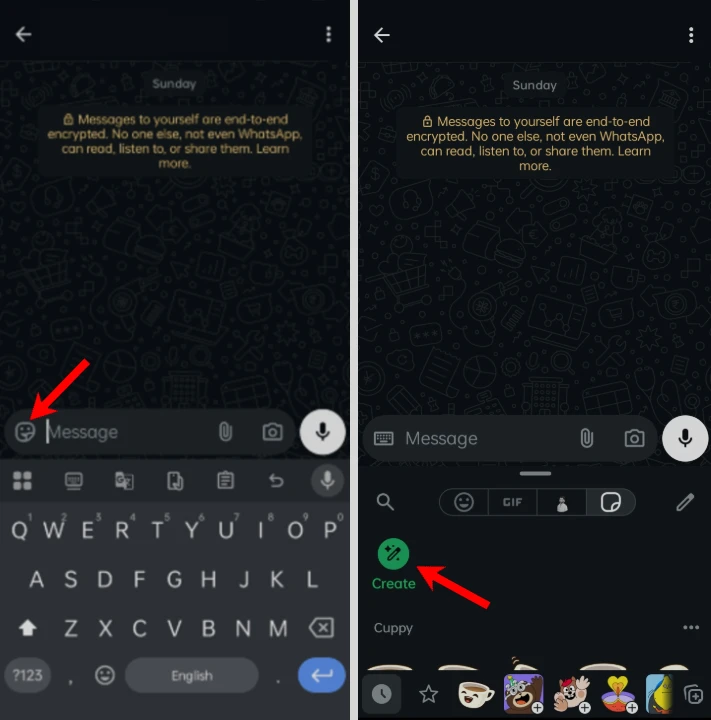
You can now send this sticker instantly from WhatsApp.
Method 2: Create New Year 2026 Stickers Using Sticker Maker Apps
For more design options, I personally prefer sticker maker apps.
Recommended Free Apps
- Sticker Maker
- Sticker.ly
- Wemoji
- Stickify
How I create it
- Install a sticker maker app from Play Store or App Store

- Open the app and tap Create a New StickerPack

- Name it something like New Year 2026 Stickers

- Add images or photos

- Add text:
- Happy New Year 2026
- Personalized wishes
- Names or quotes
- Click on Save Sticker button.

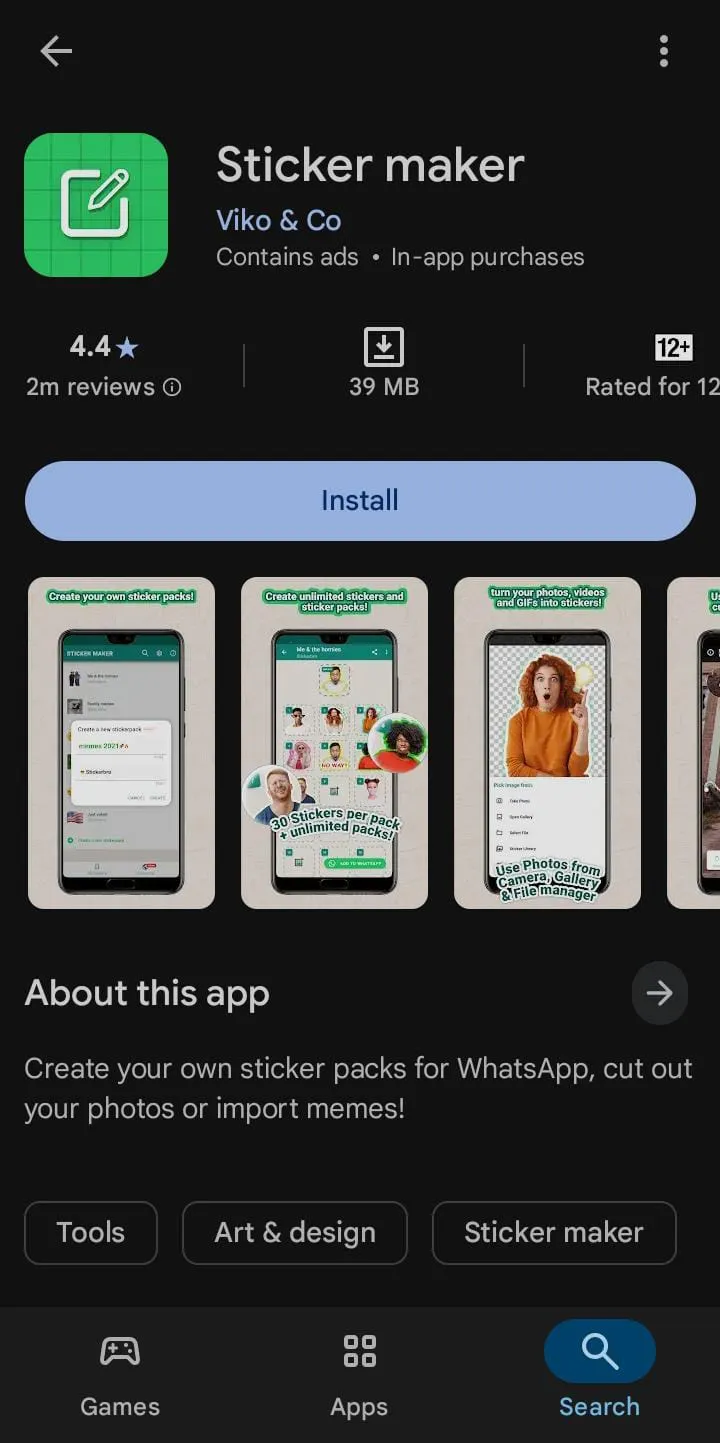
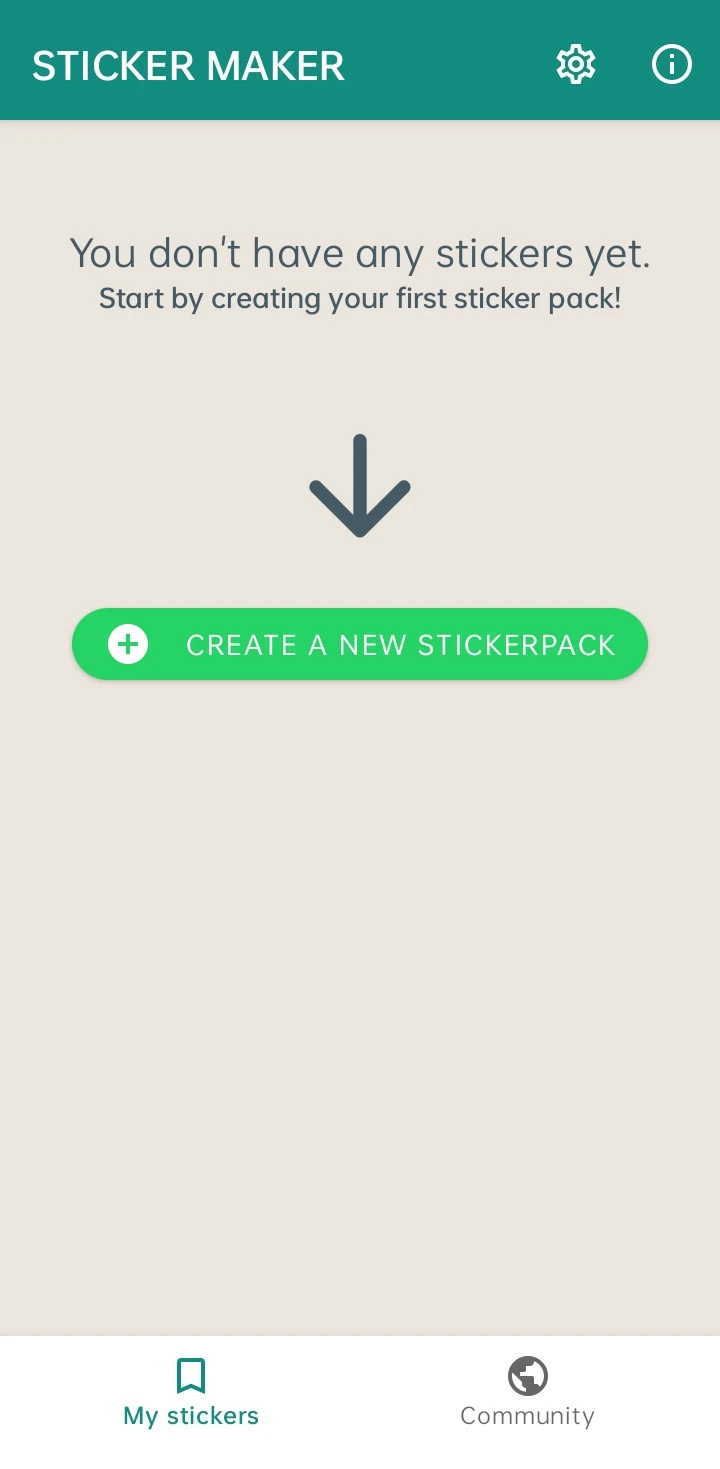
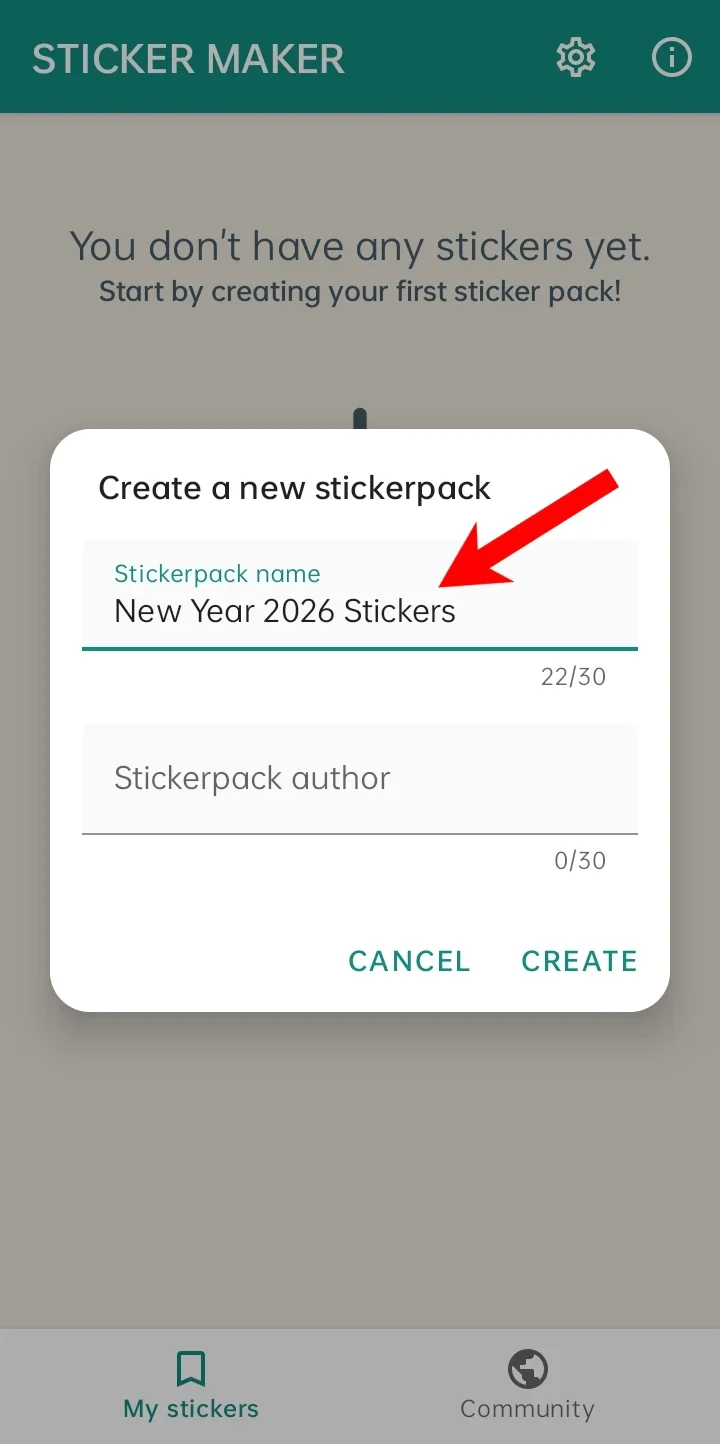
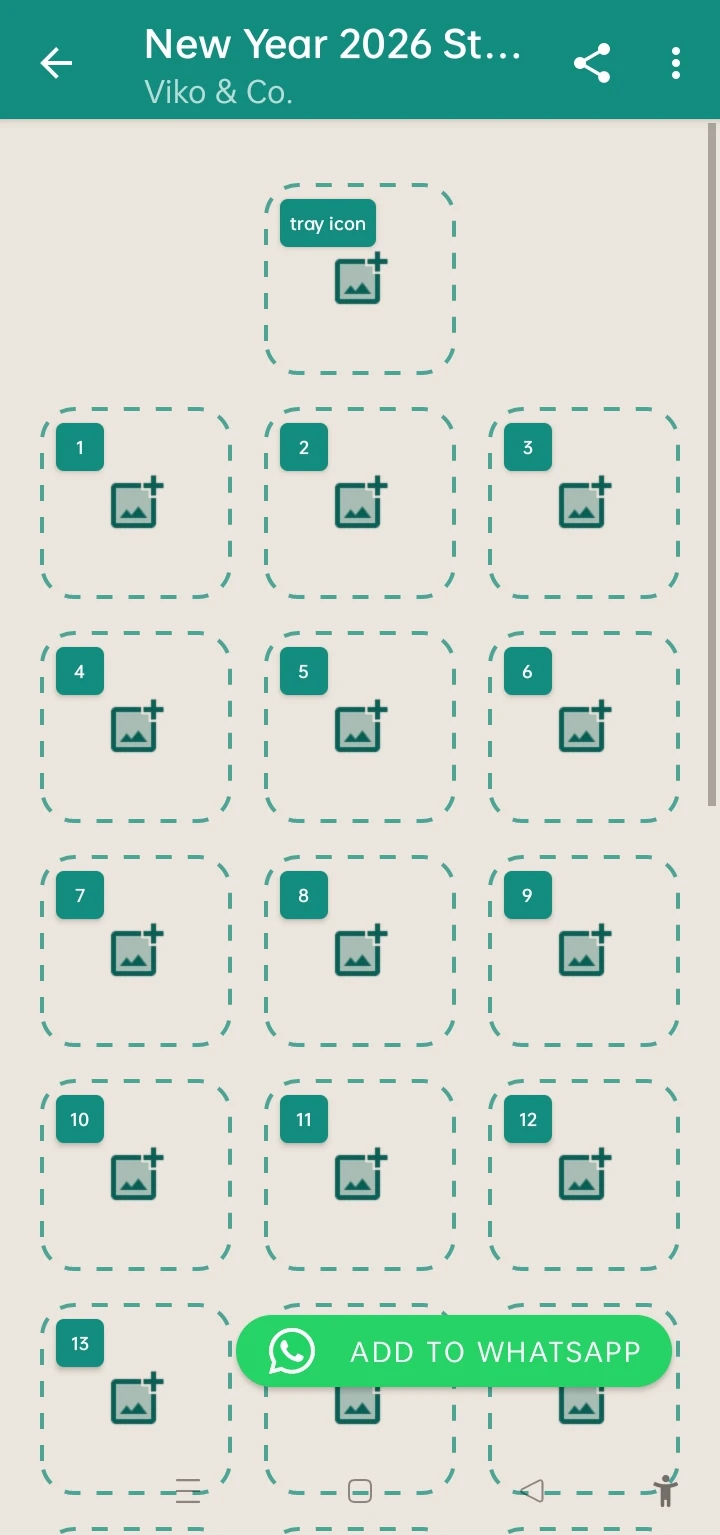
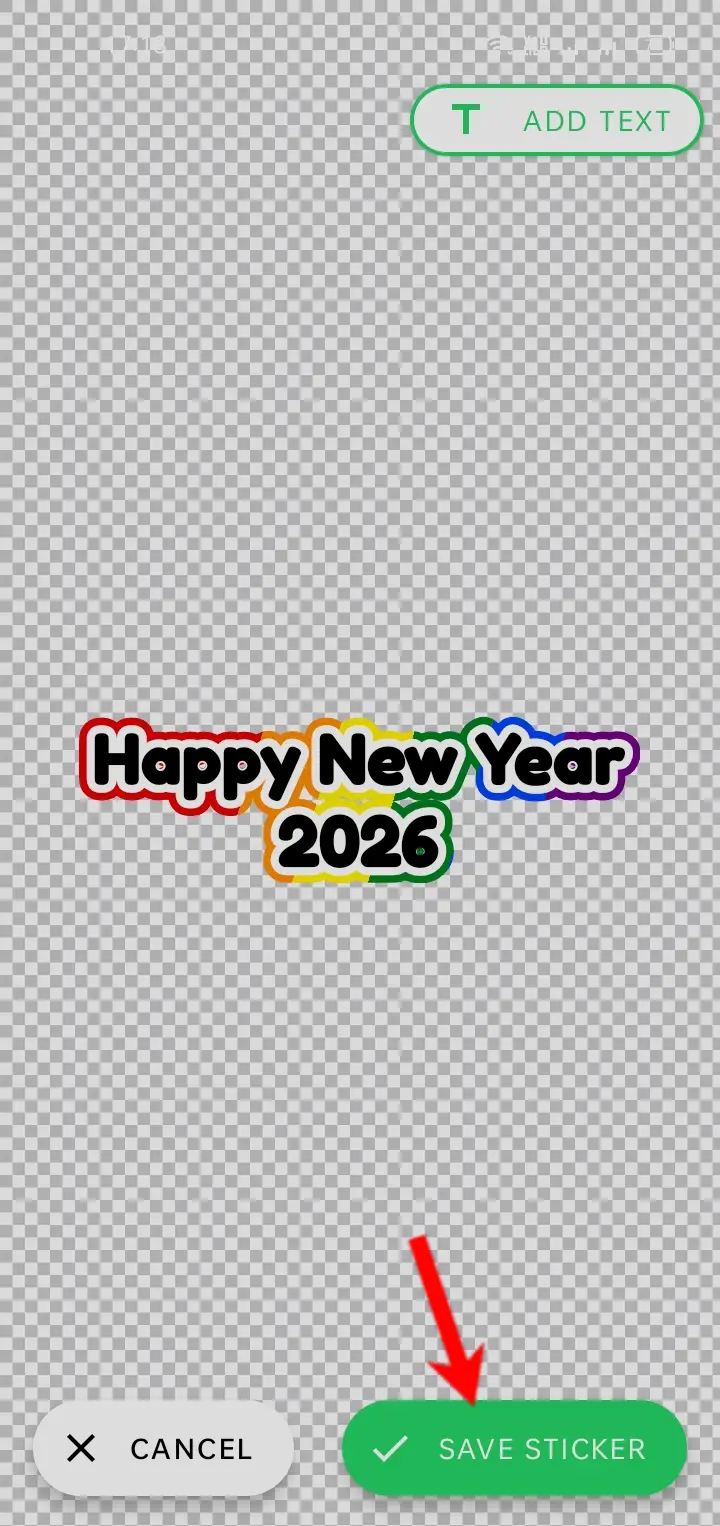
These apps offer many fonts, effects, and backgrounds.
Method 3: Use AI Tools to Design Custom New Year Stickers
If you want something more unique, use AI tools like ChatGPT.
How I Used AI for Stickers
- Generate a New Year 2026 image using an AI tool
- Add custom text like:
- New Year 2026 with Me
- Cheers to 2026
- Download the image
- Convert it into a WhatsApp sticker using Sticker Maker
I used ChatGPT to create WhatsApp stickers.
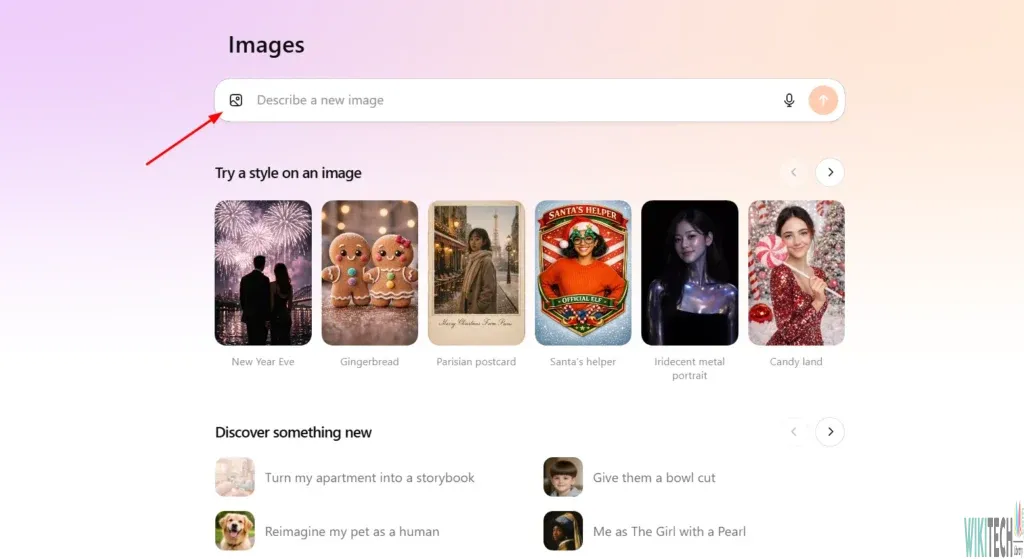
I wrote some prompts to create WhatsApp stickers. Below are these prompts with their output.
Prompt 1
Cute WhatsApp sticker with the text Cheers to 2026, bright party colors, confetti, fireworks, champagne glass, fun cartoon style, thick white outline, soft shadow, transparent background, clean edges, sticker PNG, high quality

Prompt 2
Celebration sticker that says Cheers to 2026, smiling balloons, glitter style lights, warm golden tones, playful font, rounded border, clear white outline, transparent background, WhatsApp sticker look, PNG

Prompt 3
Modern WhatsApp sticker with Cheers to 2026 text, neon glow effect, simple party icons, minimal clean style, bold outline, transparent background, looks like real chat sticker, PNG

Best ideas for New Year 2026 sticker text
Here are some ideas I personally used:
- Happy New Year 2026 from Me
- Cheers to New Beginnings 2026
- New Year Vibes Only
- Welcome 2026
- Let’s Win in 2026
Personal messages perform better than generic wishes.
How to share personalised stickers on WhatsApp
Once created
- Open any chat
- Tap the Sticker icon
- Find your custom sticker pack
- Send instantly
You can also send them in groups or status updates.
Frequently Asked Questions
Can I personalize stickers directly in WhatsApp?
Yes. WhatsApp includes a built in sticker creator that lets you make custom stickers using your own photos, text, emojis, and drawings without installing another app.
Are sticker maker apps safe to use?
Yes, as long as you download well known apps from the Google Play Store or Apple App Store and only grant the permissions they actually need.
Can I use my own photo to create WhatsApp stickers?
Yes. You can turn your own photos into personalized WhatsApp stickers by using the built in sticker editor or a third party sticker maker app.
Can I delete a custom sticker pack later?
Yes. Open the sticker section in WhatsApp, manage your sticker packs, and remove any custom pack you no longer want to keep.
Can I share my custom stickers with friends?
Yes. Once you’ve created a sticker pack, you can send the stickers in individual chats, group chats, and in many cases share the sticker pack with others.
Do I need to pay to create personalized WhatsApp stickers?
No. WhatsApp’s built in sticker creator is free, and many popular sticker maker apps also offer free tools for creating custom stickers.






A little discussion goes a long way.
Ask a question, share your experience, or help someone find an answer.
There is room for your perspective.
No discussions match this view yet.
Your voice belongs here
Keep it useful. Keep it kind.