
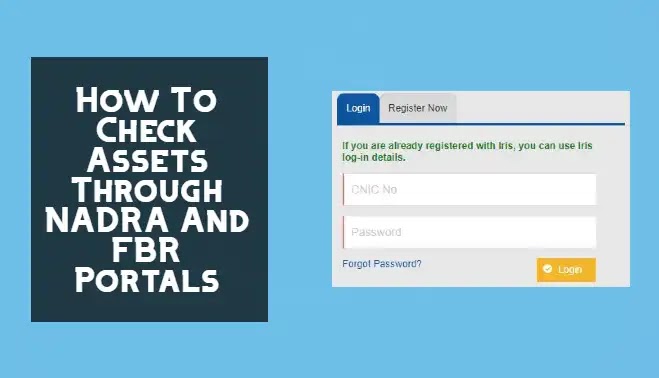
Your assets can be viewed online if you want to know. Check your asset details through NADRA and FBR’s portals if you answered yes to the above question. You’ll find complete instructions here.
Even though most people desire to know what assets are registered in their names, they have no idea how to do so. Therefore, the National Database and Registration Authority (NADRA) and the Federal Board of Revenues (FBR) have created an online web platform for Pakistanis to check their assets’ data. In addition, your asset’s details can be viewed and printed for future reference.
Citizens can access these two web portals to view their asset records. Let’s learn how to access the FBR and NADRA online web portals to check the assets details.

Eligibility Criteria To Check The Assets Details
To identify whether they are eligible to see details through the NADRA and FBR portals, the user must read the following guidelines carefully.
- The user must be a Pakistani citizen and have a CNIC number.
- Your age must be at least 18 years old.
- You must have a PTA-registered mobile phone.
- Overseas Pakistanis should have a valid e-mail.
- Nadra-school must be used to make the payment of 500PKR to the user.
How to check assets details online
A platform provided by the Pakistani government, the user can access information about their assets.
- FBR Asset Inquiry System
- FBR Tax Profiling System
FBR Tax Profiling System
As part of the FBR tax profiling system, the Pakistani government provides citizens with a way to determine their taxes based on their assets. This information is obtained from official sources such as the FBR and NADRA and is available to those who log in to the FBR maloomat website. Non-filers would be urged to view their tax profiles and become a member of the tax system.
How To Use Tax FBR System
Anyone can use the FBR online tax system by following the steps described in the following.
- Open your web browser and navigate to the FBR tax system official website.
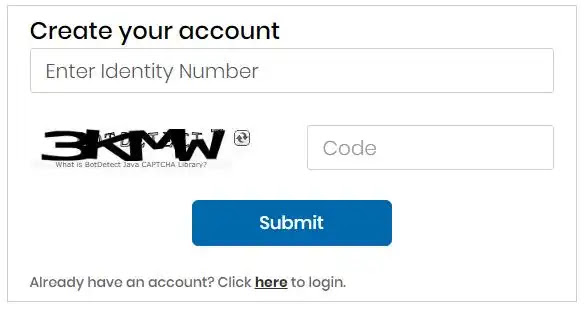
- If you do not already have an account, please create one by entering your computer-generated code, and your CNIC number, followed by the submit button.
- Your city’s NADRA-e-sahulat is where you’ll pay the application fee.
- In addition to the NTN number and total income displayed on your screen portal after payment, you’ll also get information on your tax filing status, passport, and more.
- You can also save or print the page as a PDF file.
How To Use FBR Asset Inquiry System
Here’s a step-by-step guide on how to check assets through FBR in two different ways.
Method 1
- Send your CNIC number to 9966.
- You will get your assets through SMS.
Note: You can only use PTA registered mobile phone to send SMS
Method 2
- Open your web browser and navigate to the FBR maloomat official website.
- If you do not have an account on the FBR maloomat website, first create your account by providing the required details.
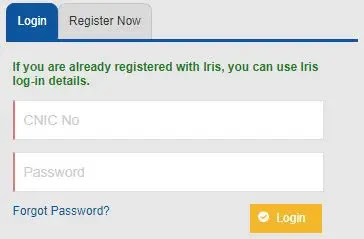
- If you already have an account, then ENter your CNIC number and password for login into the FBR maloomat website.
- You can access the FBR web portal by entering the code sent to their mobile phones.
On the FBR website, you can check the information of your assets on your own once you have logged in. Through this web portal, you will be able to access the following information:
- Property Detail on your name
- Utility Bill amount
- Vehicles
- Travel information
- Withholding tax
Note: FBR’s site is updated regularly with new asset information. For this reason, you will need to check the portal regularly to see if the data has been updated.
Thank you for reading about how to check the asset details via NADRA and FBR. I hope you found it helpful. Feel free to ask any questions regarding this topic in the comment section.



A little discussion goes a long way.
Ask a question, share your experience, or help someone find an answer.
There is room for your perspective.
No discussions match this view yet.
Your voice belongs here
Keep it useful. Keep it kind.