
WhatsApp offers a unique feature that notifies the sender when their message has been read. But not always do you want to read someone’s message quietly and not let them know. Learning how to read messages without triggering read receipts can be incredibly useful, whether you’re taking time to respond to your message or wanting to sidestep a sticky situation.
- Can You Read a WhatsApp Message Without the Sender Knowing?
- How to Read WhatsApp Messages Secretly
- Turn off “Last Seen” and Read Receipts
- Use the Notification Bar
- Use Airplane Mode
- WhatsApp Chat Widget (Android Only)
- Use Third-Party Apps Like KidsGuard
- Use 3D Touch (iPhone)
- FAQs
- Is it legal to read someone’s WhatsApp messages without their knowledge?
- Will the sender eventually see the read receipt?
- Can these methods work on other messaging apps?
- Are third-party apps like KidsGuard safe to use?
Can You Read a WhatsApp Message Without the Sender Knowing?
Yes, it is possible! This means you can read your messages through WhatsApp settings without activating your blue ticks or your ‘Last Seen’ status. By default, the sender will know when messages have been read on WhatsApp, and you can disable this or use different methods to make it more private.
How to Read WhatsApp Messages Secretly
Turn off “Last Seen” and Read Receipts
This method for reading someone’s WhatsApp messages without them realizing it enables or disables the ‘Last Seen’ option in your WhatsApp settings.
The only drawback of doing so is that you can’t receive notifications and cannot turn the camera back on, showing your online status and triggering read receipts for messages viewed.
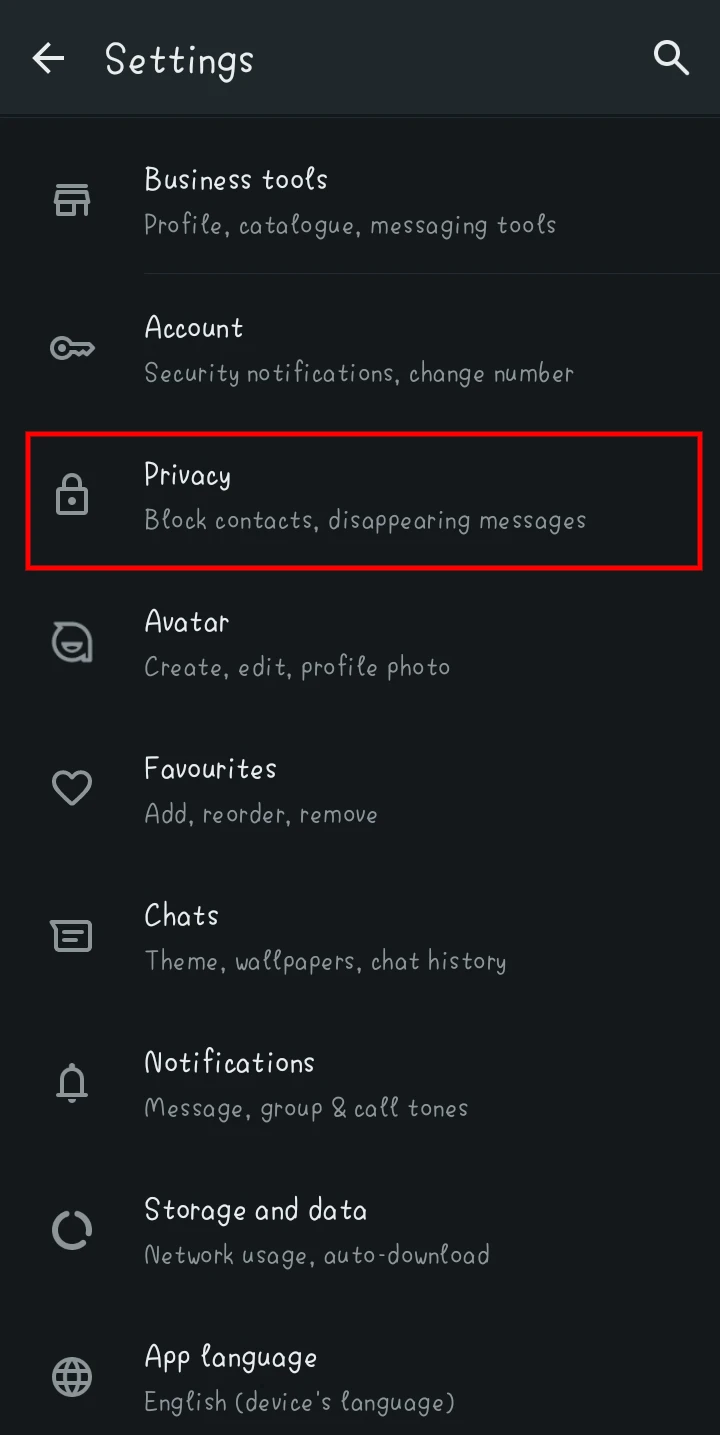
- Open WhatsApp and go to Settings > Privacy.

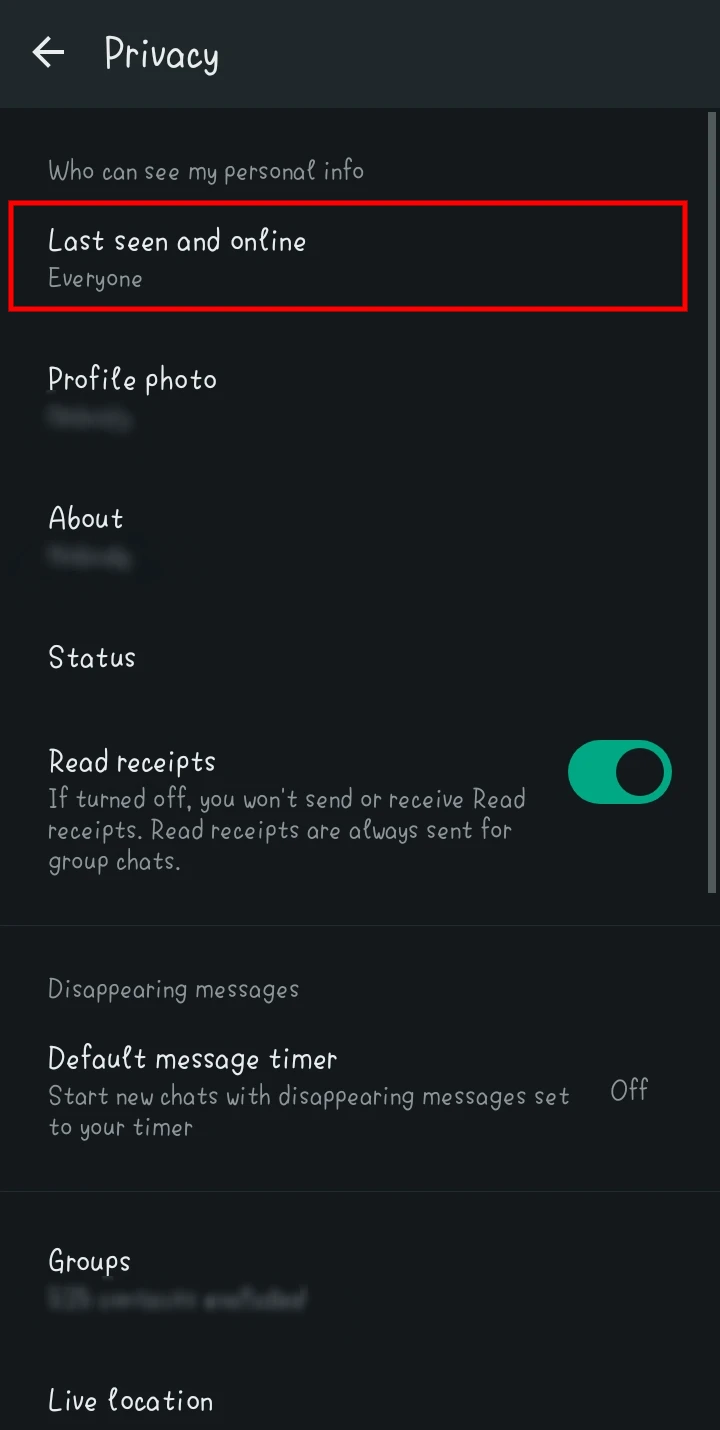
- Click on Last Seen and Online.

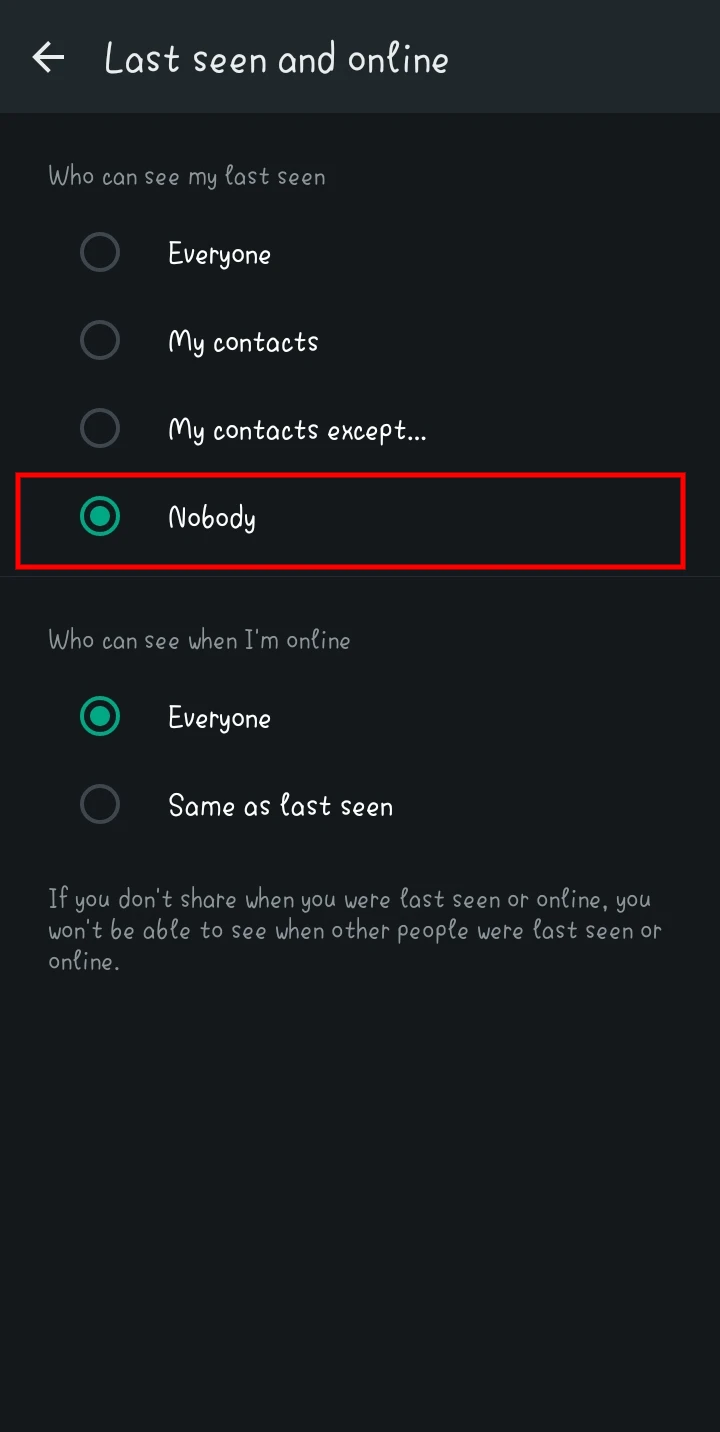
- Select Nobody.

- Turn off Read Receipts to stop blue ticks from appearing.
Use the Notification Bar
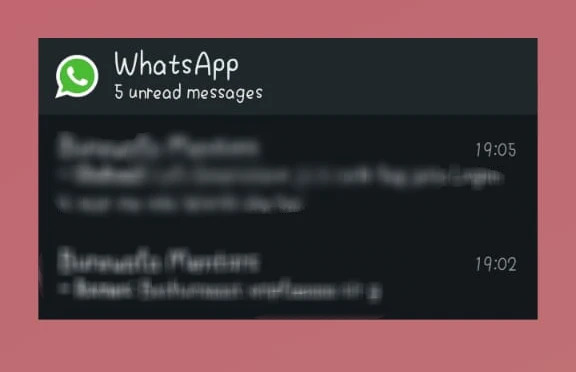
Another way to read WhatsApp messages without a sender being aware is through your device’s notification bar. You are given a preview of a new message that arrives in a notification without opening WhatsApp.
To read WhatsApp messages without opening using the notification bar:
- Ensure notifications are enabled for WhatsApp.

- Drag down the notification bar to view the message preview.

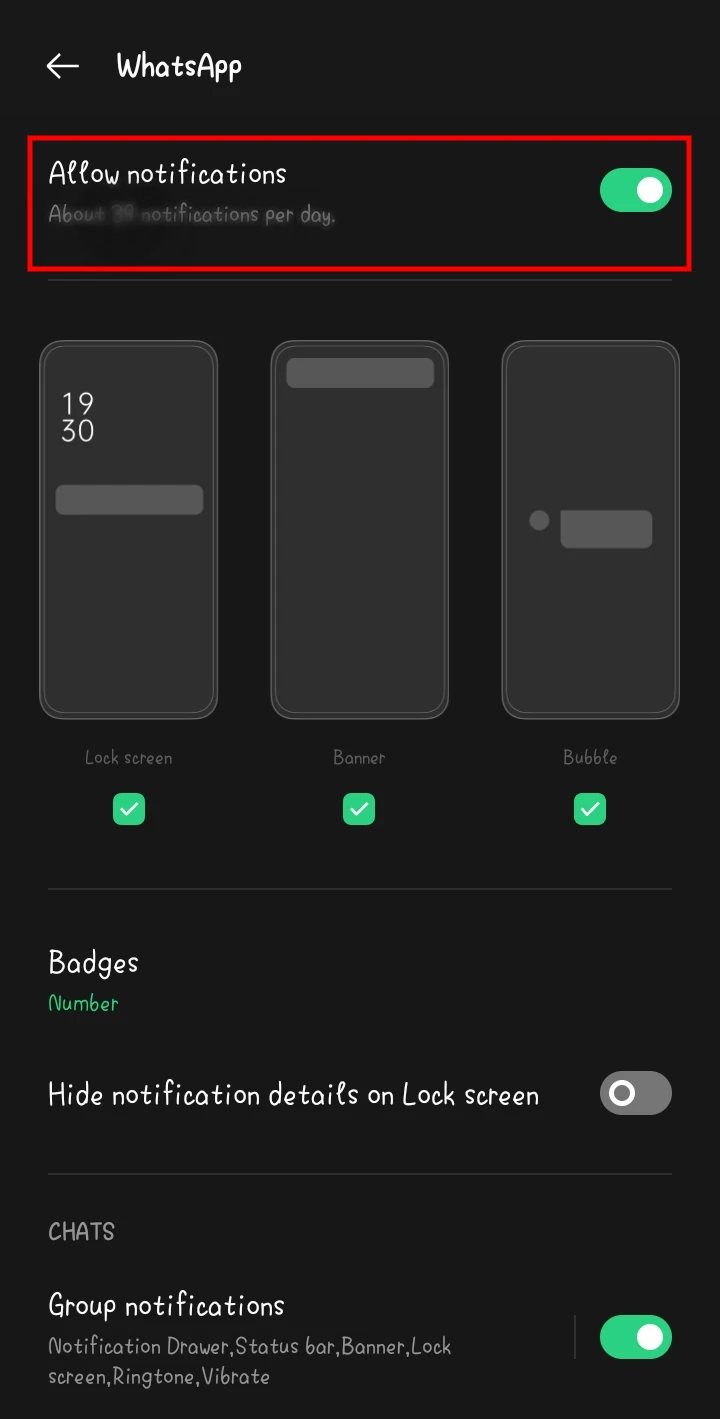
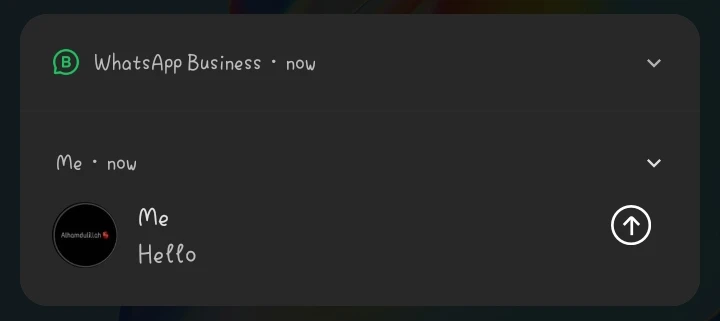
It is a quick and easy way to check your messages and messages short without reading the receipt.
Use Airplane Mode
The Airplane Mode hack is a neat (maybe infamous) hack that lets you read WhatsApp messages without the receiver knowing and not triggering read receipt. It’s a method where you temporarily take your device offline, read the message, and then truncate again.
Here’s how to use the Airplane Mode hack:
- Open WhatsApp to the message list, but don’t open the chat.
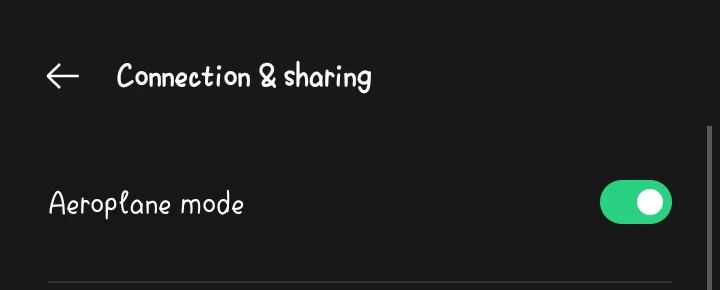
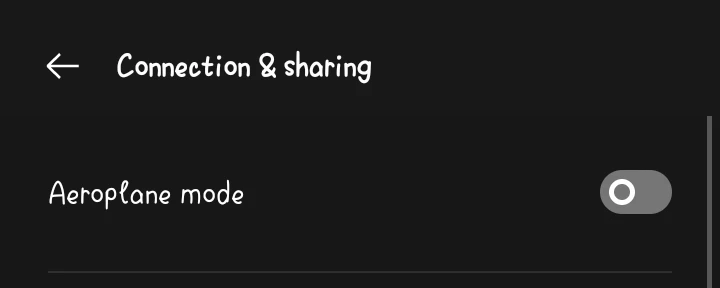
- Turn on Airplane Mode on your device.

- Read the message, then close WhatsApp.
- Now disable Airplane Mode.

WhatsApp Chat Widget (Android Only)
As an Android user, you can use the WhatsApp Chat Widget to Open WhatsApp messages without the help of the WhatsApp App. With this feature, you can quickly read your WhatsApp conversations without pulling them up or leaving your notifications bar.
Here’s how to read WhatsApp messages without a blue tick:
- Long-press your home screen and select Widgets.
- Add the WhatsApp Chat Widget to your home screen.

- Read incoming messages directly from the widget.
Use Third-Party Apps Like KidsGuard
KidsGuard is a powerful third-party app that enables you to read WhatsApp messages on another person’s phone without them being aware they were read and without sending the blue ticks. It is a parental control app that brings about several things, including remote monitoring of WhatsApp messages.
To use KidsGuard to read WhatsApp messages without the sender knowing:
- Install KidsGuard from its official website.
- Set it up on your device.
- Log in to the KidsGuard dashboard from any web browser.
- Go to the WhatsApp section to view messages without alerting the sender.
Note: KidsGuard is a paid app but offers a free trial.
Use 3D Touch (iPhone)
This feature works with iPhones and 3D Touch-enabled devices. You can preview WhatsApp messages without actually reading them.
Here’s how to read WhatsApp messages without opening it on iPhone:
- Ensure 3D Touch is enabled: Settings > Accessibility > AssistiveTouch.

- Firmly press on the WhatsApp message notification to view the message preview.
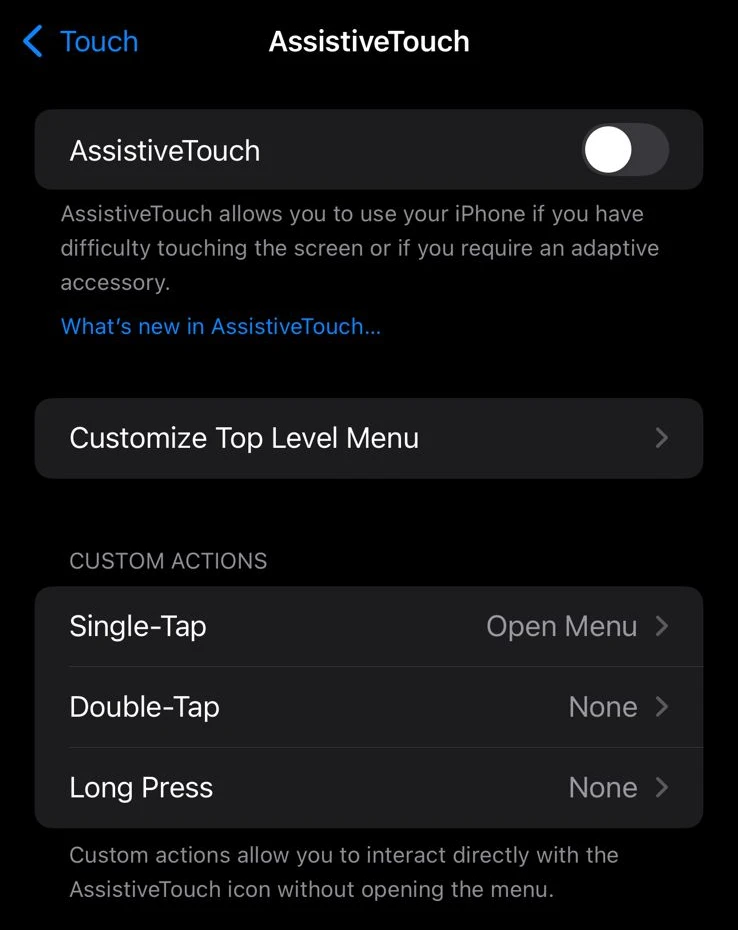
This allows users to preview messages without triggering blue ticks.
FAQs
Is it legal to read someone’s WhatsApp messages without their knowledge?
It may be a law or an ethical norm violation to access someone’s private messages without their consent. Use these methods responsibly and expect appropriate results, only for legitimate reasons, for example, to help you avoid some awkward situations.
Will the sender eventually see the read receipt?
Yes, for methods like Airplane mode, the sender will see the read receipt once you reconnect to the internet or reopen the app.
Can these methods work on other messaging apps?
You can also apply many of these methods to other apps, such as Messenger or Telegram. The exact sequence may differ depending on how the app is configured.
Are third-party apps like KidsGuard safe to use?
Although KidsGuard is a reputable tool, always be certain to download these apps directly from their official websites to prevent malicious activity or the leak of your data.







A little discussion goes a long way.
Ask a question, share your experience, or help someone find an answer.
There is room for your perspective.
No discussions match this view yet.
Your voice belongs here
Keep it useful. Keep it kind.