
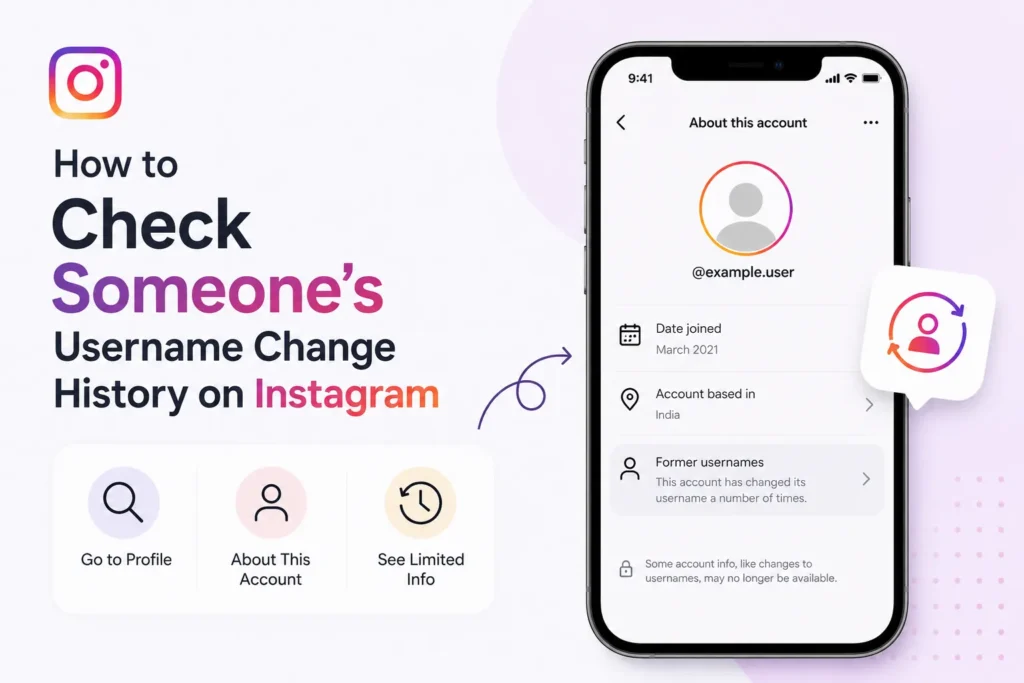
Users can change their usernames on Instagram. Instagram keeps track of username changes, and you can see some details about an account’s username history. This can help confirm a user’s account authenticity.
Is it possible to check someone’s username history on Instagram?
Until recently, Instagram made it possible to see exactly what an account’s full username history looked like, including dates of any changes to the username. However, the platform has since scaled back this functionality.
Instagram no longer publicly shows the complete username history for most accounts. For eligible accounts with the About This Account section, you may see limited account information, but previous usernames are generally no longer displayed.
Unfortunately, there’s no unofficial way to get someone’s old Instagram username because Instagram is getting more private nowadays.
How to view someone’s Instagram username change history
If the account has the necessary transparency features enabled, it becomes relatively easy to see how much an Instagram account has changed its username. Here’s how you can do it:
- Open Instagram app.
- Open the Instagram profile of the account you want to check the username history.
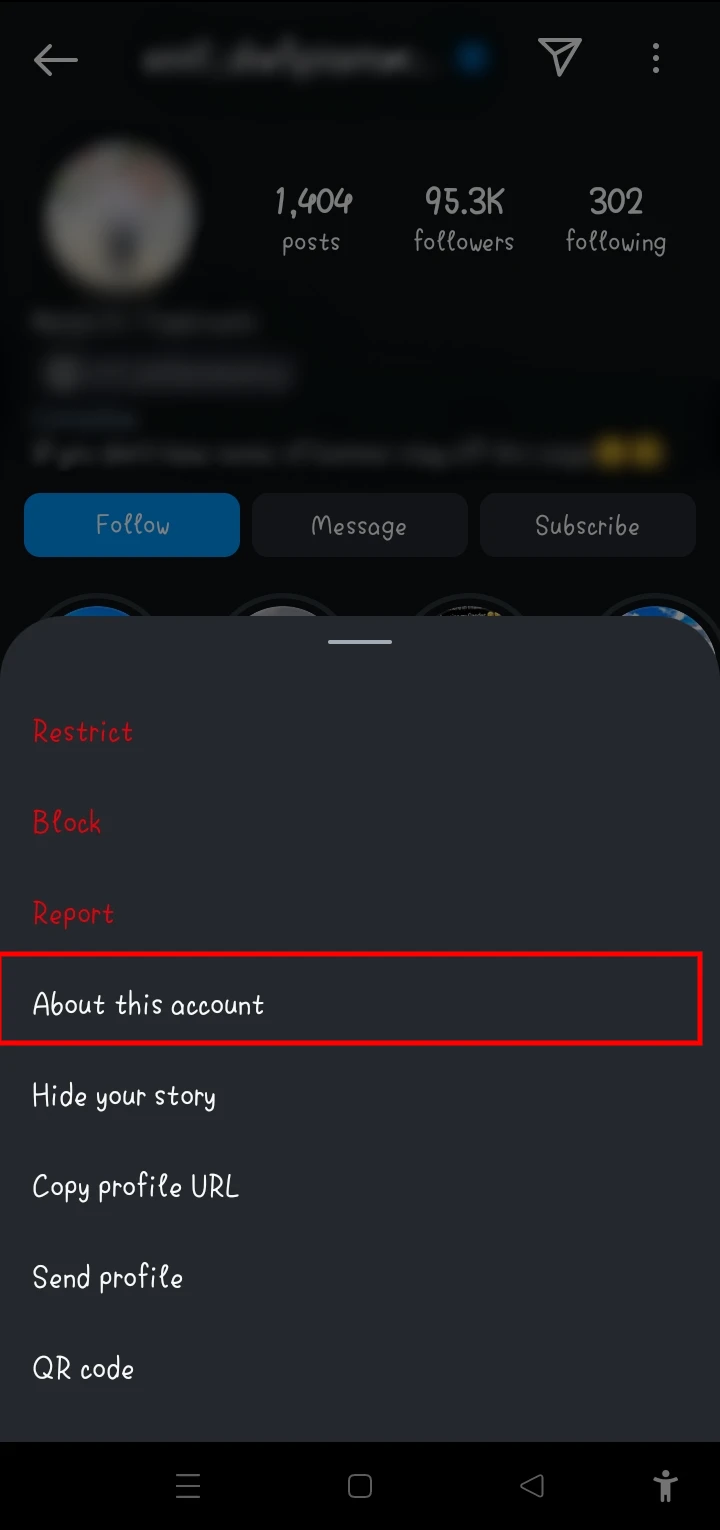
- Tap the three-dot menu in the top-right corner of the profile.

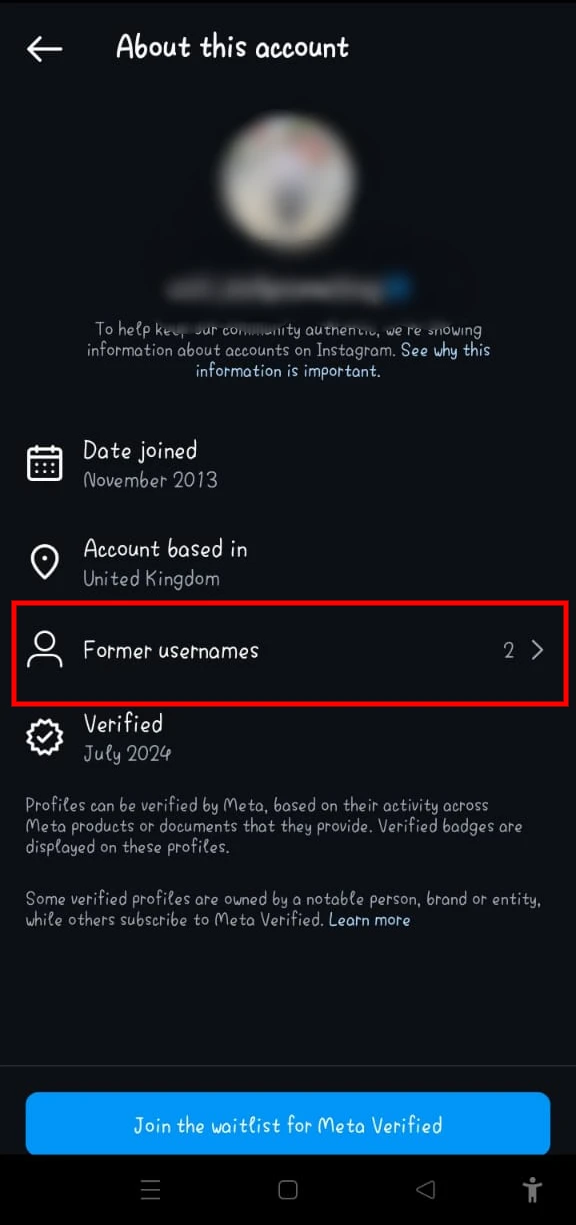
- Select About This Account (if the option is available).

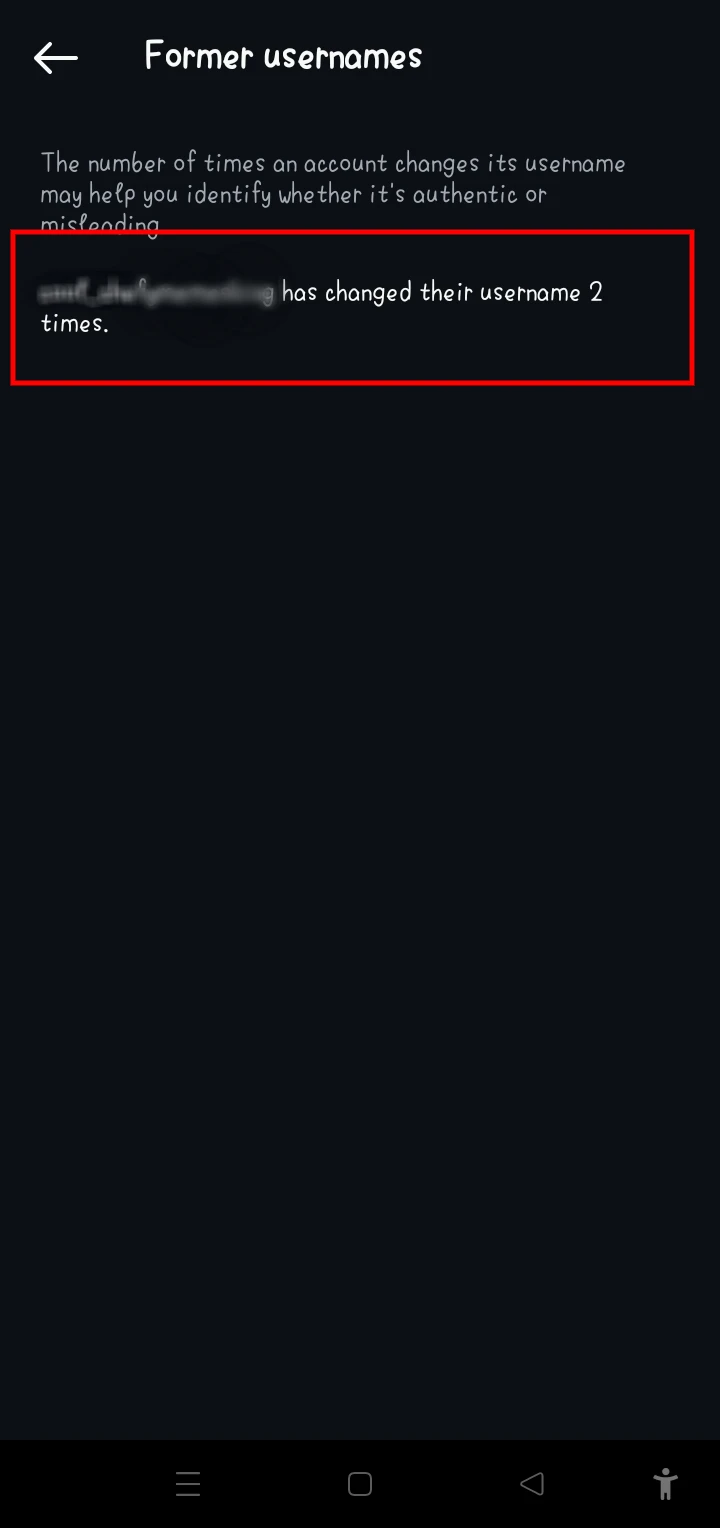
- Tap on the Former Usernames option.
If the account has an About This Account section, you may see limited transparency information. However, Instagram no longer shows a public list of previous usernames for most accounts.
Limitations of this feature
While the feature is helpful, there are several limitations to keep in mind:
- Most accounts no longer display previous usernames.
- The About This Account section is available only for certain accounts.
- There is no official way to view someone’s complete username history.
- Third party apps cannot reliably access old Instagram usernames.
Can third party apps show old Instagram usernames?
No. Apps or websites claiming they can reveal someone’s previous Instagram usernames are not officially supported and may be scams or request unnecessary access to your account.
Why username change history matters
Multiple username changes do not automatically mean an account is fake. However, when combined with other warning signs, such as a recently created account, suspicious messages, or impersonation attempts, they may deserve closer attention.
- Check the credibility of an account.
- Find patterns related to fraudulent behavior.
- Make informed decisions when engaging with new accounts.
While usernames can be changed on Instagram, the feature for viewing username change history does not appear. This is a great trick for assessing an account’s reliability.
Instagram does not provide a public username history for most accounts. If the About This Account section is available, it may offer limited transparency information, but there is no official way to view someone’s complete list of previous usernames.






A little discussion goes a long way.
Ask a question, share your experience, or help someone find an answer.
There is room for your perspective.
No discussions match this view yet.
Your voice belongs here
Keep it useful. Keep it kind.