
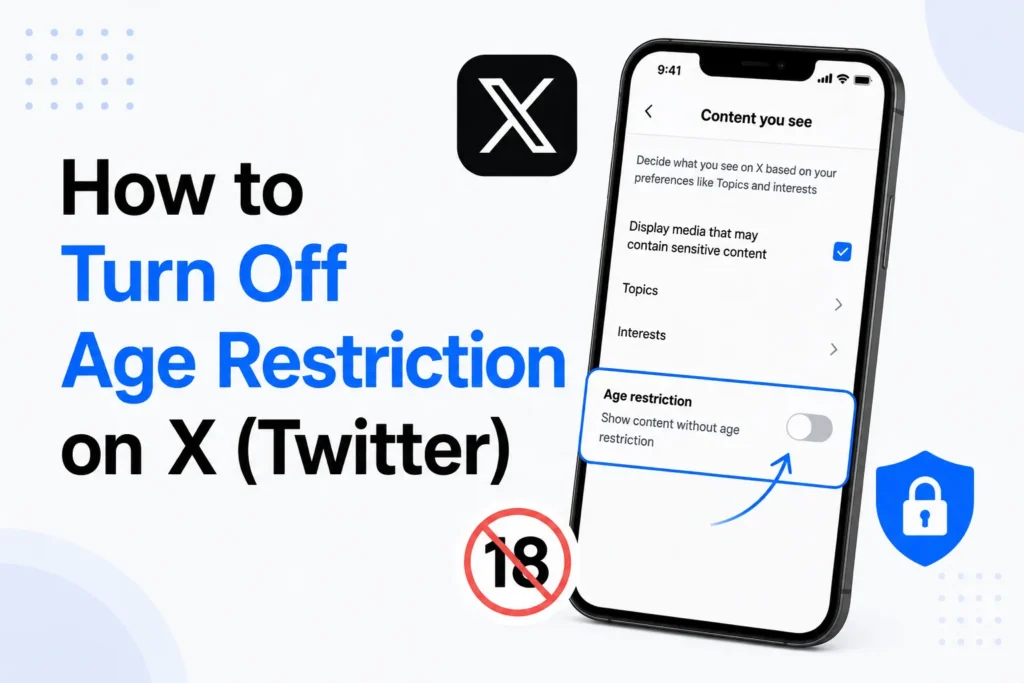
On X (Twitter), some tweets, profiles, or media may be hidden behind an age restriction. This happens due to the platform’s Sensitive Content rules.
If you are 18 or older, you can choose to view sensitive content by adjusting your content settings. In some countries, X may also ask you to complete age verification before access is granted. You must be logged in to make these changes. If you are under 18, age restrictions will remain, as it is required by X safety policies.
Here’s why age restrictions exist on X and how to disable them.
Why does X have age restrictions?

X applies age restrictions to protect users and follow legal requirements.
Here are the main reasons
- According to COPPA and other such laws, you must be at least 13 years old to create an X account.
- Videos with nudity, sexual content, or graphic violence are restricted to users aged 18 and above.
- If your birth date shows that you were under 13 when you created an account, X may lock or restrict your account until age verification.
- Laws in regions such as the UK and EU require stronger age verification, especially for adult content.
Depending on your country, X may ask you to verify or estimate your age before allowing access to sensitive content.
Can you turn off age restrictions on X?
Yes, age restrictions can be removed if you meet the age requirements. You can
- Enable sensitive content in your settings
- Verify your age if your account is locked
- Update incorrect birth date details
Do not try to bypass restrictions using VPNs or fake information.
How to turn off age restriction on X (Web)
Here’s how you can turn off age restriction on X for desktop.
- Log in to your account on x.com
- Click More from the left menu
- Select Settings and privacy
- Go to Privacy and safety
- Click Content you see
- Turn on Display media that may contain sensitive content
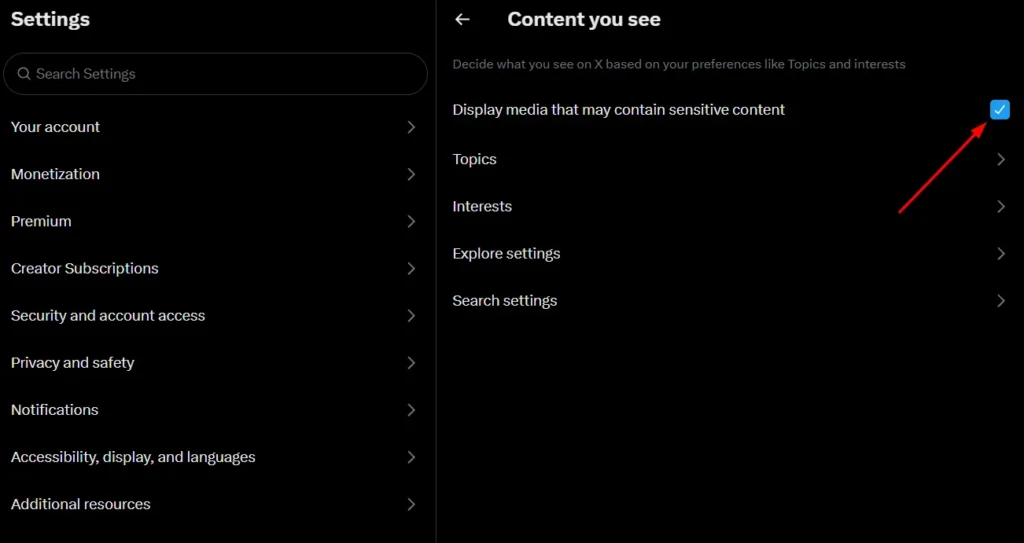
Your changes will be saved automatically.
How to Turn Off Age Restriction on the X App (iOS and Android)
You can also disable age restrictions from the iOS and Android app.
- Open the X app and sign in
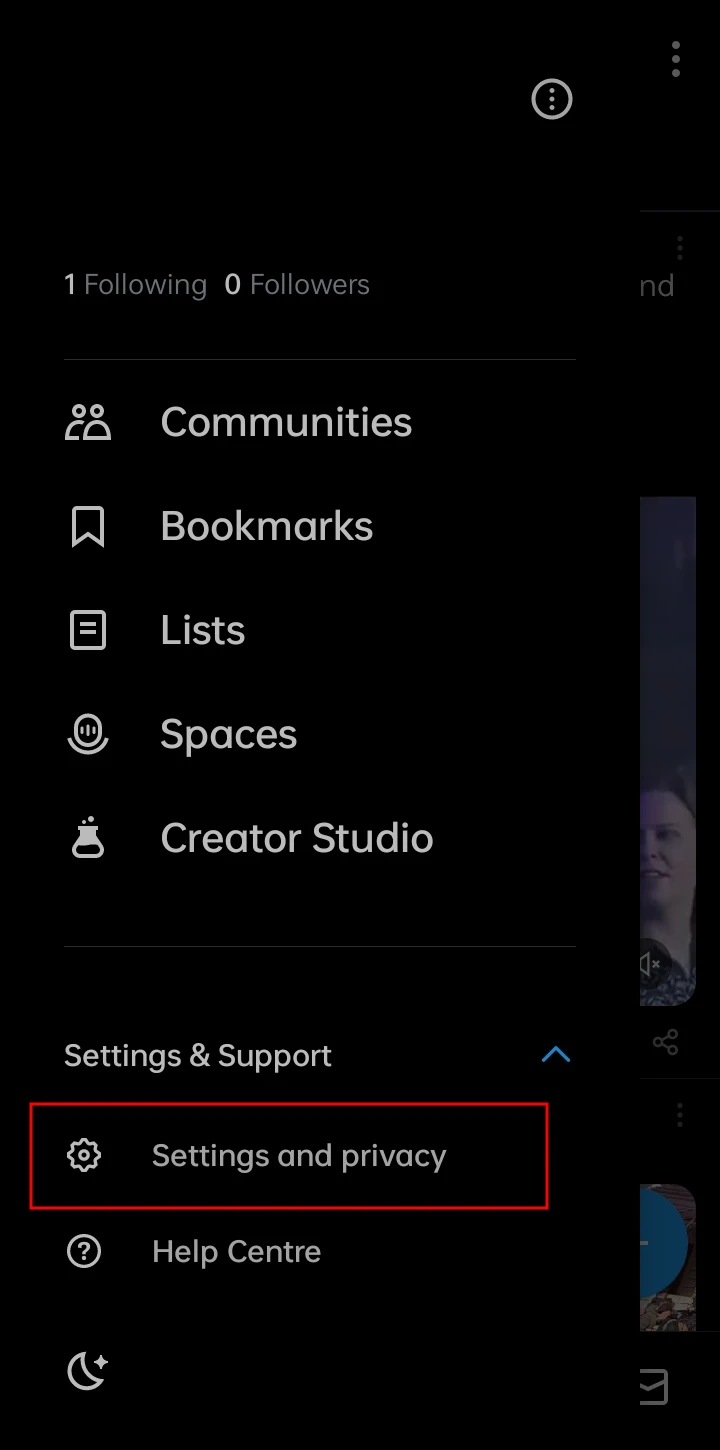
- Tap your profile icon
- Go to Settings and privacy under the Settings & Support option

- Tap Privacy and safety

- Select Content you see

- Tap Sensitive Media

- Set all sensitive media categories to Show all
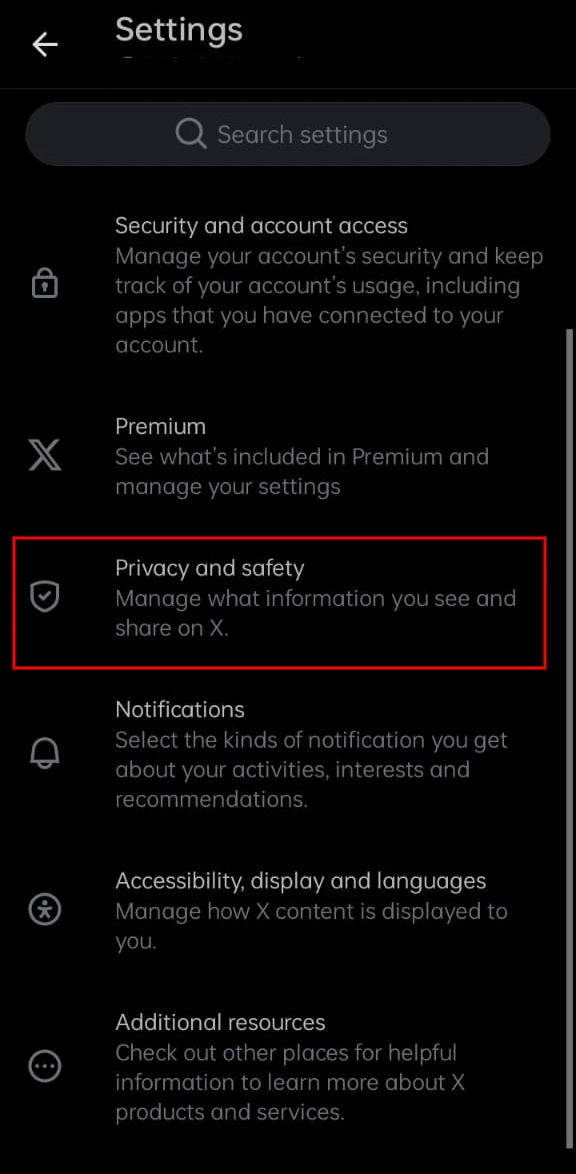
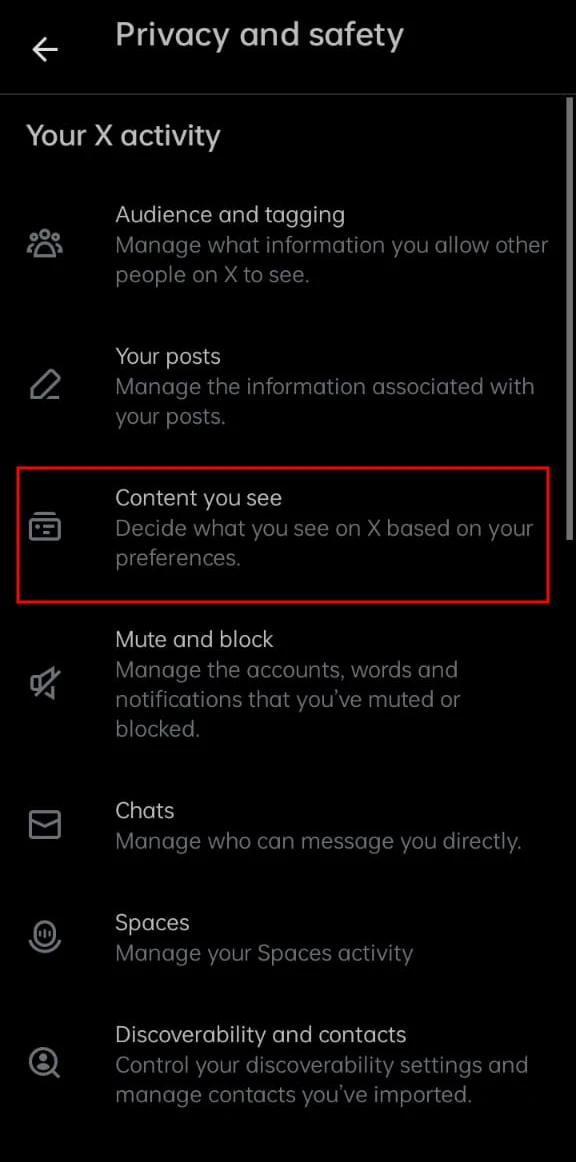
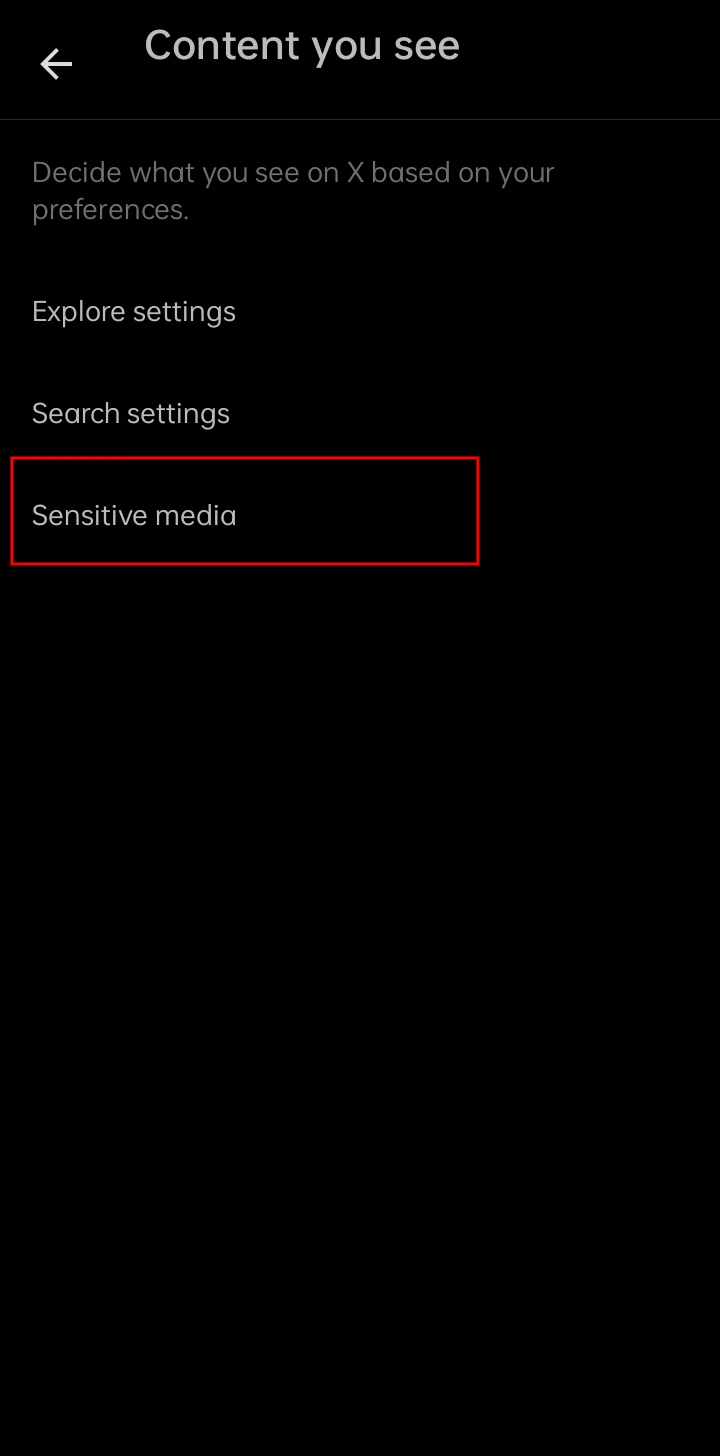
Once enabled, restricted media will show in your feed.
Update your birth date to remove restrictions
If your account is restricted because you entered an incorrect birth date, you can update it.
On web
- Log in to x.com
- Go to Profile
- Click Edit profile
- Tap Birth date and edit
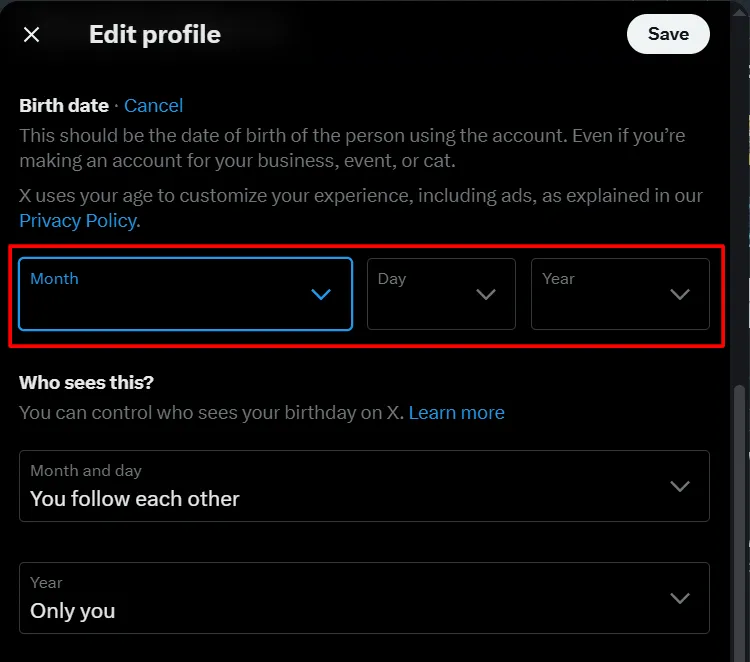
On mobile app
- Tap your profile picture
- Go to Profile
- Tap Edit profile
- Select Birth date, update it, and save
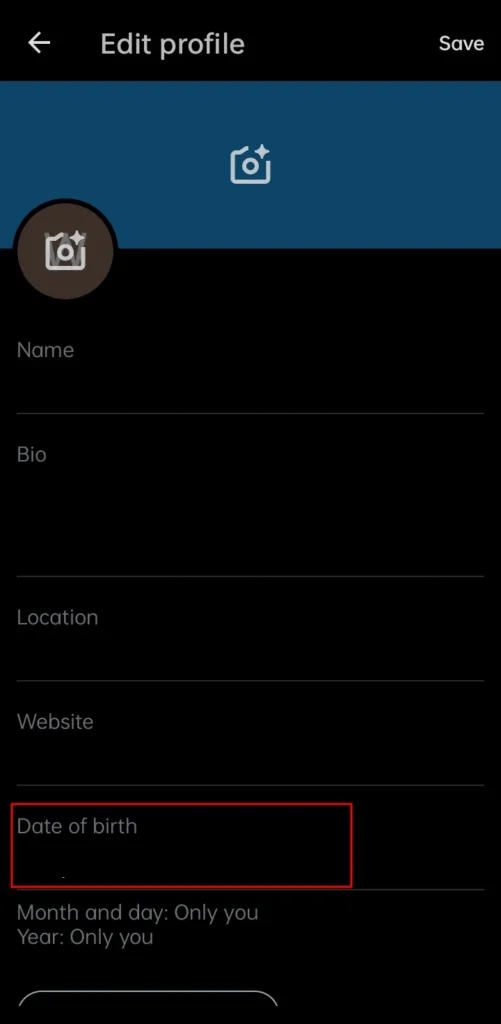
If you entered false information, Twitter can suspend your account.
Frequently Asked Questions
Why can’t I turn off age restriction on X?
If your account indicates that you are under 18, X will continue to restrict sensitive content. In some countries, you may also need to complete age verification before certain media becomes available.
Is it safe to turn off age restriction on X?
Yes. However, enabling sensitive content means you may see posts containing graphic violence, nudity, or other adult material. Only disable the restriction if you are comfortable viewing this type of content.
How old do you have to be to use X?
You must be at least 13 years old to create an X account. Some sensitive content is only available to users who are 18 years or older, depending on local laws and platform policies.
Can I use X if I’m under 13?
No. X does not allow accounts for users under the age of 13. If an account is found to belong to someone below the minimum age, it may be suspended or locked.
Can I change my birth date on X?
Yes. You can edit your birth date from your profile settings. Make sure the information is accurate, as providing false details may result in account restrictions or suspension.
Will enabling sensitive content remove all age restrictions?
No. Enabling sensitive content only works if your account meets X’s age requirements. Content restricted by your age, location, or local laws may still remain unavailable.







A little discussion goes a long way.
Ask a question, share your experience, or help someone find an answer.
There is room for your perspective.
No discussions match this view yet.
Your voice belongs here
Keep it useful. Keep it kind.