
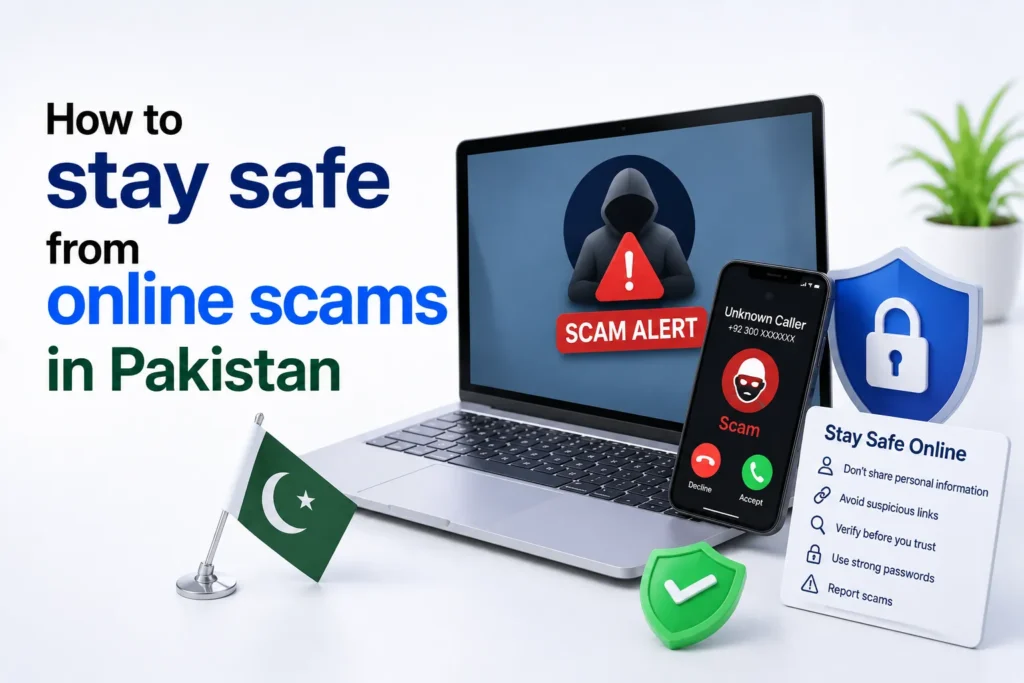
The internet has made everyday life easier in Pakistan. From online shopping and banking to digital wallets and social media, millions of people now rely on online services every day.
Unfortunately, scammers have become more active as well. Fake investment schemes, phishing emails, fraudulent WhatsApp messages, and impersonation scams continue to target people across the country. The good news is that most online scams can be avoided if you know what warning signs to look for.
Why online scams are increasing in Pakistan
Pakistan’s growing digital economy has created more opportunities for both businesses and cybercriminals. More people now use mobile banking apps, online marketplaces, and digital payment services than ever before.
Scammers take advantage of this by pretending to be trusted companies, government departments, banks, or even friends and family. Their goal is usually to steal money, banking details, passwords, or personal information.
Many scams also spread quickly through social media platforms because fake offers can reach thousands of people within minutes.
Most common online scams in Pakistan
Understanding how scammers operate is the first step toward avoiding them.
Phishing emails and SMS messages
Phishing attacks try to trick you into revealing sensitive information.
You may receive a message claiming that your bank account has been suspended or that your account needs urgent verification. The message usually includes a fake website designed to look genuine.
Never enter your passwords, ATM PIN, or One Time Password (OTP) through links received in unexpected emails or text messages.
Fake banking calls
Fraudsters often pretend to represent banks or financial institutions. They may ask for
- ATM PIN
- Debit or credit card number
- CVV code
- OTP verification code
- Mobile banking password
Legitimate banks do not ask customers for this confidential information over the phone.
WhatsApp and social media scams
Scammers frequently send fake prize announcements or urgent messages asking users to click suspicious links. Common examples include
- Free mobile phones
- Government financial assistance
- Cash rewards
- Fake job offers
- Discount shopping vouchers
Many of these messages are designed to steal login credentials or install malware.
Fake online shopping stores
Some websites and Facebook pages advertise expensive products at unrealistically low prices.
Victims often pay in advance but never receive the product.
Always verify that the seller is genuine before making any payment.
Investment and cryptocurrency scams
High return investment schemes remain one of the fastest growing online frauds.
If someone promises guaranteed profits with little or no risk, it is almost certainly a scam.
Legitimate investments always involve some level of risk.
Loan and prize scams
Some scammers claim you have won a lottery or qualified for an instant loan.
Before releasing the prize or loan, they ask for a processing fee or tax payment.
Once the payment is made, the scammer disappears.
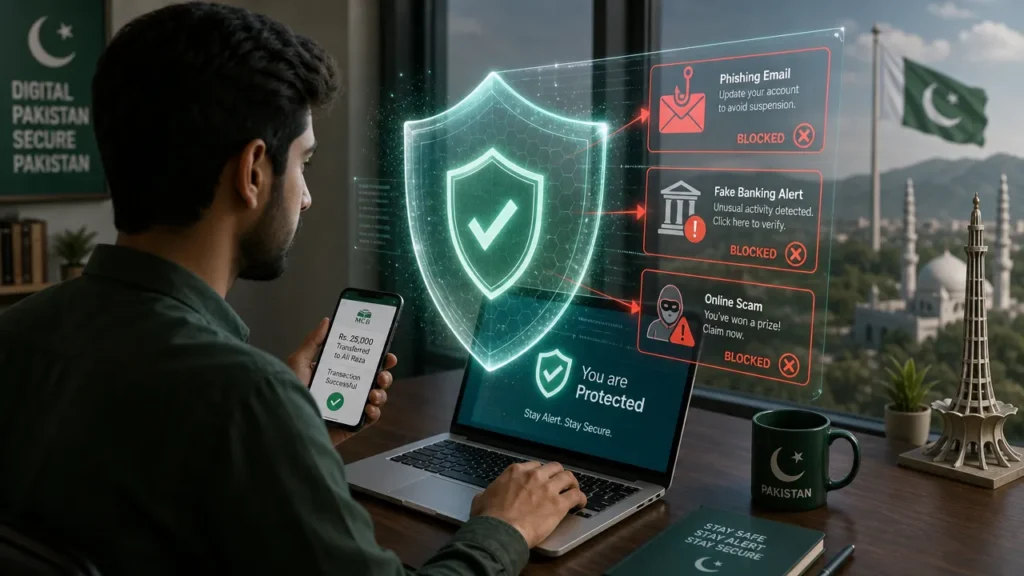
Warning signs of an online scam
The following red flags should make you stop and think before responding.
| Warning Sign | What It Usually Means |
|---|---|
| Too good to be true offers | Likely fraudulent |
| Urgent payment requests | Pressure tactic |
| Requests for OTP or PIN | Attempt to steal your account |
| Poor grammar and spelling | Fake message |
| Unknown website links | Possible phishing |
| Payment through gift cards or personal accounts | High fraud risk |
How to protect yourself from online scams
Following a few simple habits can significantly reduce your risk.
1. Never share sensitive information
Keep the following information private
- ATM PIN
- OTP codes
- Internet banking password
- Debit or credit card CVV
- CNIC photos unless absolutely necessary
No legitimate organization should ask for these details through calls, SMS, WhatsApp, or email.
2. Verify before you trust
Before clicking any link or making a payment
- Visit the company’s official website.
- Contact customer support using official contact details.
- Verify social media accounts.
- Read genuine customer reviews.
Never rely solely on information received through a message.
3. Use strong passwords
A secure password should
- Be unique
- Contain uppercase and lowercase letters
- Include numbers
- Include special characters
- Never be reused across multiple accounts
A password manager can help generate and store strong passwords securely.
4. Enable two factor authentication (2FA)
Two factor authentication adds another layer of security.
Even if someone steals your password, they usually cannot access your account without the second verification method. Enable 2FA for
- Email accounts
- Banking apps
- Social media
- Digital wallets
5. Keep your devices updated
Software updates often include important security fixes. Always update your
- Mobile phones
- Computers
- Browsers
- Banking apps
- Antivirus software
Ignoring updates can leave your device vulnerable.
6. Avoid public Wi-Fi for banking
Public Wi Fi networks may not be secure. If you need to access financial accounts, use your
- Mobile data
- Home internet connection
- Trusted VPN if appropriate
7. Check website security
Before entering personal information, verify that the website
- Uses HTTPS
- Displays a secure padlock icon
- Has the correct domain name
Small spelling differences in website addresses are a common phishing trick.
8. Be careful with QR codes
Scammers sometimes send fake QR codes for payments or account verification.
Only scan QR codes from trusted sources.
Double check where the code will take you before confirming any transaction.
What to do if you become a victim
If you think you’ve been scammed, act immediately. Taking the following steps as soon as possible can help protect your money and personal information.
Contact Your Bank
Immediately contact your bank or payment provider. Ask them to temporarily block your card or account if you suspect unauthorized activity.
Change Your Passwords
Update your passwords starting with your email account, then change passwords for banking, shopping, and social media accounts.
Enable Two Factor Authentication
Turn on two factor authentication (2FA) wherever available to add an extra layer of protection to your accounts.
Report the Scam
Report the incident to the relevant authorities and the platform where it happened. Save screenshots, emails, payment receipts, and chat history as evidence.
Report Online Fraud to FIA Cyber Crime
If you believe you have been targeted by an online scam, don’t wait. Reporting the incident quickly may help prevent further financial loss and can also assist authorities in investigating cybercriminals.
Here’s what you should do:
Contact Your Bank
Immediately contact your bank if your debit card, credit card, or online banking account may have been compromised. Ask them to temporarily block your account if necessary.
Save All Evidence
Keep screenshots, payment receipts, chat conversations, emails, phone numbers, and website links. This information can help during an investigation.
Report the Incident
Report the scam to the Federal Investigation Agency (FIA) Cyber Crime Wing as soon as possible so the matter can be investigated.
Secure Your Accounts
Change the passwords of all affected accounts and enable two factor authentication (2FA) to improve your account security.
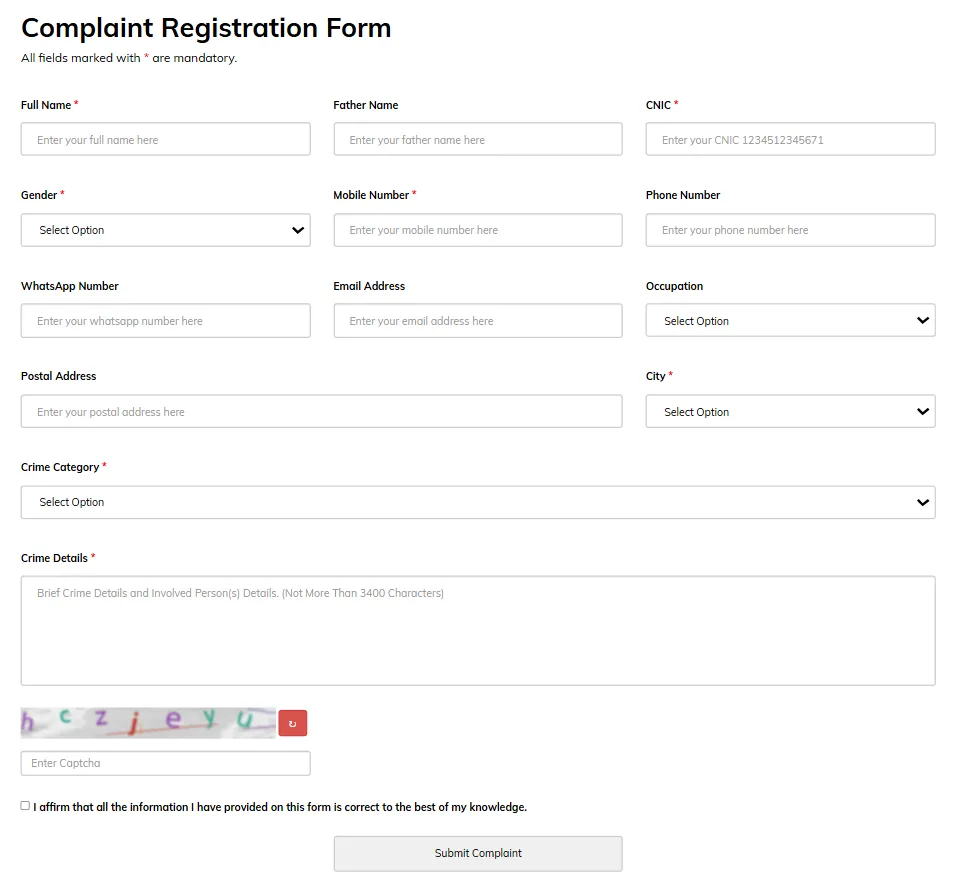
You can report cyber fraud through the FIA Cyber Crime reporting portal or contact their helpline for guidance. When filing a complaint, provide as much information as possible to help investigators understand the case.
Contact Information
- FIA Cyber Crime Helpline: 1991
- Online Complaint Portal: https://complaint.fia.gov.pk
Tip: Never delete scam messages or transaction records before filing a complaint. They can serve as important evidence during an investigation.
Online safety tips for families
Children and older adults are often targeted because scammers assume they have less experience identifying fraud.
Parents should:
- Teach children not to share personal information online.
- Monitor downloads and app permissions.
- Explain how fake giveaways work.
Older family members should be reminded never to share banking information over the phone, even if the caller sounds convincing.
Safe online habits you should follow every day
| Good Practice | Benefit |
|---|---|
| Use unique passwords | Reduces account compromise |
| Enable 2FA | Adds extra protection |
| Verify payment requests | Prevents financial fraud |
| Update devices regularly | Fixes security vulnerabilities |
| Check website addresses | Avoids phishing sites |
| Think before clicking links | Stops many common scams |
Common Scam Messages in Pakistan
Scammers often use messages that create fear or excitement to pressure people into acting without thinking. While the wording may vary, the goal is usually the same: steal your personal information or money.
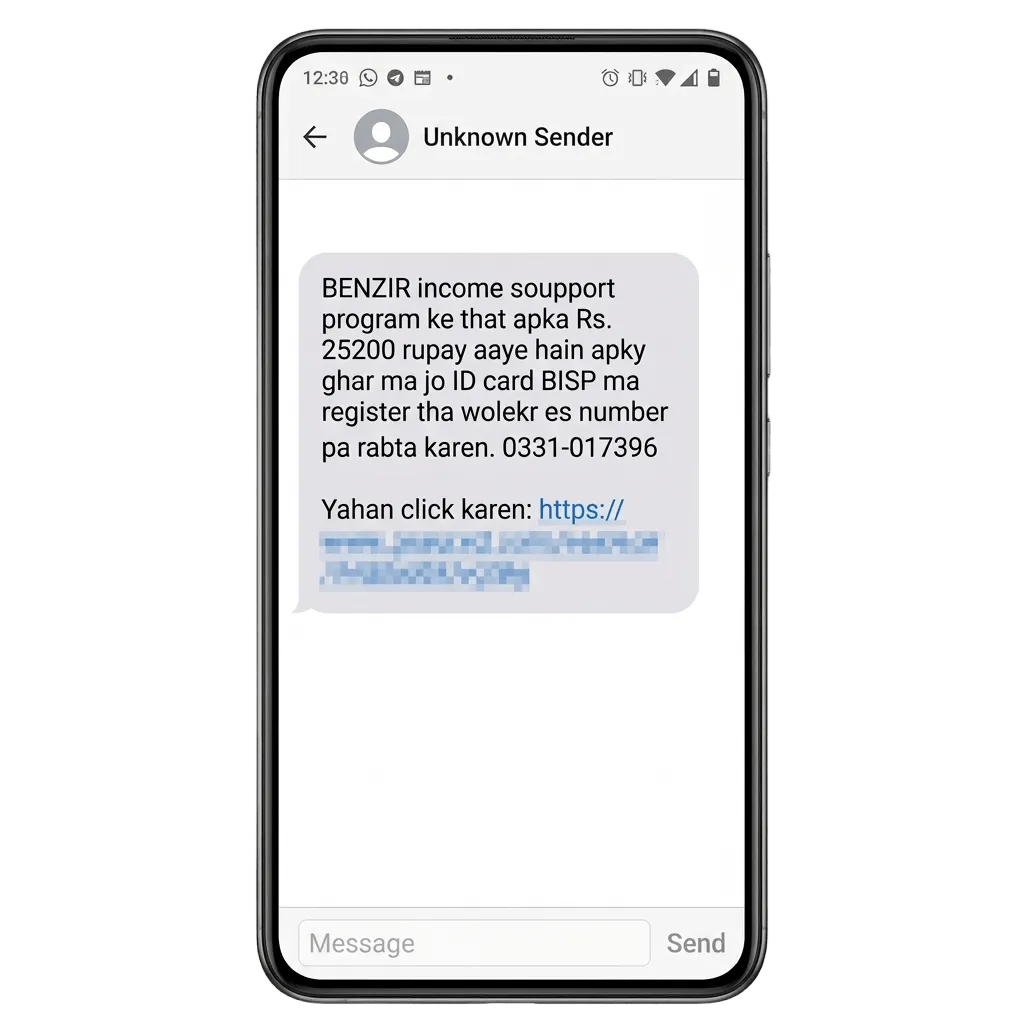
Fake BISP payment message
A scam message may claim that you have qualified for financial assistance under the Benazir Income Support Programme (BISP) and ask you to click a link or pay a small verification fee. You can also check out our complete guide on checking suspicious links.
Reality: BISP does not ask beneficiaries to pay fees through random links or WhatsApp messages.
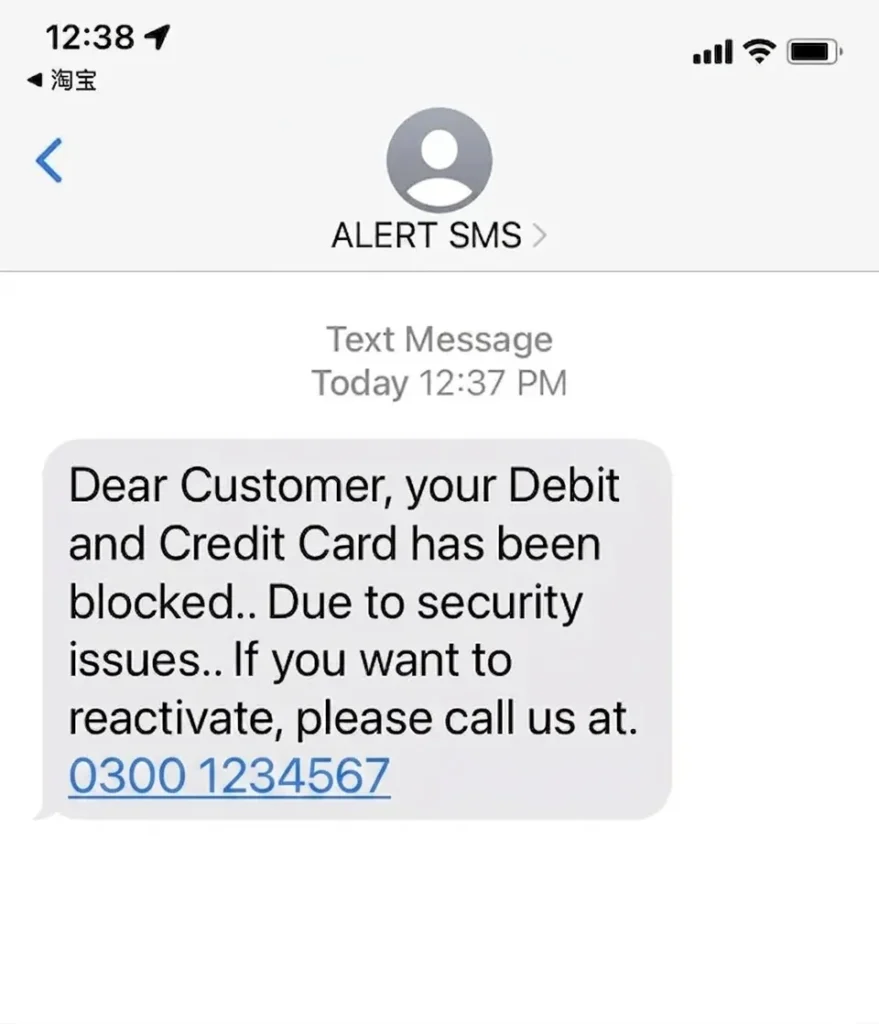
Fake bank account blocked alert
Another common scam claims that your bank account has been blocked and asks you to verify your account by clicking a link or sharing an OTP.
Reality: Banks do not request OTPs, PINs, or passwords through SMS, WhatsApp, or phone calls.
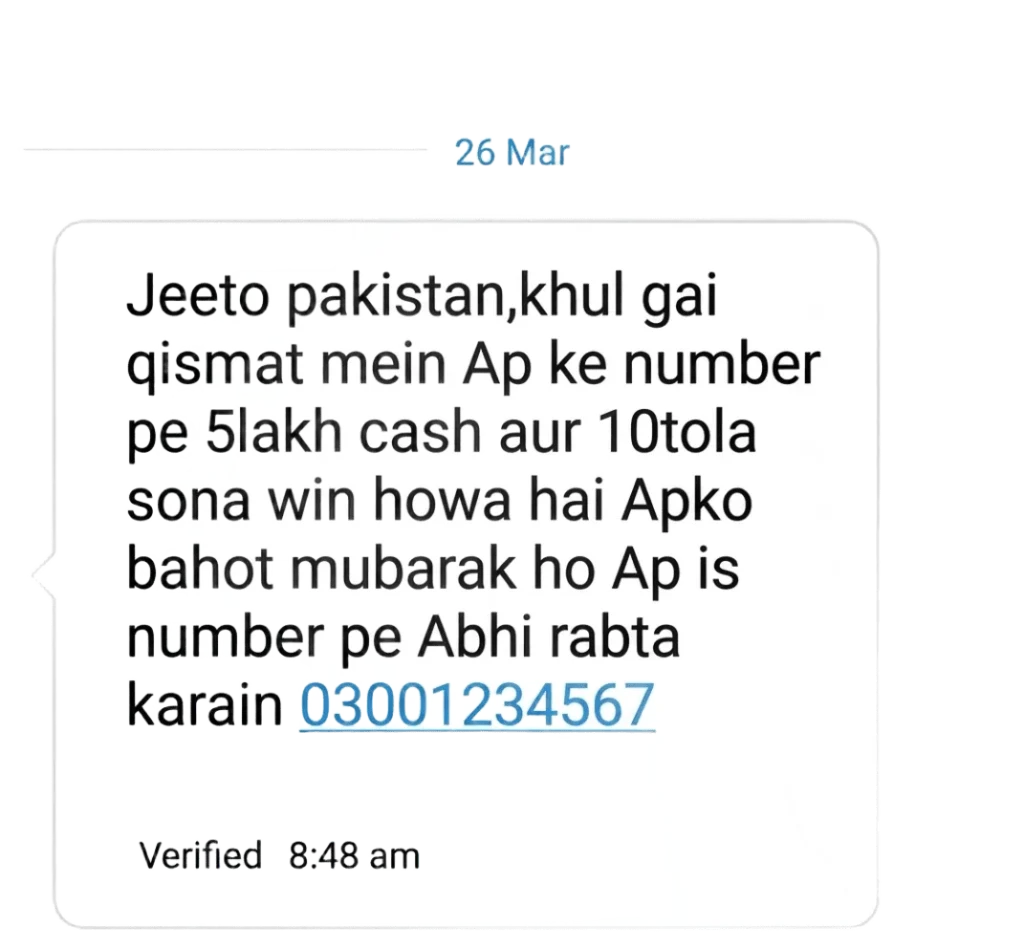
Fake prize winner message
Some messages claim that you have won a car, smartphone, cash prize, or international lottery. They usually ask you to pay a processing fee before claiming the reward.
Reality: Legitimate organizations do not ask winners to pay money in advance to receive a prize.
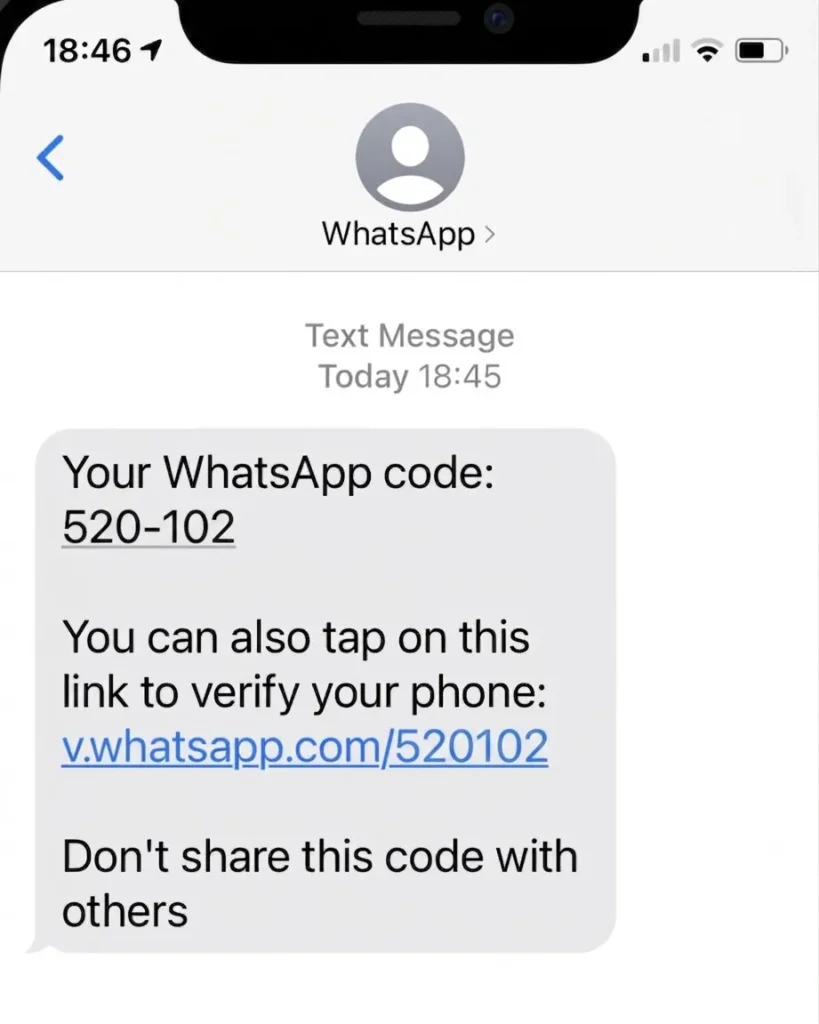
Fake WhatsApp verification code
Scammers may contact you pretending to be a friend or support representative and ask you to share a WhatsApp verification code that you just received.
Reality: Sharing this code allows someone else to take control of your WhatsApp account.
Frequently Asked Questions
What is the most common online scam in Pakistan?
Phishing is one of the most common online scams in Pakistan. Scammers use fake emails, SMS messages, websites, and social media links that look like trusted organizations to steal passwords, OTPs, and banking information.
Can banks ask for my OTP or ATM PIN?
No. Legitimate banks never ask for your OTP, ATM PIN, CVV, password, or other confidential banking details through phone calls, text messages, email, or social media.
Is online shopping safe in Pakistan?
Yes. Online shopping is generally safe if you purchase from trusted websites or verified sellers. Always check reviews, compare prices, and avoid deals that look too good to be true.
How can I identify a fake website?
Check the website URL carefully, make sure it uses HTTPS, and look for warning signs such as spelling mistakes, poor design, fake contact details, or suspicious payment methods.
What should I do if I accidentally shared my banking details?
Contact your bank immediately, block your card or account if needed, change your passwords, enable additional security features, and report the incident as soon as possible.


A little discussion goes a long way.
Ask a question, share your experience, or help someone find an answer.
There is room for your perspective.
No discussions match this view yet.
Your voice belongs here
Keep it useful. Keep it kind.