

If you want to arrange TikTok videos by most viewed, you will be surprised to learn that TikTok does not currently provide this option. Arranging is one of the more difficult and expensive aspects of programming, hence apps like TikTok often provide these additional features.
However, multiple applications or tools can be used for sorting videos on TikTok. Because some of these methods are more technically demanding, this post will take you through every step of sorting videos on TikTok by most viewed, beginning with the simplest.
How To Sort TikTok Videos By Most Viewed
Because TikTok allows you to pin videos to the top of your videos section, many creators pin their most-viewed videos. Those have been the videos that most people watch, and they also have the most views.
The quickest way to identify the most watched videos, and the only option that does not require exiting the app, is to look at the videos that display first when you open someone’s account. Of course, because TikTok only enables you to pin three videos, there could be other movies with the same or even more views.
Check Pinned Videos on Profiles
Looking at creators’ pinned content is the simplest way to identify the most popular TikTok videos from their creators.
- Why It Works: Sometimes, TikTok will allow creators to pin up 3 videos to the top of their profile which is most likely their best content.
- How to Do It: Go to the user’s profile, and look at the first three videos. They are often their most viewed ones.
Limitations: This only works for pinned videos. Different creators have other highly performing videos which are not Pinned.
Using ‘Sort For TikTok’ Chrome Extension
“Sort For TikTok” is a more advanced method of sorting TikTok movies by most views. Sort For TikTok is a 100% free Chrome extension that is supported by contributions and does not require your permission.
Here’s how to get the “Sort For TikTok” Chrome extension for your desktop, laptop, or Mac.
- Open the Chrome browser on your computer, laptop, or Mac.
- Type “Sort For TikTok Chrome Extension” into Google’s search bar.
- Click “Add to Chrome” and wait for the extension to download.
- Open a new browser tab and open TikTok website.
- Navigate to the account you want to analyze.
- Activate the Extension:
- Click the puzzle piece icon.
- Select the “Sort For TikTok” extension.
- Turn on the option (Oldest, Newest, Views, or Likes) you want to sort.
- You can now watch a user’s TikTok videos in descending order of popularity.
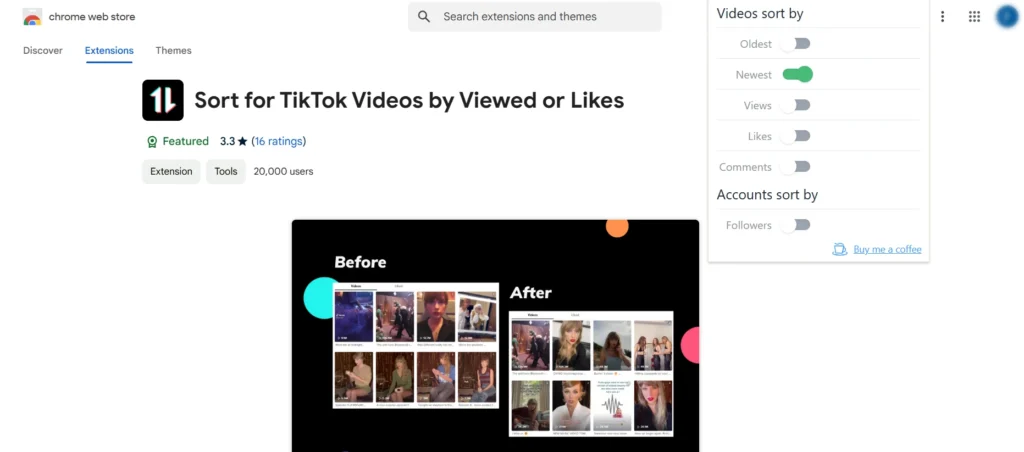
Note: Because this extension is only for TikTok, you cannot use it to sort videos on any other application or platform. It also does not allow you to sort by other requirements, such as likes or shares.
Using TikTok Analytics Tool
If you want to see how many people have watched your videos, you can use the TikTok Analytics tool. To do so, you must first change your account to a professional one. This is a free upgrade that is offered to all TikTok users. This is how you do it:
Switch to a Professional Account
- Open TikTok app.
- Go to your profile.
- Tap the three horizontal lines in the top-right corner.
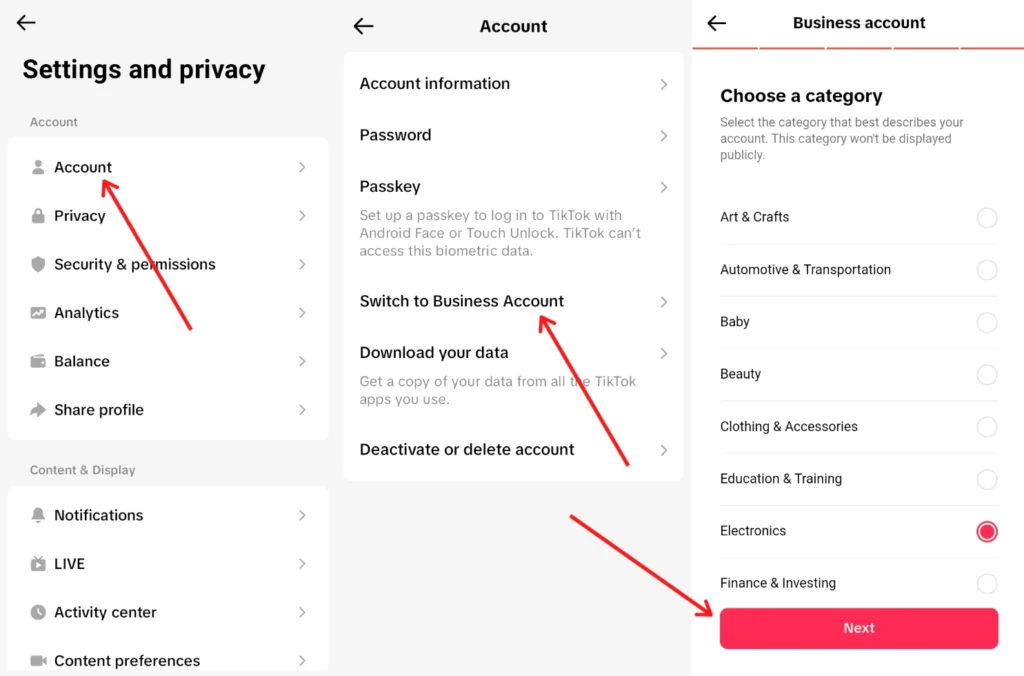
- Select Settings & Privacy > Account > Switch to a Business Account.
- Follow the prompts to complete the upgrade (it’s free).
Access Analytics
- Open TikTok app.
- Go to your profile.
- Tap the three lines in the top-right corner.
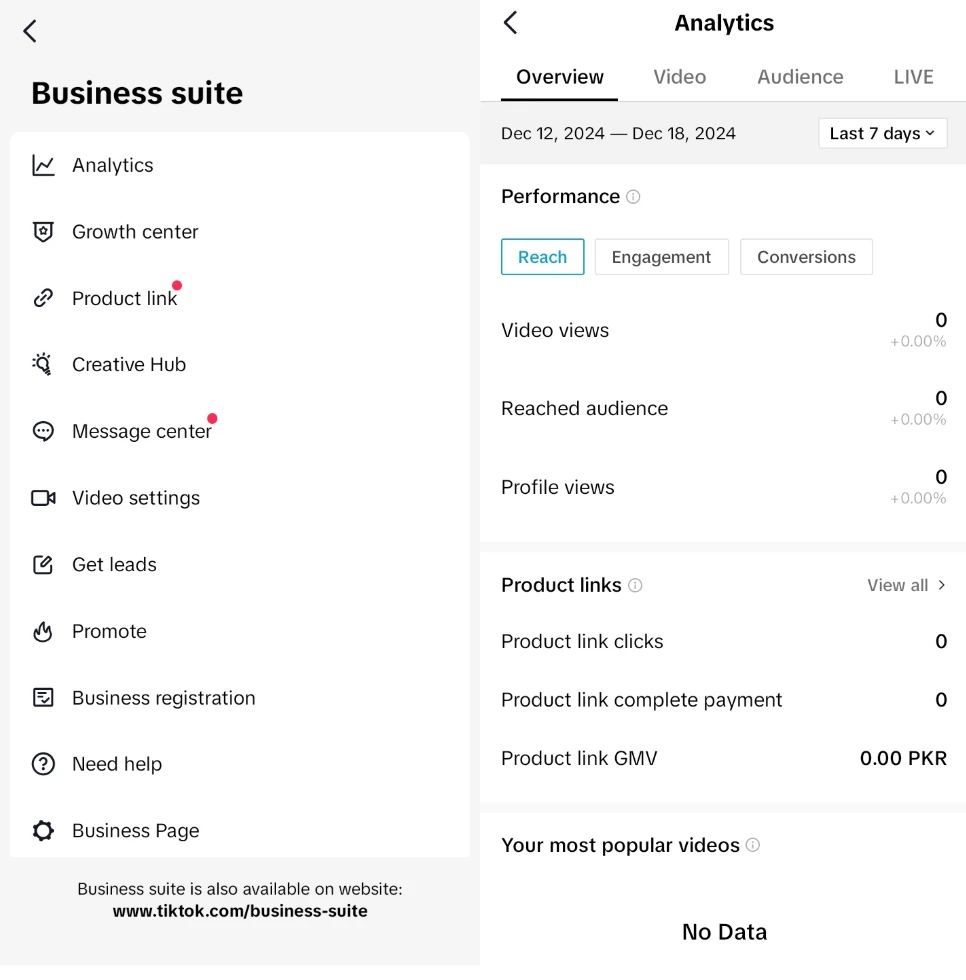
- Select Business Suite > Analytics.
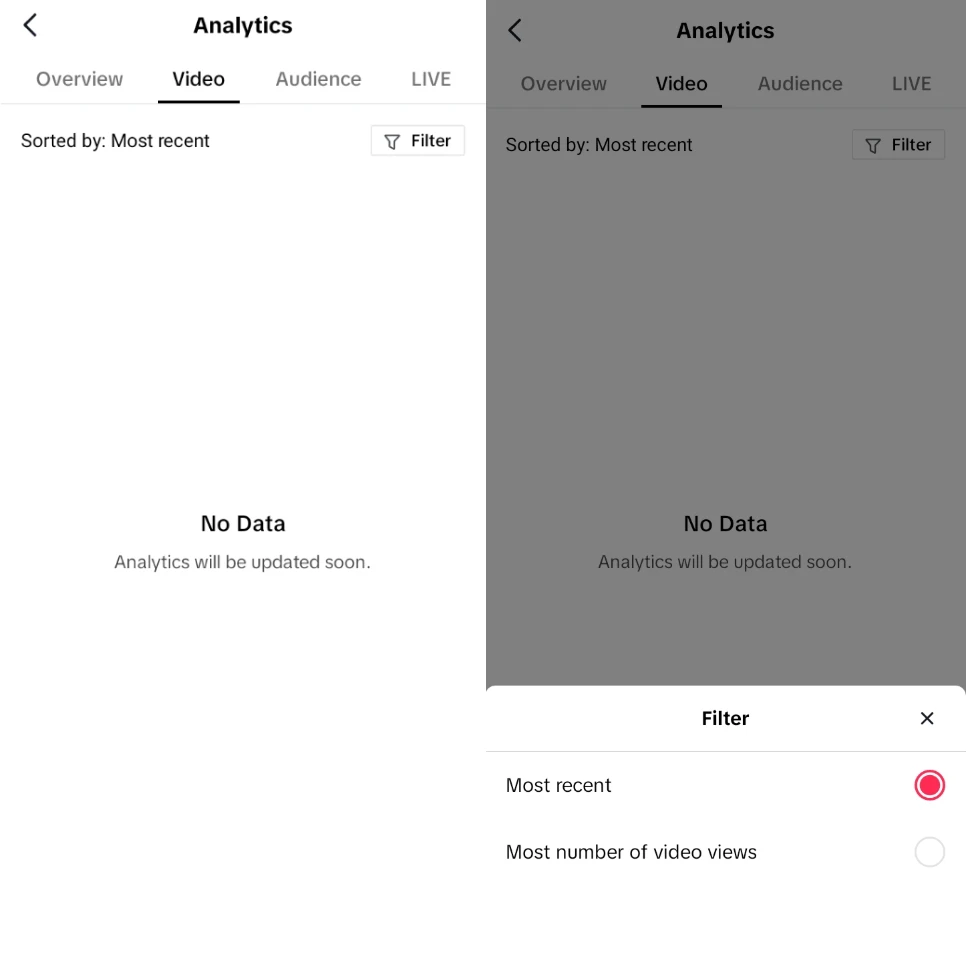
View Video Metrics
- Go to the Video tab in Analytics.
- Use the Filter option to sort videos by most number of video views.
If you don’t want to upgrade your account to a professional one, you can still check your videos’ overall audience under the Creator tools area. You can show “Key metrics” such as video views, likes, profile visits, comments, shares, and unique viewers from the last seven, 28, or 60 days, or you can specify the number of days.
TikTok doesn’t have a built in sorting feature for videos based on views, instead these tools and techniques are viable solutions. Your best bet for a quick glance is pinned videos or Creator Tools. If you want deeper analysis then the ‘Sort For TikTok’ extension or TikTok analytics can help you identify what works best and how you can improve your video performance.







A little discussion goes a long way.
Ask a question, share your experience, or help someone find an answer.
There is room for your perspective.
No discussions match this view yet.
Your voice belongs here
Keep it useful. Keep it kind.