
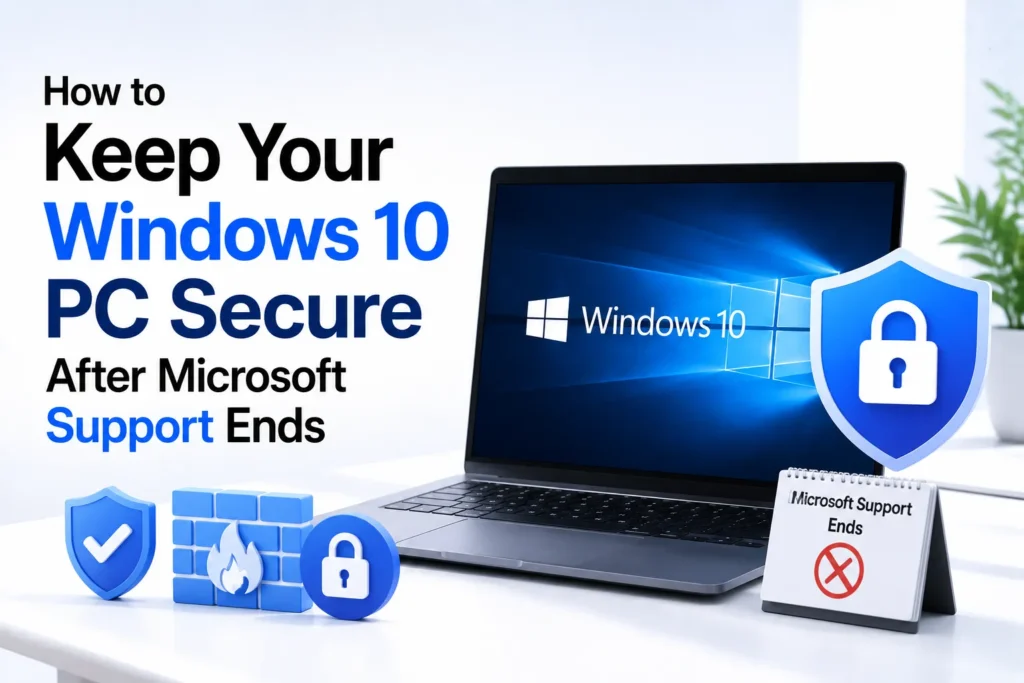
Millions of users continue to use Windows 10 daily, and the reasons are quite simple. The system is familiar, efficient, and works perfectly with older PCs unable to meet the strict hardware requirements of Windows 11.
However, that era is slowly coming to an end. Microsoft has officially confirmed that its Windows 10 support will end on October 14, 2025, and this will bring an end to one of the longest and most popular operating systems.
When that date arrives, your PC will not suddenly stop working. You will still be able to browse the internet, use Office apps, and access your regular files. However, there is a catch: your system will not get security updates or bug fixes anymore, making it vulnerable to modern cyber threats and compatibility issues over time.
If you plan to continue using Windows 10 after support ends, you can upgrade to Windows 11 if your device is compatible, buy a new Windows 11 PC, or enroll in Microsoft’s Extended Security Updates (ESU) program to continue receiving critical security updates for a limited time.
Microsoft offers a lifeline to users who are unable to upgrade with the Extended Security Updates (ESU) program to provide ongoing protection for a limited time.
How to Enroll in Windows 10 Extended Security Updates (ESU)
- Log in with an administrator account. You can verify this in Settings > Your Info.
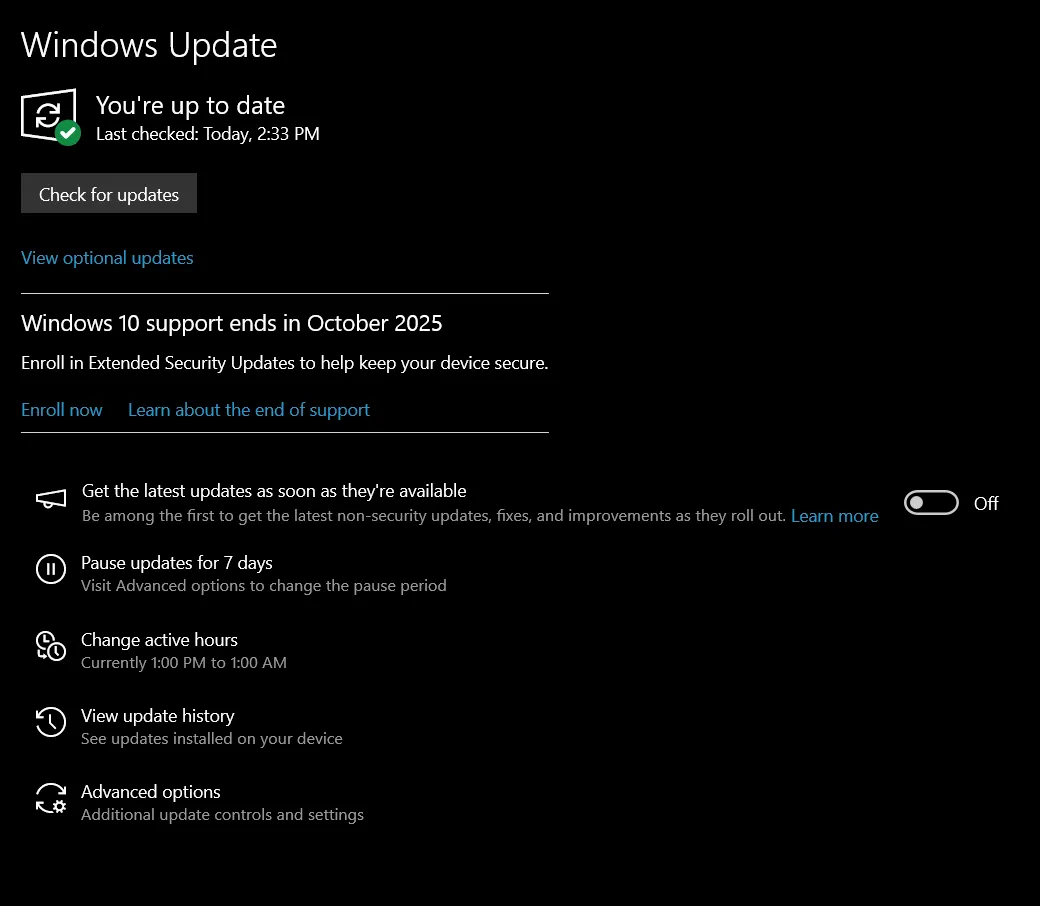
- Go to Settings > Update & Security > Enroll Now.
OR
Go to Settings > Windows Update and look for the Extended Security Updates (ESU) enrollment option if it is available on your device.
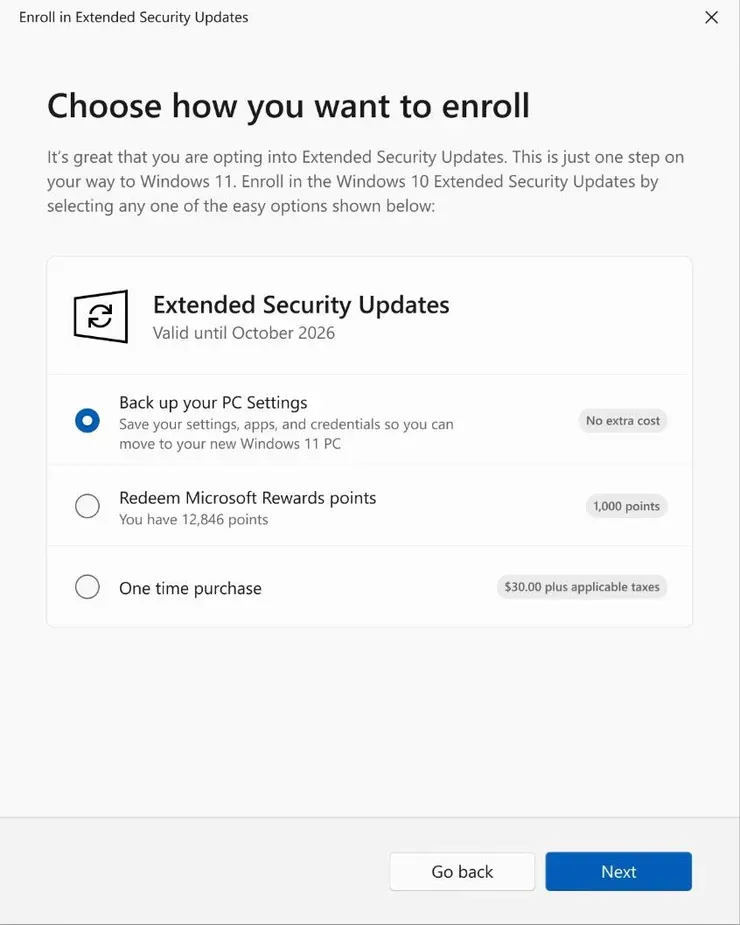
- Choose your Backup method.

Who Qualifies for Free ESU Access?
- Eligible consumers can enroll in ESU by paying a one time fee or, in supported regions, by redeeming Microsoft Rewards points. Availability and enrollment options may vary by country and device.
- Education and business pricing follows Microsoft’s published licensing terms and may differ from consumer pricing.
- Organizations can purchase ESU for up to three years, with pricing increasing each year according to Microsoft’s licensing policy.
Frequently Asked Questions
Can I keep using Windows 10 after support ends?
Yes. Your Windows 10 PC will continue to work after support ends. However, Microsoft will no longer provide regular security updates, bug fixes, or technical support unless you enroll in the Extended Security Updates (ESU) program where available.
Do I have to upgrade to Windows 11?
No. Upgrading is not mandatory, but Microsoft recommends it for the best security and long term support. If your PC cannot run Windows 11, the ESU program may help you continue using Windows 10 for a limited period.
Will my apps and files stop working after Windows 10 support ends?
No. Your existing apps, documents, and personal files will still be available. The main difference is that Windows 10 will gradually become less secure because it will no longer receive regular security updates.
Who can enroll in the Windows 10 ESU program?
Consumers, businesses, and educational organizations may be eligible for the ESU program, although pricing and enrollment options vary. In some regions, eligible consumers can also use Microsoft Rewards points instead of paying the standard fee.
Is the Extended Security Updates program available forever?
No. The ESU program is a temporary solution that provides security updates for a limited time. It is intended to give users and organizations more time to upgrade to a supported version of Windows.

A little discussion goes a long way.
Ask a question, share your experience, or help someone find an answer.
There is room for your perspective.
No discussions match this view yet.
Your voice belongs here
Keep it useful. Keep it kind.