
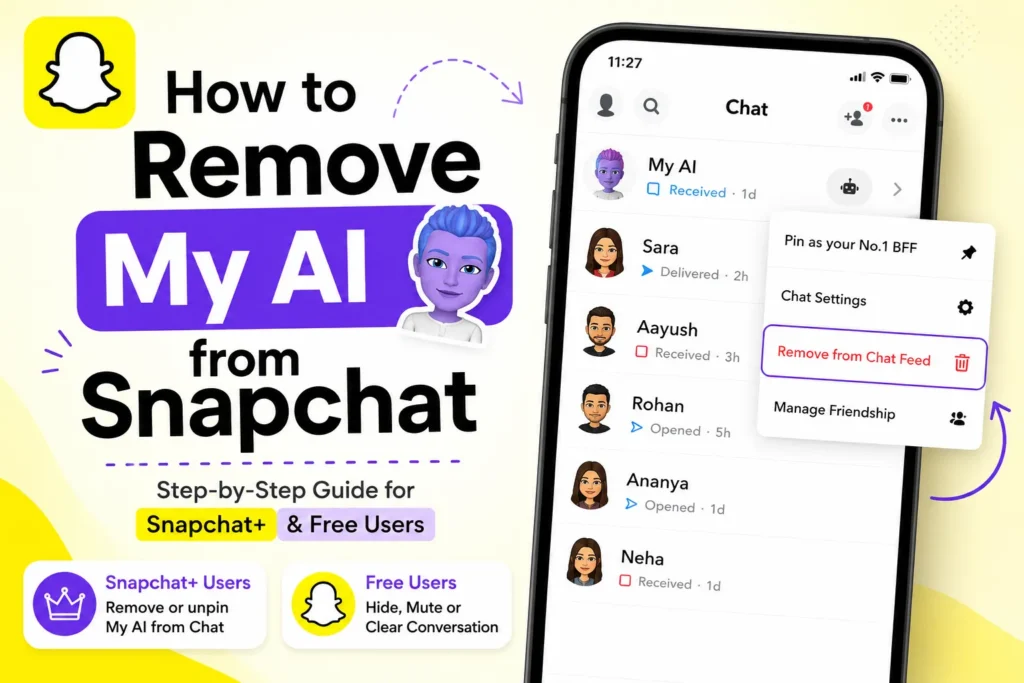
When Snapchat introduced My AI, I was curious at first. I found it entertaining to chat with an AI directly in Snapchat. However, after several days, I noticed that it stayed pinned at the top of my Chat Feed, even when I rarely used it. For many users, including me, it started to feel distracting rather than helpful.
If you also want to know how to remove My AI from Snapchat, this guide will explain what you can and cannot do, based on real usage. I will guide you through every available option, based on whether you are using Snapchat Plus or the free version.
My AI is Snapchat’s built-in AI-powered chatbot. It can provide answers, suggest ideas, help in writing, and even recommend places.
However, My AI is automatically pinned in your chat list. Snapchat does not allow complete removal for free users.
Can you fully remove My AI from Snapchat?
The answer is no, not completely, unless Snapchat changes its policy.
Here is how it works
- Snapchat Plus users can unpin or remove My AI from chat
- Free users cannot delete or remove My AI completely
- Free users can only hide, mute, or clear conversations
I tested both methods, and the steps are as follows.
How to remove My AI from Snapchat (Snapchat+ users)
If you have Snapchat Plus, you can remove My AI from your chat list. Here’s how you can remove My AI with Snapchat Plus.
- Open Snapchat
- Go to the Chat screen
- Press and hold on My AI
- Tap Chat Settings
- Select Remove from Chat Feed
- Confirm the action
After that, My AI will be removed from your chat list.
This option is only available for Snapchat Plus subscribers.
How to hide My AI on Snapchat (free users)
If you do not have Snapchat Plus, you cannot remove My AI, but can hide it in your daily view.
Method 1: Clear Chat from feed
- Open Snapchat
- Press and hold on My AI
- Tap Chat and notification settings
- Click on Clear from Chat Feed
- Now, click on Clear button.
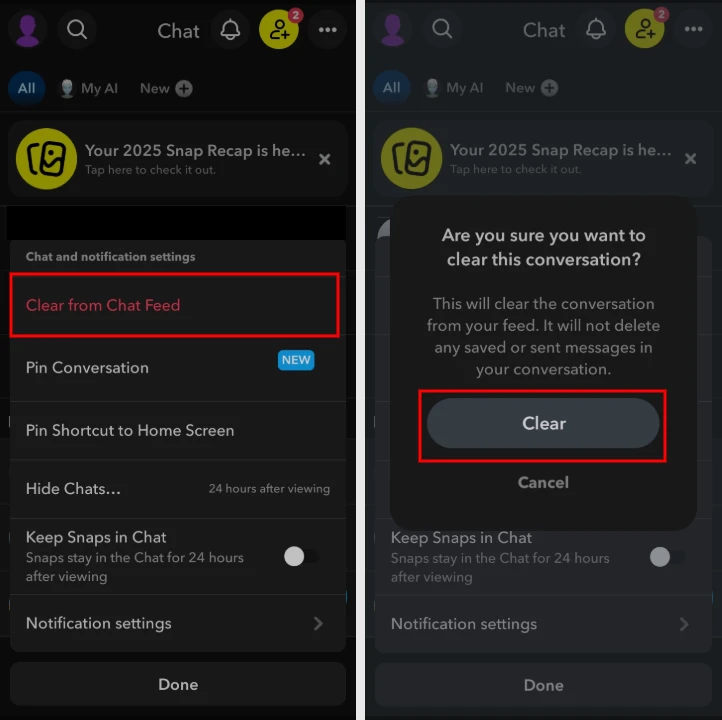
This will delete the chat history, but My AI will still reappear later.
Method 2: Mute My AI notifications
This helps reduce annoyance.
- Open Snapchat
- Press and hold on My AI
- Tap Chat and notification settings
- Open Notifications settings
- Turn on Mute Chats option
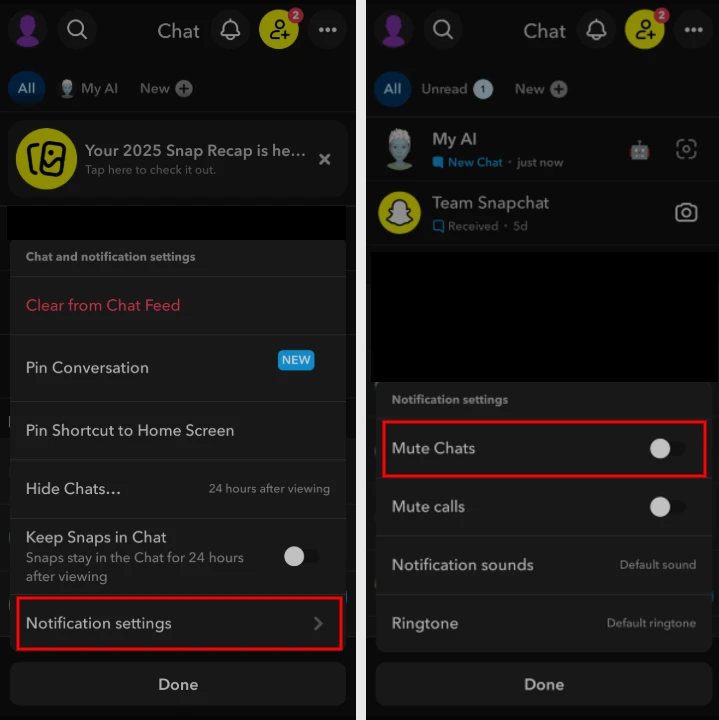
You will no longer get alerts from My AI.
Method 3: Ignore My AI completely
When it cannot be removed, the easiest way is not to open it. Over time, Snapchat focuses less on unused chats.
Will Snapchat Allow Removal in the Future?
Snapchat updates its features regularly. Snapchat may change how My AI works in future updates, but currently there is no official announcement that free users will be able to remove it completely. Currently, Snapchat Plus is the only official solution.







A little discussion goes a long way.
Ask a question, share your experience, or help someone find an answer.
There is room for your perspective.
No discussions match this view yet.
Your voice belongs here
Keep it useful. Keep it kind.