
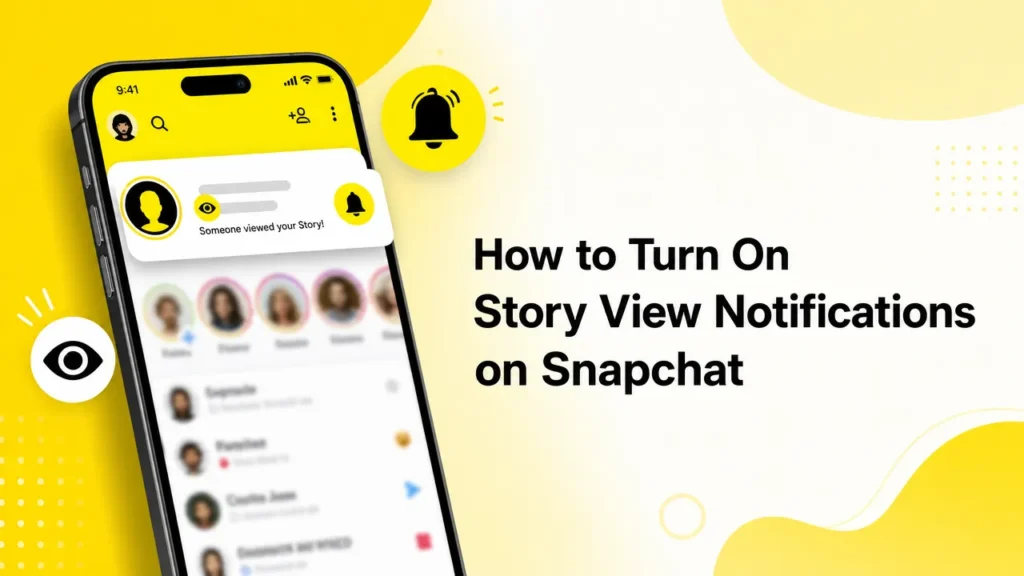
You can wait for them to replay or notice that they viewed the story. It is okay to be curious because learning how your story was viewed is not always the same as learning by whom.
Would it not be useful if there was a feature that would send a notification whenever someone has viewed your Snapchat story without you having to keep checking the application? There is a way, and in this guide, you will learn how to turn on Story View notifications on Snapchat.
What is Snapchat Story View Notifications?
Story view notifications are another feature that is available only to members who have subscribed to Snapchat’s Plus package. As the name suggests, they inform you when someone opens your Snapchat Story.
It is as simple as choosing the person to whom you want to be notified of the message. Therefore, the next time you post a snap with a friend to share a story on Snapchat, you will get a notification once the selected friend views it.

How to Know When Someone Views Your Snapchat Story
Now that we have been briefed on this feature, it’s time for me to explain how it works and look at the following steps.
- Open Snapchatapp.
- Tap on the Bitmoji icon at the top left.
- Within the profile, press on the Snapchat+ icon.
- Scroll down and select Story View Notifications.
- Select another friend for whom you want to turn story view notifications. Remember that you can choose only one person at a time.
- Upon that, click OK on the message confirming it has been set.
However, if you would like to keep things anonymous, you just have to tap on the Make Private button. This will not display the name of a person viewing your story.
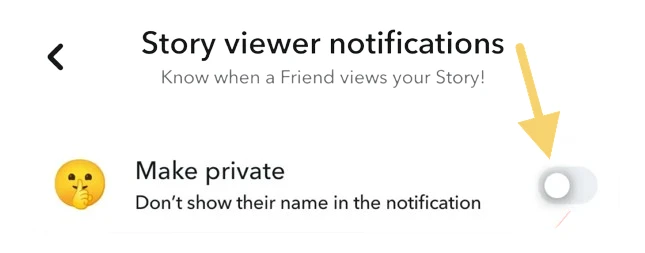
Yes, I have to commend the people behind the Snapchat app for being ever in touch with young people’s unrelenting curiosity and designing such options. Although I hope this feature will be available to the general user, it is only available for Snapchat Plus.
Frequently Asked Questions
What are Story View Notifications on Snapchat?
Story View Notifications let you know when a selected friend views your Snapchat Story. This feature is exclusive to Snapchat+.
Do I need Snapchat+ to use Story View Notifications?
Yes. Story View Notifications are only available to users with a Snapchat+ subscription.
Can I select more than one friend?
No. Snapchat currently lets you choose only one friend at a time for Story View Notifications.
Will the other person know I enabled Story View Notifications?
No. Snapchat doesn’t notify your friend that you’ve enabled Story View Notifications for them.
Can I hide the viewer’s name in notifications?
Yes. You can use the Make Private option to hide the viewer’s name in the notification.
Why can’t I find Story View Notifications?
If you don’t see the option, make sure you have an active Snapchat+ subscription and the latest version of the Snapchat app.



A little discussion goes a long way.
Ask a question, share your experience, or help someone find an answer.
There is room for your perspective.
No discussions match this view yet.
Your voice belongs here
Keep it useful. Keep it kind.