Close Menu
    Facebook X (Twitter) Instagram Pinterest YouTube Bluesky WhatsApp TikTok Threads RSS
    WikiTechLibrary
    • Converters & Media
    • Web Tools
    • Finance & Tax
    • Utility & Bills
    • Vehicle Tax
    WikiTechLibrary

    Gmail Introduces Emoji Reactions to Emails in Latest Update

    By Farah QaiserOctober 4, 2023No Comments2 Mins Read
    Facebook Twitter WhatsApp Threads Copy Link
    rubaitul azad w3z2zns1y4i unsplash

    Gmail has introduced a new feature that allows users to react to emails using emojis. This update was rolled out on October 4th, 2023, and is set to revolutionize the way we communicate professionally via emails.

    The popular email application now offers emoji reactions for individual messages, similar to the functionality found in many chat apps. To use this feature, users simply need to open an email and scroll down to find the new emoji reaction button positioned next to the Reply, Reply All, and Forward options. Upon tapping this button, a selection of emojis will appear for users to choose from.

    This feature is not limited to Google’s default emoji selection. Users can add additional emojis of their choice by tapping the plus button located at the end of the emoji row. All reactions to an email will be visible at the bottom of the message, and users can see who reacted in a particular way by tapping and holding on each emoji. Tapping (without holding) on an existing reaction will add more to the same emoji counter.

    Certain emojis trigger special features. For instance, the party popper emoji triggers a full-page celebration, and Google has hinted that other emojis may possess similar features in the future. Users also have the option to remove an emoji reaction by tapping “Undo” immediately after creating it. This “Undo” option remains available for as long as the user has configured “Undo Send” for emails in their Gmail settings.

    However, there are some limitations to this feature. Emoji reactions will not be accessible for school or work accounts, and they won’t be available under certain circumstances such as when an email is sent to more than 20 people, when it’s sent to a group email list, when the user is in BCC (Blind Carbon Copy), if the user has already sent more than 20 reactions to the same message, if the sender has specified a custom reply-to address, or if the message is encrypted with client-side encryption.

    If users don’t see emoji reactions in their Gmail interface yet, they should be aware that it typically takes a few days for Google to roll out a new feature to all users once it’s activated. As this feature gains popularity, it’s likely to expand to iOS and the web as well.


    Share. Facebook Twitter Pinterest LinkedIn Email WhatsApp Threads
    Farah Qaiser

      Farah Qaisar is a dedicated content creator at WikiTechLibrary, focusing on crafting easy-to-follow "how-to" guides for social media strategies, daily life hacks, and tech tips. With a passion for simplifying the digital experience, she creates tutorials that help users effectively navigate platforms and tools.

      Related Articles

      best whatsapp web extensions

      The browser extensions that finally make WhatsApp Web feel complete

      can you see who views your instagram highlights

      Can you see who views your Instagram highlights?

      whatsapp without phone number

      Can you use WhatsApp without a phone number?

      animate childrens drawings with ai how to

      I Tested AI Tools That Animate Kids Drawings, Here Is What Actually Worked

      crosh commands in chromebook

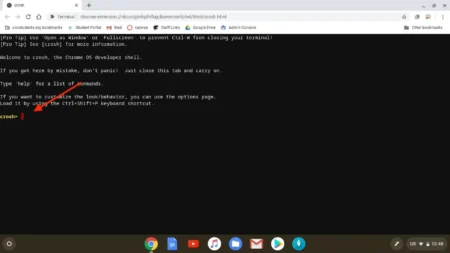
      What are CROSH Commands in Chromebook? Complete Guide

      weirdest tech innovations history

      7 Weirdest Tech Innovations in History That Actually Existed

      JOIN THE CONVERSATION

      A little discussion goes a long way.

      Ask a question, share your experience, or help someone find an answer.

      0 comments
      NewestOldestMost helpfulUnanswered
      ◇

      There is room for your perspective.

      No discussions match this view yet.

      +

      Your voice belongs here

      Keep it useful. Keep it kind.

      Cancel reply

      Your email address will not be published.


      MOST VIEWED
      enable and use google gemini in chrome How To

      Google Gemini Now Integrated into Chrome, Here’s How to Use It

      By Waqas Amjad
      skibidi toilet battle codes Gaming

      All Skibidi Toilet Battle Codes

      By Ali Raza
      anime simulator codes Gaming

      Anime Simulator Codes 2024

      By Farah Qaiser
      sort tiktok videos How To

      How To Sort TikTok Videos By Most Viewed

      By Muqadas Fatima
      What's New

      AI Video Generator Clips Need a Real Compression Preview

      November 12, 2026
      image

      Made in America and Priced at $7,999: StarBot Launches Spark Humanoid Robot

      November 5, 2026
      tiktok adds voice notes and image carousels in comments

      TikTok Adds Voice Notes and Image Carousels in Comments

      September 4, 2026
      google messages adds ai detection to chat photos

      Google Messages Adds AI Detection to Chat Photos

      September 3, 2026
      © 2026 WIKITECHLIBRARY | All Right Reserved
      • About Us
      • Contact Us
      • Privacy Policy
      • Terms & Conditions
      • Disclaimer

      Type above and press Enter to search. Press Esc to cancel.