
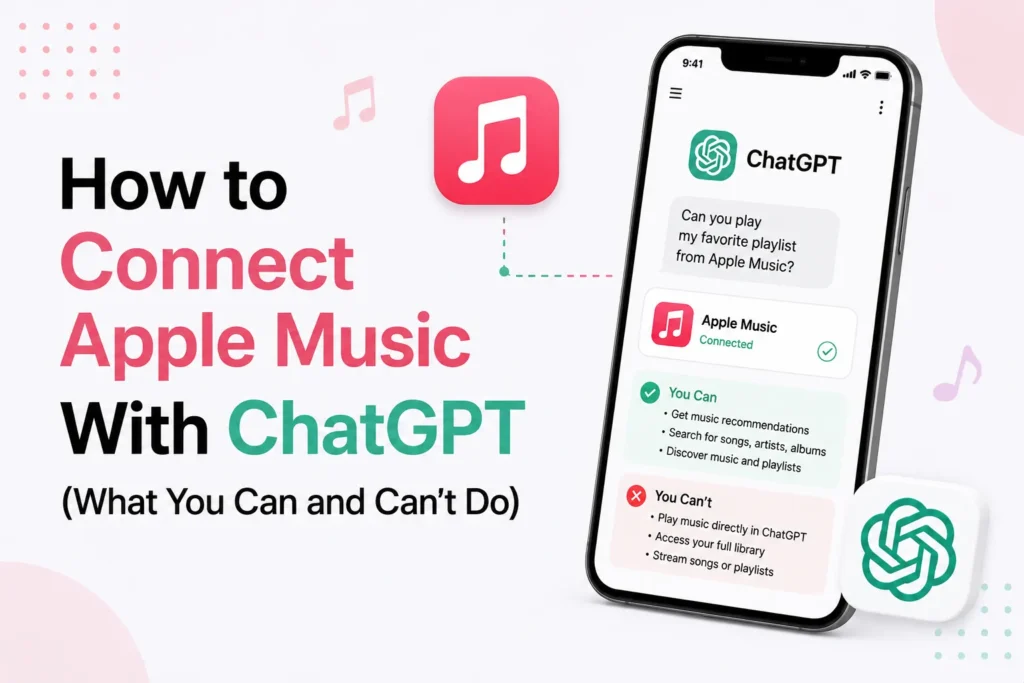
After a previous announcement, the collaboration between OpenAI and Apple is now live. ChatGPT now includes an Apple Music app that lets you discover music, create playlists, and interact with Apple Music using natural language.
This initially sounds like a giant leap. However, the Apple Music integration works differently from Spotify, and that difference is important when you expect deep personalization.
Spotify‘s integration can provide more personalized recommendations than Apple Music, while Apple Music keeps your listening history, library, and Replay data private. Apple Music takes a much more private approach.
ChatGPT cannot view your listening history, Replay, existing playlists, or music library. However, with permission, it can create playlists and add songs, albums, or playlists to your Apple Music library.
Here’s how you can connect Apple Music with ChatGPT and what the integration can and cannot do.
How to connect Apple Music and ChatGPT
Integrating Apple Music with ChatGPT is quick and works on the web, iPhone, and Mac. Follow these steps
- Open the ChatGPT app or website
- Tap your profile icon
- Select Settings
- Scroll down and tap Apps
- Find Apple Music in the list
- Review the data sharing notice shown by OpenAI
- Choose to continue without an account or connect with your Apple Music account
- Confirm the connection
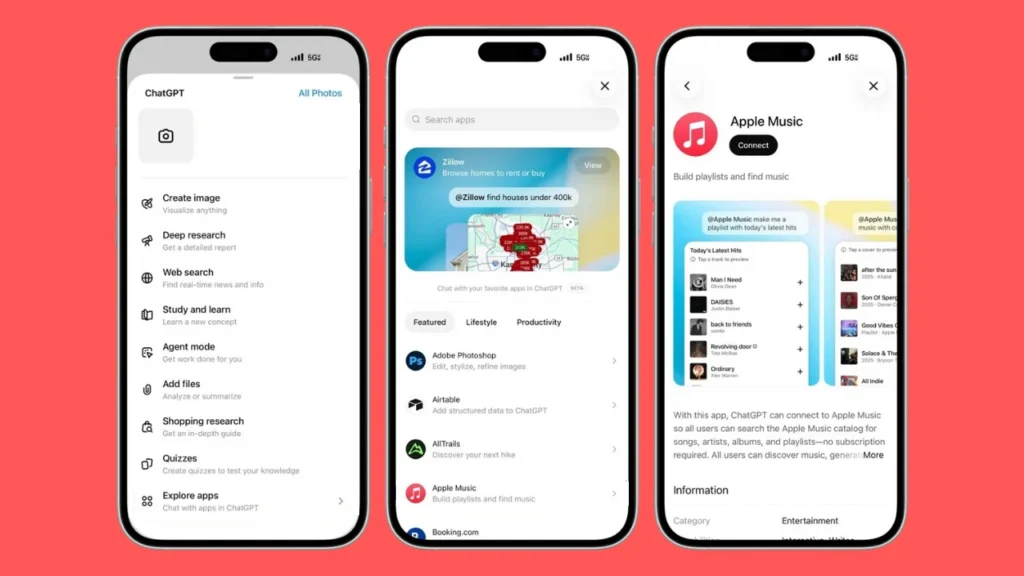
Once connected, you can start using Apple Music in ChatGPT immediately. Once connected, ChatGPT automatically uses the Apple Music app when appropriate, or you can select it directly from the Apps menu.
What ChatGPT can Do With Apple Music
With limited access, the integration is still useful when used correctly. ChatGPT can
- Suggest songs, albums, or artists based on what you describe
- Create playlist ideas for moods, genres, or activities
- Generate Apple Music playlist links
- Help combine multiple artists into one playlist
- Offer music discovery based on your written preferences
If you clearly explain what you like, the results are much better.
What ChatGPT cannot do with Apple Music
Apple does not provide personal listening data and therefore has some strict limits. ChatGPT cannot
- Access your Apple Music library
- See your listening history or Replay data
- Know which songs you already like or skip
- Automatically personalize recommendations
- Read or modify your existing playlists automatically.
Because ChatGPT cannot access your listening history or Replay data, you’ll usually get better results by describing the artists, genres, moods, or songs you enjoy.
It is possible to create a mixed playlist with bands such as Blossoms and The Vaccines, but it takes effort.
ChatGPT can suggest solid tracks, but refining the list often requires multiple prompts. You may need to remove songs that do not suit, change the mood, or request more specific recommendations.
Frequently Asked Questions
Can ChatGPT access my Apple Music library?
No. ChatGPT cannot view your Apple Music library, saved songs, playlists, listening history, or Replay statistics. Recommendations are based only on the information you provide during the conversation.
Can ChatGPT create Apple Music playlists?
Yes. ChatGPT can generate playlist ideas and, where supported, create Apple Music playlist links based on your prompts, favorite artists, genres, or moods.
Can ChatGPT see my listening history or Apple Music Replay?
No. ChatGPT does not have access to your listening history, Apple Music Replay, liked songs, or playback activity.
Can ChatGPT edit my existing Apple Music playlists?
No. The integration does not allow ChatGPT to edit, delete, or manage your existing Apple Music playlists.
Do I need an Apple Music subscription to use the integration?
An Apple Music subscription may be required for features that interact with Apple Music, such as opening or saving playlists. Feature availability can vary by account and region.
Why are ChatGPT’s Apple Music recommendations not fully personalized?
Apple prioritizes user privacy, so ChatGPT cannot access your personal listening data. The more details you provide about your music preferences, the better the recommendations will be.







A little discussion goes a long way.
Ask a question, share your experience, or help someone find an answer.
There is room for your perspective.
No discussions match this view yet.
Your voice belongs here
Keep it useful. Keep it kind.