
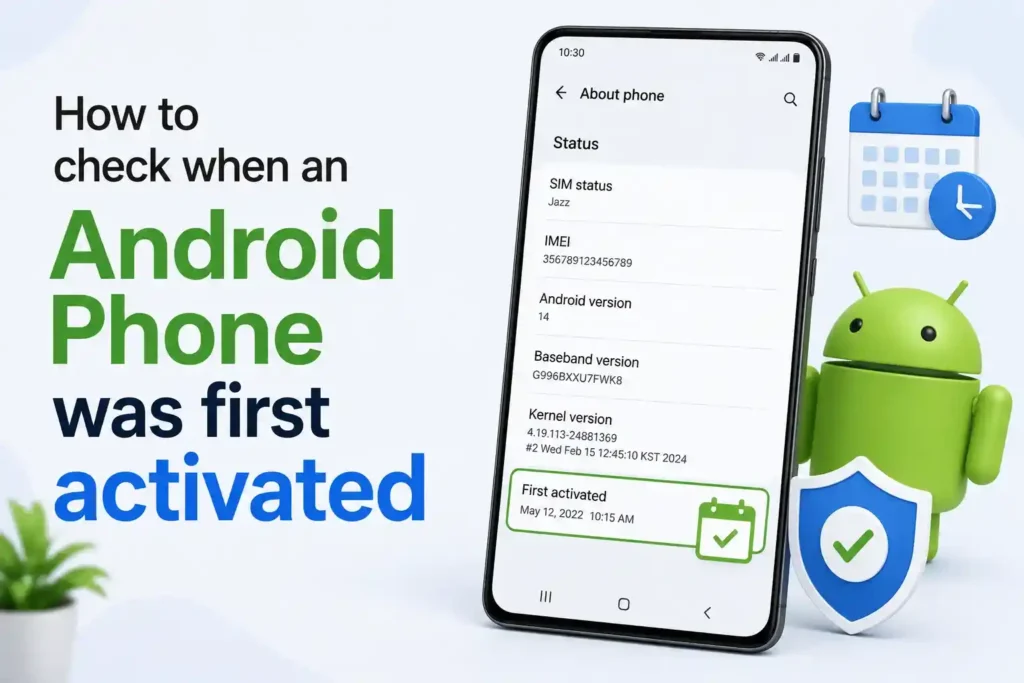
Smartphones are not just for chatting or scrolling anymore. They’ve turned into our wallets, offices, and entertainment hubs all at once, which is exactly why prices keep climbing every year.
That’s also why so many people turn to UK-used, refurbished, or “like-new” Android phones instead of buying flagship devices at full price. They’re cheaper, still functional, and often look practically brand new.
The catch is that not every seller tells the truth. Without checking the phone yourself, you have no real way of knowing how long it’s actually been in use.
- Why you should not just trust the seller
- How to check a Samsung phone’s activation date
- Method 1: Through phone settings (most reliable)
- Method 2: Dialer code (may not work on newer phones)
- How to check activation date on Oppo, Vivo, Xiaomi, Realme, and other brands
- What to do if the dates do not add up
- Frequently Asked Questions
Why you should not just trust the seller
A phone that “looks new” can still be six months or a year old. Screen protectors get replaced, boxes get reused, and scratches get buffed out before resale.
The only way to know for sure is to pull real data from the phone itself, not just take someone’s word for it.
How to check a Samsung phone’s activation date
Samsung is the one brand where this is genuinely possible to check on the device itself, though it’s worth understanding what the result actually means.
Method 1: Through phone settings (most reliable)
- Open Settings on the phone.
- Scroll down and tap About phone.
- Tap Status information.
- Look for “Date of first call made”.
This is the closest thing to a true activation date.
Method 2: Dialer code (may not work on newer phones)
- Open the dial pad.
- Type
*#12580*369#and press call. - Look for RF Cal Date on the screen that appears.
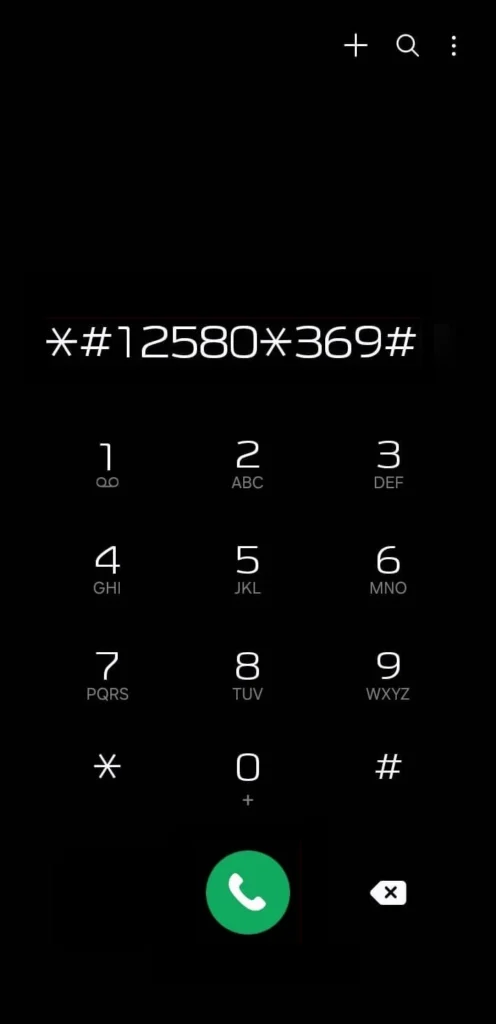
This code is also being phased out on newer One UI versions, so if you get an “invalid MMI code” error, that doesn’t mean the phone is faulty. Try Method 1 instead, or turn off Auto Blocker under Settings > Security and Privacy if the code still won’t run.
How to check activation date on Oppo, Vivo, Xiaomi, Realme, and other brands
This is where you need to be careful. Many pages online list specific dialer codes for these brands, claiming they reveal an activation date, but none of them are officially confirmed by the manufacturers, and testing them across different models gives inconsistent results.
The method that actually works consistently across brands is checking the phone’s IMEI number instead:
- Dial *#06#; it will display your IMEI number.
- Visit the phone’s official brand website (Oppo, Vivo, Xiaomi, Realme, Huawei, or OnePlus all have their own warranty-check or support pages) and enter the IMEI there.
- Alternatively, use a trusted independent checker like imei.info, which pulls the manufacture date, warranty status, and model details from the IMEI.
This won’t always give you an exact activation date, but it reliably tells you the manufacturing date and remaining warranty period, both of which are strong indicators of how old the phone really is.
What to do if the dates do not add up
If the activation or manufacture date is several months earlier than what the seller told you, that’s a red flag worth asking about directly. It doesn’t automatically mean you are being scammed; phones can sit in warehouses or retail stock for a while, but it’s a fair reason to negotiate the price or walk away.
For high-value purchases, it’s also worth asking the seller for the original box, invoice, or purchase receipt, since these should roughly match what the phone itself tells you.
Frequently Asked Questions
Does checking the activation date really tell me if a phone is used?
It gives you a strong clue. If the date is much older than what the seller claims, that’s usually a sign the phone has already seen real use, even if it looks physically new.
Why did the Samsung code show an error on my phone?
Newer Samsung phones running recent One UI versions have started phasing this code out, so getting an “invalid MMI code” message is common now. Checking through Settings > About phone > Status information usually works instead.
Is the RF Cal Date the same as the purchase date?
Not exactly. It reflects when the phone was calibrated at the factory, which is usually close to the purchase date but not always identical to it.
Can I check activation date on an iPhone the same way?
No, this only applies to Android phones. iPhones use a completely different system, and Apple has its own way of checking activation and warranty status through the IMEI on Apple’s official site.
What if the seller refuses to let me check the phone before buying?
That’s worth treating as a warning sign on its own. A legitimate seller generally won’t mind you checking a few settings before handing over your money.
Does a newer manufacture date always mean a better phone?
Not necessarily. A slightly older manufacture date on an unused phone is fine. What matters more is whether the phone has actually been activated and used, which is why cross checking both the manufacture date and seller’s claims matters.

A little discussion goes a long way.
Ask a question, share your experience, or help someone find an answer.
There is room for your perspective.
No discussions match this view yet.
Your voice belongs here
Keep it useful. Keep it kind.