
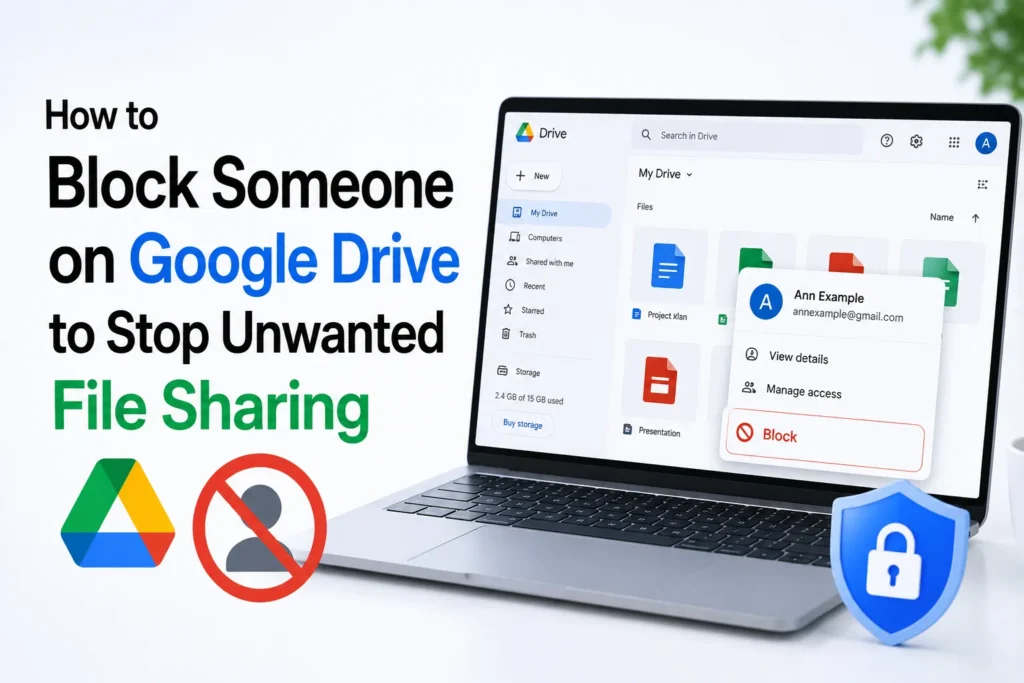
We have all experienced it, you open Google Drive only to find your “Shared with me” section cluttered with files that you never asked for. Maybe it’s from an ex-colleague who cannot stop sending spreadsheets, a marketer flooding you with promotions, or just someone you would not want to hear again.
While Google Drive is a strong collaboration tool, it does not have a block all future shares switch. It can be annoying when you continue to get unwanted files into your account. However, there is an easy way to stop such sharing in future, it is possible to block specific users.
How to Block Someone on Google Drive
Follow these steps to take back control of your shared folder.
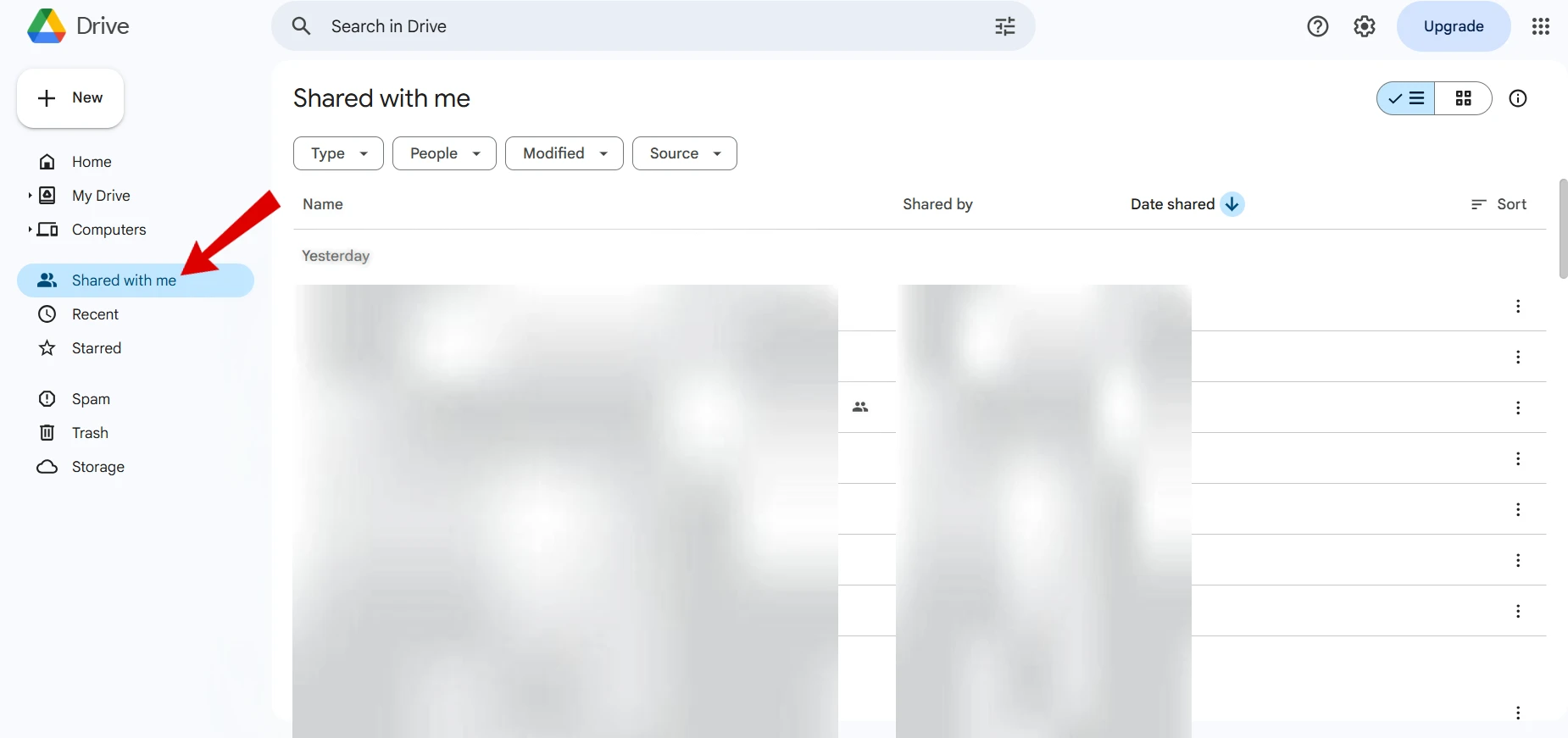
- Open Google Drive on your desktop browser.
- On the left sidebar, click Shared with me to view all the files shared with your account.

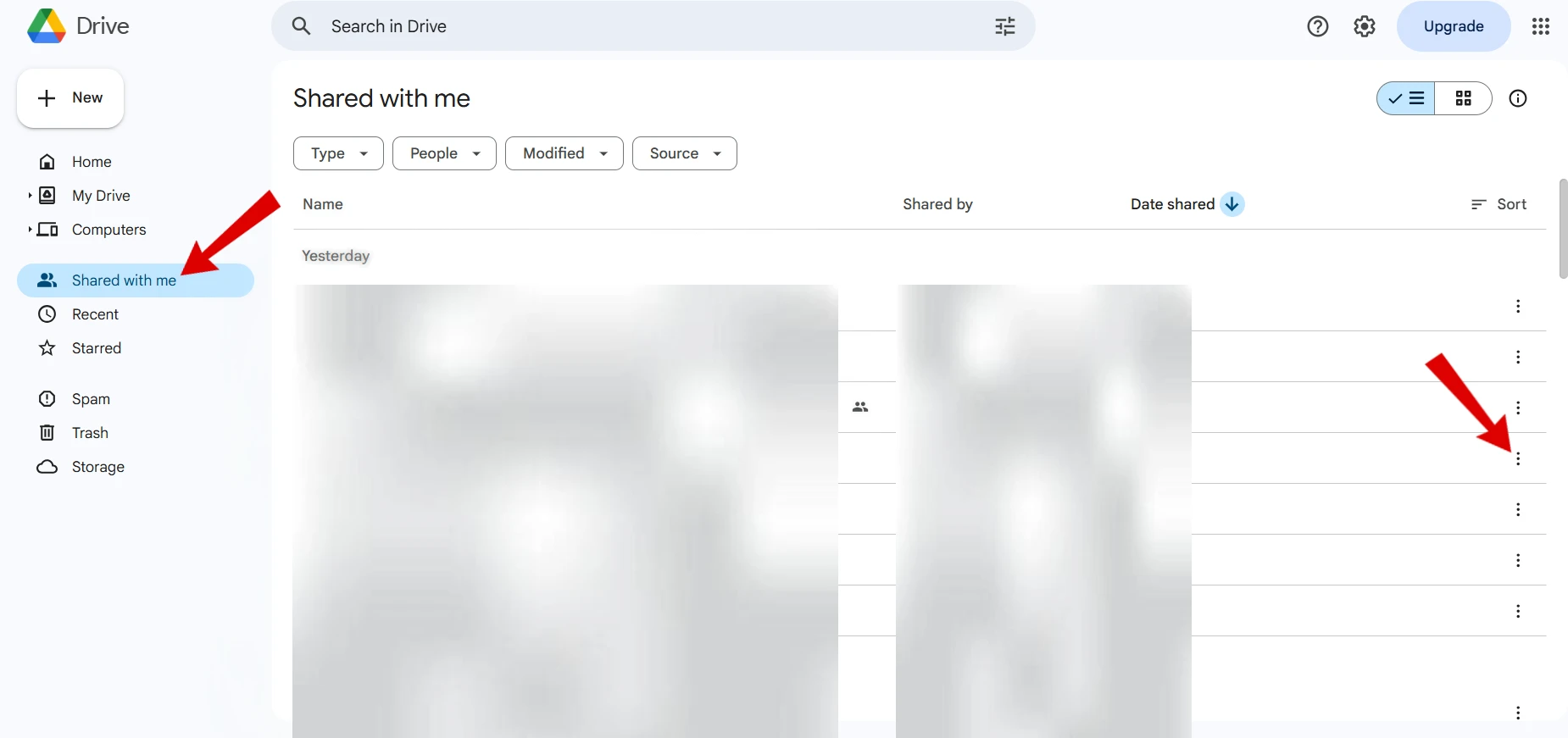
- Find a file shared by the person you want to block.
- Click the three-dot menu (⋮) next to it.
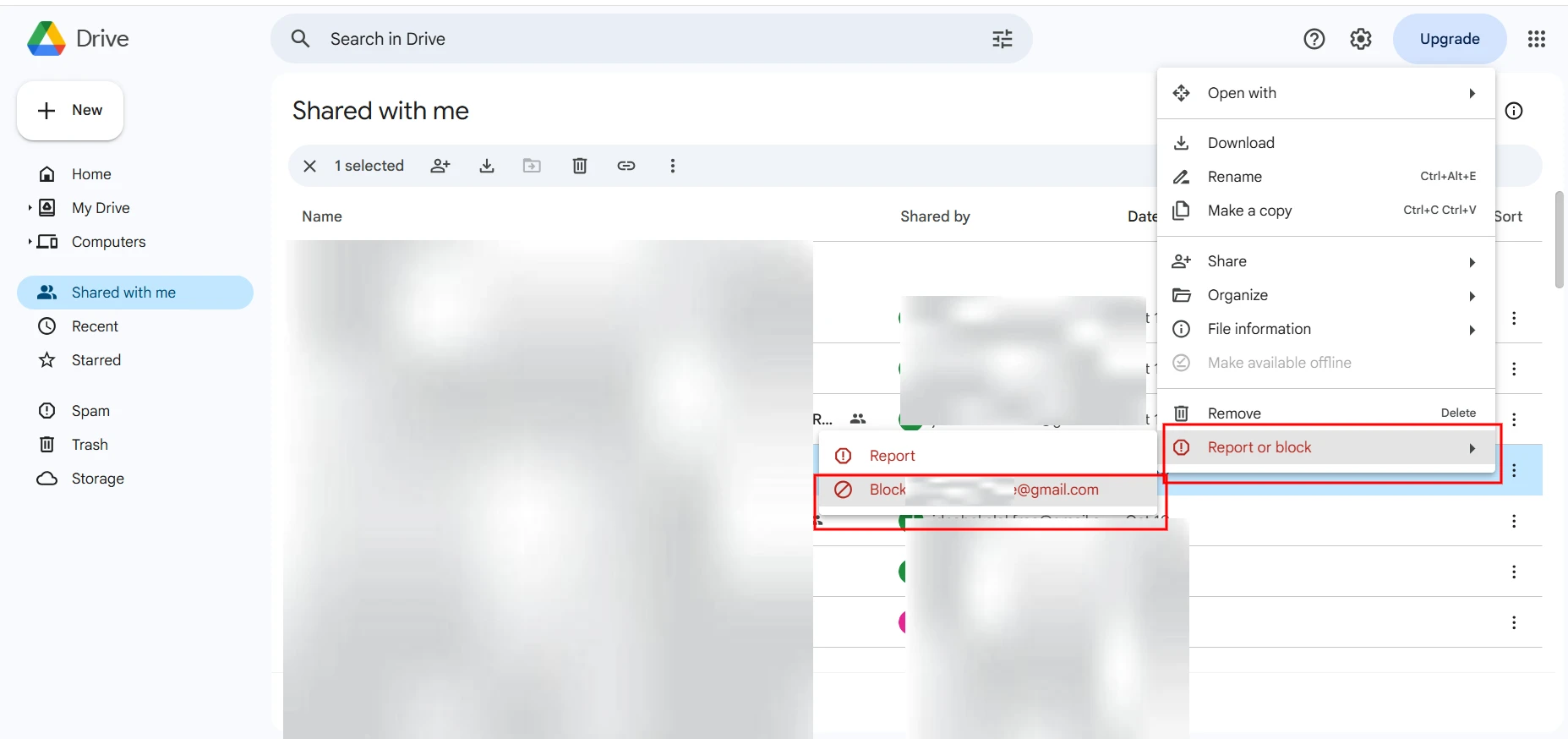
- Select Report or Block.
- Choose the option to block that user’s email address.
- Confirm your choice, and you are done.

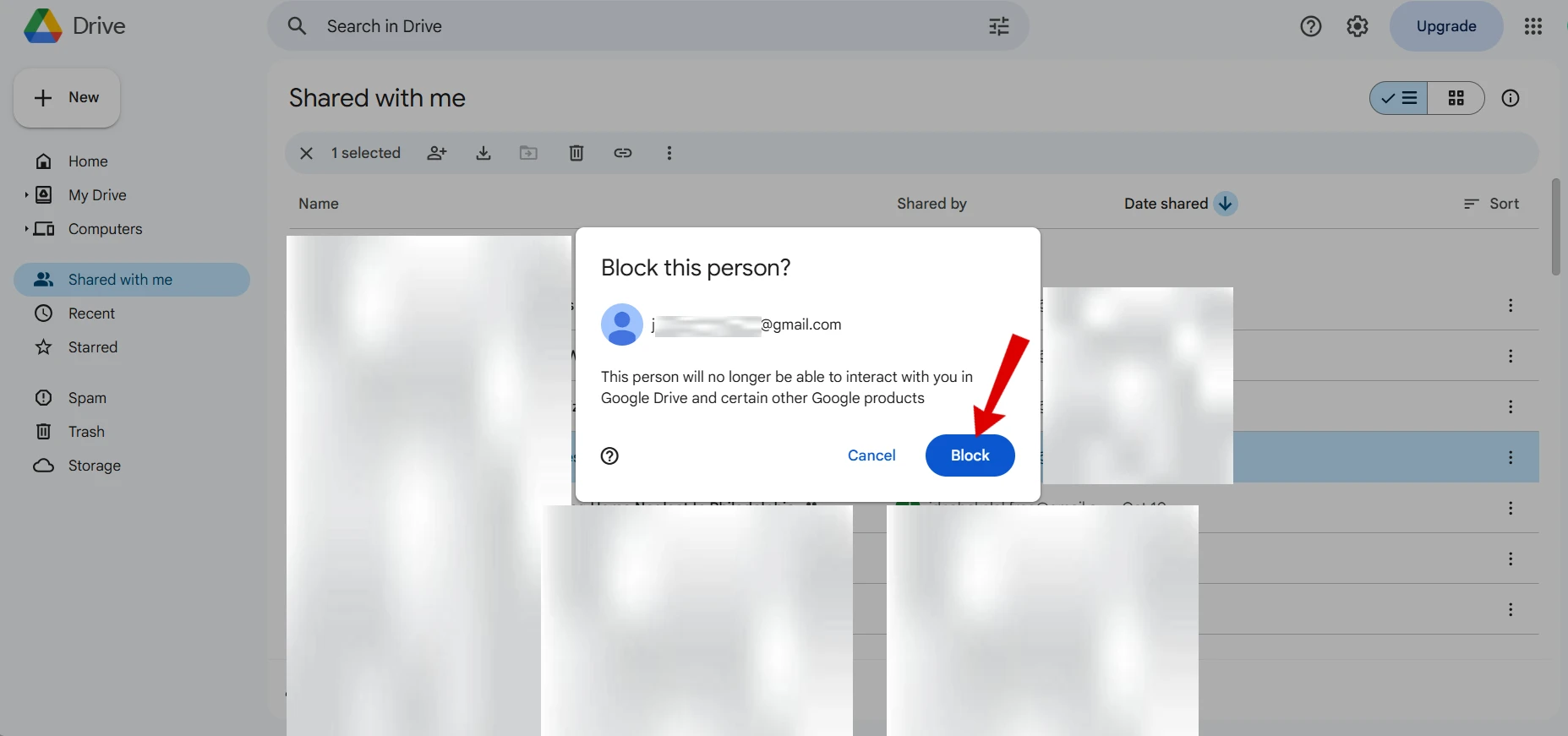
You can block a person in Google Drive so that they will no longer share files, folders, or requests with your account. It is a small but efficient tool to keep your workspace and make it clean.
Frequently Asked Questions
Can a blocked person still share files with me on Google Drive?
No. After you block someone, they can no longer share new files, folders, or collaboration requests with your Google account through Google Drive.
Will blocking someone delete files they already shared with me?
No. Blocking a user does not automatically remove files that were previously shared with your account. You can remove them from your Drive or stop following them if you no longer need access.
Can I unblock someone later if I change my mind?
Yes. Google allows you to unblock a person at any time through your Google Account settings. After unblocking them, they can share files with you again if needed.
Does blocking someone affect other Google services?
Yes. Blocking a Google account may also limit interactions in other Google services, depending on how Google applies account blocking across its products.
Can I block someone from the Google Drive mobile app?
If the blocking option is available in your version of the Google Drive app, you can use it there as well. Otherwise, you can always block the person by signing in to Google Drive from a desktop browser.

A little discussion goes a long way.
Ask a question, share your experience, or help someone find an answer.
There is room for your perspective.
No discussions match this view yet.
Your voice belongs here
Keep it useful. Keep it kind.