
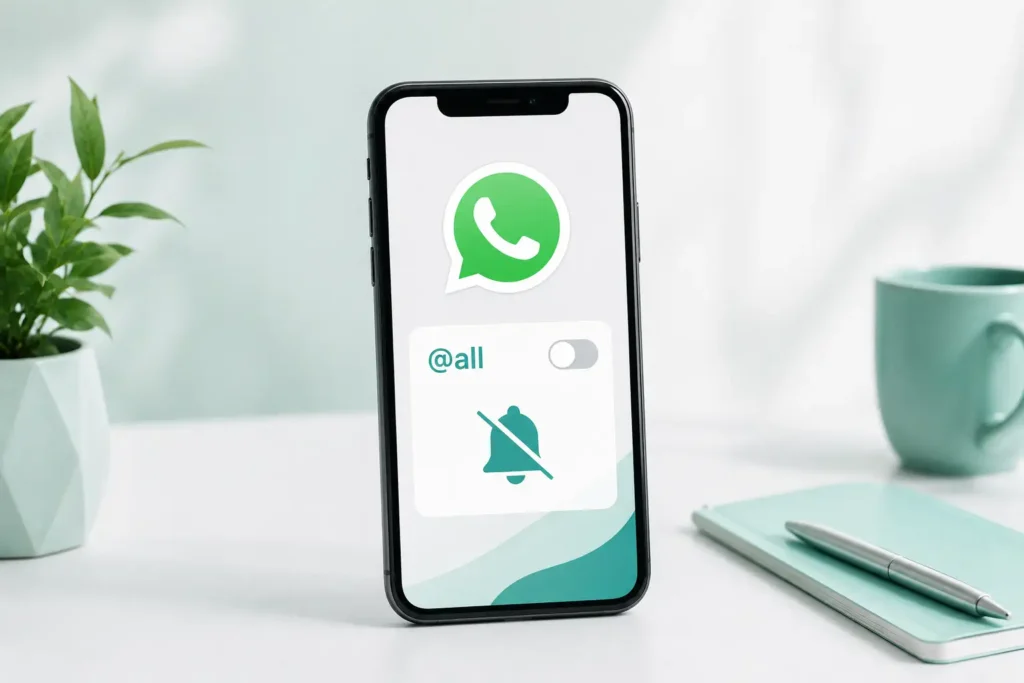
WhatsApp’s @all feature is useful, until you are sitting in four or five group chats and suddenly all of them are pinging you at once for stuff that could’ve waited an hour. If that’s already happening to you, you are not stuck choosing between missing real updates or muting the whole chat.
There’s a middle ground here. You can turn off just the @all pings and still get your regular messages the normal way.
How to Turn Off @all Notifications
Here’s how you can easily turn off @all pings.
- Open the group that’s been bugging you.
- Tap the group name up top, this opens Group Info.
- Go to Notifications.
- You will see an @all mentions option in there. Just turn it off.
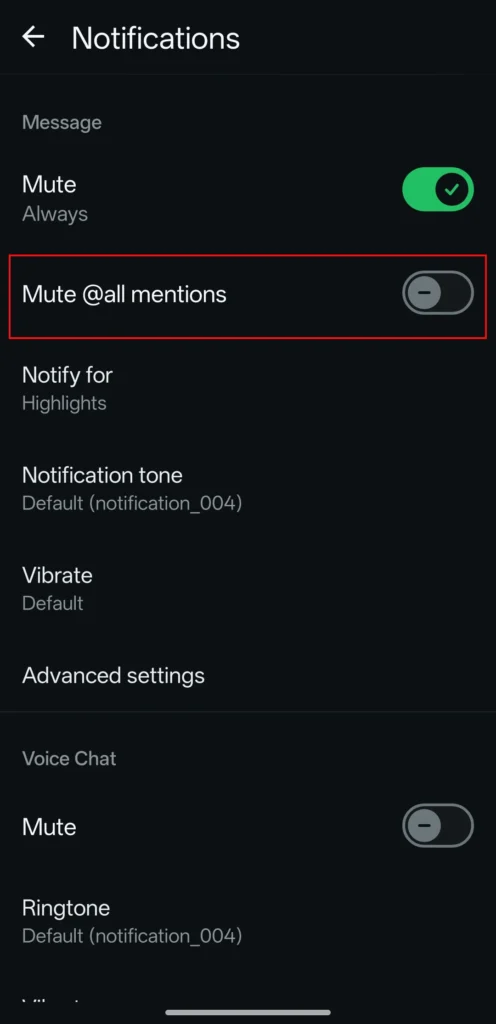
That’s it. The next time someone fires off an @all in that group, your phone stays quiet, but you’ll still catch regular messages the way you always have.
Does This Mute the Whole Chat?
Nope, and that’s kind of the point. This only touches the @all alerts specifically. Everyone’s regular messages, replies, even someone tagging you by name directly, all of that still comes through like nothing changed.
If you actually wanted to mute the entire group, that’s a different setting, sitting in the same Group Info menu, but it’s not this one.
Why Even Bother With This Setting?
@all is built to punch through even if you’ve muted the group entirely, which makes sense for stuff like “class is cancelled” or “meeting moved to 3pm.” But not every group treats it that seriously. Some people will @all a group about literally anything, and WhatsApp clearly saw that coming, hence this toggle existing at all.
It’s about picking your battles. Keep the urgent groups loud, quiet down the ones where @all gets used a little too casually.
Worth Keeping On For Some Groups
Before you go mute this everywhere, think about which chats actually need it. A work team, a class group, something planning an actual event, these are places where getting pinged instantly is the whole point.
Random friend groups or bigger community chats where people @all everyone for no real reason? Those are the ones worth turning this off for.
Frequently Asked Questions
If I mute this, do I still see the @all message at all?
Yeah, the message shows up in the chat exactly like it normally would. You just don't get a separate buzz for it.
Can I do this for just one group and leave others alone?
Yep, it's set per group. Mute it in one chat, keep it running in another, doesn't affect anything else.
Does this also block people from tagging me by name?
No, that's completely separate. This only touches the group wide @all thing, not someone mentioning you directly.
Will people know I turned this off?
No, there's no notification sent to anyone when you tweak your own settings.
Can an admin force this back on for me?
No, it's your own personal setting. Admins can't override it for individual members.
Does this work the same on iPhone and Android?
Yeah, same setting, same steps, since it came out with the same update on both.


A little discussion goes a long way.
Ask a question, share your experience, or help someone find an answer.
There is room for your perspective.
No discussions match this view yet.
Your voice belongs here
Keep it useful. Keep it kind.