Close Menu
    Facebook X (Twitter) Instagram Pinterest YouTube Bluesky WhatsApp TikTok Threads RSS
    WikiTechLibrary
    • Converters & Media
    • Web Tools
    • Finance & Tax
    • Utility & Bills
    • Vehicle Tax
    WikiTechLibrary

    Say Goodbye to Microsoft Lens, Retirement Date Announced

    By Waqas AmjadAugust 13, 2025No Comments2 Mins Read
    Facebook Twitter WhatsApp Threads Copy Link
    microsoft lens retirement copilot alternatives

    Microsoft Lens is one of the most widely used document, business card, and photo-scanning mobile apps that allows you to scan them directly to your phone. Originally launched as Office Lens in 2015, the application attracted a lot number of users due to its easy-to-use features, connections to Microsoft Office products, and scanning capabilities. However, Microsoft has now confirmed that it will retire the application later this year to shift more users to its AI-powered Copilot app.

    Retirement timeline of Microsoft Lens

    According to the recently updated support page on Microsoft, the retirement will take place in multiple phases.

    • September 15, 2025 – Microsoft Lens will be removed from Google Play Store and Apple App Store.
    • November 15, 2025 – Official support for the app will end.
    • December 15, 2025 – Scanning features will be completely disabled, and there will also be no new scans at all.

    This gradual slowdown has allowed existing users an opportunity to migrate to alternatives themselves before it is out completely.

    microsoft lens retirement copilot alternative

    Why Microsoft is pushing Copilot instead

    Microsoft will incorporate the scanning features of Lens in Microsoft Copilot, which already offers a wide range of AI-powered tools. The move is a part of Microsoft’s strategy to promote its own AI ecosystem and centralize features into one app.

    Copilot will allow users to scan documents and photos, but it does not include features such as direct exports that made Lens extremely popular. As an example, users will not be able to save scans anymore as any Word, PowerPoint, or OneNote file directly without additional steps.

    Alternatives to Microsoft Lens

    For those users who want dedicated scanning apps, there are many alternatives like

    • Google PhotoScan – Useful to scan printed photos.
    • Adobe Scan – A powerful, free document scanning app.
    • CamScanner – Popular among professionals for multi-page document scans.

    Microsoft Lens retires after a decade of existence as one of the most useful productivity applications. While some users may embrace Copilot AL features, others will likely look for alternatives to remain familiar with their scanning workflow and avoid the use of AI.


    Microsoft
    Share. Facebook Twitter Pinterest LinkedIn Email WhatsApp Threads
    Waqas Amjad
    • Facebook
    • X (Twitter)
    • Instagram

    Waqas Amjad is a tech writer and the founder of WikiTechLibrary, focused on gaming, telecom, and how-to content. He has 8 years of experience testing apps, tools, and tech products, and writes practical guides based on hands-on use rather than surface-level research.

    Related Articles

    best whatsapp web extensions

    The browser extensions that finally make WhatsApp Web feel complete

    can you see who views your instagram highlights

    Can you see who views your Instagram highlights?

    whatsapp without phone number

    Can you use WhatsApp without a phone number?

    animate childrens drawings with ai how to

    I Tested AI Tools That Animate Kids Drawings, Here Is What Actually Worked

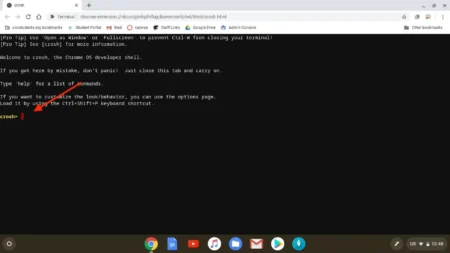
    crosh commands in chromebook

    What are CROSH Commands in Chromebook? Complete Guide

    weirdest tech innovations history

    7 Weirdest Tech Innovations in History That Actually Existed

    JOIN THE CONVERSATION

    A little discussion goes a long way.

    Ask a question, share your experience, or help someone find an answer.

    0 comments
    NewestOldestMost helpfulUnanswered
    ◇

    There is room for your perspective.

    No discussions match this view yet.

    +

    Your voice belongs here

    Keep it useful. Keep it kind.

    Cancel reply

    Your email address will not be published.


    MOST VIEWED
    roblox account Gaming

    How to Turn Off Location on Roblox

    By Muqadas Fatima
    cabin crew simulator redeem codes Gaming

    All Cabin Crew Simulator Codes

    By Ali Raza
    why iphone says sos only how to fix How To

    Why your iPhone says ‘SOS Only’ and how to fix it

    By Waqas Amjad
    excel How To

    How to find if a Value Exists in an Excel List

    By Muqadas Fatima
    What's New

    AI Video Generator Clips Need a Real Compression Preview

    November 12, 2026
    image

    Made in America and Priced at $7,999: StarBot Launches Spark Humanoid Robot

    November 5, 2026
    tiktok adds voice notes and image carousels in comments

    TikTok Adds Voice Notes and Image Carousels in Comments

    September 4, 2026
    google messages adds ai detection to chat photos

    Google Messages Adds AI Detection to Chat Photos

    September 3, 2026
    © 2026 WIKITECHLIBRARY | All Right Reserved
    • About Us
    • Contact Us
    • Privacy Policy
    • Terms & Conditions
    • Disclaimer

    Type above and press Enter to search. Press Esc to cancel.