
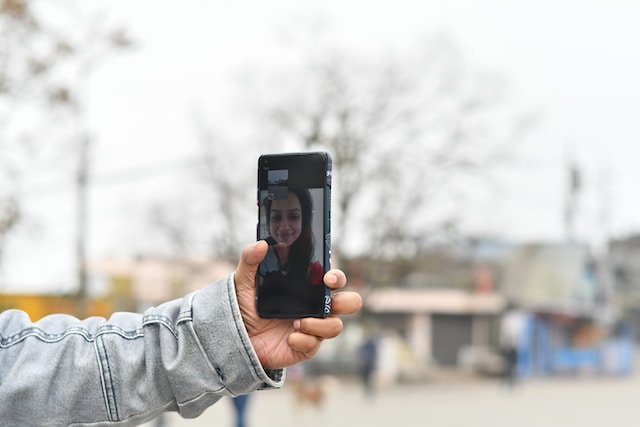
Modern technology has come a long way in providing us with the ability to multitask effectively. One of these advancements includes the ability to watch videos while on a call on Android devices. However, some users have experienced difficulties with this seemingly simple task.
This blog post will guide you through why this problem occurs and how to resolve it for a seamless multimedia experience.
With the explosion of smartphones and mobile data, watching videos on Android devices has become an everyday activity for most people. Whether it’s streaming movies, catching up on your favorite TV shows, or exploring educational content on YouTube, the possibilities are endless.
However, the capability of these devices to handle multiple tasks simultaneously, like watching a video while on a call, can sometimes be limited due to various factors.
Many Android users have reported experiencing an issue where they cannot play videos while on a phone or video call. This issue is not limited to any particular Android version or device model.
Users have reported that they get an error message “Unable to play during the call” after updating their Samsung Galaxy S8 to Android 8.0 Oreo, as recorded in a Reddit post and other online forums.
Why Videos Don’t Play During Calls
Smartphone interfaces are designed to prioritize calls over other functions. This is because communication is considered a critical function of any mobile device.
Hence, when a call comes in, the phone’s resources are heavily tilted toward ensuring that the call quality is maintained. This sometimes results in the inability to perform other tasks, like playing videos.
Operating systems play a significant role in managing the resources of your smartphone. Android, being one of the most widely used operating systems, has certain limitations when it comes to multitasking.
Android devices generally halt media playback once a call is initiated to prevent interference with the call’s audio. However, this behavior can vary based on the specific model and manufacturer of the device.
Apps’ settings can also impact video playback during calls. Some apps are programmed to pause videos when a call comes in or goes out. This is typically done to prevent conflict between the audio from the video and the call. However, not all apps have this feature, and the ones that do often provide the option to enable or disable it in their settings.
How to Watch Videos While on a Call
There are many third-party apps available on the Google Play Store that allow users to watch videos while on a call. These apps use various techniques, such as picture-in-picture mode, to allow video playback without interfering with the ongoing call.
Via Video Call Screen
Video Call Screen is a popular app that allows users to watch videos while on a call. It utilizes the picture-in-picture mode to display videos in a small window, which can be moved around the screen at per user’s convenience. This allows users to continue their video browsing without interrupting their calls.
Using Web Browsers
Web browsers like Google Chrome can also be used to watch videos while on a call. These browsers have built-in media players that can play videos independently of the phone’s primary media player, allowing them to bypass the limitation of not being able to play videos during calls.
Google Chrome is known for its robust multitasking capabilities. By opening a video in Chrome and starting playback, you can switch to a different app or take a call. The video will continue playing in the background, and you can return to it once your call is finished.
How to Enable Video Playback During Calls
The first step towards resolving the issue of not being able to play videos during calls is to clear the data and cache of your phone’s apps. Clearing the data and cache can help resolve any glitches that might be causing this issue. After clearing the data and cache, restart your device to apply these changes.
Using Video Call Screen App
To use the Video Call Screen app, first, download and install it from the Google Play Store. Once installed, open the app and grant necessary permissions. Now, when you’re on a call, you can open the Video Call Screen app and select the video you want to watch. The video will play in a small, draggable window that doesn’t interfere with your call.
Using Google Chrome
To use Google Chrome for watching videos during calls, start by opening the video in Chrome. Once the video starts playing, you can switch to a different app or take a call. The video continues playing in the background, allowing you to return to it after your call. If the video pauses when a call comes in, simply pull down the notification shade and press play on the media player notification.
Other Devices: How to Watch Videos While on a Call
iOS Devices
On iOS devices, watching videos during calls is relatively straightforward. Similar to Android, iOS also supports picture-in-picture mode, which allows users to watch videos in a resizable window while on a call. However, this feature might not be available on all iOS devices or versions.
Windows Phones
For Windows phones, the process is similar to Android and iOS. However, due to the lower number of third-party apps available on the Microsoft Store, users might have to rely more on web browsers for video playback during calls.
Conclusion
Watching videos while on a call shouldn’t be a problem in today’s world of advanced technology. However, due to various limitations in devices and operating systems, this issue persists for many users. This guide has provided comprehensive information on why this issue occurs and how it can be resolved. By following the steps outlined in this guide, you should be able to enjoy seamless video playback while on a call on Android devices and beyond.




A little discussion goes a long way.
Ask a question, share your experience, or help someone find an answer.
There is room for your perspective.
No discussions match this view yet.
Your voice belongs here
Keep it useful. Keep it kind.