Close Menu
    Facebook X (Twitter) Instagram Pinterest YouTube Bluesky WhatsApp TikTok Threads RSS
    WikiTechLibrary
    • Converters & Media
    • Web Tools
    • Finance & Tax
    • Utility & Bills
    • Vehicle Tax
    WikiTechLibrary

    How to Delete Snapchat Messages

    By Muqadas FatimaSeptember 24, 2024No Comments2 Mins Read
    Facebook Twitter WhatsApp Threads Copy Link
    how to delete snapchat messages

    Regular messages on Snapchat self-destruct after the recipient has opened and read them as they are intended to. However, you can edit in different ways, like to retake what you have said or remove a wrong word that an auto-correct has brought up before the message is seen.

    It might be very useful at this point to know how to delete your Snapchat message manually. However, a few conditions must be fulfilled to delete a Snapchat message.

    You can only do so if the recipient has not read the message. Therefore, fast work must be performed if it is necessary to reclaim the written work or correct the mistake.

    You can also delete specific messages from the recipient’s chat history although this is done once the recipient has already read the message. Here’s how to do both.

    How to delete Snapchat messages

    Do not forget that one has to remove a Snapchat message within a short time when the recipient has not opened it. Here’s how to do it on your iPhone or Android in the Snapchat app:

    • Open the Snapchat app.
    • Open your chat screen.
    • Open the conversation you want to delete.
    • Press & hold on to a message you want to delete.
    • Select the Delete option.
    • Then, click on the Okay button.

    You can be sure that after you go through this process, there will be a note in the chat stating that someone deleted a message.

    How to clear an entire conversation on Snapchat 

    You can also delete ‘conversations’ if you want to clear a chat on Snapchat.

    • Open the Snapchat app.
    • Go to your profile.
    • Click on the Setting (gear) icon.
    • Scroll down to the Account Actions tab.
    • Click on the Clear Conversation option.
    • Press X.
    • Click on the Clear option to delete the conversation.

    Share. Facebook Twitter Pinterest LinkedIn Email WhatsApp Threads
    Muqadas Fatima

      Muqadas Fatima is a dedicated writer at WikiTechLibrary, focusing on creating insightful "how-to" tutorials related to social media, tech, and life hacks. With a keen interest in simplifying the complexities of digital world, she creates content that helps readers improve their social media skills and adopt practical solutions for everyday challenges.

      Related Articles

      AI Video Generator Clips Need a Real Compression Preview

      image

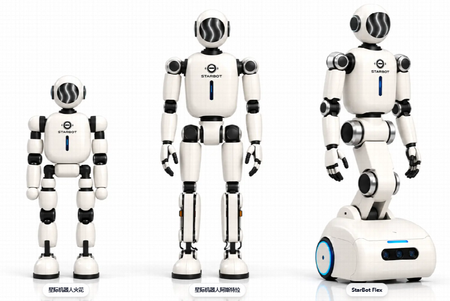
      Made in America and Priced at $7,999: StarBot Launches Spark Humanoid Robot

      whatsapp username setup

      How to Set Up a WhatsApp Username (I Tested It Myself)

      how to save google docs as pdf

      How to Save a Google Docs as a PDF

      stop whatsapp from saving photos

      How to Stop WhatsApp from Saving Photos Automatically

      turn off disappearing messages instagram

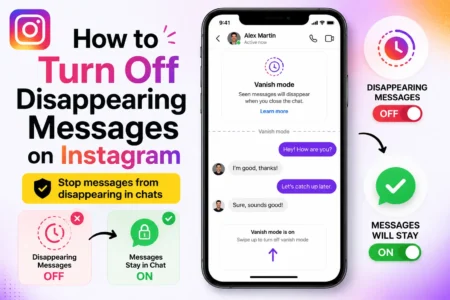
      How to Turn Off Disappearing Messages on Instagram

      JOIN THE CONVERSATION

      A little discussion goes a long way.

      Ask a question, share your experience, or help someone find an answer.

      0 comments
      NewestOldestMost helpfulUnanswered
      ◇

      There is room for your perspective.

      No discussions match this view yet.

      +

      Your voice belongs here

      Keep it useful. Keep it kind.

      Cancel reply

      Your email address will not be published.


      MOST VIEWED
      the sims 4 How To

      How to Move Objects Up and Down in The Sims 4

      By Ahmad Ali
      roblox climb and jump tower redeem codes Gaming

      All Climb and Jump Tower Codes

      By Sara
      anime lootify redeem codes 1 Gaming

      All Anime Lootify Codes

      By Ali Raza
      netflix How To

      How to unlock hidden content on Netflix

      By Ali Rehman
      What's New

      AI Video Generator Clips Need a Real Compression Preview

      November 12, 2026
      image

      Made in America and Priced at $7,999: StarBot Launches Spark Humanoid Robot

      November 5, 2026
      tiktok adds voice notes and image carousels in comments

      TikTok Adds Voice Notes and Image Carousels in Comments

      September 4, 2026
      google messages adds ai detection to chat photos

      Google Messages Adds AI Detection to Chat Photos

      September 3, 2026
      © 2026 WIKITECHLIBRARY | All Right Reserved
      • About Us
      • Contact Us
      • Privacy Policy
      • Terms & Conditions
      • Disclaimer

      Type above and press Enter to search. Press Esc to cancel.