
Two face photos start a question that shows up at a reference desk: what performance comes back, and how long does the person wait. Rap Duo AI is the page to open when those photos already exist and nobody is booking a camera, a room, or a second take.
Rap Duo AI turns two face photos into one lip-synced rap performance in a browser with no app install and no subscription required. A reader who stops after that sentence already has the shape of the product. The detail that makes the sentence usable is which photos count, what the file contains, and when it is ready.
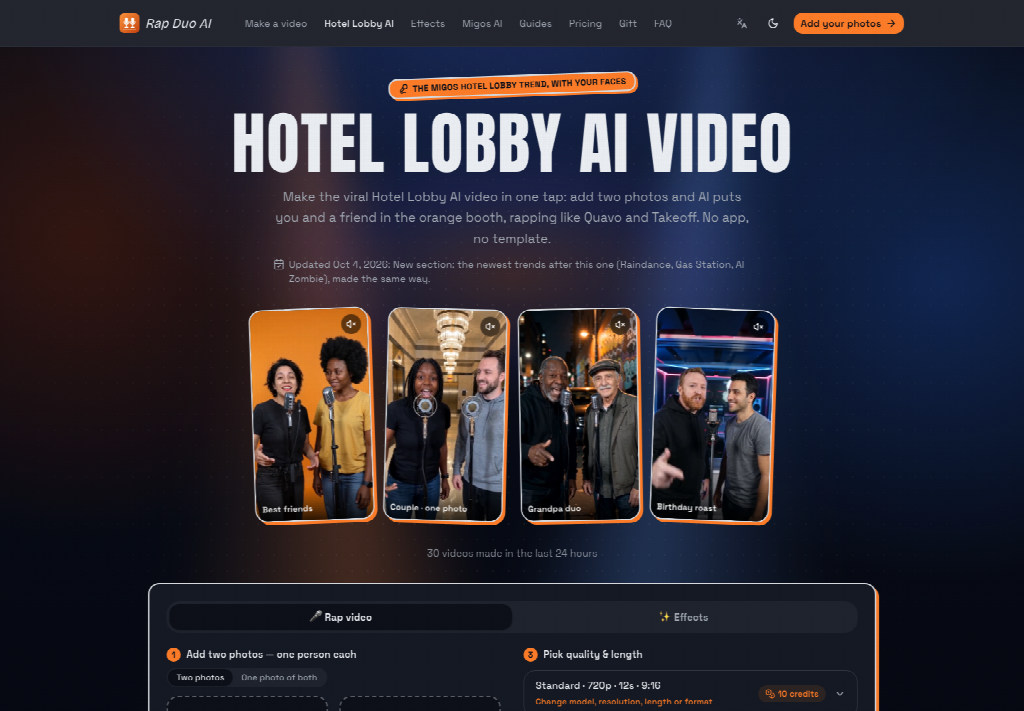
What Two Face Photos Produce In The Browser
The input is narrower than a shoot. Each photo contributes one face, and the two pictures do not have to be taken in the same place or on the same day. A frame that already holds both people does not replace the second photo, because each file is meant to carry one face. The output is one performance: an original rap, a beat, and a mouth that moves with the line, delivered as a short vertical file. There is no separate recording session to schedule between the photos and the clip.
A filmed duet of the same two people often looked fine in the room but fell apart once the words were watched with the sound up. The mouth was unreadable against the line. A file in that state would never clear editorial on a page that names those people. Sending them back is a reshoot, and repairing the mouth afterward is rework. The first export from this page is the performance, with the vocal, the beat, and the mouth already in one pass.
The Input Is Two Front-Facing Photos
Each photo should show one face, front-facing, with enough light to read the eyes and the mouth. Sunglasses, a mask, or a heavy filter leave the mouth unreadable, and a lip-synced line has nothing stable to follow. The photos can be ordinary selfies. They do not need a matching background, a shared room, or a camera operator. What they need is a face that is actually visible, because the performance is built on that face rather than on a body filmed in motion.
Use a photo only with the person’s permission. Do not include a minor unless a guardian has agreed, and do not build a clip that impersonates a celebrity or that is meant to deceive or harass someone. Those are conditions on the photos before they are uploaded. They are not a second product. The desk answer still starts from two permitted faces, one in each frame.
An optional topic line can carry the names and the occasion. If that line is empty, the rap becomes a general hype song. If the line is typed, the rap follows the language of the line; with no line, it follows the language of the site. The line stays short because the clip is about twelve seconds, so a name and a reason fit, and a full script does not. The photos remain the input that decides whose faces appear.
The Output Is One Vertical Rap
The file to describe is about twelve seconds long and vertical, in 9:16, which is the frame used for TikTok, Instagram Reels, and YouTube Shorts. The song is an original rap, not a copyrighted track dropped under the faces. Vocals, beat, and mouth movement are generated together, so the line and the lips belong to the same render. The unlocked download has no watermark. The first export is that short vertical performance.
A desk can repeat that shape without playing the file. About twelve seconds means a short performance, and the 9:16 frame is the one those three short-video slots already use. When the question is only what file comes back, the length, the frame, the original song, and the clean download are the whole description.
Where Those Three Minutes Go After The Click
The wait belongs in the answer. Most videos are ready in two to three minutes. That interval is what a desk can quote when a reader asks whether to keep the tab open or to come back later. It replaces the open-ended block of a reshoot, where the second attempt still depends on whether both people are free and whether the mouth lands this time. About three minutes is the figure to remember, because a filmed repair stays open until both people can try again.
Most Clips Finish Inside Three Minutes
Most videos from Rap Duo AI are ready in two to three minutes. About three minutes is the number to write down when the question is how long the tab stays open. The clip that comes back is still the twelve-second vertical file. Time on the clock and length on the screen are different facts, and mixing them turns a three-minute wait into a three-minute song. The wait is the time before the file is ready. The performance inside the file is about twelve seconds. The browser interval does not ask either person to perform on camera. It finishes a render from photos that were already taken, which is why the three-minute figure sits next to the input and the output.
How The Page Builds The Rap Before Download
The path on the page is short because the decisions are few. Add the two photos. Add a topic line only if the rap should name people or an occasion. Before the render, set the model, the resolution, the length, and the format. Then use the button labeled “Make our rap video”. Hotel Lobby is the default stage, the orange booth, when no other stage is chosen. Those controls do not ask the two people to stand together.
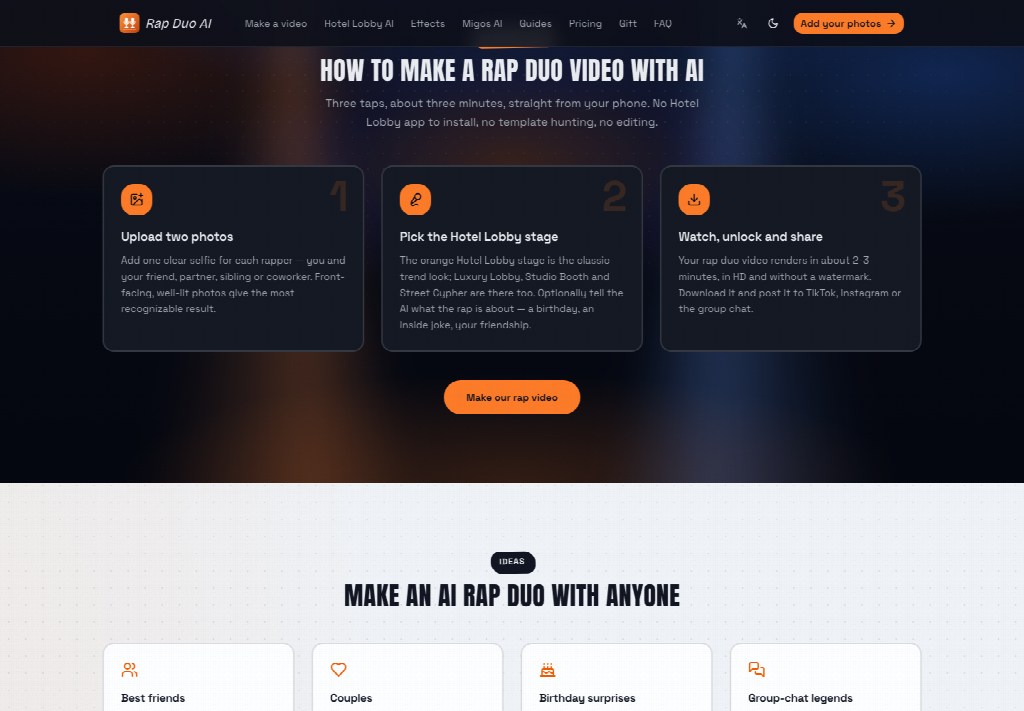
An AI Rap Video Generator on this page writes the rap as an original performance and locks the vocal, the beat, and the mouth into that same render. The download that follows is the clip. There is no separate audio file to line up by hand, and there is no watermark on the unlocked file.
- Add two face photos, one face in each, front-facing and well lit.
- Add a topic line for names and the occasion, or leave it empty for a general hype song.
- Set model, resolution, length, and format, then press Make our rap video.
Voice Beat And Mouth Stay In One Render
The joint render is the part to understand. Rap Duo AI generates the vocal, the beat, and the mouth movement together. The mouth is not a later pass pasted onto a finished song, and the song is not a famous track the photos are miming. Because the three are made at once, the twelve-second file can be described as one performance. Splitting them into separate audio and a face plate describes an editing job this page is built to skip.
Length is one of the controls set before that render, and a common result is the twelve-second vertical clip. Resolution and format are set in the same place. The sequence is the photos, the controls, the button, and one lip-synced rap. The three-minute wait sits between the button and the download, which is why it belongs with the input and the output when the desk answers.
What A Reference Desk Can State After Reading
The statement that holds is short. Two face photos go in, one face each. One lip-synced rap performance comes out, about twelve seconds, vertical, and original, with no watermark on the unlocked download. Most videos are ready in two to three minutes. Rap Duo AI is the browser page for that exchange.
A reader who arrived wanting a filmed session, a known song, or a long edit can be pointed back to those three facts. The photos define who appears. The render defines the performance. The wait is about three minutes, not an open call for a reshoot. That is the answer the desk can give, and it is enough to know whether this page is the one to open.



A little discussion goes a long way.
Ask a question, share your experience, or help someone find an answer.
Great breakdown on how AI rap video generation and creative audio-visual tools are evolving. The lip-syncing dynamics and two-character workflow discussed here offer really interesting takeaways for creator workflows!
Your voice belongs here
Keep it useful. Keep it kind.