
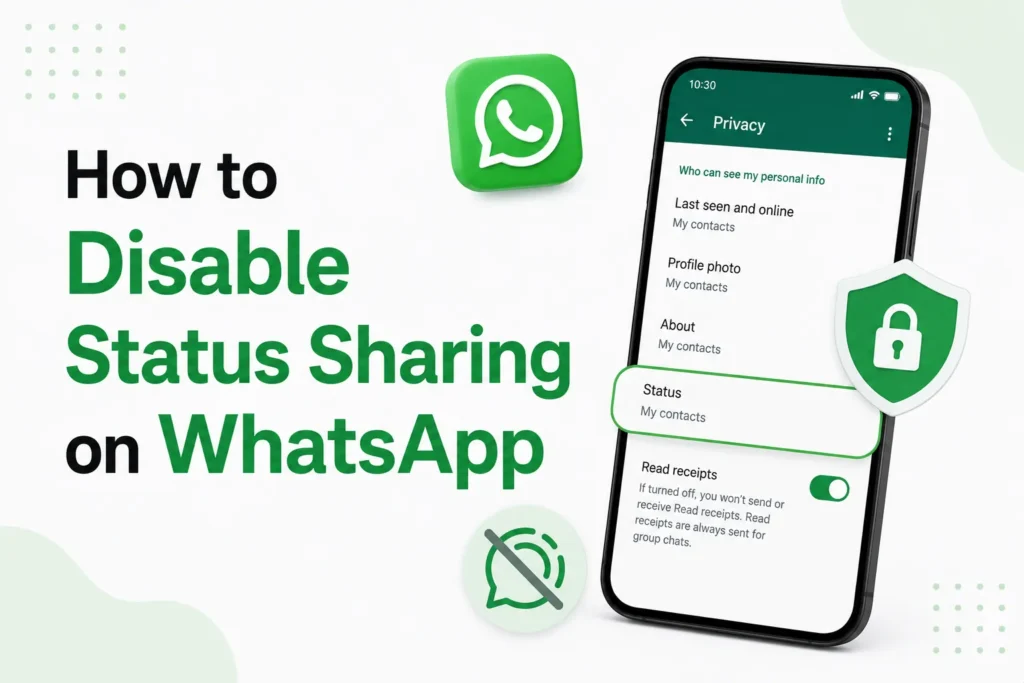
I use WhatsApp daily for family, work, and business contacts. Over time, I noticed that my Status updates were reaching people I did not really want to share personal moments with. Sometimes it was work contacts, sometimes old numbers I forgot to remove.
WhatsApp Status sharing is a useful feature, but not everyone wants complete visibility. The good thing is that WhatsApp allows you to have full control over who can see your Status. After testing all available options myself on both Android and iPhone, I can confirm that disabling or limiting Status sharing is simple once you know where to look.
Here’s how to disable Status sharing on WhatsApp.
How to disable status sharing on WhatsApp (Android & iPhone)
I tested this on both Android and iPhone. Follow the steps below to disable status sharing on WhatsApp.
- Open WhatsApp on your phone.
- Go to Settings.
- Select Privacy.
- Tap Status.
- Toggle off Allow sharing.
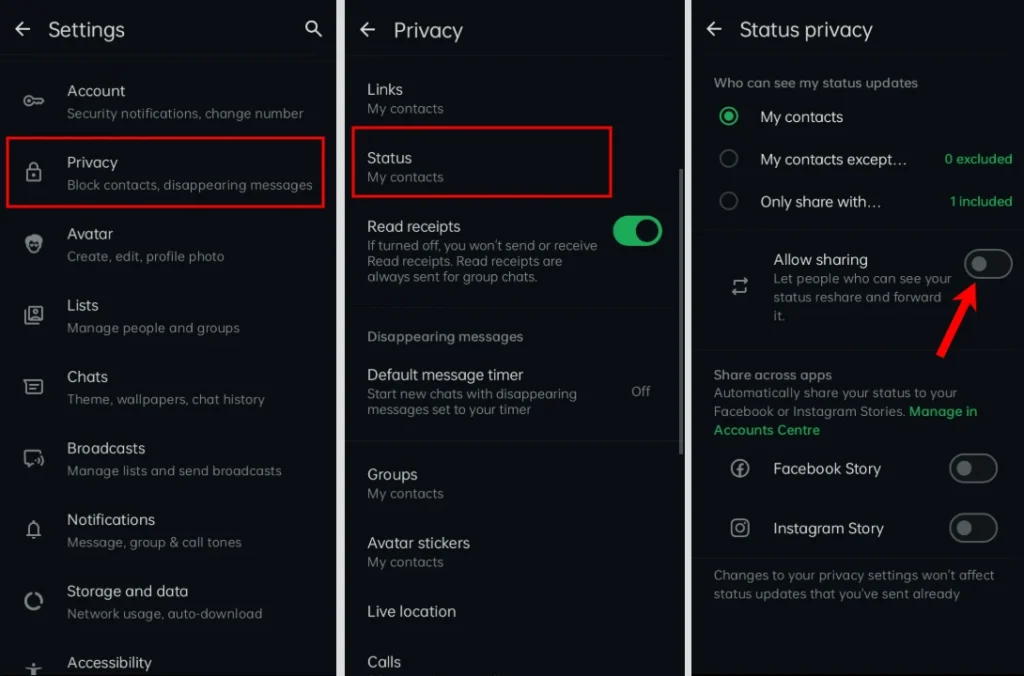
Now, no one sees your Status, even if you mistakenly post one.
Status privacy options explained (from real use)
1. My Contacts
This setting is selected by default.
- All saved contacts can see your Status
- Not best if you have much work or unknown contacts
I personally avoid this option for privacy reasons.
2. My Contacts Except…
This is the best option if you want to disable Status sharing for some people.
How it works
- Select contacts you want to hide your Status from
- Everyone else can still see it
- Others will not know they are excluded
I use this option most often.
3. Only Share With…
This option lets you share Status with selected people, and it is best for
- Close friends
- Family
- Private updates
If you want maximum privacy, this is the best choice.
Does disabling status sharing affect others?
No. When you change Status privacy
- Contacts are not notified
- You can still view other people’s Status
- Chat, calls, and groups remain unaffected
WhatsApp keeps this change private.
Can you disable status sharing for one person?
Yes. Use My Contacts Except… and select that contact. This is helpful for
- Office colleagues
- Ex contacts
- Temporary privacy
I have personally used this without any issues.
Frequently Asked Questions
Can someone know I hid my WhatsApp Status from them?
No. WhatsApp does not notify anyone if you exclude them from viewing your Status. They simply won’t be able to see your future Status updates.
If I hide my Status, can I still see other people’s Status?
Yes. Your Status privacy settings only control who can see your updates. They do not affect your ability to view Status updates shared by others.
Does blocking someone also hide my WhatsApp Status?
Yes. When you block a contact, they can no longer see your Status updates, profile photo, last seen, or online status, depending on your privacy settings.
Can I disable WhatsApp Status sharing temporarily?
Yes. You can change your Status privacy settings whenever you want. Switch between the available options at any time without affecting your chats or contacts.
Do WhatsApp Status privacy settings sync across all devices?
Yes. Once you update your Status privacy settings, they apply to your WhatsApp account across all linked devices.
Can I hide my WhatsApp Status from just one person?
Yes. Open Settings > Privacy > Status, choose My Contacts Except…, then select the person you want to hide your Status from. They won’t be notified.






A little discussion goes a long way.
Ask a question, share your experience, or help someone find an answer.
There is room for your perspective.
No discussions match this view yet.
Your voice belongs here
Keep it useful. Keep it kind.