
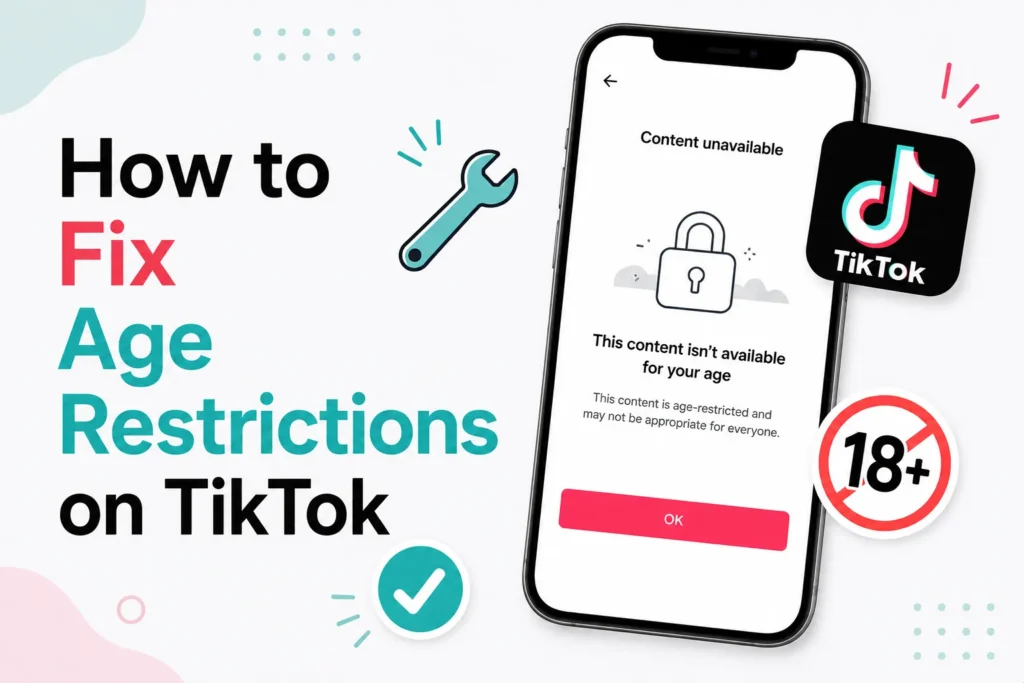
If you are already over 18, it can be confusing to see messages like “This post is age-protected” or to see features like live streaming, messaging, or gifting absent from TikTok. This happens because the birth date on your TikTok account is incorrect or features like Restricted Mode are enabled.
To meet legal requirements and protect younger users, TikTok applies strict age restrictions. If your age is set wrong, your account may be treated as underage, even if you are not. Here’s how you can fix age restrictions on TikTok and regain full access to content and features.
Why TikTok apply age restrictions?
TikTok limits features based on the age linked to your account. Common reasons restrictions appear include
- Enter the wrong birth date during signup
- Restricted Mode is being turned on
- TikTok cannot verify your age or your account information needs review
- Parental controls through Family Pairing
- Temporary app bugs after updates
Method 1: Turn off restricted mode on TikTok
Restricted Mode hides mature content and can block posts even for users over 18.
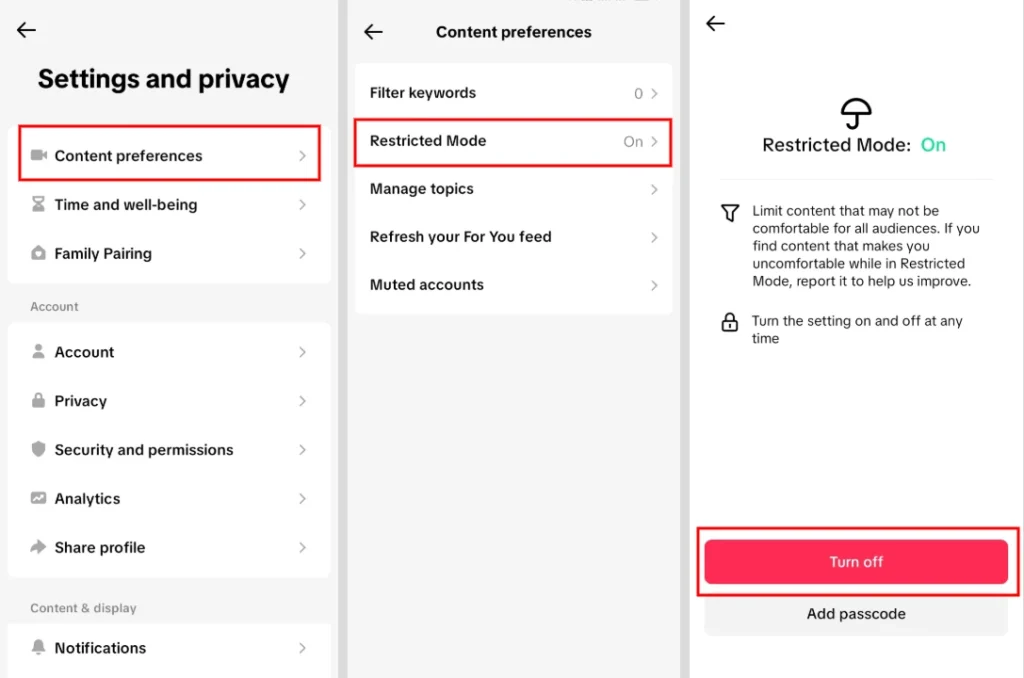
- Open TikTok and tap Profile in the bottom right
- Tap the three line menu in the top right
- Go to Settings and Privacy
- Tap Content Preferences
- Select Restricted Mode
- Click on Turn Off button
- Enter your 4 digit passcode (if required)
- Tap Next to confirm
If restrictions remain, then maybe you entered the incorrect age when you created your account.
Method 2: Request a birth date change on TikTok
TikTok does not let users edit their birth date directly. To change your date of birth, you need to contact support and verify your identity.
- Open the TikTok app
- Tap Profile at the bottom right
- Tap the three line menu at the top right
- Go to Settings and Privacy
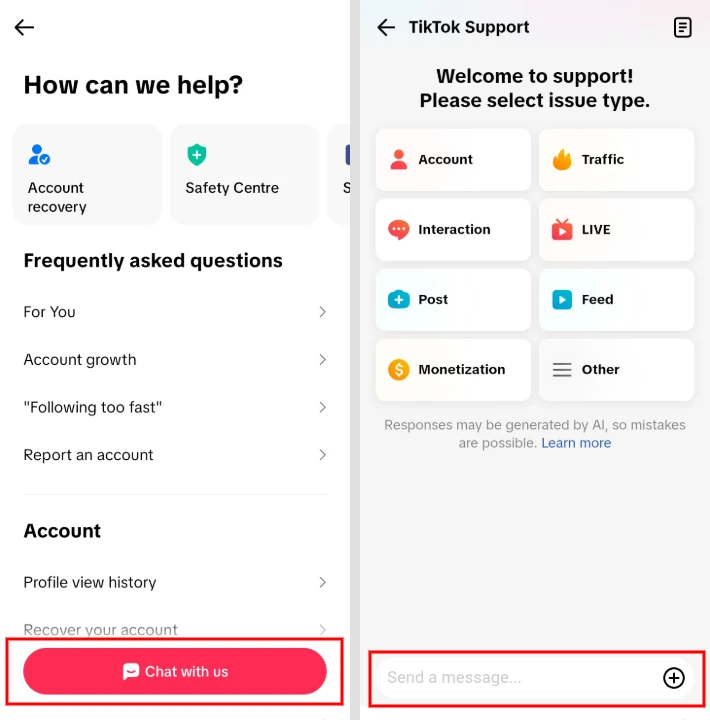
- Scroll down and tap Help Centre
- Click on the “Chat With Us” button
- Explain clearly that your birth date is incorrect and include the correct date
- Example message:
“I entered the wrong date of birth when creating my account. I need to update it to my correct date. I can provide ID for verification.”
- Example message:
- Submit the request.
TikTok usually replies within 3 to 7 days. After approval, TikTok will update your age, and restrictions will be removed for users aged 18 and above.
Important note: Never provide false information. Providing false information may result in account restrictions or additional verification requests.
Method 3: Create a new TikTok account
If support does not respond or you cannot provide ID, creating a new account is the only alternative.
- Log out of your current TikTok account
- Tap Sign Up
- Choose email or phone signup
- Enter a birth date that makes you 18 or older
- Complete account setup and verification
This resets your followers, videos, and recommendations.
TikTok age-based feature limits explained
TikTok assigns features based on age
- Under 13: TikTok is unavailable in most regions, or users receive a limited experience where supported
- 13 to 15: Private accounts, no messaging, no live streaming
- 16 to 17: Direct messages are available from age 16. LIVE hosting and gifts require users to be at least 18.
- 18 and above: Full access to all features
Age protected content usually appears when TikTok determines that your account is under 18 or when the content has an age restriction.
Frequently Asked Questions
Why does TikTok say “This post is age protected”?
This usually happens because your account is registered as being under 18, Restricted Mode is enabled, or the content has been limited based on TikTok’s safety policies.
Can I remove TikTok age restrictions without an ID?
You can turn off Restricted Mode without an ID if it is the cause of the restriction. However, if your account has the wrong birth date, TikTok typically requires identity verification before updating your age.
What happens if I’m under 18?
If you are under 18, TikTok applies age based restrictions to certain features and content. These limits cannot be removed until your account meets TikTok’s age requirements.
How long does TikTok take to update my age?
Many age correction requests are reviewed within a few days to one week, although processing times may vary depending on the case.
Will creating a new TikTok account remove age restrictions?
Yes, if you register with your correct date of birth and meet TikTok’s age requirements. Keep in mind that a new account starts without your previous followers, videos, or recommendations.
Can I change my TikTok birth date whenever I want?
No. TikTok does not allow users to edit their birth date directly. You must contact TikTok Support and, in most cases, provide proof of your age.







A little discussion goes a long way.
Ask a question, share your experience, or help someone find an answer.
There is room for your perspective.
No discussions match this view yet.
Your voice belongs here
Keep it useful. Keep it kind.