

It can seem like unlimited scrolling through X (Twitter). You find a viral video, an unbelievable sports moment, or an important tutorial, and suddenly you want to save it on your Mac.
However, X does not provide a built-in download option for its videos, like YouTube. Luckily, a workaround is very easy. You can save any Twitter/X video in high-quality HD with a few steps without installing apps or extensions.
Here’s an easy way to download X/Twitter videos on a Mac.
How to Download Twitter/X Videos in HD on Your Mac
You can download X/Twitter videos easily. Follow these steps to download your videos.
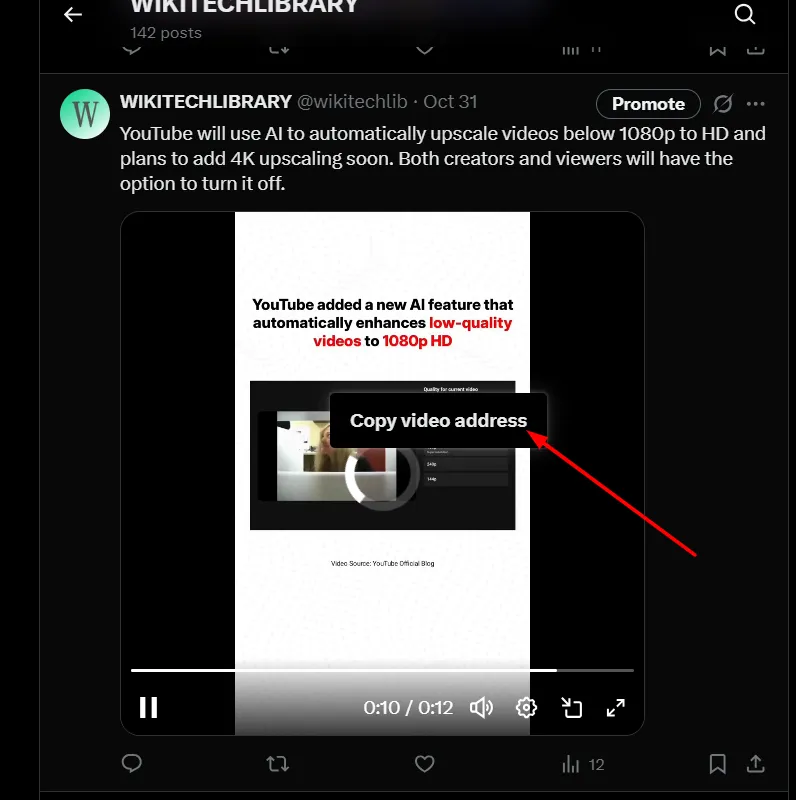
- Open the post containing the video on X.com.
- Right-click directly on the video and select “Copy video address.”

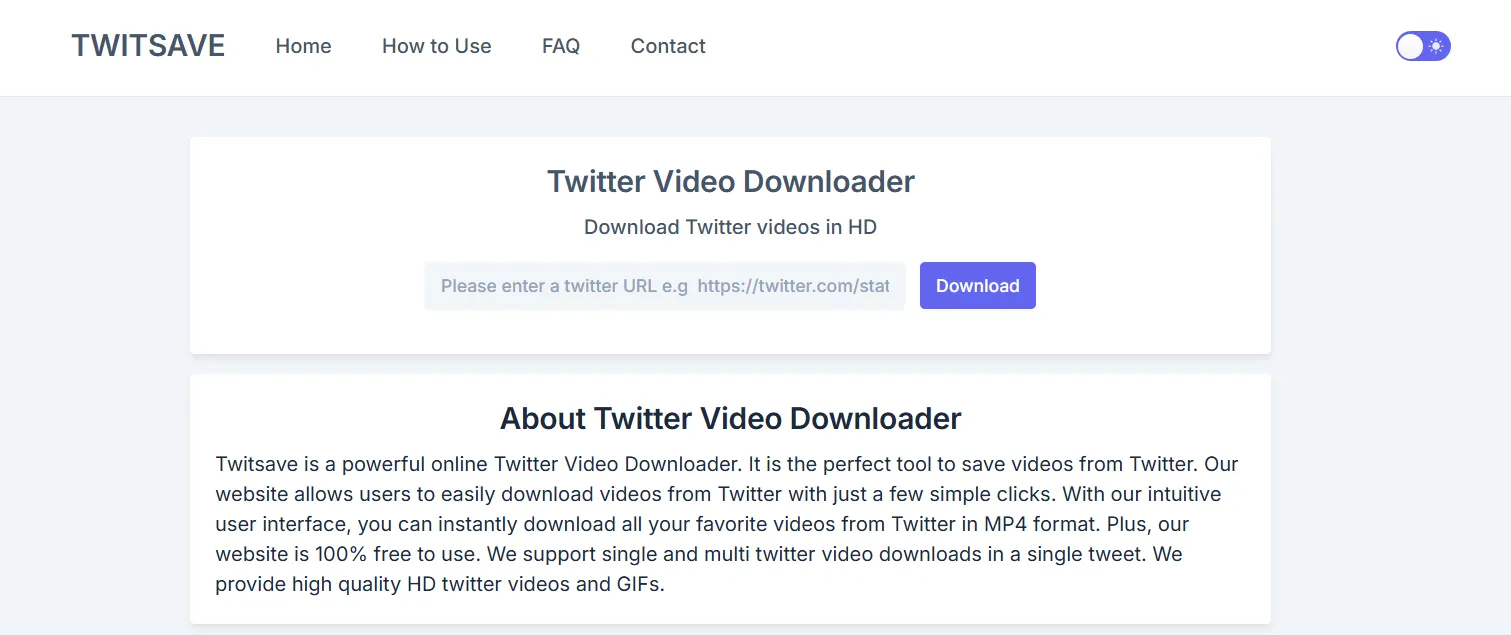
- Visit Twitsave.

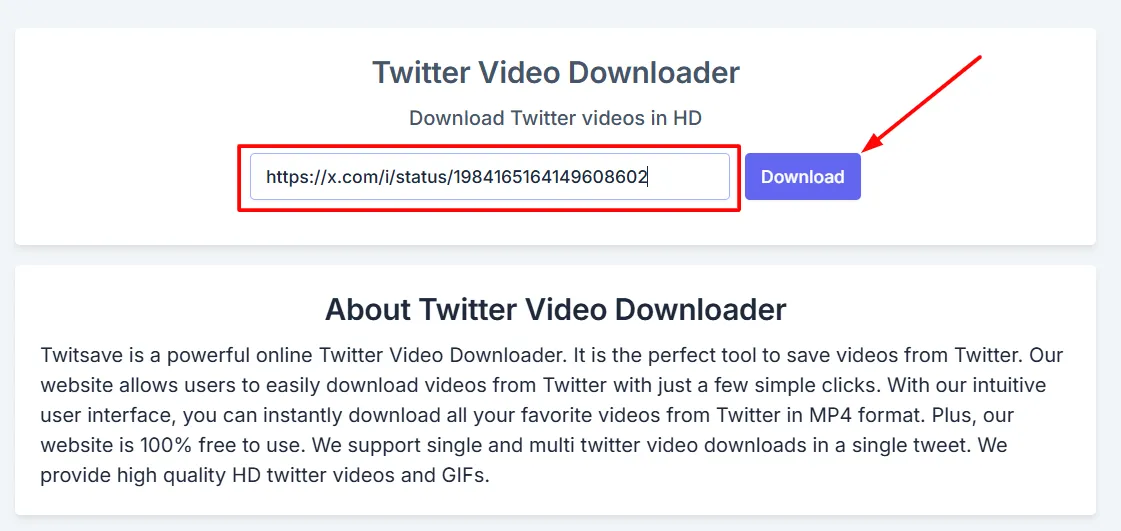
- Find the textbox on Twitsave and paste the copied video link into it.
- Press the Download button.

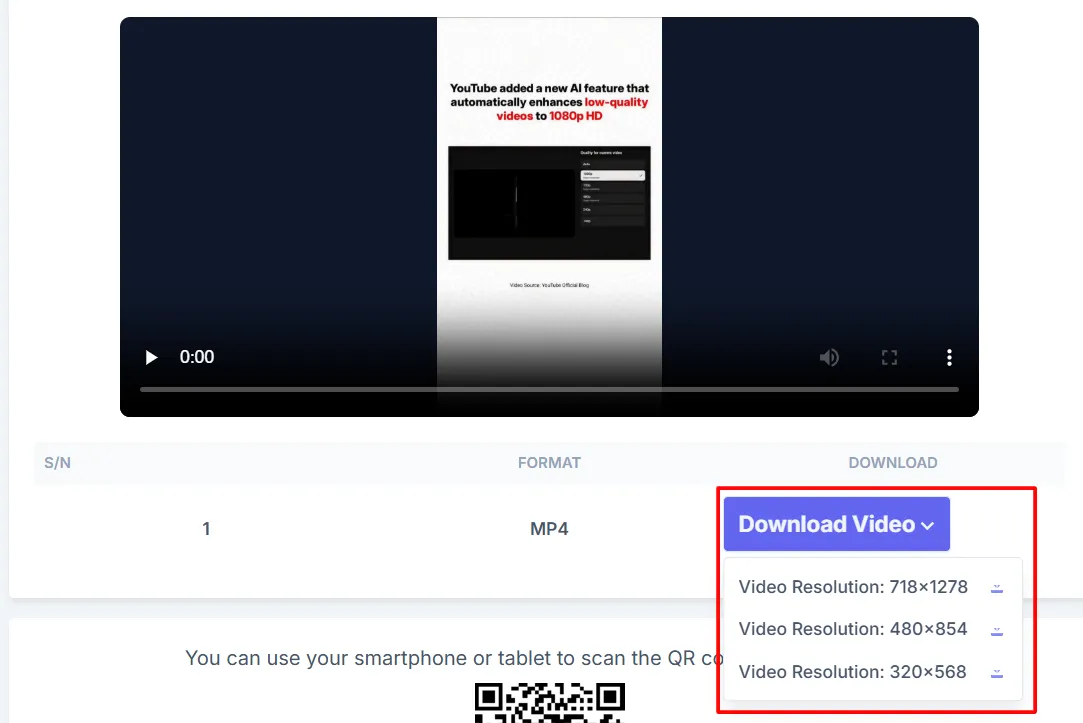
- Once the processing completes, select the HD format to get the highest quality.

- Click Download, and your video will automatically start saving to your Mac.
You can watch anything offline, share it with friends in a way that’s easy to remember, or save tutorials to use later. With this method, you can enjoy smooth HD downloads without any additional apps or complex tools.
Frequently Asked Questions
Can I download X (Twitter) videos directly on a Mac?
No. X does not currently offer a built in option to download videos from other users’ posts. You can use a trusted online downloader or another authorized method to save videos that you have permission to download.
Will downloaded X videos keep their HD quality?
That depends on the original upload and the downloader you use. If the source video is available in high resolution, many reliable download tools allow you to save it in HD without noticeable quality loss.
Why can’t I download a video from X?
Some videos cannot be downloaded because the post is private, the link is incorrect, the content has been removed, or the downloader does not support that particular post. Trying another supported tool or checking the video link may help.
Can I download videos from private X accounts?
No. Videos shared through private or protected accounts are generally not accessible through public download services unless you have the required permission and access to the account.
Do I need to install software to download X videos on a Mac?
Not necessarily. Many online download services work directly in your web browser, allowing you to save videos without installing additional apps or browser extensions.
Is it legal to download videos from X?
Downloading a video for personal use may be permitted in some situations, but sharing, reposting, or using someone else’s content without permission can violate copyright laws or X’s terms of service. Always respect the creator’s rights.







A little discussion goes a long way.
Ask a question, share your experience, or help someone find an answer.
There is room for your perspective.
No discussions match this view yet.
Your voice belongs here
Keep it useful. Keep it kind.