If you work online today, your headshot is often the first impression people get of you. Whether it is LinkedIn, a company “About” page, Upwork, or your personal site, you need a photo that looks professional, polished, and true to who you are.
Traditional photo shoots can be expensive, time-consuming, and uncomfortable. This is where AI headshots come in. Here is how you can create studio-style portraits in minutes using My AI Photo Shoot (https://myaiphotoshoot.com/).
What Is My AI Photo Shoot?
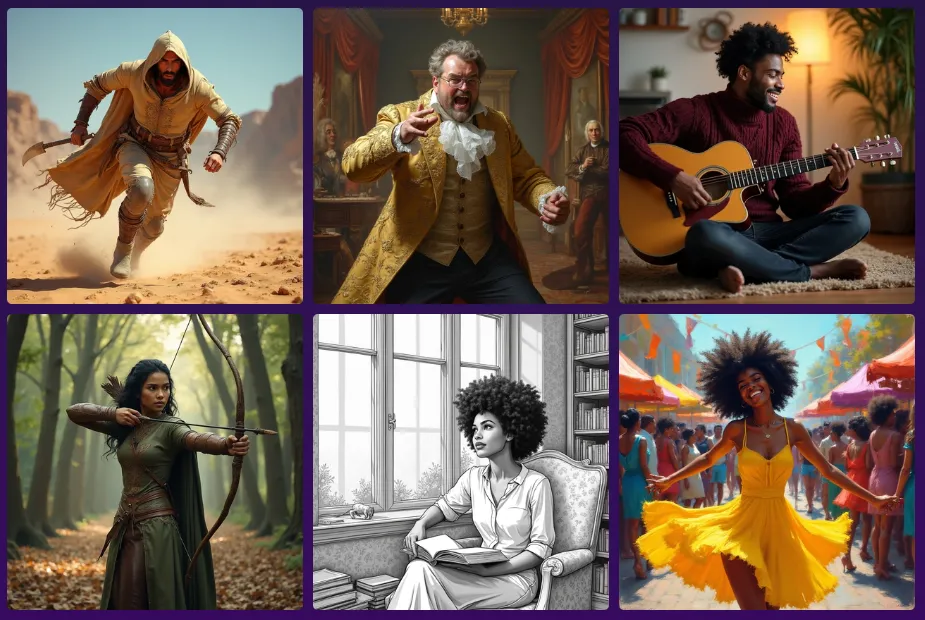
My AI Photo Shoot is a web and mobile tool that transforms your selfies into high-quality, AI-generated photos that look like they came from a professional studio. You upload 10-20 photos once, the system trains a private model of your face, and then you can generate as many new images as you like.
Key features:
- Hyper-realistic results
- One-time model training
- Dozens of styles and presets
- Full privacy control and easy deletion
- Low cost per image after training
Why AI Headshots Are So Popular
AI headshots solve three problems at the same time:
- Cost – No need for photographers or studios
- Time – No scheduling, travel, or waiting for edits
- Control – Change outfits, lighting, backgrounds, and mood anytime
This works perfectly for remote workers, freelancers, professionals, students, and creators who want high-quality visuals quickly and affordably.
How My AI Photo Shoot Works
1. Gather Your Selfies
Collect 10-20 clear photos of yourself with good lighting and different angles. Avoid filters, sunglasses, and blurry images.
2. Upload and Train Your Model
Sign up on myaiphotoshoot.com, upload your selfies, and start the one-time training. After that, your personal AI model is ready.
3. Choose Styles and Prompts
Pick from presets like corporate, studio, lifestyle, or creative looks. You can also describe the style you want, such as:
- “Clean studio headshot, white background, soft light, business blazer”
- “Modern office background, shallow depth of field, natural light”
4. Generate Your Images
In minutes, you will receive multiple AI headshots. Since images are inexpensive, you can experiment with different backgrounds, outfits, and moods.
5. Download and Use Anywhere
Your new headshots can be used on:
- Portfolio sites
- Company pages
- Social media
- Speaking profiles
Tips for Better AI Headshots
- Use sharp, well-lit selfies
- Make sure your current hairstyle and look match your training photos
- Generate a set of 5-10 images for different platforms
- Keep a consistent background style for personal branding
AI Headshots vs Traditional Photo Shoots
| Aspect | AI Headshots | Traditional Shoot |
|---|---|---|
| Cost | Low one-time fee + low per image | Photographer, studio, editing costs |
| Time | Minutes | Hours or days |
| Flexibility | Unlimited poses and styles | Limited to session time |
| Convenience | 100% online | Must attend in person |
Final Thoughts
If you need professional-looking headshots without the cost or hassle of a physical photo shoot, My AI Photo Shoot gives you a fast, affordable, and customizable solution. Upload your selfies once, generate as many portraits as you like, and use them across all your online platforms.