
The process of paying and verifying vehicle token tax in Pakistan has become easier than ever. Gone are the days when you used to visit the excise office and stand in long queues. Currently, every province in Pakistan provides online vehicle verification and token tax check systems.
In this updated guide, we will show you how you can check token tax online in Pakistan for Punjab, Sindh, KPK, and Islamabad with payment options and official websites.
- 1. Token Tax Check Online for Punjab (MTMIS Punjab)
- 2. Token Tax Check for Sindh (MTMIS Sindh)
- 3. Token Tax Check Online KPK
- 4. Token Tax Check Islamabad
- 5. How to Pay Token Tax Online in Pakistan
- 6. Common Problems and Solutions
- FAQs About Token Tax in Pakistan
- Q1: Can I check token tax without CNIC?
- Q2: Is online payment secure?
- Q3: Can I check token tax for another person’s car?
1. Token Tax Check Online for Punjab (MTMIS Punjab)
Punjab Excise and Taxation Department offers a complete online system to check and pay your token tax.
- Go to the official MTMIS Punjab website: https://mtmis.excise.punjab.gov.pk/
- Enter your vehicle registration number (e.g., LXZ 123).
- Click on Search button.
- You’ll see details including:
- Vehicle make and model
- Owner name
- Registration city
- Token tax status (paid/unpaid)
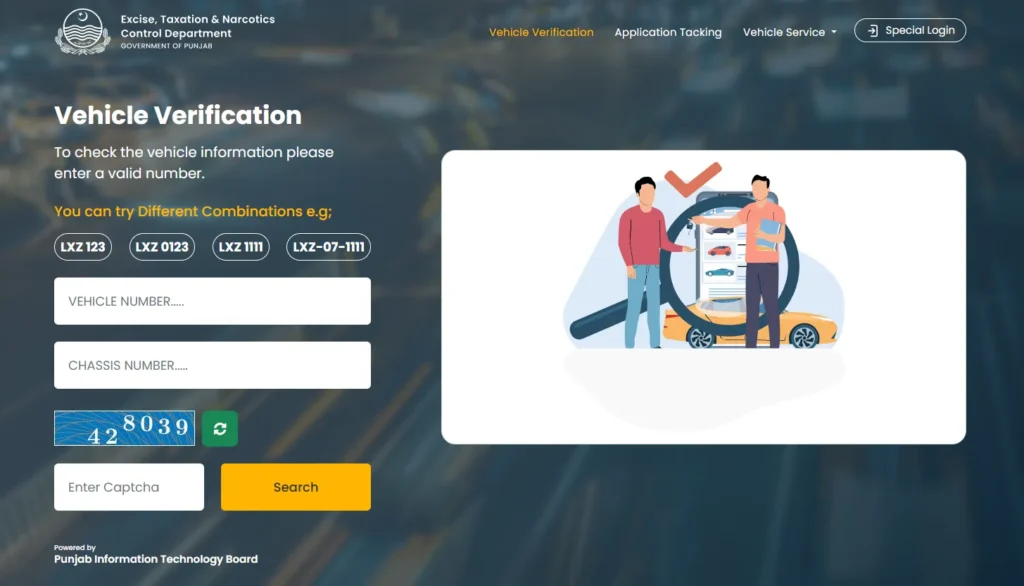
The ePay Punjab App also allows paying token tax online directly using JazzCash, Easypaisa, or a debit card.
2. Token Tax Check for Sindh (MTMIS Sindh)
For vehicles registered in Karachi or Sindh, the government offers an online portal to check your vehicle tax status.
- Visit https://excise.gos.pk/vehicle/
- Enter your vehicle registration number.
- Click on Search button.
- The system will show all details, including token tax records.
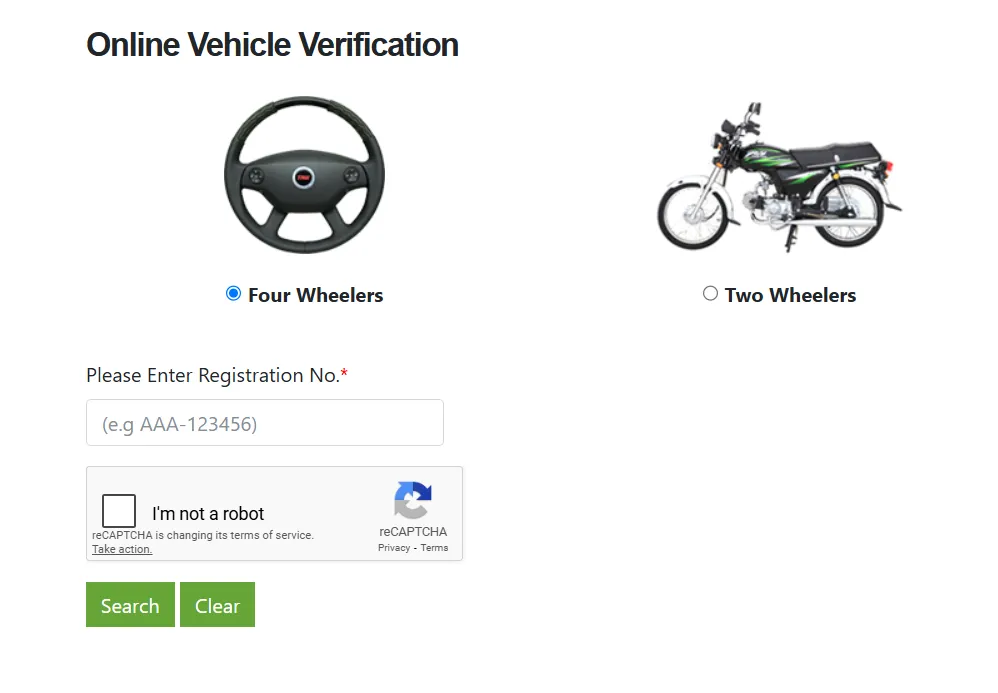
You can make your payments via the Sindh Excise App or by visiting any National Bank branch.
3. Token Tax Check Online KPK
If your vehicle is registered in Khyber Pakhtunkhwa, then use the official Excise website to verify it.
- Visit https://www.kpexcise.gov.pk/mvrecords/
- Select District.
- Enter your registration number.
- The portal will display tax and registration details.
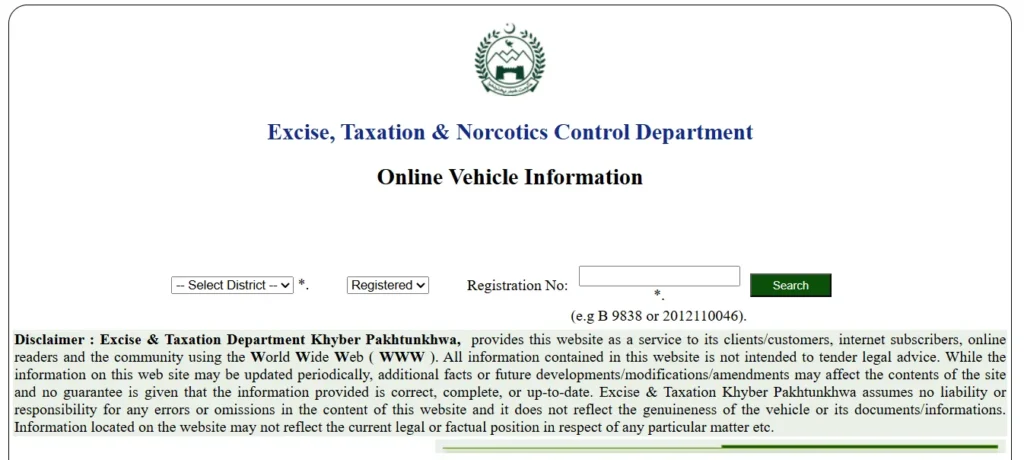
KPK also supports online token tax payment through OneLink ePay and JazzCash.
4. Token Tax Check Islamabad
For the Islamabad Capital Territory (ICT), Excise Department provides a separate portal.
- Go to https://islamabadexcise.gov.pk/
- Enter your vehicle details.
- View your current token tax status and payment history.
You can make payments through 1Link partner banks.
5. How to Pay Token Tax Online in Pakistan
You can pay token tax using these digital platforms.
- ePay Punjab App
- JazzCash or Easypaisa (for supported provinces)
- Online banking apps of major Pakistani banks
- 1Link Payment Gateway
6. Common Problems and Solutions
Problem 1: Vehicle not found on the portal.
Solution: Recheck your registration number format or visit the Excise office.
Problem 2: Token tax showing unpaid after payment.
Solution: Wait 24–48 hours; system updates can be delayed.
Problem 3: Payment failed via app.
Solution: Use another app like JazzCash, ePay, or a bank app, and ensure that your PSID is valid.
FAQs About Token Tax in Pakistan
Q1: Can I check token tax without CNIC?
Yes, only the vehicle registration number is required.
Q2: Is online payment secure?
Yes, official government apps like ePay Punjab use secure payment gateways.
Q3: Can I check token tax for another person’s car?
You can only view public data like registration and tax status.





A little discussion goes a long way.
Ask a question, share your experience, or help someone find an answer.
There is room for your perspective.
No discussions match this view yet.
Your voice belongs here
Keep it useful. Keep it kind.