

Are you worried about sending money from JazzCash to Easypaisa? I will help you send money from one bank to another in this article. Sometimes, you meet important situations and need money to move them forward.
No one helps you everywhere. At this time, your friend called you and talked about sending money through Easypaisa. You opened the JazzCash account and found Easypais,a where it is present, but you could not find the Easypaisa option.
Here I will do a service for you and give the complete details of sending money from Jazz Cash to easypaisa. I will show you all the methods with pictures.
JazzCash to Easypaisa: Dial Method
Using an Android phone is an easy method. Follow these below ways on your Android phone:
1. If you want to send money from JazzCash to Easypaisa.
2. Make sure you have a Jazz network.
3. You can create your JazzCash account before sending the money.
4. You will take patience and, after 30 minutes, receive your payment
5. Dial the code *786# and select the Jazz network
6. You will see on your screen Send the Money, Tap on it.
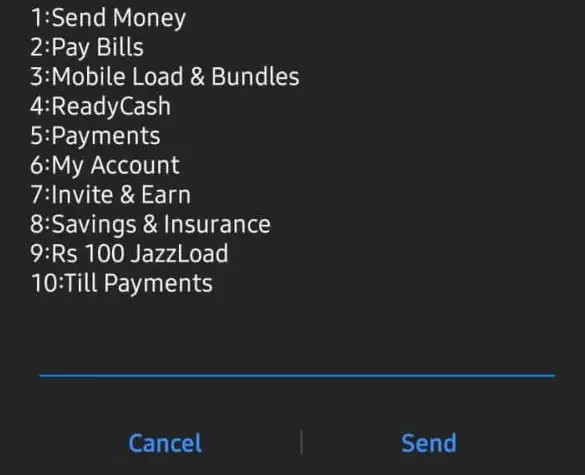
7. Select “To mobile account””. You see on your screen EasyPaisa click on it.
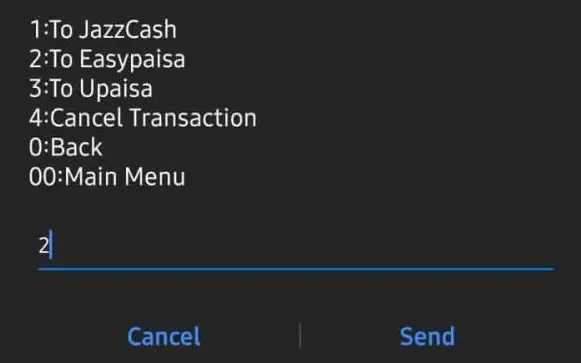
8. Enter your Easypaisa account number.

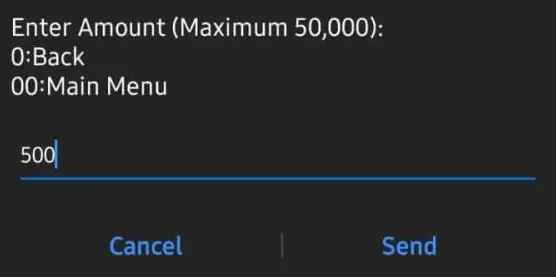
9. Enter the amount and click send button
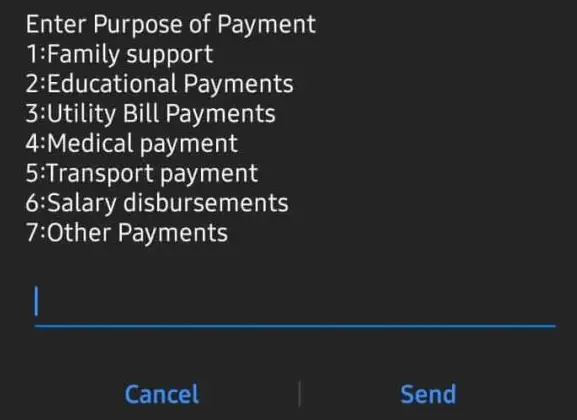
10. Select the payment purpose.
11. Finally, you will check your name and payment, then confirm the MPIN code.
12. You will see the confirmation SMS on your screen
Charges: If you choose the dial way to transfer money from JazzCash to Easypaisa, you will be paid PKR 0.25 for each transaction, including the FED taxes.
The dial-up method of transferring money from JazzCash to Easypaisa takes 30 minutes, which allows you more than enough time to cancel the transaction if necessary.
JazzCash app to Easypaisa: Via the JazzCash App
The JazzCash app is well-known all over Pakistan. It is a speedy app for sending money.
You will send money and resolve the other person’s issue in seconds. Unfortunately, you cannot only use Easypaisa to send cash but also send money to multiple banks.
Follow this step to send money from JazzCash to Easypaisa.
1. Open your JazzCash app
2. Tap on the login
3. You will see on your screen that entered the correct MPIN code
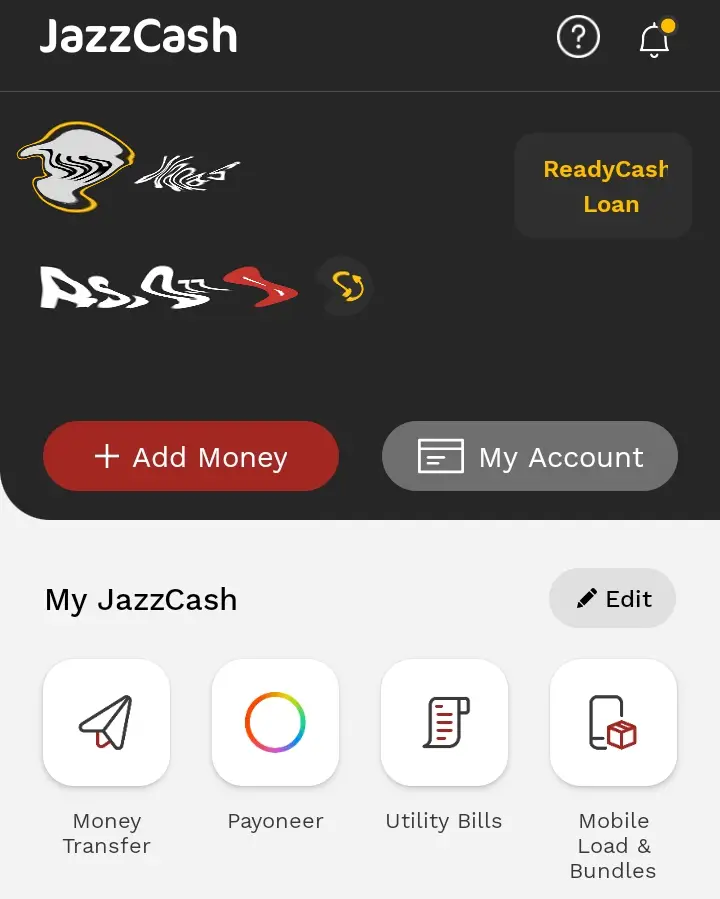
4. Scroll down, and you will see the money transfer icon. Click on it.
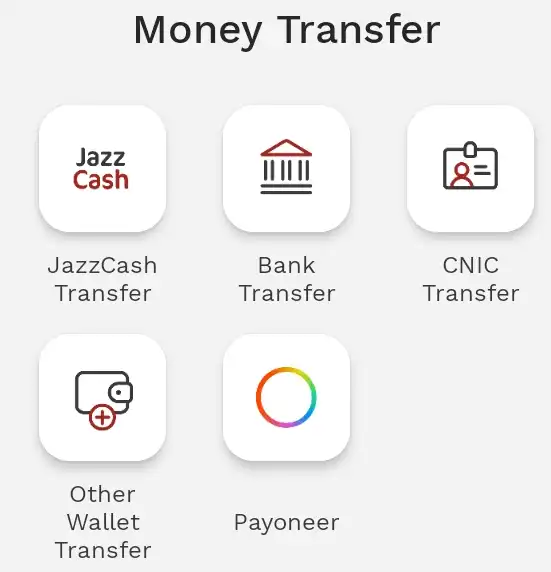
5. Now click on the Bank Transfer option.
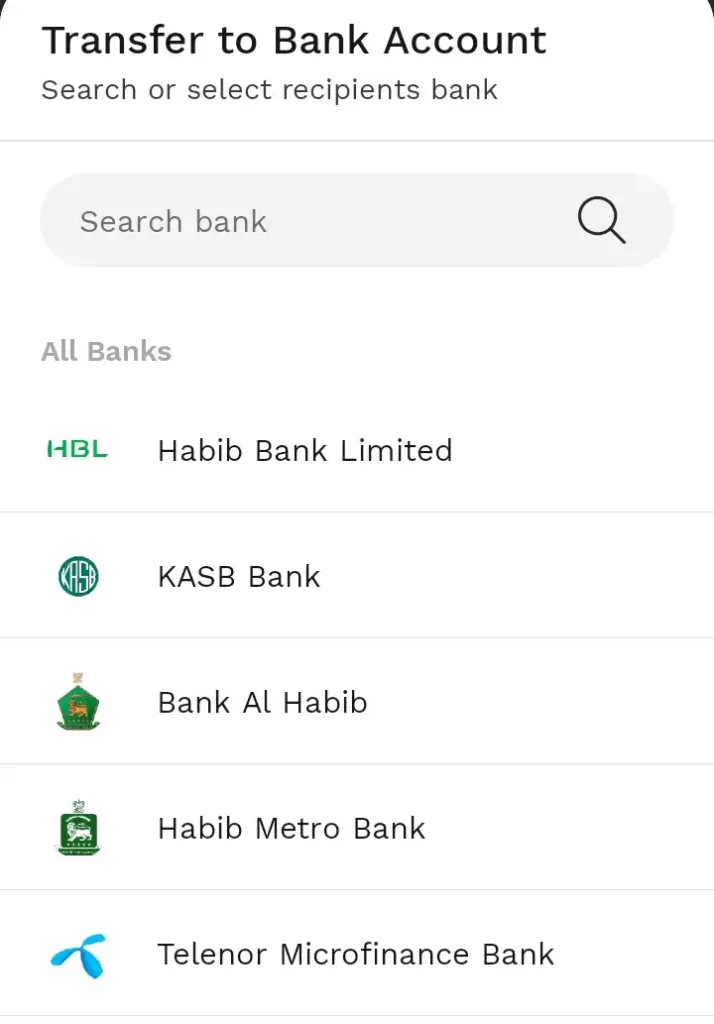
6. Select Telenor Microfinance Bank option
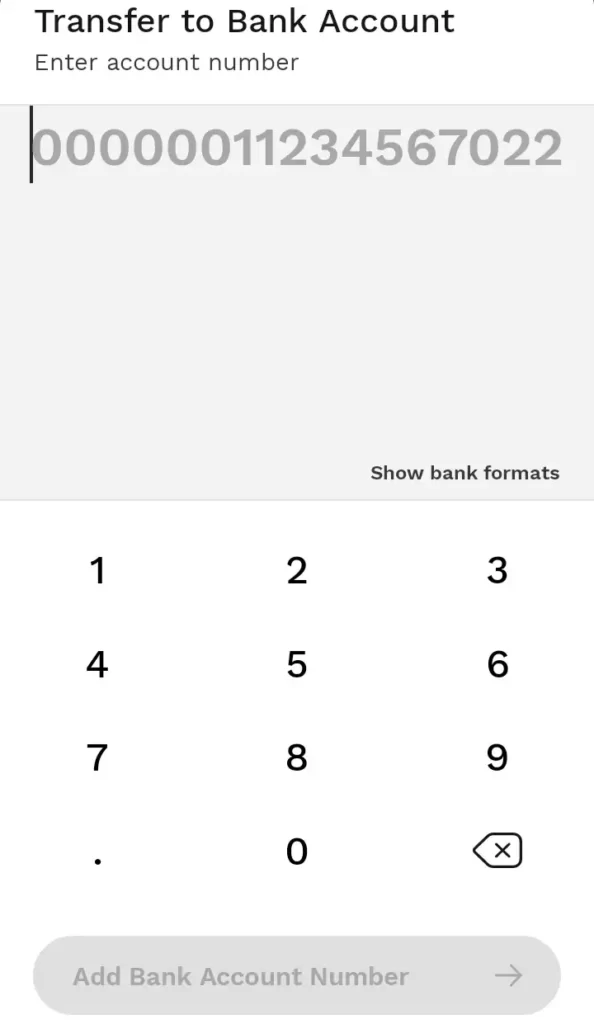
7. Enter your Mobile or Account Number here.
8. Enter your amount to send

9. Choose the payment purpose
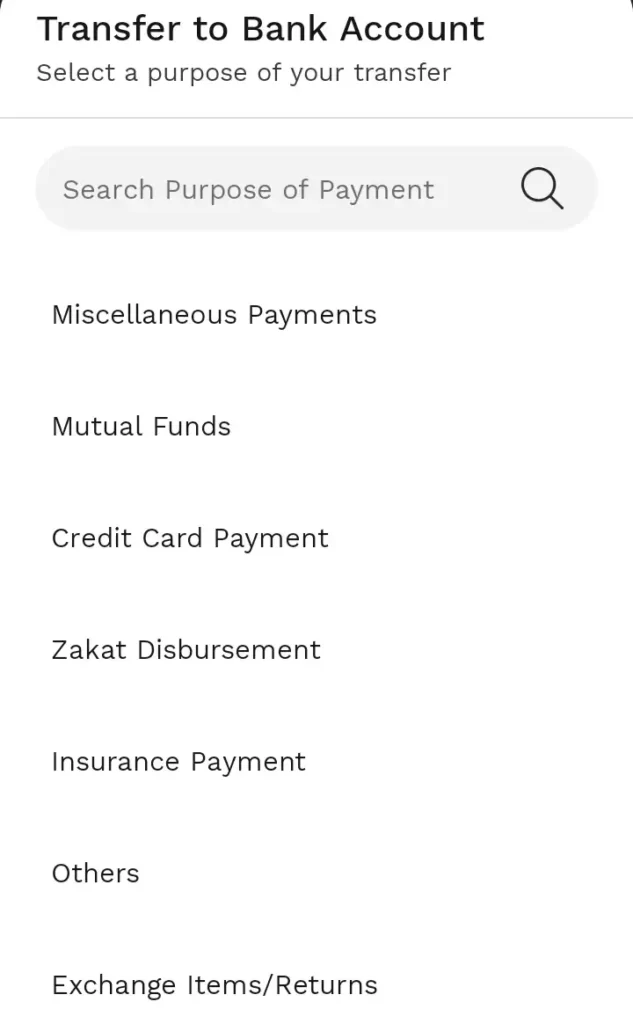
10. Enter the receiver number and select the payment method.
11. Click on the Confirm option.

12. Enter the MPIN number
You have successfully transferred your money from JazzCash to the Easypaisa account.
Charges: The transaction is free of charge. However, Easypaisa money transfer fees apply. When you visit an operator, you will be taxed for withdrawing money from the Easypaisa accounts.
JazzCash to Easypaisa: Via The JazzCash Agent
You can also transfer money via an agent if that suits you. Follow these guidelines to make a JazzCash to Easypaisa money transaction using an agent:
- Visit a JazzCash operator around you.
- Reveal your CNIC.
- Provide your mobile phone number.
- Provide the recipient’s CNIC and account number.
- Remind him of the transfer amount after the operator has taken your biometrics.
- You will receive an SMS after completing the transaction.
Charges: You will be charged according to the transaction limit if you transfer the money via an operator. However, money transfer fees will be debited from your JazzCash account, avoiding needing you to pay the agent.
Transaction Limit
The JazzCash money transfer payment maximum is PKR 25,000. If the customer reaches this limit, 0.1 percent of the amount transferred will be charged.
The receiver has 180 days to collect the funds. The unclaimed funds cannot be retrieved, and the transaction is stopped.
JazzCash is a fast and easy service that offers several advantages. You can use the dialling method, the app, or your local JazzCash agent to send money to friends or family.
The transaction is quick and easy, and you can send money to any location in Pakistan. Visit the JazzCash site for updated information.



A little discussion goes a long way.
Ask a question, share your experience, or help someone find an answer.
There is room for your perspective.
No discussions match this view yet.
Your voice belongs here
Keep it useful. Keep it kind.