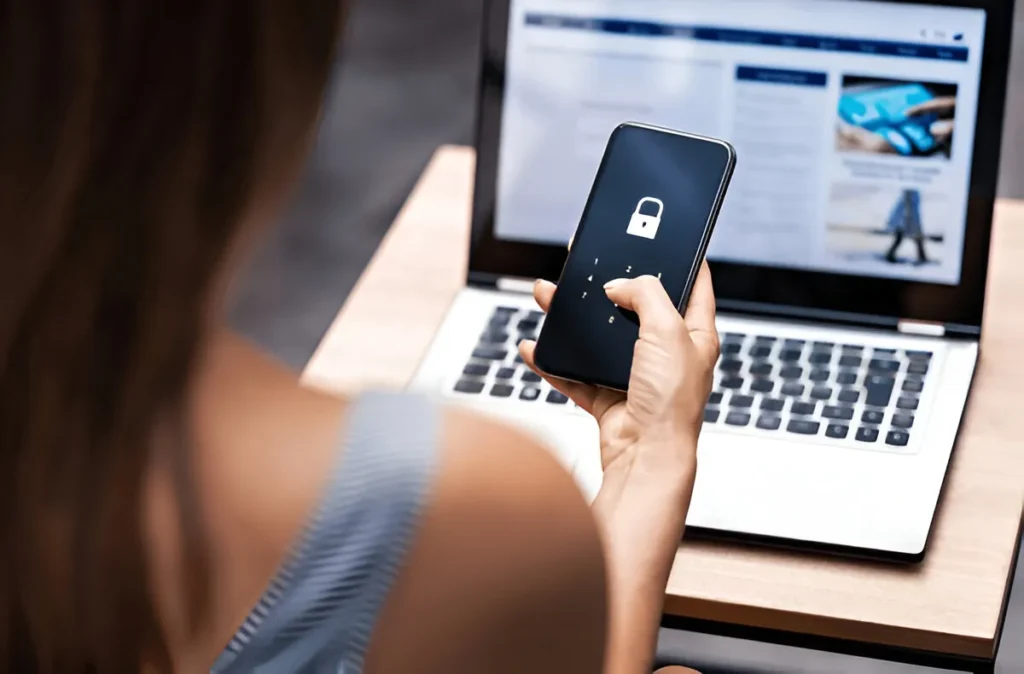
- Risks of Using Free VPNs
- How Free VPNs Make Money From Your Data
- Common Security Vulnerabilities and Weak Encryption
- Privacy Concerns and Logging Policies
- Hidden Tracking, Logging, and Third-Party Sharing
- Jurisdiction, Data Retention, and Government Requests
- Performance and Reliability Issues
- Slow Speeds, Data Caps, and Unstable Connections
- Limited Server Locations and Overcrowded Servers
- Safety Red Flags to Watch For
- Excessive Permissions, Intrusive Ads, and Bundled Malware
- Misleading “No-Log” Claims and Vague Privacy Policies
- How to Choose a Safer VPN Option
- Evaluating Trustworthy Paid VPNs and Free Tiers
- Key Features to Prioritize for Security and Privacy
Risks of Using Free VPNs
Free VPNs look like a life hack. Click, connect, boom, “privacy.” Except… someone’s paying for those servers. If it’s not you, it’s you. Your clicks, your device info, where you were at 2:13 a.m., the weird app you installed and forgot about.
How Free VPNs Make Money From Your Data
A lot of free VPNs run the same hustle as sketchy “free” games: ads, trackers, data deals. They’ll say “we don’t sell personal data,” then turn around and share “anonymous” identifiers with five partners, who share with five more, and suddenly your phone has a shadow following it around like a bad smell.
Some of them monetize bandwidth too, turning your device into part of a network. It’s pitched like “community-powered,” like we’re all sharing cookies at a picnic. Honestly, I hate that vibe. If your VPN needs to borrow your connection, what else is it borrowing.
Common Security Vulnerabilities and Weak Encryption
The dirty secret: a VPN app can be “working” and still be flimsy. Weak encryption settings, outdated protocols, sloppy DNS handling, leaky WebRTC . . . and you’re sitting there thinking you’re invisible, when you’re more like someone wearing sunglasses indoors.
Plenty of free services also cut corners on audits and infrastructure. Bugs stick around. Fixes arrive late. Or never. And you don’t get a support team, you get a help page that reads like it was written during a power outage.
Privacy Concerns and Logging Policies
VPN marketing is all vibes: “secure,” “private,” “anonymous.” Cool words. Easy to print. Hard to prove. The real story is in what they log, what they keep, who they hand it to, and how fast.
Hidden Tracking, Logging, and Third-Party Sharing
“No logs” gets tossed around like it’s a magic spell. But some providers track connection timestamps, device IDs, crash reports, usage stats, and “diagnostics” that just happen to be unique enough to tie you to… you.
Then there’s third-party SDKs inside the app, analytics, ad networks, attribution tools. The VPN becomes a little shopping mall of trackers. If you’re using a VPN to dodge tracking, and the VPN app is tracking you, that’s comedy. Dark comedy.
Jurisdiction, Data Retention, and Government Requests
Where the company is based matters. Like, a lot. Some countries have heavy data retention laws, broad surveillance powers, or quiet pressure tactics. And even if the provider swears they “resist,” the legal system they live under might not care about their blog post.
Government requests aren’t always dramatic movie stuff, either. Sometimes it’s paperwork. Sometimes it’s a gag order. Sometimes your “privacy-friendly” service just shrugs and complies, because the alternative is getting crushed.
Performance and Reliability Issues
Even if we pretend the privacy side is fine (big if), free VPNs often feel like trying to drink a milkshake through a coffee stirrer. Buffering. Random drops. Pages half-loading, then timing out for no good reason.
Slow Speeds, Data Caps, and Unstable Connections
Free plans commonly throttle speeds, cap data, or both. And they like to do it at the worst moment, video call, update, map loading while you’re lost. The connection drops, reconnects, switches servers without telling you… and you’re sitting there wondering if you’re exposed right now. Maybe you are.
Limited Server Locations and Overcrowded Servers
Server choices can be a sad little list: three countries, one overloaded city, and a “best location” button that lies. Too many users, too few servers, and performance turns into sludge. Also: if you need a specific region for travel, work, or streaming, good luck.
Safety Red Flags to Watch For
You don’t need to be a security nerd to spot bad signs. You just need to keep your eyes open and trust your gut when the app starts acting thirsty.
Excessive Permissions, Intrusive Ads, and Bundled Malware
If a VPN app asks for permissions that don’t make sense pause. A VPN needs networking permissions. It does not need your whole life story. Intrusive ads are another clue: full-screen popups, push notifications you didn’t ask for, weird “cleaner” suggestions.
Bundled malware isn’t a myth, either. Some shady apps ship with extra “tools” that are basically parasites. Your phone heats up. Battery tanks. Data usage spikes. Stuff gets… haunted.
Misleading “No-Log” Claims and Vague Privacy Policies
If the privacy policy reads like fog assume the worst. And when they say “no logs” but also say they collect “service data” and “device information” and “marketing insights,” that’s not a contradiction to them. It’s a business plan.
How to Choose a Safer VPN Option
Paying for a VPN doesn’t automatically make it good. Some paid ones stink too. But if you want a real shot at privacy, you probably need a provider whose business model isn’t built on selling your breadcrumbs.
Evaluating Trustworthy Paid VPNs and Free Tiers
Look for paid VPNs that have a track record: independent security audits, clear ownership, a reputation that survives scrutiny. Free tiers can be okay if they’re limited on purpose (smaller data allotment, fewer locations) without turning into an ad circus. I’m more willing to trust “here’s 5GB a month” than “unlimited forever” because come on. If you’re on Windows, you can start by trying a reputable VPN client for Windows.
Key Features to Prioritize for Security and Privacy
Prioritize basics that actually matter: modern protocols (WireGuard, OpenVPN), a kill switch, DNS leak protection, transparent logging language, and support for multi-hop or obfuscation if you need it. Also: a provider that explains things plainly. If they can’t explain their own privacy stance without sounding shady, why bother.
And maybe the simplest rule, if the app feels like a scam, it’s probably a scam. Your privacy isn’t a coupon. Don’t treat it like one.