
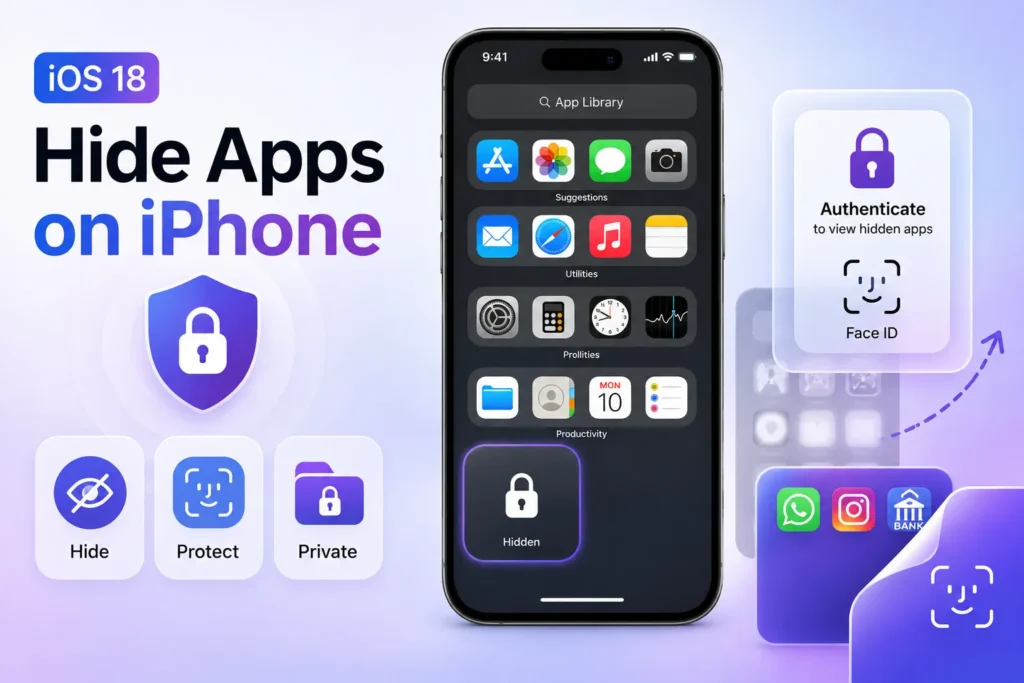
Some iPhone applications contain private information you do not want others to see. Under iOS 18, all iPhone apps, including messaging and finance applications, now have an integrated system to hide and protect content.
The latest iOS 18 introduces native protection for app security through Face ID and passcodes. At the same time, previous systems demanded users to navigate using Screen Time functions and hide apps from the home view.
Users who want to hide and unhide their iPhone apps should refer to this basic step-by-step guide.
How to Hide Apps in iOS 18
Here’s how you can do it:
- Find the app you want to hide on your Home Screen.
- Long-press the app icon until a menu appears.
- Tap Require Face ID (or Touch ID/Passcode).
- The app will move to the Hidden folder inside the App Library.
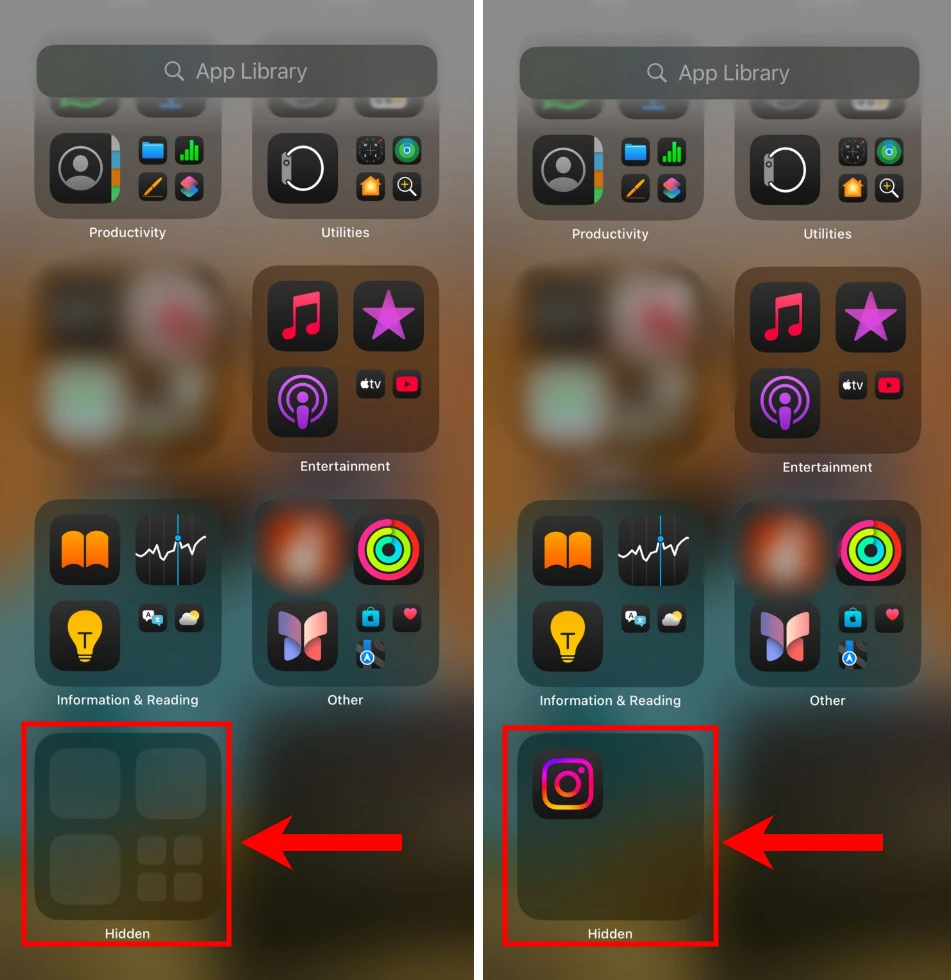
Excluded applications require authentication through Face ID and Touch ID or entry with a passcode to retrieve access.
How to Open Hidden Apps in iOS 18
To access your hidden apps, follow these steps:
- Swipe left on Home Screen pages to open the App Library.
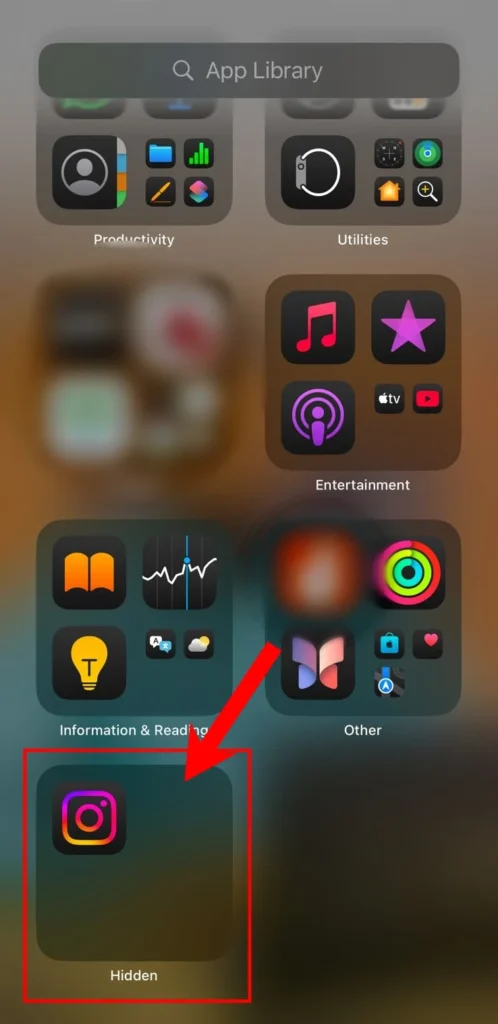
- Scroll down and tap on the Hidden folder.
- Authenticate using Face ID, Touch ID, or your passcode.
- Tap on the app you want to open.
How to Unhide Apps in iOS 18
If you no longer want an app to be hidden, follow these steps to bring it back to your Home Screen:
- Open the App Library.
- Scroll down and tap on the Hidden folder.
- Authenticate using Face ID, Touch ID, or your passcode.
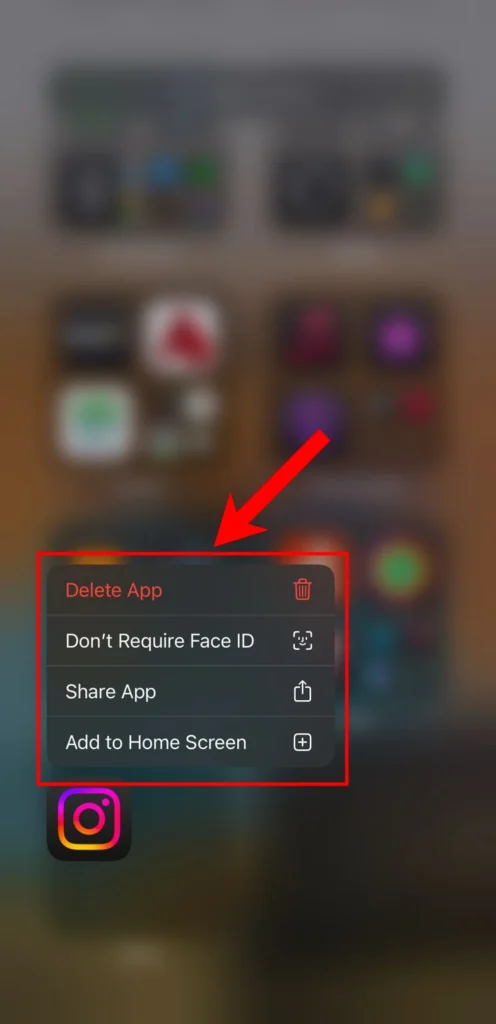
- Long-press the app icon.
- Select Don’t Require Face ID.
- Now, long-press the app icon and choose Add to Home Screen.
Creating enhanced app security becomes effortless because Apple introduced these enhancements by releasing iOS 18. The system provides valuable security expansion options that are advantageous for users possessing shared devices while protecting their important apps from view.
All iOS users who have not updated their device must upgrade to iOS 18 immediately to experience the new Last Passwords app, get Home Screen customization options, and check out the updated Control Center.
Frequently Asked Questions
Can I hide apps on iPhone without deleting them?
Yes. In iOS 18, you can hide supported apps without deleting them. The apps are moved to the Hidden folder in the App Library and require Face ID, Touch ID, or a passcode to open.
Where do hidden apps go on iPhone?
Hidden apps are stored in the Hidden folder at the bottom of the App Library. You’ll need to authenticate before you can view or open them.
How do I unhide an app in iOS 18?
Open the Hidden folder in the App Library, verify your identity with Face ID, Touch ID, or your passcode, then select Don’t Require Face ID. You can then add the app back to your Home Screen.
Can I hide any app on iOS 18?
Most apps support the new hide feature in iOS 18, but some system apps may have different behavior depending on Apple’s restrictions.
Do I need iOS 18 to hide apps with Face ID?
Yes. The built in Hide and Require Face ID feature is available starting with iOS 18. Earlier versions of iOS require different methods with fewer privacy options.
Will hidden apps still send notifications?
Depending on your notification settings, hidden apps can still receive notifications. You can manage notification preferences separately in the Settings app.







A little discussion goes a long way.
Ask a question, share your experience, or help someone find an answer.
There is room for your perspective.
No discussions match this view yet.
Your voice belongs here
Keep it useful. Keep it kind.