

Bought YouTube Premium but found that you can’t download videos on your Mac? This is a “hidden barrier” that frustrates countless Mac users: the official download feature is locked to mobile devices only. If you’re struggling with the inability to save 4K videos, editing material, or watch videos offline on your Mac, this article will reveal how to solve these issues.
- Why YouTube Premium is Not Available on Mac
- How to Download YouTube Videos on Mac with Premium
- EasyDown Video Downloader Key Features
- How to Download YouTube Videos on Mac with Premium Using EasyDown
- Advanced Use Cases: More Than Just Video Downloading
- YouTube Premium Additional Features Comparison
- How to Cancel YouTube Premium?
- Frequently Asked Questions (FAQ)
- Q: How to download YouTube videos without Premium?
- Q: How much is YouTube Premium?
- Q: Is it Legal to Download YouTube Videos?
- Conclusion
Why YouTube Premium is Not Available on Mac
YouTube Premium’s download feature is only available for mobile devices (iOS/Android), and there are two main reasons for this limitation:
- Technical Restrictions: YouTube’s mobile app uses specialized encryption and DRM (Digital Rights Management) technologies to strictly control offline downloads.
- Platform Differences: Desktop platforms, including Mac, are not natively designed for offline downloads. Additionally, the open nature of macOS makes it difficult for YouTube to control video content as tightly as on mobile devices, thus preventing the redistribution of videos.
As a result, even if you’re a paying member, Mac users can’t directly download actual video files via official channels.
How to Download YouTube Videos on Mac with Premium
To bypass this limitation, using third-party tools like EasyDown Video Downloader is an ideal solution. EasyDown allows Mac users to easily download YouTube videos, supporting high-definition downloads. Whether it’s a 4K video or standard resolution, EasyDown Video Downloader enables you to quickly save videos locally, so you can watch them offline anytime.
EasyDown Video Downloader Key Features
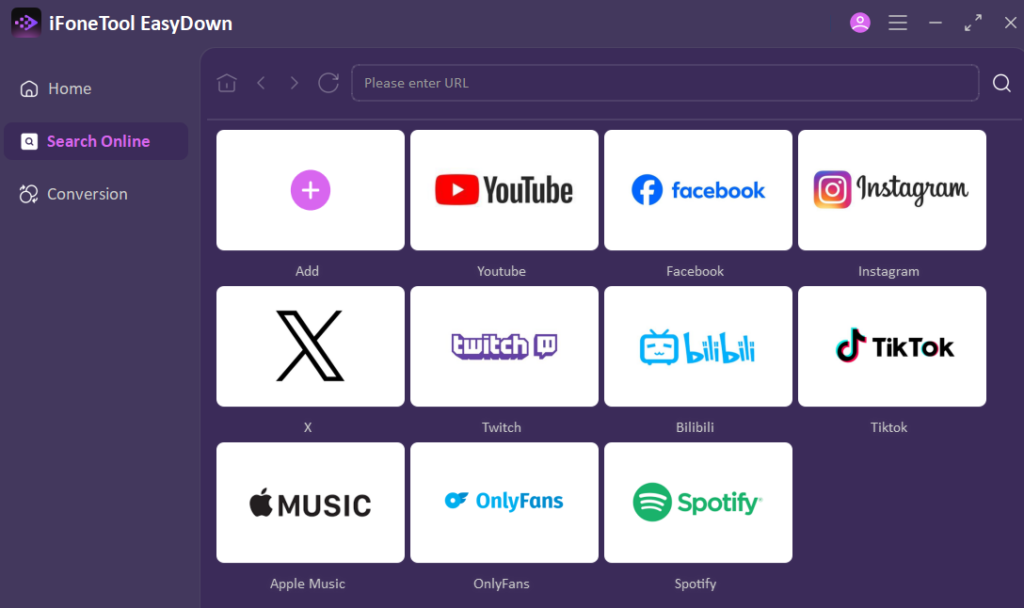
- All-in-One Support: Download videos or audios from over 1000 sites and platforms, including YouTube, Twitter, Instagram, Spotify, and more.
- Batch Downloading: Supports downloading entire YouTube playlists, channels, and albums, saving you time.
- High-Quality Downloads: Provides high-quality video and audio downloads, Supports youtube to mp4 4k resolution and 320kbps MP3 audio format, ensuring the best quality for each file.
- Fast and Reliable: Optimized algorithms ensure fast, stable downloads, preventing failures or interruptions during the process.
- Safe and Secure: No ads, no watermarks, and no tracking, ensuring a completely uninterrupted download experience.
How to Download YouTube Videos on Mac with Premium Using EasyDown
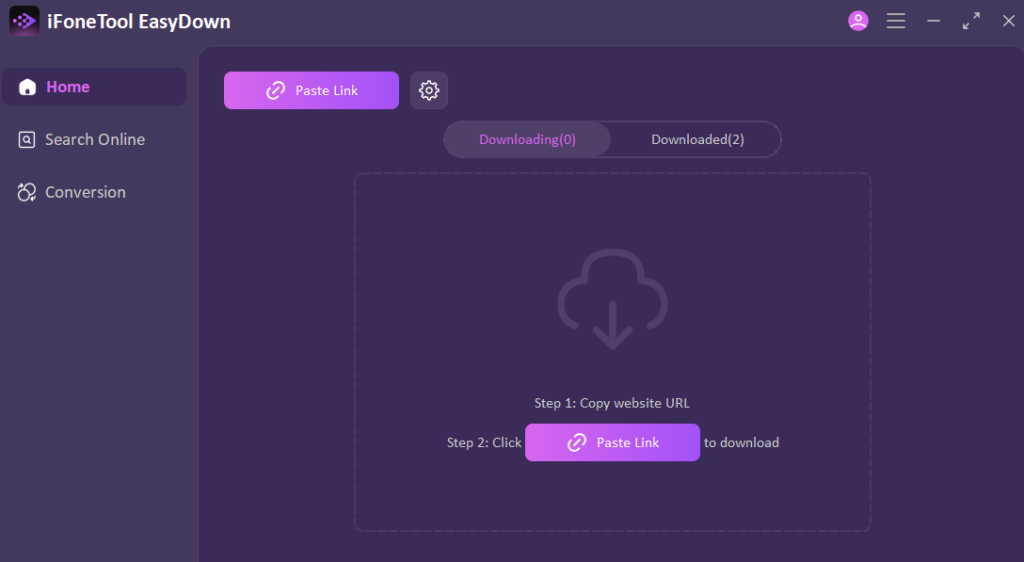
- Install the EasyDown tool on your Mac and launch it.
- Log in to YouTube using the built-in browser and search for the video or playlist you want to save.
- Select the quality and format in the pop-up window, then click the Download button.
- Once finished, access your videos in the Downloaded tab and enjoy offline viewing anytime.
Before you start Changing the World, begin your free trial of iFoneTool EasyDown Video Downloader to save what is important to you and watch it anytime and everywhere on your Mac.
Advanced Use Cases: More Than Just Video Downloading
- Ad-Free Meditation and Focus: EasyDown offers an uninterrupted experience to users that use the YouTube platform to listen to Meditation music, White noise, or ASMR. You can also use these videos to make your Mac a totally offline and distraction-free 100 per cent ‘Zen’ environment by downloading them and setting it up.
- Language Learning with Subtitles: EasyDown can save both the visuals and the subtitles as well, not only save the video. This is a necessity for language learners. Offline availability of the subtitle file enables you to study dialogue, practice translation or use language-learning media players to dissection of sentences at a pace which you find comfortable without having a consistent internet connection.
- Creating a Creator Inspiration Library: To video editors and content creators, the internet is not always a reliable source. The batch download option lets you save high-quality B-roll, sound effects or reference videos (including their subtitles to put them into context) to a local library. This will never break your creative process as your original material gets buffered or deleted.
YouTube Premium Additional Features Comparison
- YouTube Music YouTube Premium: Other big advantages of YouTube Premium YouTube Music is also a streaming music platform that lets users play music offline, which is also included in YouTube Premium. Nonetheless, the download capability on the Mac is extremely weak in spite of the value addition in these sectors.
- Is YouTube prime worth it: The value of YouTube Premium is evident in people who make use of YouTube regularly and do not want to be interrupted by adverts. Nonetheless, given the fact that it can only be used by mobile devices and cannot be downloaded by Mac users, there are high chances that many Mac users might not consider it to be fully satisfying to their demands. YouTube Premium is not the only option, instead of subscribing to it, you can opt to use a more Mac-friendly downloading tool such as EasyDown Video Downloader.
How to Cancel YouTube Premium?
If you have subscribed to the YouTube Premium and have discovered that it does not work to fulfill your video downloading requirements on the Mac you can cancel your YouTube Premium at any time:
- Log in to YouTube and go to “Purchases and memberships.”
- Locate your Premium membership and click “Manage membership.”
- Click “Deactivate” and follow the prompts to confirm your cancellation.
Frequently Asked Questions (FAQ)
Q: How to download YouTube videos without Premium?
A: Simply use EasyDown Video Downloader. It is known to be a safe YouTube to MP3 and MP4 converting tool. All one needs to do is copy the URL and pick the quality and the software does the rest.
Q: How much is YouTube Premium?
A: The current price for the individual plan is about $13.99 per month. For some users, this price can be considered unworthy particularly when you just require the video downloading and are not planning to utilize YouTube Music or other services. This price may be enough to buy more useful professional downloading programs in case you usually download just dozens of videos annually.
Q: Is it Legal to Download YouTube Videos?
A: YouTube Terms of Service usually do not permit the downloading of videos without permission; however, laws on Fair Use in most areas permit users to save the material to use privately, in an educational, or non-commercial way. We highly recommend users not to disregard the copyright rights of creators and repackage downloaded content with a profit-oriented purpose.
Conclusion
In this article, we’ve explored the limitations of YouTube Premium on Mac and introduced how to bypass these restrictions with EasyDown Video Downloader, making it easy to download YouTube videos. EasyDown Video Downloader will provide a more convenient and efficient video downloading experience, regardless of whether you are subscribing to YouTube Premium or not. Users of Mac can download high-definition videos without YouTube Premium, and it can be downloaded on various platforms.





A little discussion goes a long way.
Ask a question, share your experience, or help someone find an answer.
There is room for your perspective.
No discussions match this view yet.
Your voice belongs here
Keep it useful. Keep it kind.