
If you are using TikTok to grow your personal brand or business, your blue check will give you the perfect boost to express your content and credibility. With over 1.5 billion monthly active users, you can show your brand off on TikTok.
What is TikTok verification?
Once you have verification on TikTok, you get a blue checkmark that tells your audience that TikTok verified your account and certified that it belonged to the business, person, or organization you represent. You will see it on profile pages, comments, feeds and search results alongside your account name.
This helps protect the accounts of celebrities, brands, and public figures. However, even smaller accounts can meet the requirements to qualify for the platform.
Requirements for TikTok Verification
TikTok evaluates verification requests based on these five essential criteria:
Be Active
Check if you’ve logged in to TikTok in the last six months. If you post more regularly and engage, you have better chances of verification.
Authenticity
Your account must be real to represent a real person, business, or organization. Your email domain and username must match your brand name. We only verify one account per entity, except in exceptional scenarios like regional accounts.
Complete Profile
It consists of an entire profile: a name, profile photo, and bio text. It must be a public account with at least one published post.
Notability
Accounts highlighted in credible news outlets are given priority on TikTok. These media mentions establish the importance of your account.
Security
To keep it safe, if you have two-factor authentication, it also needs to have a verified email address.
How to get verified on TikTok
It’s now possible to request TikTok verification directly. Follow the steps below, depending on your device:
On Mobile
- Open TikTok app.
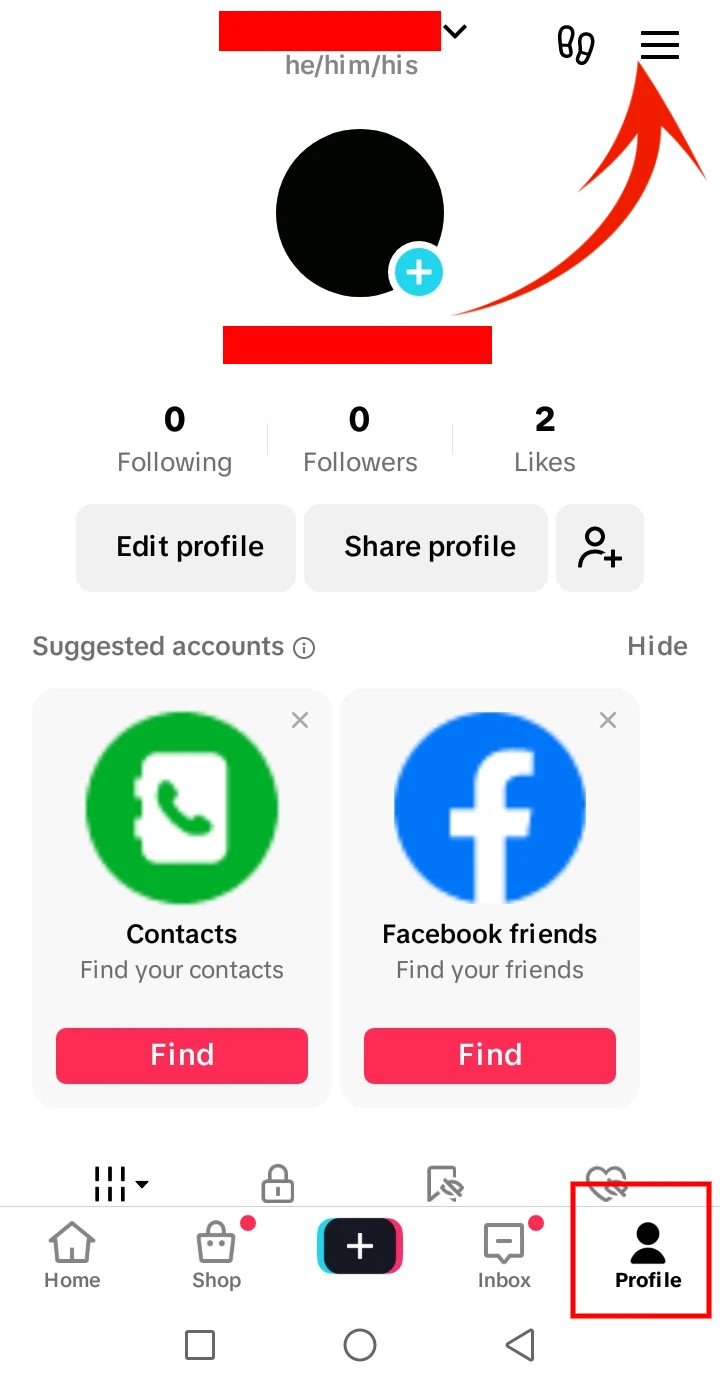
- Click on your Profile.
- Tap on the Menu button on the top right.

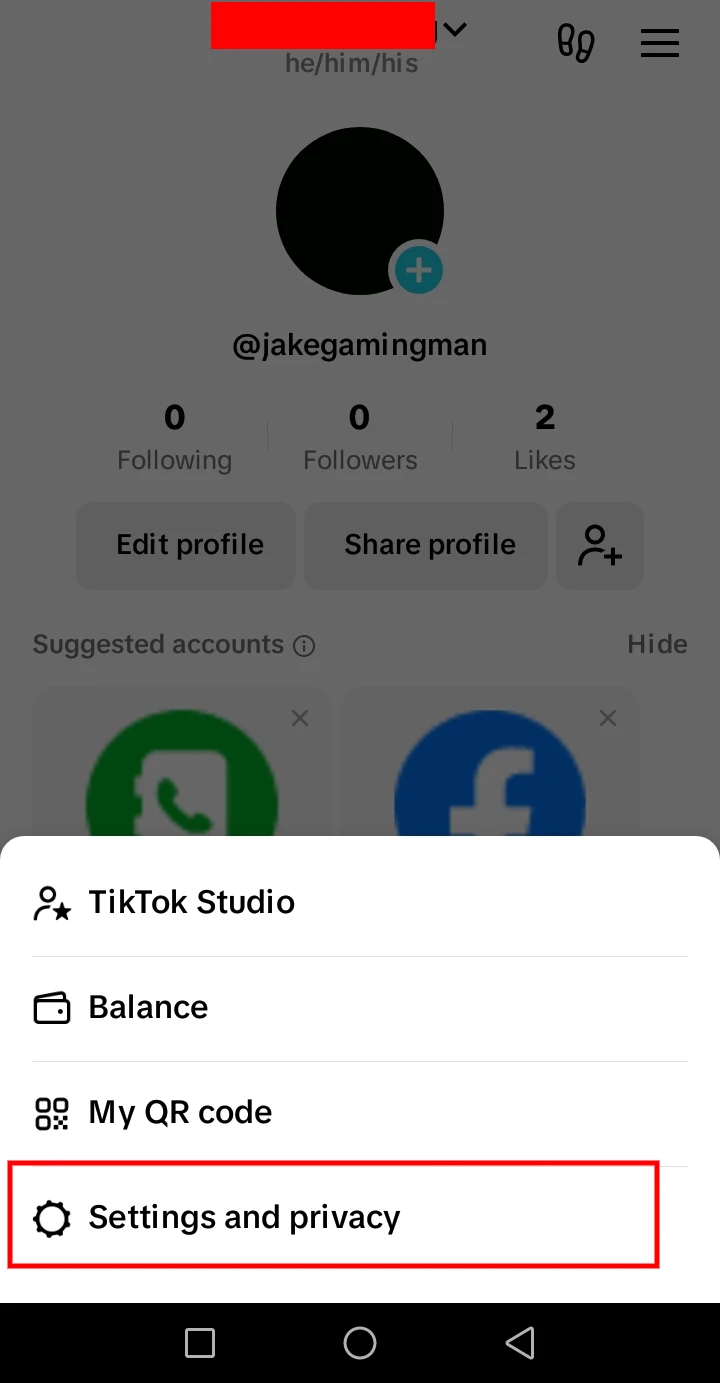
- Click on Settings and Privacy.
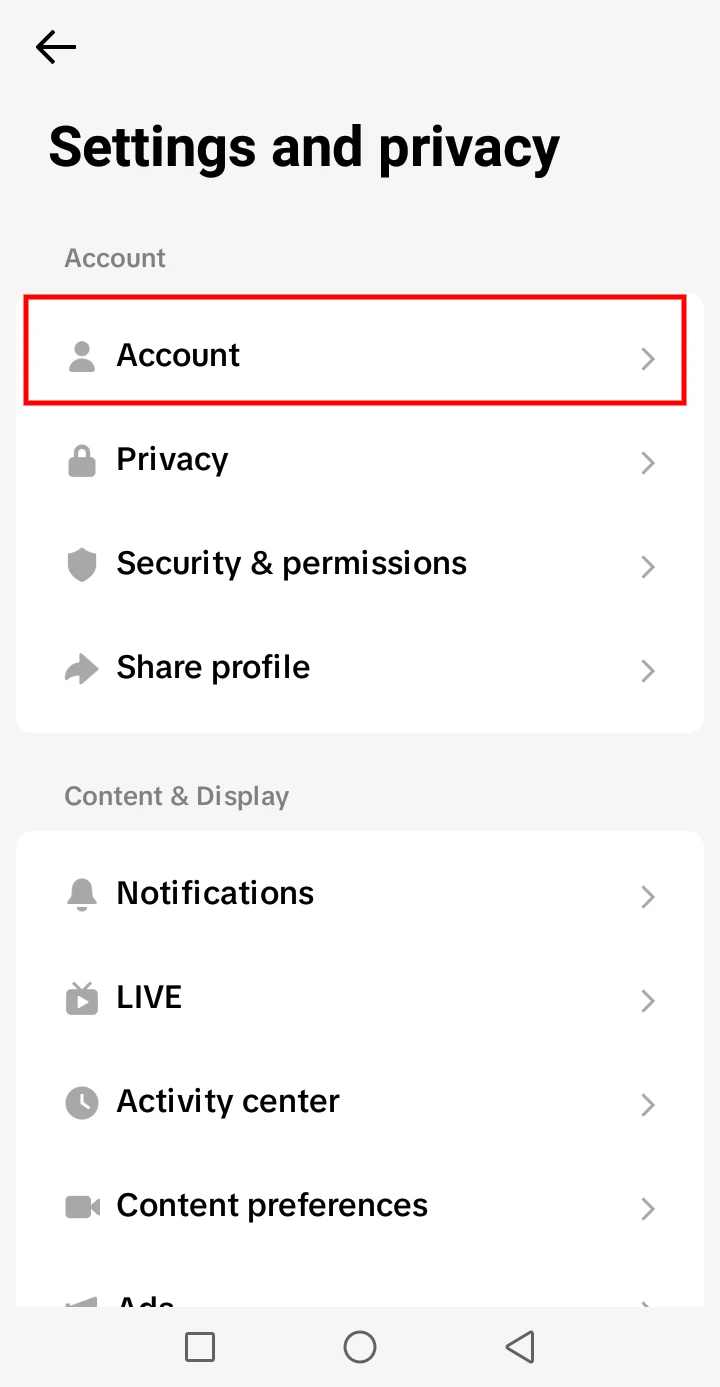
- Click on Account option.
- Select Verification.
- Complete your request following the instructions.
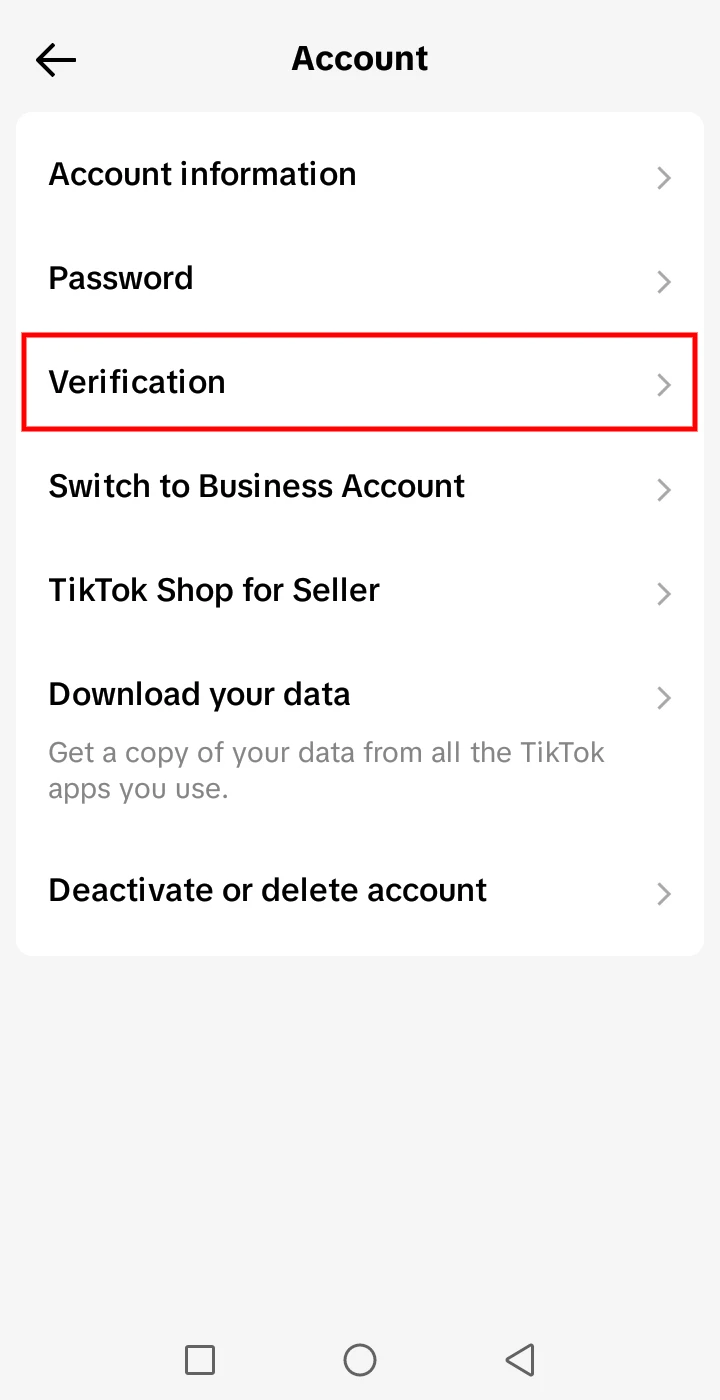
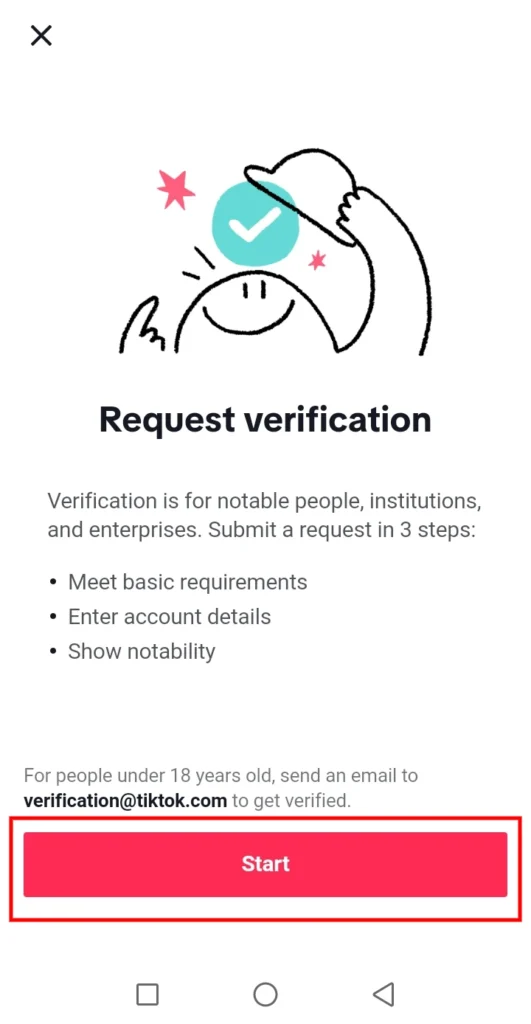
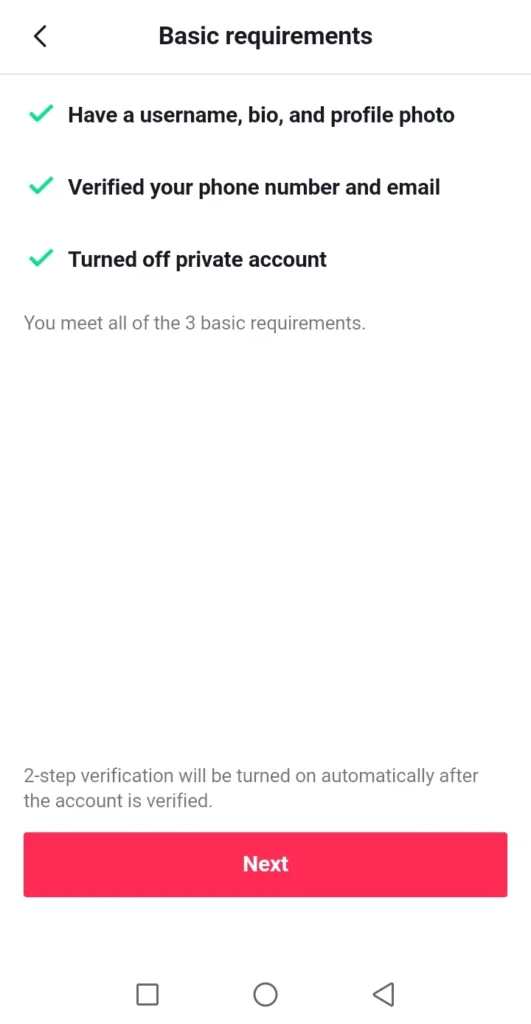
Note:
- Businesses that want business verification should apply.
- Personal accounts can apply for personal verification of personal or institutional verification.
- Government or political accounts can only apply for institutional verification.
On Desktop
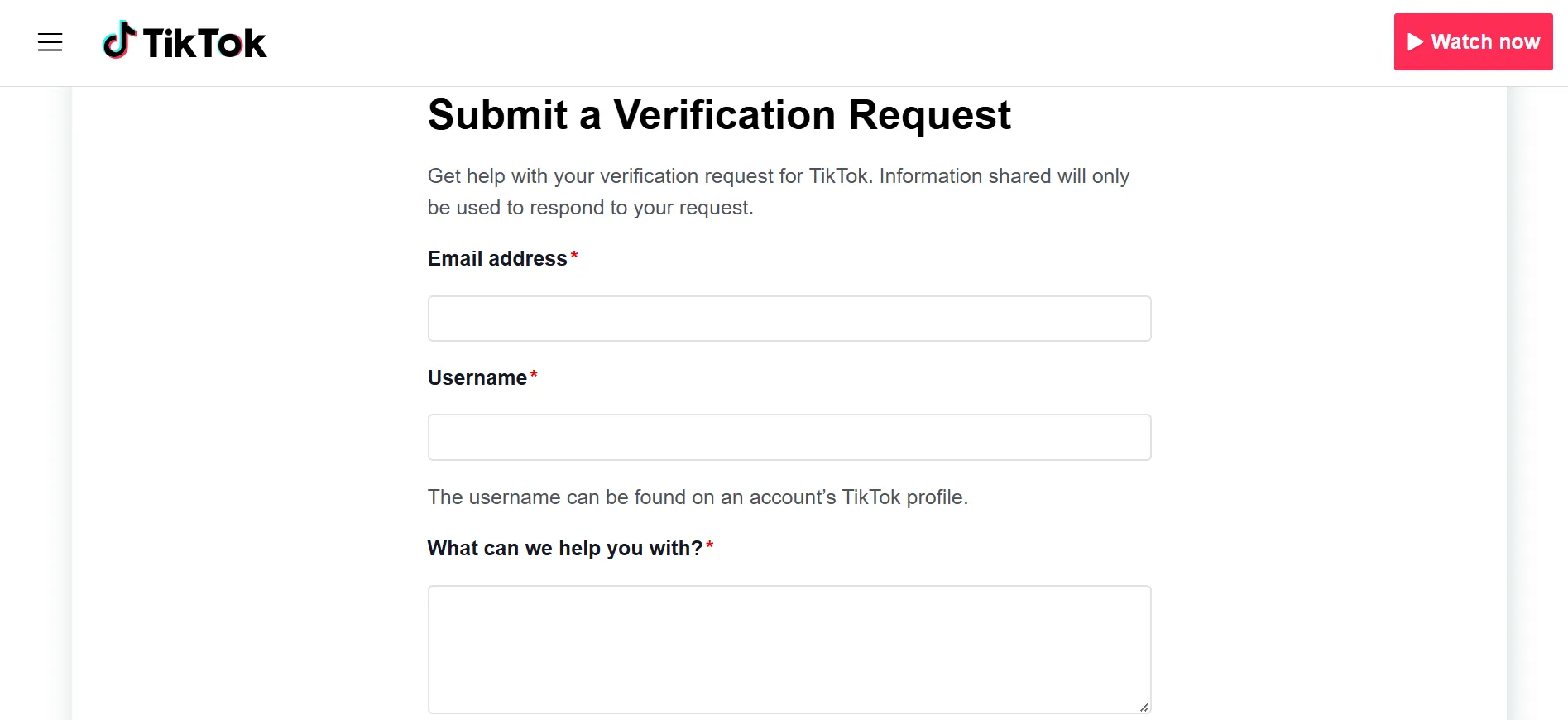
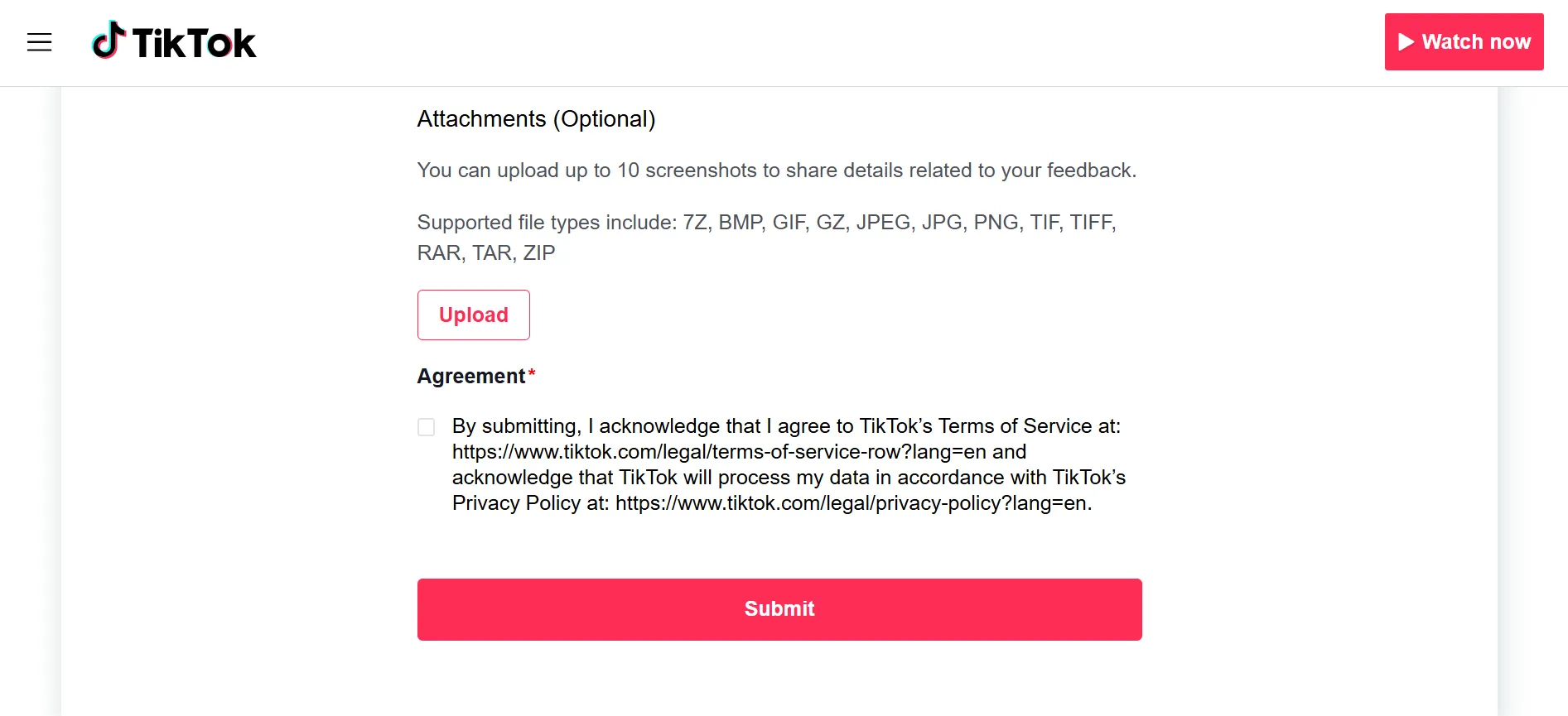
- Go to TikTok online verification form.
- In the attachments section, include at least four pieces of media coverage and prove that the media coverage has been verified on other platforms.
- Normally, TikTok reviews verification requests in 30 days. They deny and then give feedback; you can reapply after the 30-day period.
How to Improve Your Chances of Verification
Continuously Create Good Content
To verify your TikTok account, follow the basic daily rule of creating and uploading quality content. The majority of TikTok users are looking for entertaining and educational content. If you are skilled at providing engaging content, you’ll be able to attract a large following.
TikTok users become more well-known when they constantly produce high-quality content. Most people have been well-liked by many different people. Becoming famous on TikTok would be the first step to verifying an account.
Engage with your Followers
Your TikTok account must be active. A good rule is to engage in discussion with your followers. You should welcome them and give any answers they may have. Interacting with your fans on TikTok is important to growing your following. As your account’s popularity grows, your chances of becoming a verified TikTok user increase.
Noticed by Media
TikTok users who receive media attention quickly rise to fame. However, getting media attention isn’t always simple. How can you get the media to notice your TikTok videos? The media may feature your content if it is related to current events.
Using TikTok to highlight “never seen before” skills or create something unique may also help you gain media notice. The more media attention you acquire, the easier it is for your TikTok account to be confirmed.
Promote Your Content
It is just as critical to market your work to generate first-rate content. You’ll need to come up with unique ideas for advertising your content. If you develop innovative marketing strategies, your content might become viral. Getting more followers becomes easy when your work becomes viral.
A verified account tag is more likely awarded to a TikTok content producer who consistently generates viral videos. In addition, using relevant hashtags and creative marketing techniques will help your content go viral.
Find More Followers
TikTok verification can only be achieved if you have more followers. The question then becomes, “How do I gain more acclaim?” The best to gain followers is to provide high-quality content and market it carefully.
You will want to look at additional options. To gain more followers, you should collaborate with other content providers. By increasing your followers, you may have your TikTok account verified.
Verify Your Accounts on Other Social Media Platforms
You can quickly get a verified TikTok profile if your FB, Twitter, or Instagram accounts are verified. TikTok requires you to invite people from other social media platforms to join you. TikTok will verify your account as soon as you get many followers.
Can You Buy a Verified Account Badge
Many firms claim to be able to verify TikTok accounts for a fee. These claims are untrue. TikTok verification is not for sale. TikTok’s Creator Launch Team manages the process. A set of unique criteria determines the verification status. If you meet these requirements, your profile will be approved without the need for any further fees.
Many service providers help content creators promote their content, which can help them gain more followers. A successful campaign for your content can earn you a verified badge for any TikTok profile.

A little discussion goes a long way.
Ask a question, share your experience, or help someone find an answer.
There is room for your perspective.
No discussions match this view yet.
Your voice belongs here
Keep it useful. Keep it kind.