

Meta is rolling out a new update, and this one has drawn the attention of people. The Meta app currently allows users to create AI-created videos directly, test with animations, and share them across Instagram instantly. It even has its own feed in the Meta app, where you can browse AI videos created by others.
You can find this new feature in Instagram Stories, making the complete process smooth and beginner-friendly. But are the videos actually good? And is this feature worth using? Let’s break it down.
Use AI to create Instagram story videos
Artificial intelligence is taking over the central part of social platforms, and it appears that Meta is moving towards a feature where AI bots and avatars would coexist or even take the place of human creators. First came AI chatbots, then AI image generators, and now Meta has opened the doors so that everyone can make quick AI videos directly on their phone.
However, do not expect Hollywood-level animations. Meta’s AI video quality is nowhere close to advanced tools like Sora 2 or HeyGen. Those platforms are paid, exclusive, and much more powerful, so it is not really a fair contest.
Meta’s videos are fun, casual, and available to everyone. If you are looking for realistic AI videos, this is not the tool. However, if you want creative, animated visuals for Stories or Reels, this Meta feature is surprisingly fun and getting better with each update.
How to create your own AI videos using Meta
It is very easy to create AI videos. Just follow these steps to create your AI videos using Meta.
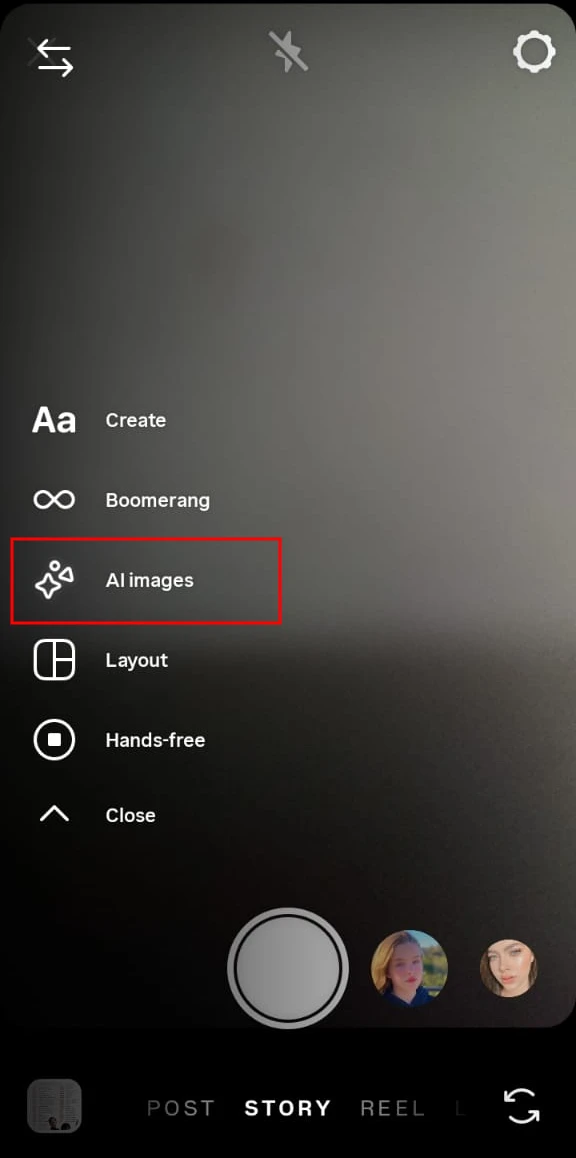
- Open Instagram and Swipe Right to Enter Stories.
- Tap AI Images from the bottom ribbon.

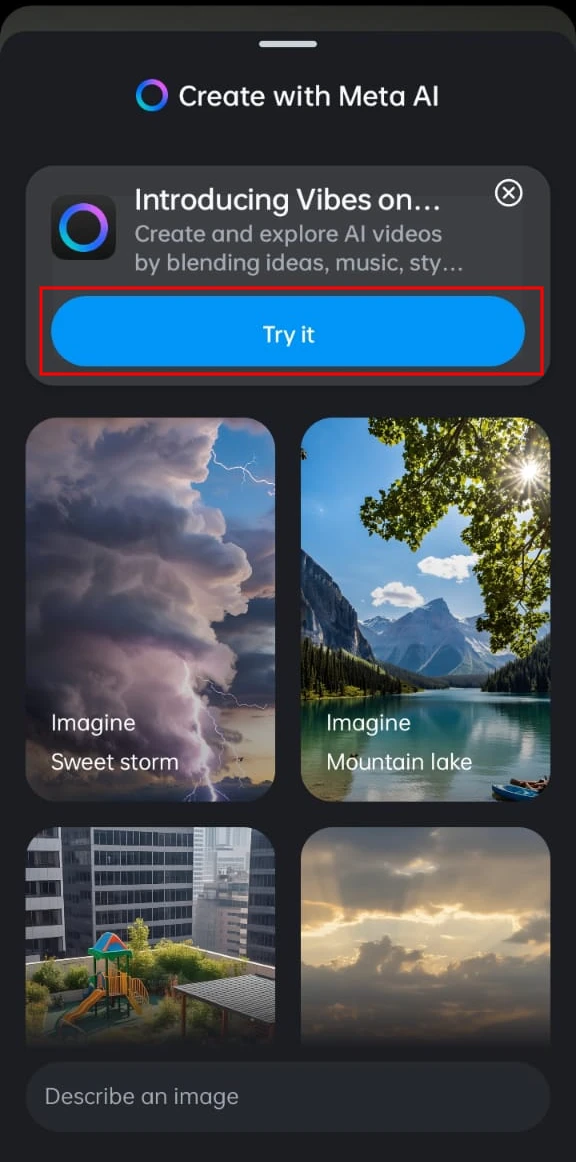
- Tap the blue “Try It” button.

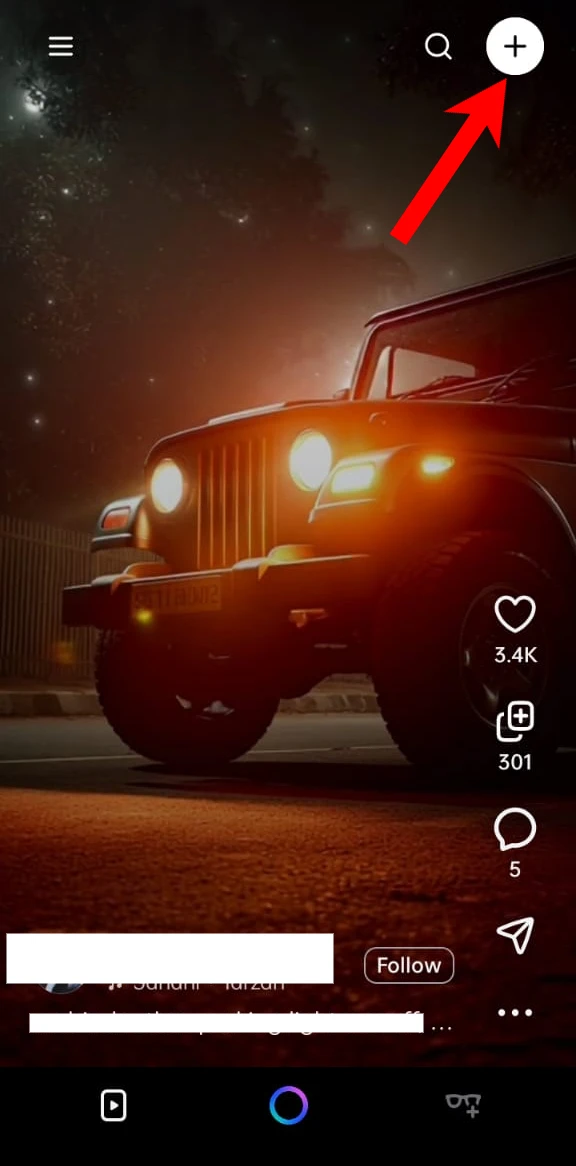
- Tap the “+” icon at the top right.

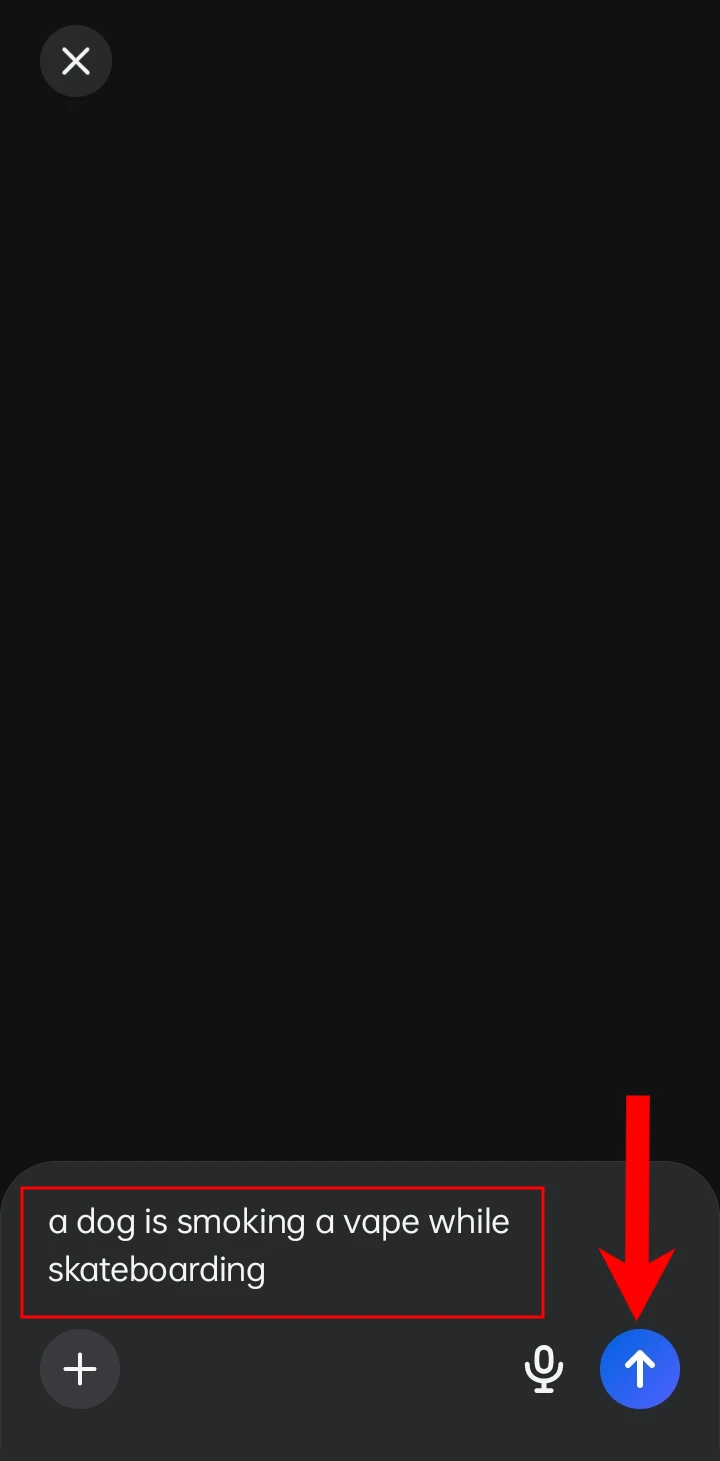
- Type Your Prompt in the Text Box.
- Describe what you want the AI to generate, then tap the blue arrow.

- You will get four images. Tap the one you want to animate.

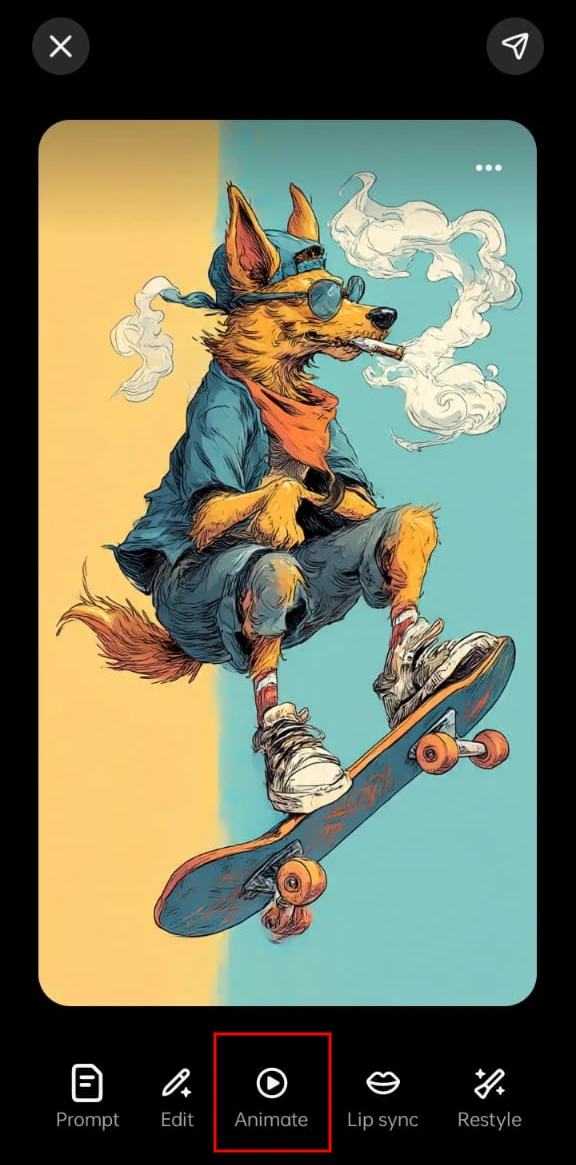
- Select “Animate” From the Menu.

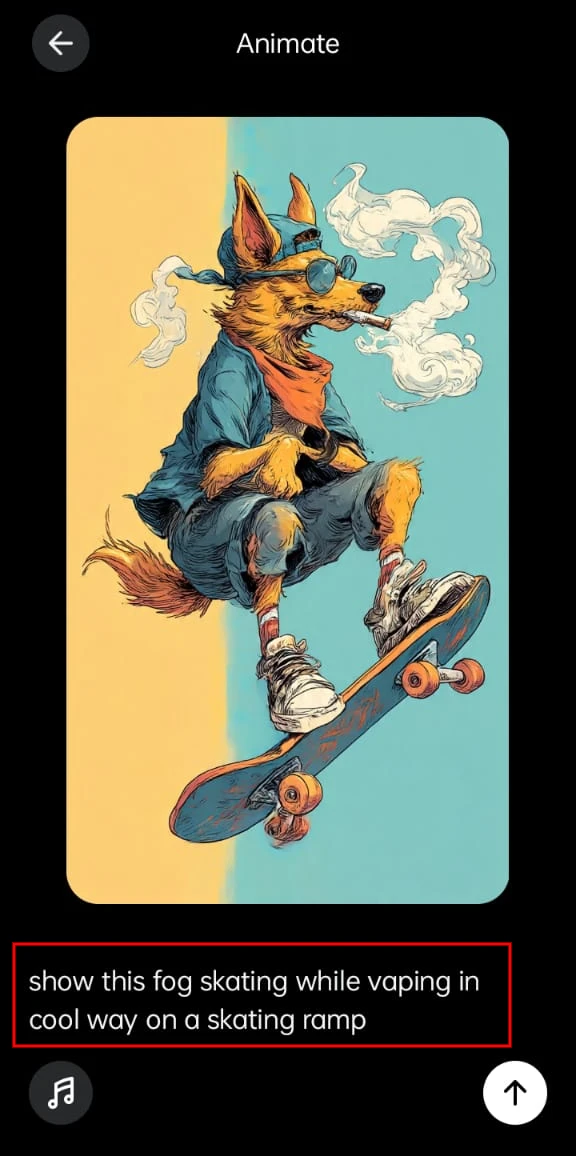
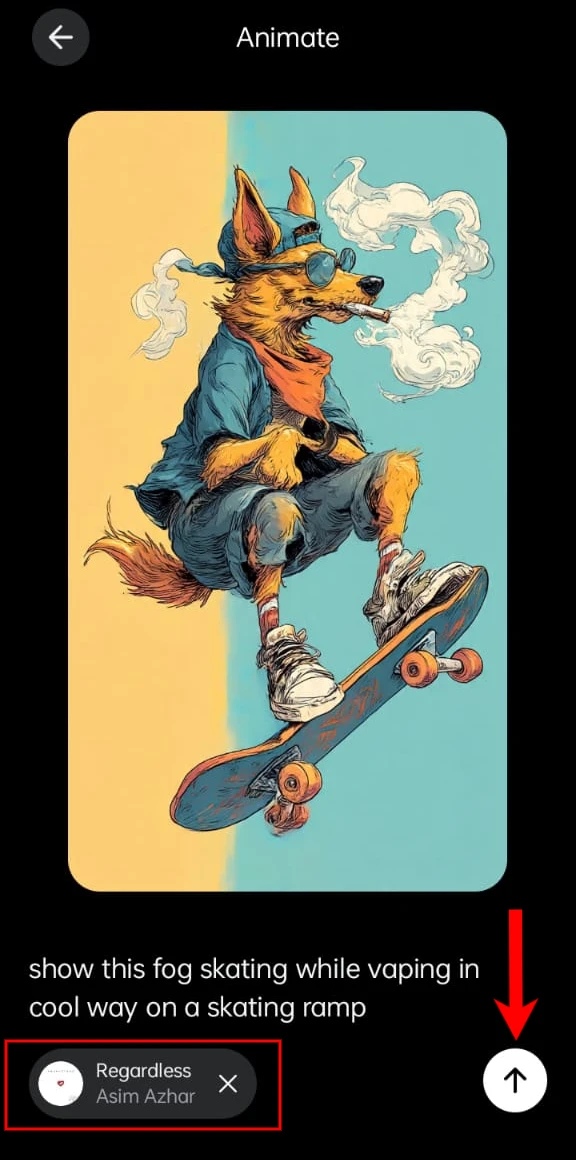
- Enter an animation prompt and let Meta process your video.

- Tap the Music icon and pick a track to enhance your animation.

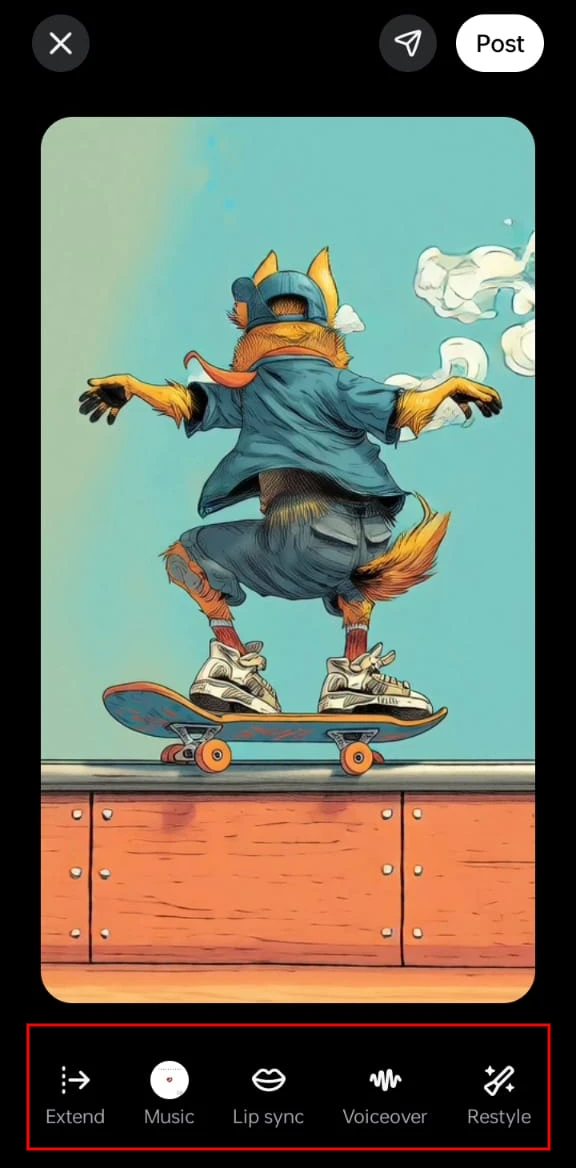
- Customize Your Video
- You can
- Edit
- Restyle
- Extend the animation
- These options make your final video more polished.
- Tap the share icon and choose where to post, Instagram Story, Reel, or save it to your device.

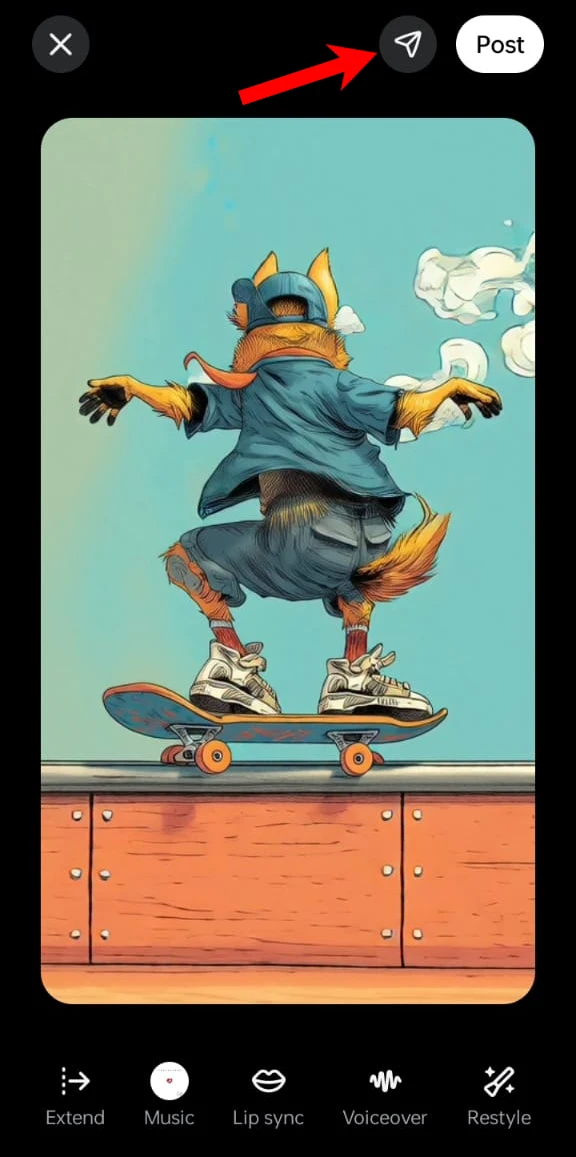
Is Meta’s AI video quality good?
The results are decent, but not mind-blowing.
- Slightly blurry details
- Less accurate motion
- Artistic rather than realistic animations
You can create eye-catching videos with the help of the right prompts and editing. And because the feature is still developing, the quality will improve with time.
Frequently Asked Questions
How do I create AI videos for Instagram Stories using Meta?
Open Instagram, go to Stories, access Meta’s AI creation tools, enter a text prompt, choose a generated image, and use the Animate option to create a short AI video. You can then edit, add music, and share it to your Story, Reel, or save it to your device if the feature is available on your account.
Is Meta’s AI video feature available to everyone?
Not always. Meta typically releases new features in stages, so availability depends on your account, country, and app version. If you do not see the feature yet, update Instagram and the Meta AI app, then check again later.
Can I save Meta AI videos before posting them?
Yes. If the save option is available in your version of the feature, you can download the generated video to your device before sharing it. This lets you edit or post it on other supported platforms later.
How good is Meta AI video quality?
Meta AI creates short, creative animations that are suitable for social media posts. While the quality is improving, it is not designed to match professional AI video generators that focus on highly realistic motion and detailed scenes.
Can I add music and edit AI videos in Meta?
Yes. Depending on the available tools, you can add music, restyle your creation, extend the animation, or make other edits before sharing the finished video.
Is there a daily limit on creating Meta AI videos?
Meta has not announced a fixed daily limit for most users. However, generation limits may change over time based on account type, feature availability, or temporary usage restrictions.






A little discussion goes a long way.
Ask a question, share your experience, or help someone find an answer.
There is room for your perspective.
No discussions match this view yet.
Your voice belongs here
Keep it useful. Keep it kind.