
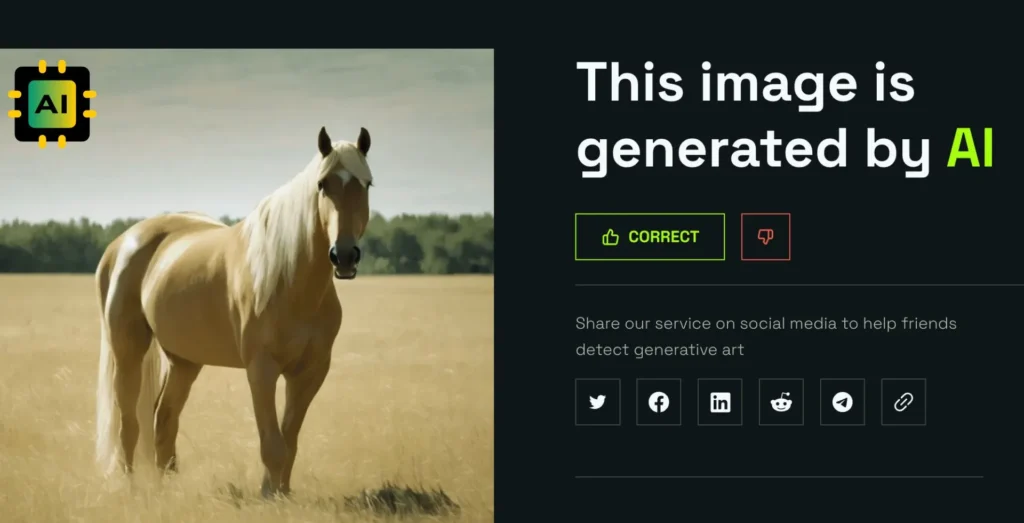
Advances in AI have led to the creation of multiple AI-generated images online. It is difficult for users to determine if the images are real or fake. Facebook, Instagram, and X (Twitter) have not developed a system or algorithm to label images created by AI, which may pose a significant issue.
It may be very difficult to establish the authenticity of ‘digital art’ in the future. Luckily, there are some relatively simple ways to recognize the images created by AI, so let’s consider them.
Detect AI Images Through Content Credentials
First, on the list, C2PA has developed a Content Credentials utility to diagnose and distinguish between AI-generating images.
Modern companies such as Adobe, Microsoft, OpenAI, and other organizations became members of the Coalition for Content Provenance and Authenticity, or C2PA. C2PA is used to identify AI-based images. According to C2PA specifications, the Content Credentials tool has been created, and with its help, one can upload images and verify them.
Besides images, You can also upload videos generated through AI, audio files and PDF files to see how the content was created. This is how it is done.
- For information on how to identify AI images, go to contentcredentials.org/verify.
- You are not forced to register or create an account to receive a user ID to check content.
- Next, click ‘Select a file from your device’ and upload an image.
- First, I used Adobe Firefly to create an image and posted it on Content Credentials. It correctly predicted, saying, “This image was generated with an AI tool”.
- Next, I shared an image created with OpenAI’s Dall-E 3 using ChatGPT. And once more, maybe not surprisingly, Content Credentials could identify the image and confirm that its processing had been done on ChatGPT.
- I uploaded an image I created from Microsoft Designer (Bing Image Creator). It was able to disaggregate it into an AI-generated image.
If you take a screenshot of an AI image or obtain it from social media, the web, or WhatsApp, you will likely receive a “No Content Credential” or “Content Credential can’t be viewed” error message. These services either delete the metadata or crop, alter, or change the image.
Select “Search for possible matches.” It will search the source AI image; you can easily check the changes here. So, I used the data and even cropped the human image with the help of an AI, and yet my AI could find the original AI image.
If you’re looking for the best image detector online to reliably verify AI-generated visuals, tools like Content Credentials offer a solid starting point.
However, while experimenting, I realised that images produced with Google Imagen, Meta, Midjourney, Midjourney, and Stable Diffusion did not tag Content Credentials with metadata. A few companies have actively adopted this C2PA standard, and more companies must support it immediately to counteract the problem, enable easy verification of AI-generated images, and prevent the spread of deepfake technology.

How to Check Watermark in the Images through AI
Certain companies now place logos, such as watermarks, on the outputs of AI systems. The watermarks are checked within the corners of the images created by the AI algorithm. Users can manually remove the watermark by cropping the photo. Use the Content Credentials service and click on “Search for possible matches” to identify artificial images.
Look for Artifacts and Possible Inconsistencies in AI Art
AI images are usually very irregular and contain various defects, particularly in the images of people. Generally, face attributes are the most difficult to choose, so when selecting, pay particular interest to hands, particularly fingers, because most current-generation artificial intelligence models fail to get that right.
This means there are high risks of acquiring weird bends in the hands and fingers, facial and eye shape, and hair. Further, try to find the background and maybe notice some intricate details that seem out of line.
In addition to that, zoom into images and look for digital artefacts. They could be uncomfortably pixelated, smeared with unconventional smudging, or have high smoothing effects. Another step is shadow and lighting since most AI-generated images have the problem of shadows and lights, where most of the time, the light source does not correspond with the match.



A little discussion goes a long way.
Ask a question, share your experience, or help someone find an answer.
There is room for your perspective.
No discussions match this view yet.
Your voice belongs here
Keep it useful. Keep it kind.