AI image tools are no longer judged by whether they can make something pretty once. The real question is whether they can help a creator, marketer, designer, or small ecommerce team move from a rough visual idea to a usable image without fighting the tool at every step. That is why nana banana pro is worth looking at now: its Nano Banana 2 page is not positioned as a vague “AI art generator,” but as a practical image generation and editing workspace built around reference images, prompt-based control, multiple resolutions, and repeatable visual production.
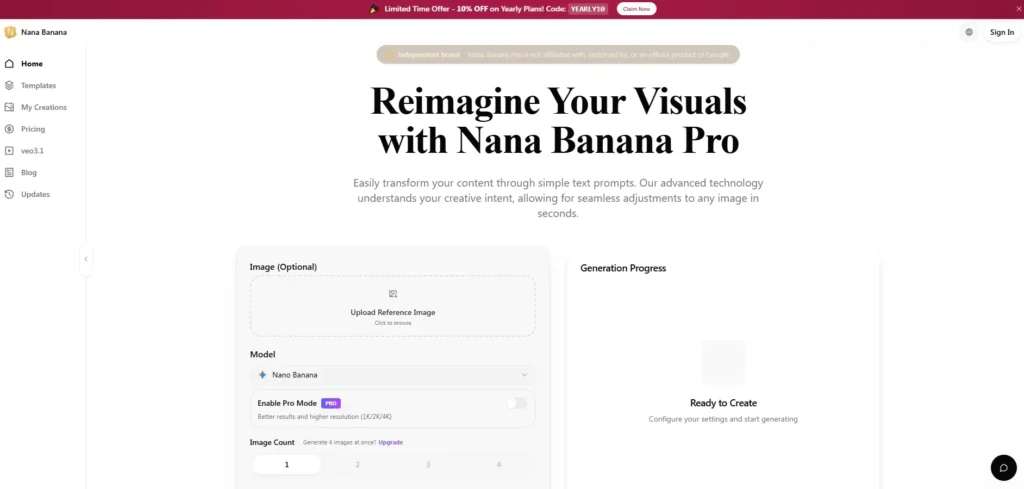
I looked at the page from the perspective of someone who actually needs usable images, not just impressive samples. The page presents Nano Banana 2 as a Google Gemini-powered image generator and editor for generating, editing, and restyling images. The visible workflow includes optional reference image upload, a selected Gemini Nano Banana 2 model, resolution choices from 0.5K to 4K, image count options, a 2000-character prompt box, aspect ratio controls, credit information per image, and a sign-in-to-run action.
That matters because many AI image tools hide the real workflow behind marketing language. Here, the interface is clear enough to understand before generating anything. You can see where the image goes, where the prompt goes, what model is selected, what resolution range is available, and how many images you are asking for. From a practical user perspective, that transparency is the first trust signal.
- A Practical Testing Framework For Visual Reliability
- How The Official Workflow Actually Works
- Step One Upload A Reference Image If Needed
- Step Two Choose Visible Image Output Settings
- Step Three Write A Specific English Prompt
- Step Four Sign In And Run Generation
- Scene Testing Shows Where The Tool Fits
- Product Scenes Need Clean Visual Context
- Character Consistency Requires Repeated Visual Anchors
- Style Transfer Works Best With Clear Intent
- Where Nano Banana Pro Compares Clearly
- Real Limitations Users Should Understand Early
- Best Users And Workflows For This Platform
A Practical Testing Framework For Visual Reliability
A fair review of an AI image tool should not only ask whether the output looks polished. It should ask whether the tool supports the kind of decisions real users make during creative work: choosing a reference, controlling style, adjusting the scene, keeping a subject recognizable, and producing variants without restarting from scratch.
For this review-style evaluation, I would judge Nano Banana 2 through five practical questions. First, can the workflow accept a reference image when visual continuity matters? Second, does the prompt box encourage specific direction instead of vague guessing? Third, do the resolution and image count controls give enough production flexibility? Fourth, does the page explain realistic use cases rather than only showing abstract art examples? Fifth, are the limits of the experience visible enough for users to avoid false expectations?
The page answers several of these clearly. It supports optional reference image upload. It recommends English prompts and allows up to 2000 characters. It shows resolution options including 0.5K, 1K, 2K, and 4K. It describes use cases such as style transfer, ecommerce product scenes, outfit visualization, interior mockups, character consistency, and campaign visual packs. It also makes the sign-in requirement visible through the “Sign In to Run” button.
How The Official Workflow Actually Works
The official page presents a short, direct workflow. It does not require users to understand complex editing software before starting. The process is closer to setting visual intent: provide an image if needed, choose the visible output settings, write a prompt, and run the generation after signing in.
Step One Upload A Reference Image If Needed
The reference upload is optional, which is important. Users who want a fresh image can begin with text direction, while users who need continuity can upload a source image first.
Use References For Identity Or Product Continuity
The page points to workflows where reference quality matters, including character consistency, product scenes, and style transfer. In practical terms, a clean reference image with solid lighting should give the model a clearer base to work from. The site also recommends JPG, PNG, and WebP formats, which keeps the starting point familiar for most users.
Step Two Choose Visible Image Output Settings
The interface shows resolution choices of 0.5K, 1K, 2K, and 4K, plus image count options from 1 to 4. It also notes support for extra wide aspect ratios.
Match Resolution And Count To The Task
For early exploration, a lower resolution or fewer images may be enough to compare directions. For more polished visuals, the visible 2K and 4K options suggest a path toward higher-detail outputs. The page also shows credit usage per image, which helps users understand that each generated image has a cost inside the platform’s credit system.
Step Three Write A Specific English Prompt
The prompt area explicitly says English prompts work better, and the FAQ recommends starting with subject, environment, lighting, and style.
Build Prompts In A Visual Order
That prompt structure is sensible because it matches how images are evaluated. A user can describe the subject first, then the setting, then the light, then the desired style. For example, product photography, cinematic portrait, clean packshot, interior redesign, or serialized character scene all benefit from this kind of ordered instruction.
Step Four Sign In And Run Generation
The visible action button says “Sign In to Run,” so users should expect to sign in before using the generator.
Expect Progress Feedback After Starting
The page includes a Generation Progress area and a Ready to Create state. That suggests the interface is designed to show the creation status once the task begins, rather than leaving users guessing where their generation stands.
Scene Testing Shows Where The Tool Fits
The most useful way to understand nano banana 2 is to break it into creative scenarios. It is not only for fantasy images or casual experiments. The page frames it around production-like tasks: turning a single idea into a controlled visual, editing with prompts, and reusing references across a campaign or content series.
Product Scenes Need Clean Visual Context
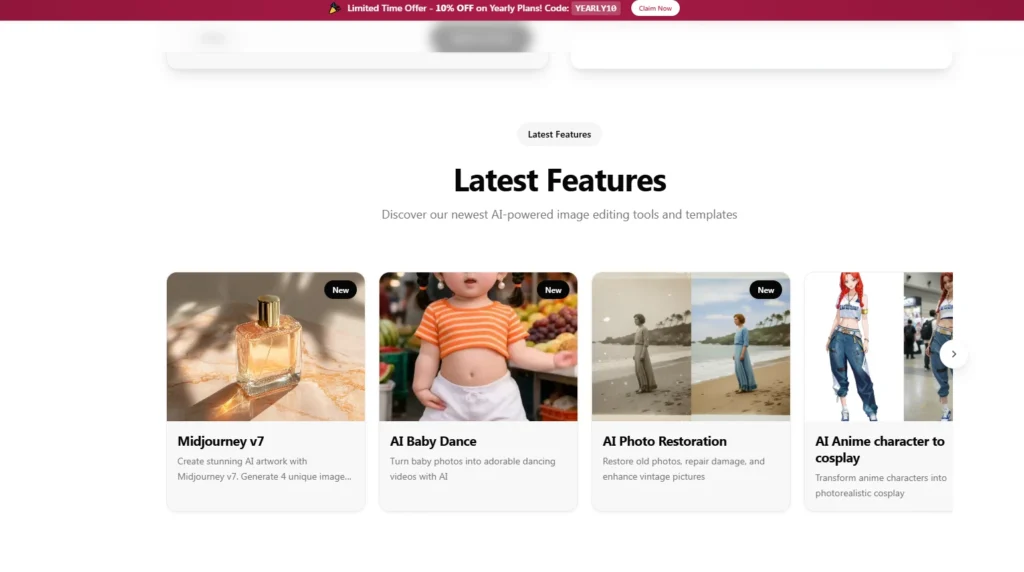
The ecommerce use case is one of the strongest fits. The page says users can drop product shots into branded lifestyle settings, seasonal campaigns, or clean packshot backgrounds without manual compositing. That is valuable because product visuals often fail when the object looks pasted into the scene.
From a practical user perspective, the key challenge is lighting and context. A bottle, shoe, gadget, or skincare item needs to sit naturally in the environment. If the scene is too stylized, it may look fake. If the background is too plain, it may not help the product sell. The page’s emphasis on product scene generation suggests the tool is built for that middle ground: faster visual testing before committing to full production work.
The limitation is obvious but important. A product reference image still needs to be clear. Poor source lighting, messy edges, or vague prompts may make the result less reliable. Users should treat the first generation as a visual draft, not a guaranteed final asset.
Character Consistency Requires Repeated Visual Anchors
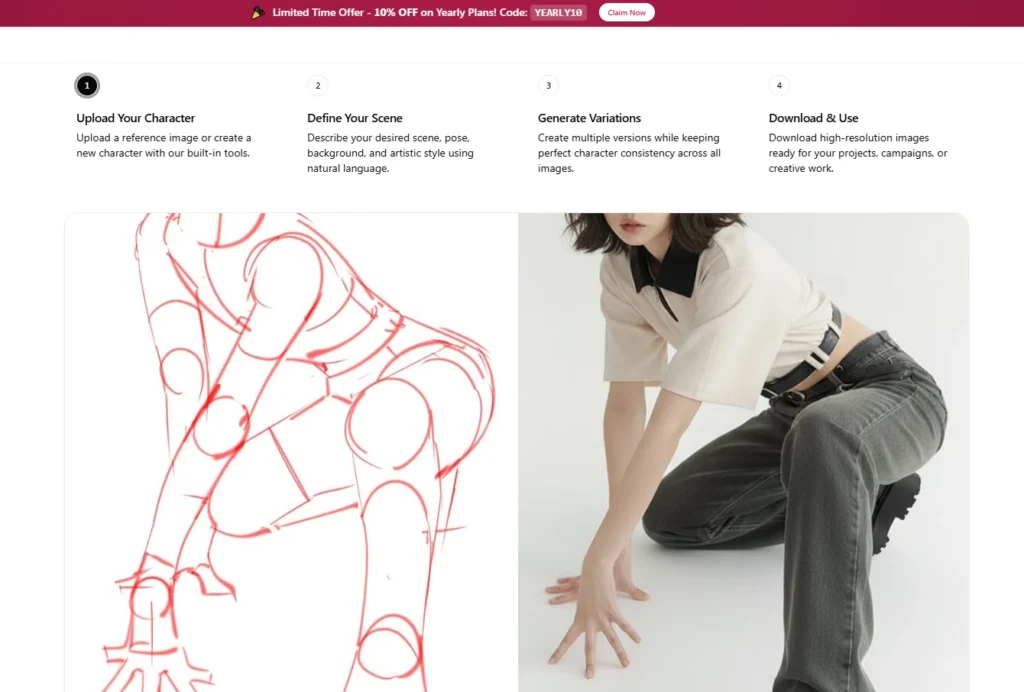
Character consistency is another practical strength claimed by the page. It describes repeatable character expressions and scenes for comics, social storytelling, and marketing sequences. The FAQ also says users should upload stable references and reuse core descriptors.
That advice matters. Consistency is rarely solved by one prompt. A creator working on a mascot, comic figure, influencer-style avatar, or campaign character needs repeated visual anchors: similar facial structure, wardrobe notes, color palette, and scene logic. Nano Banana 2 appears designed to support this kind of repetition through reference upload and prompt reuse.
The weakness is that consistency can still vary across complex scenes. If the prompt changes too much or asks for extreme pose, lighting, and style changes at the same time, the final image may drift. A better workflow is to change one major variable at a time: expression first, then outfit, then background, then camera style.
Style Transfer Works Best With Clear Intent
The page describes style transfer as transforming ordinary photos into studio looks, cinematic color grades, or illustration-inspired styles while preserving identity. That is a useful promise because many users do not want a completely new subject; they want a different finish on an existing image.
The visual challenge here is balance. A cinematic grade should not erase the person’s facial structure. An illustration-inspired result should not become a stranger. A studio look should improve polish without turning skin into plastic. In my testing framework, this is where prompt specificity matters most. Users should describe lighting, lens feel, background mood, color palette, and how strongly the original identity should be preserved.
A restrained prompt will usually be safer than a dramatic one. The more radical the style shift, the more likely the result may need another pass.
Where Nano Banana Pro Compares Clearly
The page gives enough workflow detail to compare it against more generic AI image tools without making inflated claims. Its strongest advantage is not that it magically solves every visual problem. Its advantage is that the page combines image generation, editing, reference-based control, multiple resolution options, and clear use-case guidance in one visible workflow.
| Comparison Area | Nano Banana Pro Experience | Generic Image Tool Experience |
| Starting point | Optional reference image or prompt | Often prompt-first only |
| Workflow clarity | Model, resolution, count, prompt, credits visible | Settings may be hidden or scattered |
| Creative control | Prompt-based editing and restyling focus | Often focused on one-shot generation |
| Use cases | Product scenes, outfits, interiors, characters, campaigns | Frequently broad and less specific |
| Learning cost | Guided by prompt structure and visible controls | May require more trial and error |
| Best fit | Creators needing repeatable visual drafts | Casual users exploring random images |
This comparison should be read carefully. A generic tool may still produce strong images. The difference is that Nano Banana 2’s page speaks more directly to repeatable work: campaign variants, reference-based scenes, product visuals, and character sheets.
Real Limitations Users Should Understand Early
Nano Banana 2 looks useful, but it should not be treated as a button that guarantees perfect production results every time. The page itself encourages better prompting, which implies that output quality depends heavily on instruction quality.
The first limitation is prompt sensitivity. If the subject, environment, lighting, and style are vague, the result may also feel vague. The second limitation is reference quality. Clear source images with solid lighting are more likely to preserve detail and texture. The third limitation is complexity. Product scenes with reflections, multiple objects, detailed hands, branded packaging, or complicated interiors may require more than one generation attempt.
There are also things the page does not fully specify. It does not provide a detailed promise about generation speed on the visible page. It does not spell out every commercial usage detail in the generator section. It does not guarantee perfect identity preservation in every possible prompt. A careful user should therefore treat the platform as a creative production assistant, not as a replacement for judgment, selection, and revision.
Best Users And Workflows For This Platform
Nano Banana Pro seems best suited for people who already know what kind of image they want but do not want to build it manually from scratch. That includes ecommerce sellers testing product scenes, creators building consistent characters, marketers producing social campaign variants, designers exploring room or outfit ideas, and solo founders who need better visuals before they can justify a full shoot.
It is less ideal for users who expect the tool to read their mind from a one-line prompt. The page’s own prompt guidance points in the opposite direction: better results come from structured instructions. Subject, environment, lighting, and style should be treated as the foundation of each prompt.
The most realistic workflow is simple. Start with one clear task. Upload a reference only when continuity matters. Use a specific English prompt. Generate a small number of options first. Review the result for subject accuracy, visual coherence, and scene believability. Then refine the prompt instead of starting over randomly.
That is where the product feels most credible. It is not selling magic; it is giving users a structured way to turn visual direction into image drafts, edits, and campaign-ready possibilities. For teams and creators who need controlled AI visuals without learning heavy design software, that makes it a practical tool to test seriously.