
Close Menu

    Subscribe to Updates

    Get the latest creative news from FooBar about art, design and business.

    What's Hot

    250+ Cool Minecraft Names Ideas (Funny & Unique)

    June 4, 2026

    150+ Cute and Funny Nicknames for Boys

    June 4, 2026

    150+ Best Funny WiFi Names – Unique, Cool & Good

    June 4, 2026
    Facebook X (Twitter) Instagram
    Trending
    • 250+ Cool Minecraft Names Ideas (Funny & Unique)
    • 150+ Cute and Funny Nicknames for Boys
    • 150+ Best Funny WiFi Names – Unique, Cool & Good
    • Best WhatsApp Group Names Ideas [Updated]
    • Clever, Private Story Names Ideas For Snapchat Stories
    Facebook X (Twitter) Instagram Pinterest YouTube Bluesky WhatsApp TikTok Threads RSS
    WikiTechLibrary
    • How To
    • Technology
    • Gaming
    • Freebies
    • Reviews
    • Names Ideas
    WikiTechLibrary
    Home»Telecom»Telenor Balance Save Code 2025 | How to Save Telenor Balance

    Telenor Balance Save Code 2025 | How to Save Telenor Balance

    Farah QaiserBy Farah QaiserJune 25, 2025Updated:August 31, 20251 Comment3 Mins Read
    Facebook Twitter Pinterest Telegram LinkedIn Tumblr WhatsApp Email Bluesky Reddit Threads Copy Link
    telenor balance save code
    Share
    Facebook Twitter LinkedIn Pinterest Telegram Email WhatsApp Threads Copy Link

    Telenor is a telecommunications company in Pakistan that offers the most satisfactory service. Telenor Balance Save Code Using Internet 2025 is one of the company’s latest services. Due to many comments and suggestions from users, this offer preserves Telenor Balance when using Internet services.

    Table of Contents show
    1 Telenor Balance Save Code 2025
    1.1 Telenor Balance Save Code Using Internet 2025
    1.2 Telenor Bill Shock Offer
    1.3 How to save Telenor Balance From the Internet
    2 FAQs

    Telenor Balance Save Code 2025

    Telenor Balance save code is *7799# USSD (Unstructured Supplementary Service Data). Dial *7799# to activate the Telenor Balance Block if you use Telenor Internet bundles. Unfortunately, when the Internet service expires, they lose their balance.

    Telenor developed the Telenor Balance Save Code using Internet 2025. As soon as you activate this service, your account balance will be locked, stopping you from using any other services.  

    Check Also: Telenor Today Quiz Answers: FreeMBs

    If you want to check your DU balance, you can easily check it at DU Balance Check

    Telenor Balance Save Code Using Internet 2025

    To subscribe to Telenor’s Balance Lock Service, dial *7799#. To save the SIM balance used by Internet services, use the following content: An activation fee is not required for the Telenor Balance Lock Service.
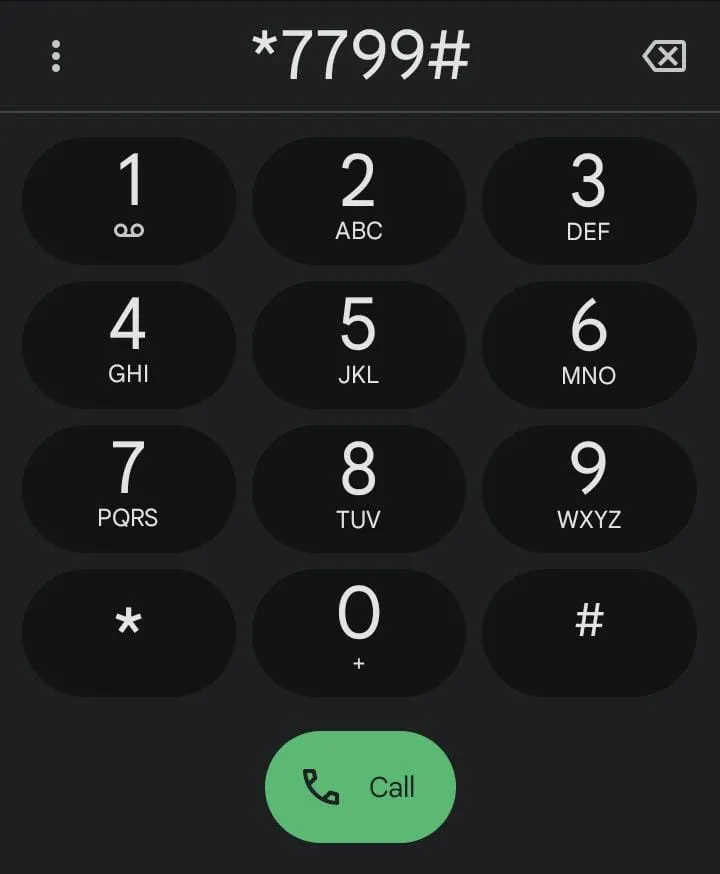
    telenor balance save code

    A common question: “How do I save my Telenor balance?” This is an activation code for Telenor Internet customers. Telecom authorities are concerned that Internet users may lose their balance when using the Internet.

    READ ALSO:  Batelco Bahrain Internet APN Settings (4G/5G) for Android & iPhone

    All mobile phone service providers, including Jazz, Ufone, Warid, Zong, Telenor, have committed to notifying their customers about the Sim Balance Save Code 2025. 

    Note: If the above code does not work, use the other code in the table below.   

    Telenor Bill Shock Offer

    Users will be saved from balance shock if they run out of data resources in their primary bundle or turn on mobile data without an active bundle; this bundle charges just Rs 5 (tax included).  
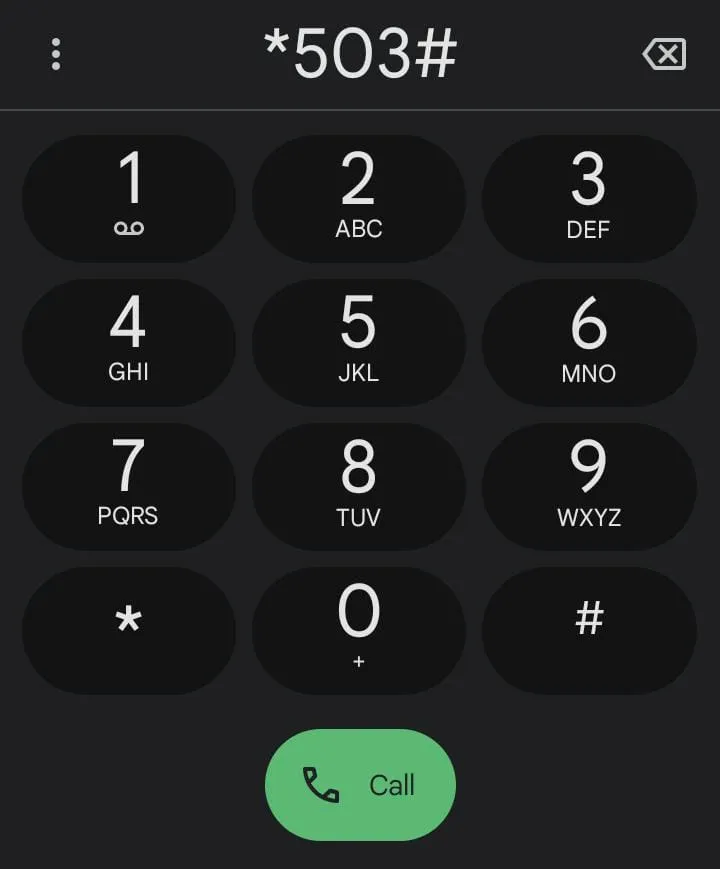
    telenor balance save code bill shock offer
    Data300MB
    Validity30 Days
    PriceRs 5
    Activation Code*503#

    How to save Telenor Balance From the Internet

    Dial *7799# to save Telenor balance. Follow the on-screen prompts to confirm your subscription. With Internet packages, users can now save their balance and avoid losing it.

    FAQs

    What is the Telenor Balance Save Code Using Internet?

    Telenor Balance Save Code Using Internet 2025 is a feature that saves your Telenor balance when you use internet services. Call *7799# to activate the balance block to avoid unexpected costs.

    How do I activate the Telenor Balance Save Code?

    To activate the Telenor Balance Save Code, dial *7799# from your phone and follow the above instructions.

    Is there a fee for activating Telenor Balance Save Code?

    No, there is no activation fee for the Telenor Balance Save Code.

    READ ALSO:  How to Check Best Virgin Mobile KSA Internet Plans and Promotions

    How does the Telenor Bill Shock Offer work?

    Telenor Bill Shock Offer avoids unexpected balance depletion by charging Rs 5 (including tax) for 300MB of valid data for 30 days. To activate it, dial *503#.

    Related Posts
    Zong Upgrades My Zong App with Exciting New Features: Bundle Streak & Daily Rewards Game
    my zong app new features bundle streak daily rewards game
    How to pay PTS fee through Easypaisa
    how to pay pts fee through easypaisa
    How to Run EasyPaisa App on a Rooted Device
    easypaisa
    How to Convert SIM Postpaid to Prepaid Jazz – Ufone – Telenor – Zong
    How to Convert SIM Postpaid to Prepaid Jazz - Ufone - Telenor - Zong
    Free Fire Top Up in Pakistan Through EasyPaisa and Jazz Cash
    free fire top up in pakistan
    Du Caller Tunes Code 2025 – UAE Du Subscription Code
    du
    Telenor
    Share. Facebook Twitter Pinterest LinkedIn Tumblr Email
    Farah Qaiser

    Farah Qaisar is a dedicated content creator at WikiTechLibrary, focusing on crafting easy-to-follow "how-to" guides for social media strategies, daily life hacks, and tech tips. With a passion for simplifying the digital experience, she creates tutorials that help users effectively navigate platforms and tools.

    Related Posts

    How to Log In to Zong MBB Device Portal and Change WiFi Password & SSID

    Zong Device Speed Slow? How to Fix It in Pakistan

    STC Bahrain Internet APN Settings (4G/5G) for Android & iPhone

    Zain Bahrain Internet APN Settings (4G/5G) for Android & iPhone

    Batelco Bahrain Internet APN Settings (4G/5G) for Android & iPhone

    Ooredoo Oman Internet APN Settings (4G/5G) for Android & iPhone

    View 1 Comment

    1 Comment

    1. Shuban on November 20, 2024 4:19 am

      Great, Thanks for information

      Reply

    Leave a ReplyCancel reply

    Latest Post
    Names

    250+ Cool Minecraft Names Ideas (Funny & Unique)

    By Muqadas Fatima
    Names

    150+ Cute and Funny Nicknames for Boys

    By Muqadas Fatima
    Names

    150+ Best Funny WiFi Names – Unique, Cool & Good

    By Farah Qaiser
    Names

    Best WhatsApp Group Names Ideas [Updated]

    By Farah Qaiser
    Most Viewed

    How to make your Android phone look like an iPhone

    December 23, 2023

    How to Recover Suspended Twitter Account

    January 1, 2023

    Meta’s Threads to Introduce Hashtags and Trending Topics in Platform Update

    November 16, 2023

    How to Remove Gmail Account from Android

    July 12, 2023

    WikiTechLibrary is the Digital Library covering Content Primarily Related to Tech, How-To, Tips & Tricks, Social Media, Gaming, Education, Business & Finance, Telecom, Crypto, and Much More. We always try to provide new information to our visitors.

    Email: [email protected]

    Facebook X (Twitter) Instagram Pinterest YouTube Bluesky WhatsApp TikTok Threads RSS
    Our Picks

    WhatsApp Plans a Big UI Redesign: Check Out Now

    September 4, 2023

    Top 10 AI Tools for Content Creation in 2025

    February 4, 2025

    YouTube to Add a Video Button to Discover Random Videos

    November 6, 2023
    Top Reviews

    Best AI Girlfriend chatbot tools

    June 3, 2026

    Top 8 Best Intel I7 Laptops in 2024 – Which One Is Right For You?

    August 28, 2023

    Top 6 Premium Proxy Services Across the Web

    October 10, 2025
    © 2026 WIKITECHLIBRARY | All Right Reserved
    • About Us
    • Contact
    • Disclaimer
    • Privacy Policy
    • Terms
    • Cookies Policy
    • Editorial Policy

    Type above and press Enter to search. Press Esc to cancel.

    Join Now

    Loading Comments...



