
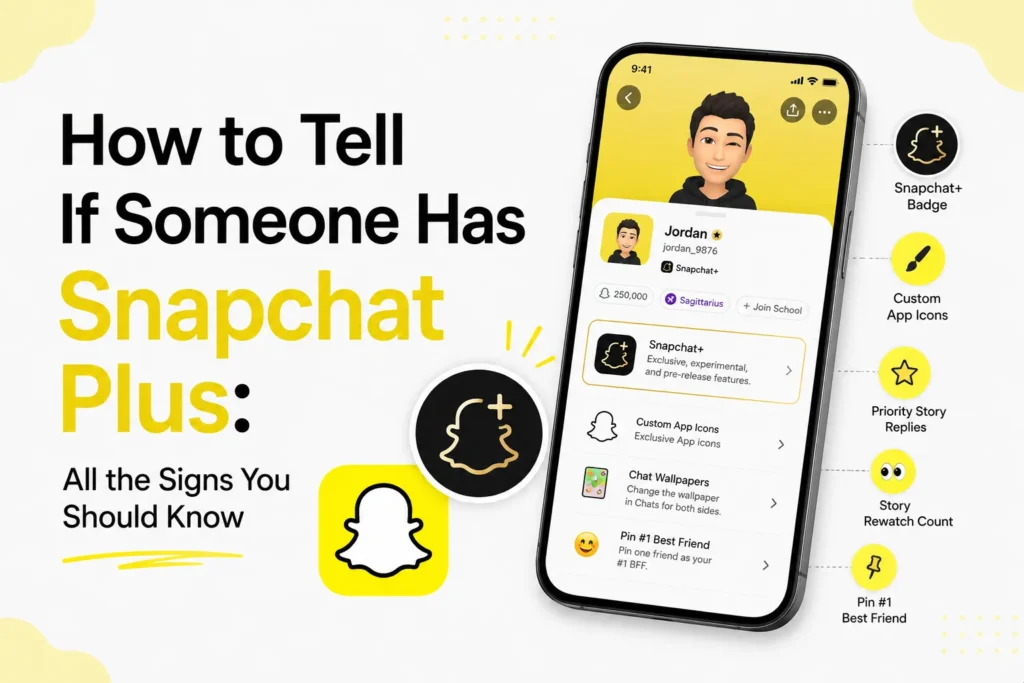
Snapchat Plus is now one of the most popular premium subscriptions on social media, which provides exclusive functionality that ordinary users do not have access to. If you need to know whether a person you know is using Snapchat+, the platform provides a few indicators to help you, but not all of these are self-explanatory.
Here is a complete guide on how to tell if someone has Snapchat Plus, what features can reveal it, and what you can and cannot check as a friend.
- How to tell if someone has Snapchat Plus
- They have the Snapchat+ Badge (Star icon)
- They use custom app icons
- They pin you as their #1 best friend (Even if you did not pin them)
- They have story rewatch counts
- They use Ghost trails on Snap Map
- Their Bitmoji shows exclusive animations
- What you cannot see as a friend
- How much does Snapchat Plus cost?
- What features come with Snapchat Plus?
- Frequently Asked Questions
How to tell if someone has Snapchat Plus
Snapchat does not publicly label all Snapchat+ users, but some features act as indicators. The most valid indicators you can look as follows.
They have the Snapchat+ Badge (Star icon)
Snapchat+ badge is the strongest and most direct indicator. Subscribers can use a star badge, which will be shown next to their username when you visit their profile.
- This feature is optional.
- If you see the star, they definitely have Snapchat+.
- If you do not see it, they might still be subscribed but hiding it.
This is the most reliable confirmation, however, only when they have enabled the badge.
They use custom app icons
Snapchat+ users can customize the appearance of the Snapchat app icon on their device. If you find that a person has a non-standard Snapchat icon (different colors, topics, or designs), it is a good indicator that they have Snapchat+ enabled.

They pin you as their #1 best friend (Even if you did not pin them)
A unique Snapchat+ feature is the ability to pin any user as a #1 Best Friend, whether or not they pin you back.
When someone mentions that they pin you as their best friend, but you do not see the same on your end, they are almost definitely on Snapchat+.
They have story rewatch counts
Snapchat+ provides detailed analytics on story views, such as
- How many times has someone rewatched their story
- A special Rewatch Indicator on the viewer list
When they say that they can see who has rewatched their story or show rewatch count, it confirms they are on Snapchat+.
They use Ghost trails on Snap Map
Another premium feature is Ghost Trails that shows.
- Friends’ movement history
- Trail lines
- Where someone was recently (if that person has location sharing on)
When you see them checking trail lines or showing movement paths, that’s a Snapchat+ feature.
Their Bitmoji shows exclusive animations
Snapchat+ provides users with experimental Bitmoji upgrades. You may see
- Their Bitmoji is holding a phone
- Special backgrounds
- Cosmic or animated Bitmoji themes
If their bitmoji looks more detailed or animated than normal, it may be Snapchat+.

What you cannot see as a friend
You cannot directly check the Snapchat+ status of someone using your account. Snapchat does not publicly show a guaranteed indicator for all subscribers.
You can only depend on visible features or what the person tells you.
How much does Snapchat Plus cost?
Snapchat+ pricing depends on region, but standard rates are
- $3.99 per month
- $21.99 for 6 months
- $39.99 per year
These prices may differ depending on your country.
What features come with Snapchat Plus?
Snapchat+ continues to grow and currently offers a long list of premium tools. Here are the most popular features
- Snapchat+ Badge
- Custom App Icons & Themes
- Story Rewatch Count
- Ghost Trails
- Pin Friends as #1
- Priority Story Replies
- Solar System Best Friends
- Custom Chat Wallpapers
- Bitmoji Backgrounds
- Post-View Emojis
- Early Access to Experimental Features
- AI Stickers
- AI Captions
- Unlimited AI Replies
- Snapscore Multiplier
- Instant Streaks & Streak Restore
- Custom Story Expiry
- Story Boost
- Web Snapchat Access
- Home Tab Customization
- My Pet, My Car, and My Home features
You can find all these enabled features in your Snapchat settings in the Snapchat+ section.
Snapchat Plus offers many exclusive features, and most of them leave visible hints that can allow you to determine whether a specific user is on the premium plan or not. While Snapchat does not provide a complete list of subscribers, features like Snapchat+ badge, Ghost Trails, Story Rewatch Counts, and custom icons make it easier to tell.
Frequently Asked Questions
How can I tell if someone has Snapchat Plus?
The easiest way is to look for the Snapchat+ badge, which appears as a star icon next to their profile name if they have chosen to display it. Other clues include premium features like Ghost Trails, Story Rewatch indicators, and custom Bitmoji styles.
Can someone hide their Snapchat+ subscription?
Yes. The Snapchat+ badge is optional, so subscribers can hide it. This means you cannot always confirm whether someone has Snapchat+ just by viewing their profile.
Can I check if someone has Snapchat+ from my account?
No. Snapchat does not provide a feature that lets users verify another person’s subscription status. You can only rely on visible premium features or information the person shares.
What features are exclusive to Snapchat Plus?
Snapchat+ includes features such as the Snapchat+ badge, Ghost Trails, Story Rewatch Count, custom app icons, custom chat wallpapers, priority story replies, Solar System Best Friends, AI features, and early access to experimental tools.
How much does Snapchat Plus cost?
Pricing varies by country. In many regions, Snapchat+ starts at about $3.99 per month, with discounted six month and annual subscription plans available.







A little discussion goes a long way.
Ask a question, share your experience, or help someone find an answer.
There is room for your perspective.
No discussions match this view yet.
Your voice belongs here
Keep it useful. Keep it kind.