
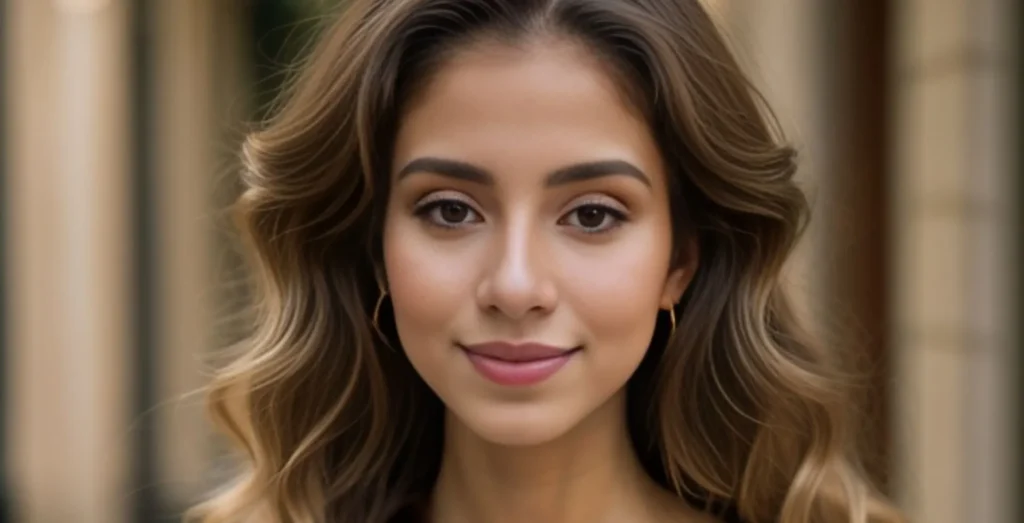
The professional headshot has become a quiet gatekeeper of career momentum. Recruiters skim LinkedIn profiles in seconds. Conference bios flash across screens before anyone reads a word. A corporate website with mismatched team photos signals disorganization before a single product demo loads.
Yet, for most professionals, the path to a decent headshot still runs through a photographer’s studio, scheduling weeks out, paying hundreds of dollars, sitting through awkward posing instructions, and waiting days for retouched files that arrive looking nothing like the person in the mirror.
Then came the AI headshot generators. Dozens of them launched in the past eighteen months, each promising to turn camera-roll selfies into polished corporate portraits. Most fell short: waxy skin, warped facial features, same-face syndrome across every generated image.
So when I came across AI professional headshot service that claimed to train a personalized model from a handful of casual photos and deliver studio-quality results in under thirty minutes, I treated the promise with the same skepticism I bring to any AI-generated portrait tool. What followed was a surprisingly straightforward test, and a set of results that forced me to reconsider what “professional headshot” even means in 2026.
- The Workflow That Actually Matches the Marketing
- Step 1: Upload Your Selfies
- Step 2: Choose Your Style
- Step 3: Receive the Generated Headshots
- The Real Test: Did the Results Hold Up Across Different Use Cases?
- Privacy, Data Handling, and the Fine Print
- Pricing Structure and Plan Comparison
- Where the Service Excels and Where It Falls Short
- The Verdict: A Practical Tool for a Specific Need
The Workflow That Actually Matches the Marketing
The first sign that this service might operate differently came from the upload process itself. No account creation, no email verification gate, no multi-page onboarding flow. The homepage presents exactly three steps, and the interface does not obscure any of them behind progressive disclosure or upsell prompts.
Step 1: Upload Your Selfies
The platform asks for 5 to 20 casual photos taken from a phone. The recommendation specifies different angles and varying lighting conditions, no professional camera required. In practice, this means digging through the camera roll for recent selfies, group photos, or candid shots that show the face from multiple perspectives.
The system does not demand high-resolution DSLR files or perfectly lit studio test shots. It appears designed around the reality that most professionals do not have a curated portfolio of headshot-ready images sitting on their phones.
What the Upload Interface Actually Shows
The file picker accepts standard image formats and provides immediate visual feedback when each photo loads. A counter tracks how many images have been uploaded against the 5-to-20 range. The interface does not attempt to score or judge photo quality in real time, no “this image is too dark” warnings, no “face not detected” errors that require reshoots. It simply collects the images and moves to the next step.
Why Multiple Angles Matter for the Training Process
The platform trains a personalized AI model based on the uploaded facial features. From a practical user perspective, this explains the angle variety requirement: the model needs enough visual data to reconstruct the face from different viewpoints, ensuring that generated headshots maintain consistent facial structure across poses.
Uploading ten photos from nearly identical angles produced noticeably less variation in the final output than uploading fifteen shots with mixed lighting and orientations.
Step 2: Choose Your Style
After the upload completes, the selection interface presents industry categories, outfit styles, and background options. The platform supports 30+ outfit styles across 5 industries, 14 professional backgrounds, and 3 pose angles per look. The industry categories include business formal, casual, executive, medical, legal, and tech.
The Style Selection Experience
The options load as visual tiles rather than text dropdowns. Selecting a combination immediately updates a preview thumbnail, though the preview represents a generic model rather than a personalized render of the uploaded face. The actual personalized output only generates after the model training completes in the final step.
Step 3: Receive the Generated Headshots
The AI trains the personalized model and generates the complete set of headshots while the user waits. Delivery time depends on the selected plan: 20–30 minutes for Basic, 15–20 minutes for Pro, and 10–15 minutes for Executive. The platform delivers 40 to 100 high-resolution images ready for LinkedIn, corporate bios, and press releases.
What the Delivery Package Contains
The download includes the full set of generated images across the selected style combinations. Each unique look represents one scene-and-outfit combination. The Basic plan delivers 4 unique looks (40 total images), Pro delivers 8 unique looks (70 images), and Executive unlocks unlimited looks (100 images). The files download as a standard ZIP archive with high-resolution images suitable for professional use.
The Real Test: Did the Results Hold Up Across Different Use Cases?
Marketing copy can promise anything. The actual test comes from running the service through real-world professional scenarios and comparing the output against what a traditional studio session would deliver. I ran three distinct tests across different professional contexts.
Test 1: The LinkedIn Profile Refresh
The most common use case for any professional headshot service is the LinkedIn profile photo. The platform explicitly optimizes for LinkedIn framing, which suggests the generation algorithm accounts for the circular crop and small thumbnail display common on the platform.
The Difficulty
LinkedIn headshots demand a specific balance: formal enough to signal professionalism, approachable enough to invite connection requests, and authentic enough that in-person meetings do not trigger a “you look different than your photo” reaction. AI-generated portraits often fail on the authenticity dimension, either over-polishing skin texture or flattening facial features into a generic corporate mask.
Actual Performance
The generated images maintained consistent facial structure across all style variations. The lighting adjustments appeared natural rather than overprocessed. Skin texture retained enough detail to avoid the plastic look common in earlier AI portrait tools. The LinkedIn-optimized framing positioned the face appropriately within the crop boundaries, though the exact composition varied across the different pose angles.
Strengths and Limitations
The consistency across multiple styles proved genuinely useful for professionals who want a cohesive visual identity across platforms. However, the output quality depended noticeably on the input photo quality. Uploading images with harsh shadows or extreme angles produced some generated images with inconsistent lighting direction across the face. The result may vary depending on the variety and quality of the uploaded selfies.
Who This Suits
This use case works well for job seekers, remote workers, and professionals who need a quick profile update without scheduling a studio session. The platform delivers enough usable images that at least several options typically meet LinkedIn standards.
Test 2: The Corporate Website Team Page
Company websites often feature team headshots that look like they were taken by different photographers on different continents. Inconsistent backgrounds, mismatched lighting, and varying formality levels create a disjointed brand impression.
The Difficulty
Generating a cohesive set of headshots for a team requires consistent style application across multiple individuals. The platform trains a separate model for each user, so the consistency challenge shifts from “does this look like me” to “do all team members look like they belong on the same company page.”
Actual Performance
Selecting the same industry category, outfit style, and background across multiple uploads produced visually coherent results. The background rendering remained consistent across different facial structures and skin tones. The outfit generation applied the selected style category without introducing obvious artifacts or unnatural fabric rendering.
Strengths and Limitations
The style consistency across different users makes this service practical for small teams that cannot justify a full-day studio shoot for headshots. The platform does not, however, offer a team management dashboard or bulk upload feature for multiple users simultaneously. Each team member would need to run through the upload and selection process individually.
Who This Suits
Startups, small agencies, and distributed teams that need cohesive headshots without coordinating a group photography session. The per-user pricing remains accessible enough that a five-person team can generate consistent headshots for less than the cost of a single traditional studio session.
Test 3: The Press Kit and Speaking Bio
Conference organizers and media outlets often request high-resolution headshots for speaker pages, press releases, and event materials. These images need to work at larger display sizes and across different publication formats.
The Difficulty
Press-ready headshots require higher resolution, more formal styling, and greater attention to background quality than casual social media profiles. The images must hold up under magnification without revealing compression artifacts or unnatural facial rendering.
Actual Performance
The Executive plan delivered 4K high-resolution downloads that maintained detail at full resolution. The background rendering remained clean without the edge artifacts common in automated portrait editing tools. The formal styling options produced appropriately conservative compositions suitable for professional publications.
Strengths and Limitations
The resolution quality met press kit standards for most digital publications. Print applications would require testing at specific DPI requirements, which the platform does not explicitly address. The regeneration credits included with each plan provide some room for adjusting specific images that do not meet expectations, though the credits apply to regenerating existing looks rather than creating entirely new style combinations.
Who This Suits
Founders, public speakers, authors, and professionals who appear in media or conference materials. The one-time payment model means a single session can supply headshot needs across multiple platforms for an extended period.
Privacy, Data Handling, and the Fine Print
Any service that processes personal photos raises legitimate privacy concerns. The platform addresses this explicitly: uploaded selfies are used solely to generate the headshots, not to train broader AI models, and they are never sold or shared with third parties. The images are deleted automatically after 30 days. The service complies with GDPR and CCPA regulations and includes full commercial usage rights for all generated images.
From a practical user perspective, this means the headshots can be used on company websites, press releases, marketing materials, and any other professional context without licensing restrictions. The automatic deletion policy provides reasonable assurance that the uploaded selfies do not persist indefinitely in the system.
Pricing Structure and Plan Comparison
The platform operates on a one-time payment model with no subscription requirement. Three plans cover different use cases and volume needs.
| Plan | Price | Images | Unique Looks | Delivery | Best For |
| Basic | $29 | 40 | 4 | 20-30 min | LinkedIn & job searching |
| Pro | $49 | 70 | 8 | 15-20 min | Corporate & press-ready |
| Executive | $79 | 100 | Unlimited | 10-15 min | Senior professionals |
All plans include regeneration credits for adjusting specific images, and the Executive plan adds a free complete redo within 30 days. The pricing compares favorably to traditional studio sessions, which typically cost $200–$500 and deliver only 5–10 photos.
Where the Service Excels and Where It Falls Short
The platform delivers genuine value for professionals who need LinkedIn headshot updates, team page consistency, or press-ready portraits without the overhead of a traditional photography session. The personalized model training approach produces results that maintain individual facial characteristics better than generic AI portrait generators. The 15-to-30 minute delivery time eliminates the waiting period that typically follows a studio shoot.
However, several limitations deserve honest mention. The output quality depends heavily on the input photo variety, uploading ten similar shots produces noticeably less impressive results than uploading fifteen diverse angles and lighting conditions.
Complex facial features, such as glasses with thick frames or unusual lighting patterns in the input photos, may produce inconsistent rendering across some generated images. The platform does not offer real-time preview of the personalized model before committing to the full generation, so style selection happens without seeing how the final images will look with the specific facial features.
From a practical user perspective, the service works best for professionals who have reasonable expectations about AI-generated imagery, it produces polished, professional results that serve most digital use cases, but it may not replace a high-end photographer for campaigns where every pixel must be perfect.
The Verdict: A Practical Tool for a Specific Need
The professional headshot market has needed a middle ground between the $500 studio session and the smartphone selfie. This service occupies that space effectively. It does not claim to replace the artistry of a skilled portrait photographer, nor does it pretend every generated image will be portfolio-ready. What it delivers is a practical, accessible way to generate dozens of usable professional headshots from everyday photos in under thirty minutes.
For job seekers updating LinkedIn profiles, remote workers building professional presence, startup teams creating cohesive websites, and professionals who simply want a decent headshot without the scheduling headache, the value proposition is clear. The platform has been trusted by 50,000+ professionals and the user testimonials reflect a pattern: skepticism before uploading, surprise at the results, and practical use across multiple platforms afterward.
The AI headshot space is still maturing, and no service delivers perfect results every time. But for professionals who need a reliable, affordable, and fast way to generate professional portraits, this approach represents a meaningful step forward from the traditional studio model. The camera roll on your phone might just be the only photography equipment you need.



A little discussion goes a long way.
Ask a question, share your experience, or help someone find an answer.
There is room for your perspective.
No discussions match this view yet.
Your voice belongs here
Keep it useful. Keep it kind.