
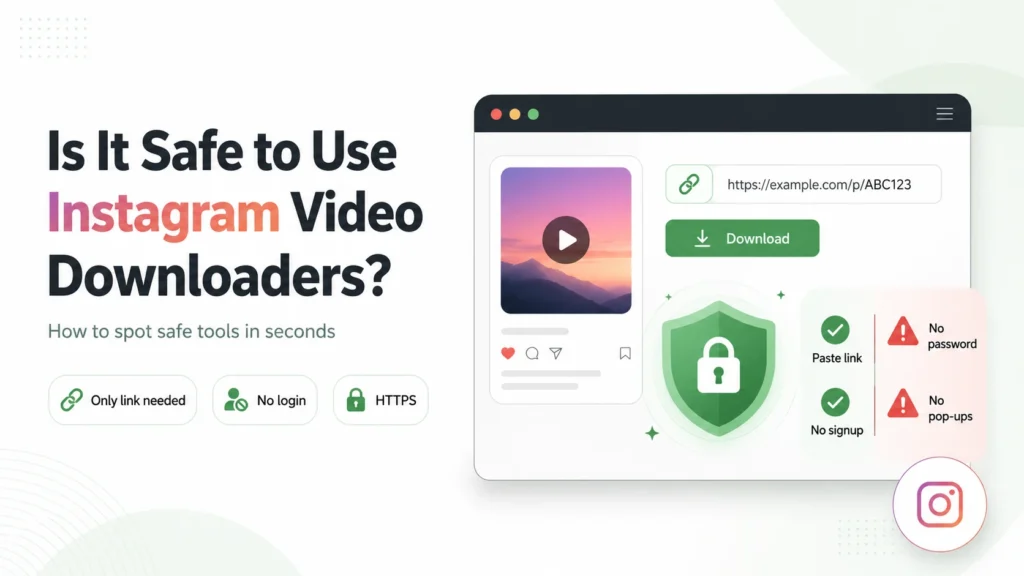
The honest answer: it depends entirely on which tool you use. There are legitimate, safe instagram downloader tools that work by fetching publicly available files, and there are genuinely dangerous ones built to steal Instagram credentials, install malware, or serve malicious ads. Knowing the difference takes about ten seconds of evaluation. This guide shows you exactly what to look for.
- Green Flags vs Red Flags
- The Biggest Risk: Credential Phishing
- The Secondary Risk: Malicious Ads
- What Makes a Browser-Based Tool Safer Than an App
- How reelsvideo.io Handles Your Data
- Frequently Asked Questions
- Can a downloader site access my Instagram account?
- Is it legal to download Instagram videos?
- Will the creator know I used a downloader?
- The Short Version
Green Flags vs Red Flags
Evaluate any downloader site against this checklist before using it:
| Green flag — safe to use | Red flag — close the tab |
| Only asks for the post link | Asks for your Instagram username and password |
| Works without any installation | Requires downloading an extension or app first |
| Clean interface, minimal ads | Pop-ups, fake download buttons, forced redirects |
| Uses HTTPS (padlock in address bar) | URL starts with http:// without a padlock |
| No account creation required | Forces registration before allowing any download |
| Doesn’t claim to download private content | Claims to bypass private account restrictions |
The Biggest Risk: Credential Phishing
The most serious threat from downloader sites is credential phishing, sites that ask you to log into Instagram ‘to access the download feature.’ No legitimate downloader needs your Instagram password. Public Instagram posts are publicly accessible files; retrieving them doesn’t require any account authentication.
Sites that ask for your login are either collecting credentials to sell, use your account for spam, or at minimum, handling your authentication far more carelessly than the task requires. If a site shows you an Instagram login form, close it immediately and do not enter anything.
The Secondary Risk: Malicious Ads
Many downloader sites are funded by ad networks, some of which serve low-quality or malicious advertisements. The risks include:
- Fake download buttons that trigger malware downloads instead of the video
- Forced redirects to scam pages or browser-locking scripts
- Auto-play pop-ups that claim your device is infected
The mitigation is straightforward: use an ad blocker (uBlock Origin is free and effective on Chrome and Firefox), and don’t click anything on a page that isn’t clearly the input field and download button.
What Makes a Browser-Based Tool Safer Than an App
Browser-based downloaders operate within the browser’s own security sandbox, they can only interact with what you give them (the link you paste) and can’t access other files, apps, or data on your device. Installed apps, by contrast, often request broader permissions that have nothing to do with downloading a video.
A browser-based tool that only needs a post URL and delivers a file is structurally safer than any app requiring installation and permissions.
How reelsvideo.io Handles Your Data
reelsvideo.io only requires the public post link, no Instagram login, no account creation, no personal data. The downloader fetches the file from Instagram’s servers and delivers it to your browser. Files are not stored server-side after download. The connection uses HTTPS. You can verify all of this in under a minute: check the address bar for the padlock, notice there’s no login form, and observe that the only input required is the post URL. That’s what a safe free instagram downloader looks like.
Frequently Asked Questions
Can a downloader site access my Instagram account?
Not unless you give it your credentials. A tool that only receives a post URL has no mechanism to access your account. The risk arises only if you enter your username and password, which no legitimate tool asks for.
Is it legal to download Instagram videos?
Downloading for personal offline viewing is generally treated as fair use in most jurisdictions. Where legal issues arise is in redistribution, reposting someone else’s content as your own, or commercial use without permission. The download itself, for personal use, is not what courts or platforms typically pursue.
Will the creator know I used a downloader?
No. Instagram doesn’t notify creators about downloads made through external tools.
The Short Version
A safe downloader asks for one thing and delivers one thing: the file. If a site asks for your Instagram password, wants you to install something, or bombards you with pop-ups before you’ve done anything, leave. The tool that works correctly doesn’t need any of that.



A little discussion goes a long way.
Ask a question, share your experience, or help someone find an answer.
There is room for your perspective.
No discussions match this view yet.
Your voice belongs here
Keep it useful. Keep it kind.