
Close Menu

    Subscribe to Updates

    Get the latest creative news from FooBar about art, design and business.

    What's Hot

    Telenor Call Packages 2026: daily, 3-Days, Weekly, Monthly

    June 4, 2026

    Telenor SMS Packages 2026: Daily, 3-Days, 15-Days, Weekly, and Monthly

    June 3, 2026

    Zong YouTube Packages 2026: Daily, Weekly, and Monthly Packages

    June 3, 2026
    Facebook X (Twitter) Instagram
    Trending
    • Telenor Call Packages 2026: daily, 3-Days, Weekly, Monthly
    • Telenor SMS Packages 2026: Daily, 3-Days, 15-Days, Weekly, and Monthly
    • Zong YouTube Packages 2026: Daily, Weekly, and Monthly Packages
    • Jazz free internet code 2026 – Enjoy Jazz 4G Free internet
    • Ufone Free Facebook Code 2026
    Facebook X (Twitter) Instagram Pinterest YouTube Bluesky WhatsApp TikTok Threads RSS
    WikiTechLibrary
    • How To
    • Technology
    • Gaming
    • Freebies
    • Reviews
    • Names Ideas
    WikiTechLibrary
    Home»How To»How to send Self Destructive Secret messages and emails?

    How to send Self Destructive Secret messages and emails?

    Muqadas FatimaBy Muqadas FatimaNovember 8, 2022Updated:February 5, 2024No Comments3 Mins Read
    Facebook Twitter Pinterest Telegram LinkedIn Tumblr WhatsApp Email Bluesky Reddit Threads Copy Link
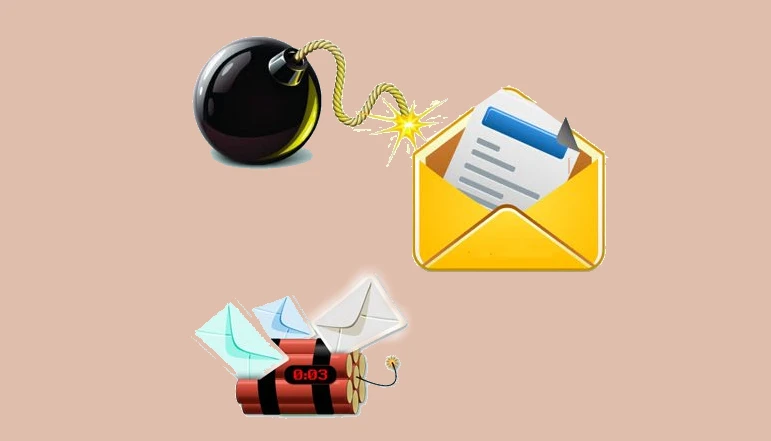
    self destruct messages and emails
    Share
    Facebook Twitter LinkedIn Pinterest Telegram Email WhatsApp Threads Copy Link

    Today we are going to tell you how you can send self-destructive secret messages, sometimes it happens that we have to share our private information like passwords, bank details with our friends or family member. You send such details by email or text message. You want to share these details once. It is very difficult for someone to delete using the details you have shared.

    Now there is a big risk for you that someone can misuse your information later. Now here you might be thinking that there is some way we can do that. Secret self-destruct message That is, you can send messages that are automatically deleted. So yes friends today I am going to tell you one such method. Through which you can send self-destructing cryptic messages or emails. For this, you have to follow some steps given below.

    How to send a self-destructing cryptic message

    You will find many websites on the internet that help us send messages that are automatically deleted. So today I am going to tell you about one such website. This allows you to send a secure message as well as delete it immediately after reading it, or you can give it a specific time. This message will be deleted as soon as the time expires.

    READ ALSO:  All Windows 11 Screenshot Shortcuts You Need to Know

    How to send a self-destructing cryptic message

    Suppose you need to send some quick personal details to a friend. And if you want it to be deleted automatically after reading the details, follow these steps.

    1. Open your browser and go to https://destructingmessage.com/ website let’s go

    2. Here you don’t need to create an account. All you have to do is click on the message text area.

    3. Now you have to type that message in the text area here.

    4. Here you set a 45-second timer to delete the default, automatic massage. You can change it according to you.

    5. As soon as you click on Create Massage button you will get a link. You can send it to any person by putting it in your email or message.

    6. Now as soon as the person (to whom you sent the link) clicks on the link, he will reach the website. Here he can study massage. Also, the timer will continue to run. As soon as the given time is over. Your message will also be deleted forever.

    You can send a self-destructive secret message to anyone. And you will not have the tension that later or someone else will misuse your details. If you face any kind of problem then feel free to ask us by commenting in the comment box. We will reply to you soon.


    READ ALSO:  How to Get a Spotify Student Discount
    Related Posts
    How to Make Better Videos with AI
    how to make better videos with ai
    How to Get Pal Fluids in Palworld
    palworld pal fluids
    How to Take a Screenshot on Windows 10 and Windows 11
    windows 11 taskbar seconds
    How to see mutual friends on Snapchat
    how to see mutual friends on snapchat
    How to Renew a Driving License in Peshawar
    driving license peshawar
    How to Edit Footer in Google Slides
    google slides
    Share. Facebook Twitter Pinterest LinkedIn Tumblr Email
    Muqadas Fatima

    Muqadas Fatima is a dedicated writer at WikiTechLibrary, focusing on creating insightful "how-to" tutorials related to social media, tech, and life hacks. With a keen interest in simplifying the complexities of digital world, she creates content that helps readers improve their social media skills and adopt practical solutions for everyday challenges.

    Related Posts

    How to hide your SnapScore on Snapchat

    How to write mobile number in international format

    How to get Canva pro for free

    How to Stop iPhone Screen from Automatically Turning Off

    How to hide and unhide apps on iPhone

    How to watch two YouTube videos at once on Android

    Add A Comment

    Leave a ReplyCancel reply

    Latest Post
    Packages

    Telenor Call Packages 2026: daily, 3-Days, Weekly, Monthly

    By Muqadas Fatima
    Packages

    Telenor SMS Packages 2026: Daily, 3-Days, 15-Days, Weekly, and Monthly

    By Faaiz Amjad
    Packages

    Zong YouTube Packages 2026: Daily, Weekly, and Monthly Packages

    By Farah Qaiser
    Packages

    Jazz free internet code 2026 – Enjoy Jazz 4G Free internet

    By Ahmad Ali
    Most Viewed

    WhatsApp Tests New Video and Audio Sharing for Ultimate Watch Parties Experience

    December 21, 2023

    How To Make Money With Pinterest

    July 15, 2023

    5 Factors that contribute Your Business’s Success

    August 21, 2023

    Should I create a blog? 20 compelling reasons why and why not

    August 21, 2023

    WikiTechLibrary is the Digital Library covering Content Primarily Related to Tech, How-To, Tips & Tricks, Social Media, Gaming, Education, Business & Finance, Telecom, Crypto, and Much More. We always try to provide new information to our visitors.

    Email: [email protected]

    Facebook X (Twitter) Instagram Pinterest YouTube Bluesky WhatsApp TikTok Threads RSS
    Our Picks

    How to Delete Minehut Server Permanently

    October 5, 2023

    How to Find IP Address from Text Messages

    November 8, 2022

    Vivo Y21a price in Pakistan & features

    November 20, 2022
    Top Reviews

    Best AI Girlfriend chatbot tools

    June 3, 2026

    The Best AI Hug Video Generator Free

    January 14, 2026

    PrivadoVPN Review 2024: How it Stacks Up Against Other VPNs on Market

    October 15, 2023
    © 2026 WIKITECHLIBRARY | All Right Reserved
    • About Us
    • Contact
    • Disclaimer
    • Privacy Policy
    • Terms
    • Cookies Policy
    • Editorial Policy

    Type above and press Enter to search. Press Esc to cancel.

    Join Now


