Close Menu
    Facebook X (Twitter) Instagram Pinterest YouTube Bluesky WhatsApp TikTok Threads RSS
    WikiTechLibrary
    • Converters & Media
    • Web Tools
    • Finance & Tax
    • Utility & Bills
    • Vehicle Tax
    WikiTechLibrary

    Why Use an AI Caption Generator for Instagram

    By Muqadas FatimaJanuary 2, 2025No Comments2 Mins Read
    Facebook Twitter WhatsApp Threads Copy Link

    Writing engaging Instagram captions can be boring and take up too much time. AI caption generators cut down on time and guarantee engaging content. They are built based on proven strategies and trends that maintain your brand voice while connecting to your audience without the dreaded creative fatigue.

    How to Use an AI Caption Generator for Instagram

    Here’s how to use an AI captain generator for Instagram using Ahrefs AI Caption Generator.

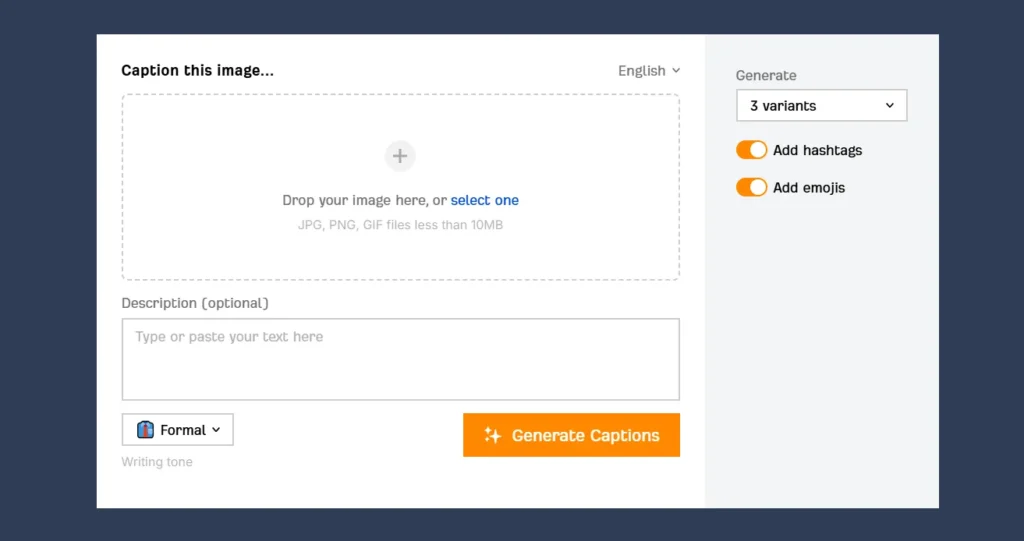
    Step 1: Upload Your Image

    • Drag and drop the image on a computer or click “Select one.”
    • On a smartphone, tap “Select image.”
    how to use ai caption generator for instagram 1

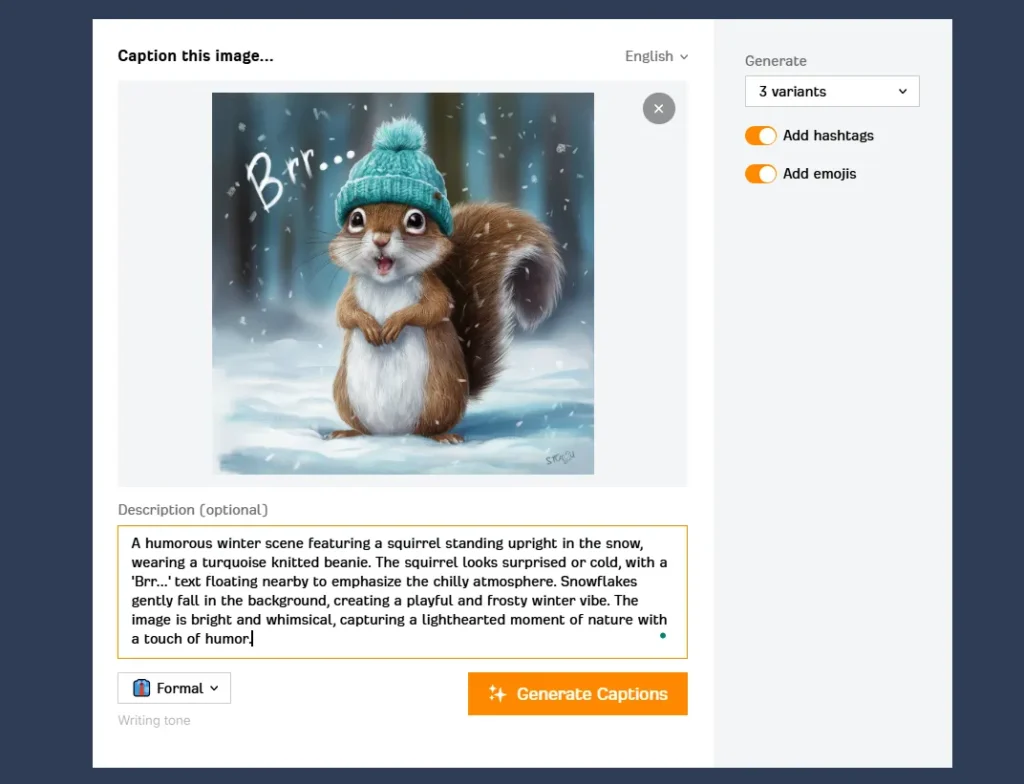
    Step 2: Add a Description (Optional)

    Describe the image to help the AI create relevant captions.
    how to use ai caption generator for instagram 2

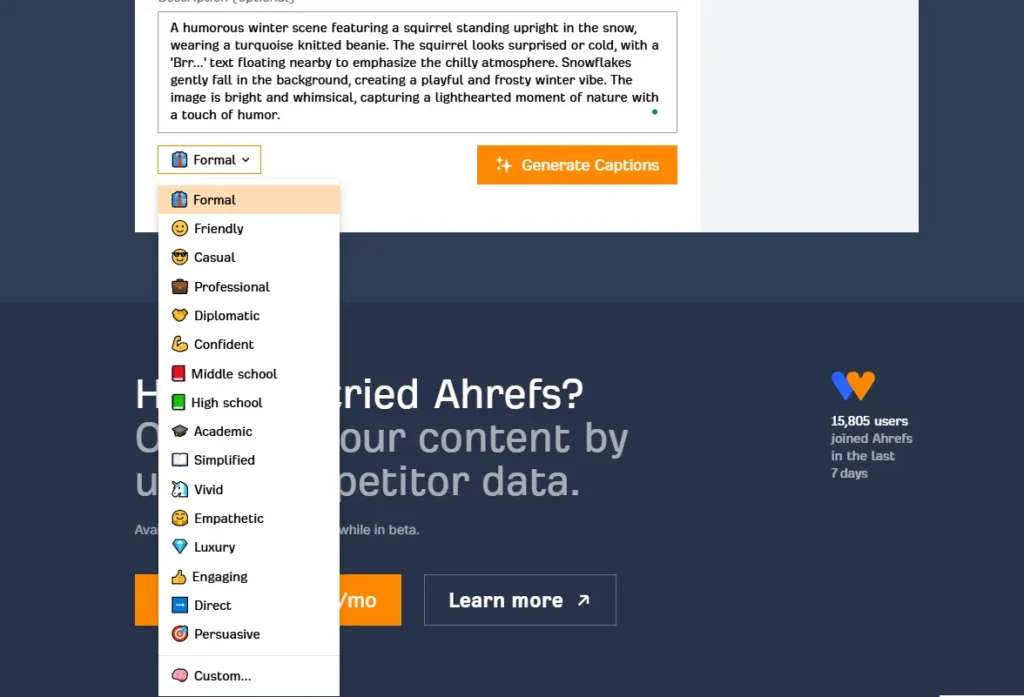
    Step 3: Choose a Writing Tone

    Choose one of 16 predefined tones, such as “Formal, Friendly,Causal, and more” or create a custom tone.
    how to use ai caption generator for instagram 3

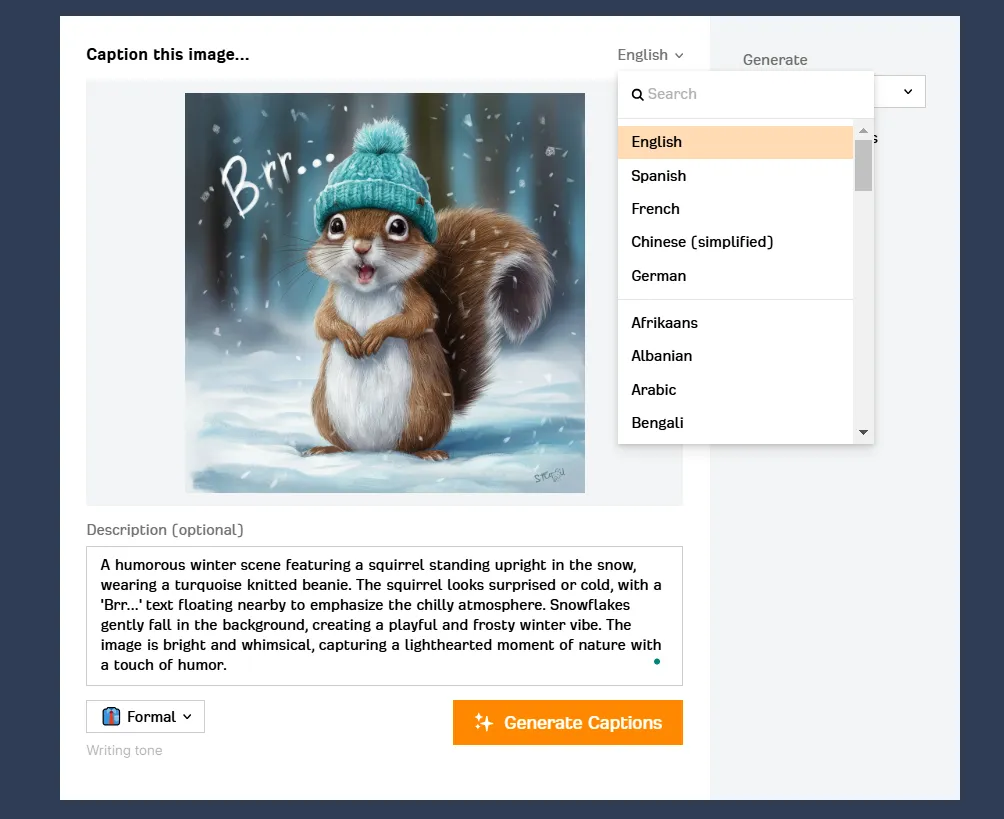
    Step 4: Set the Language

    English is default, but you can also choose from over 50 languages.
    how to use ai caption generator for instagram 4

    Step 5: Decide on Caption Variants

    You will need to select one, three, or five options from the drop-down menu under “Generate.”
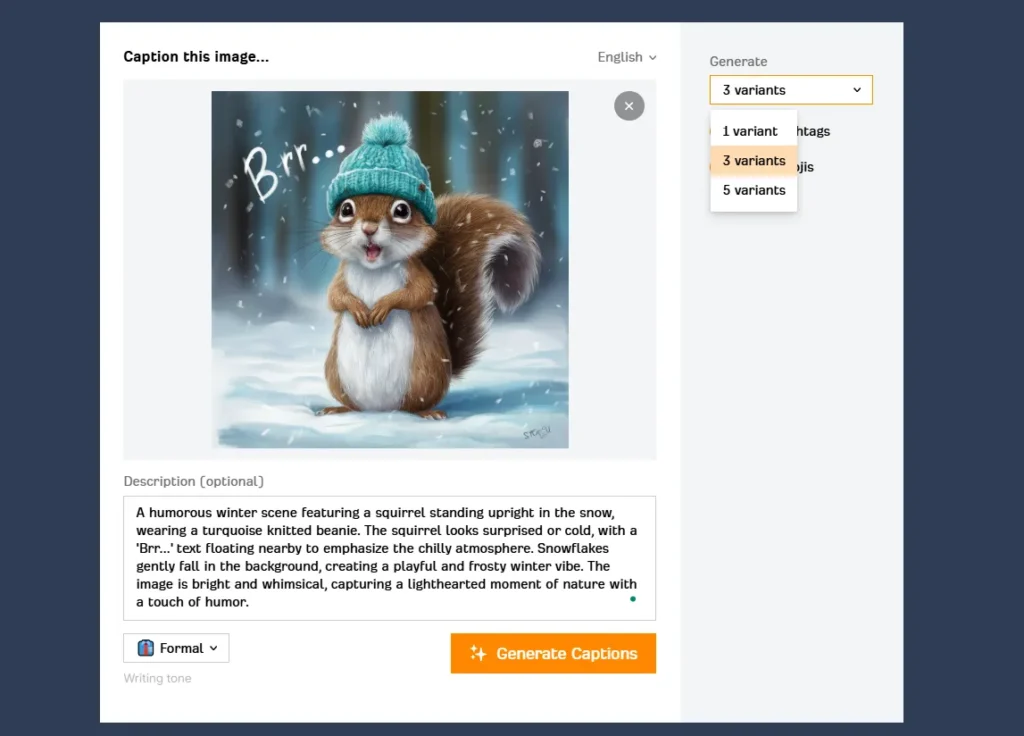
    how to use ai caption generator for instagram 5

    Step 6: Enable Emojis and Hashtags (Optional)

    Emojis add visual appeal. Use them sparingly to avoid clutter.

    how to use ai caption generator for instagram 6

    Step 7: Generate Captions

    Click “Generate Captions,” and you get a list of options.
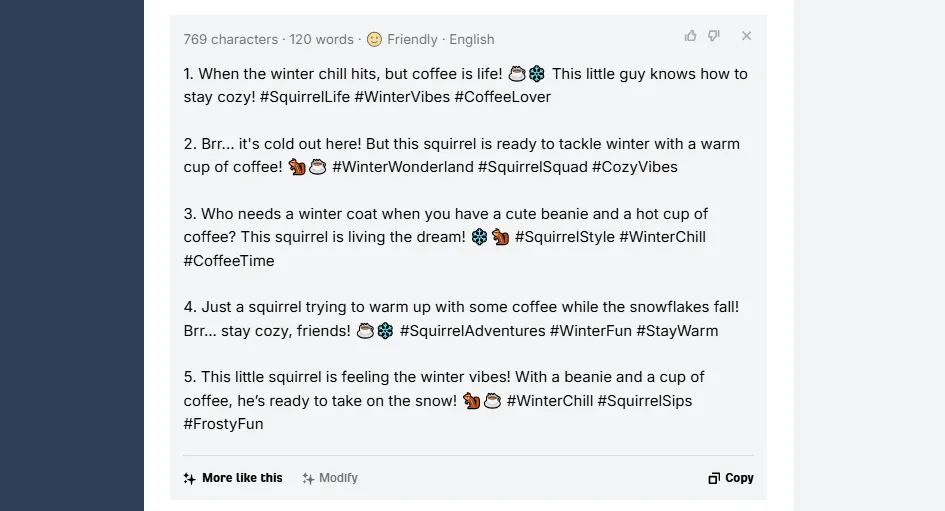
    how to use ai caption generator for instagram 7

    Step 8: Review and Modify

    Pick your caption based on your taste. Use “Modify” to shorten, translate, or rewrite captions. Click “More like this” for additional features.
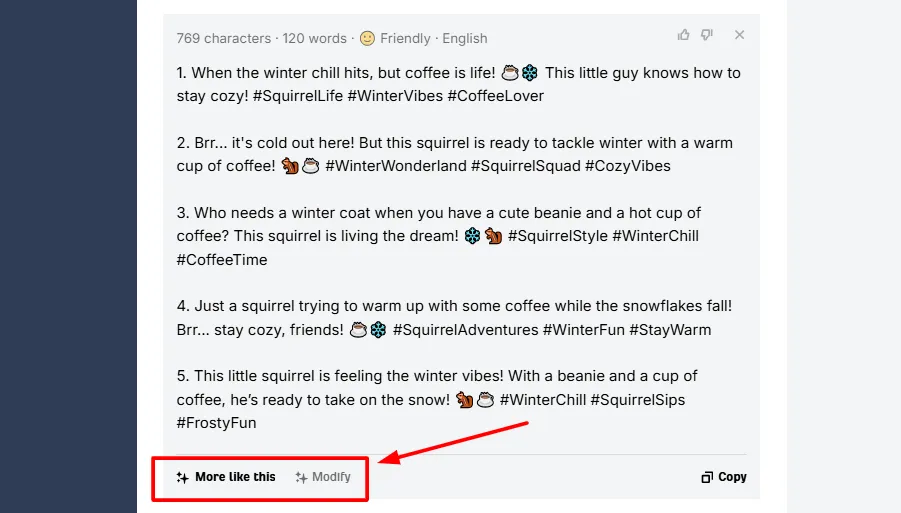
    how to use ai caption generator for instagram 8

    Step 9: Finalize and Post

    Paste the caption you prefer and post it along with your image. If needed, you can customize it to fit with your messaging.
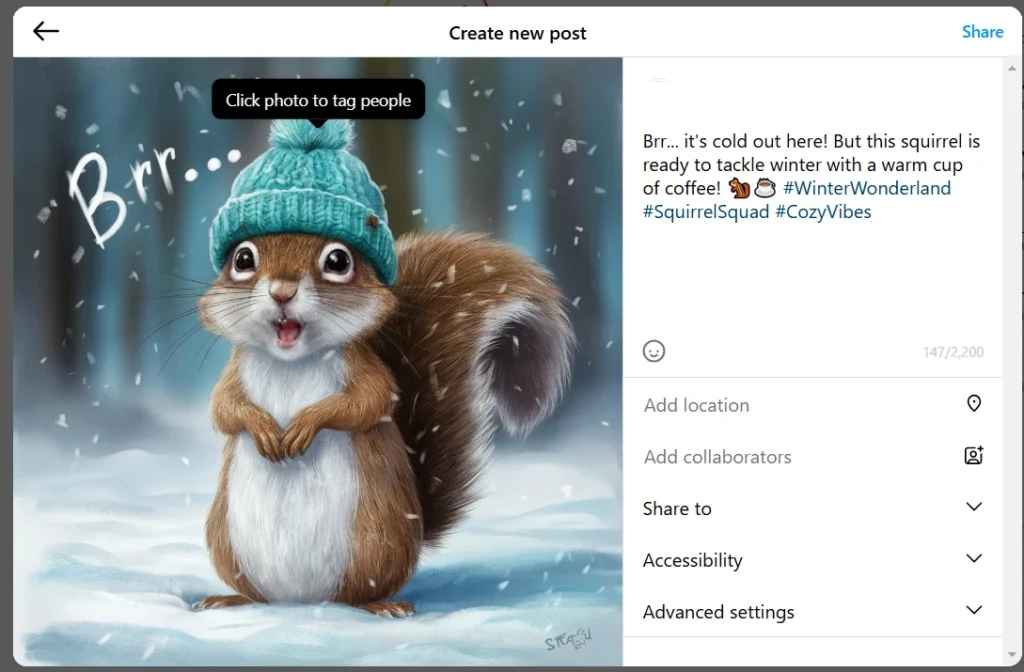
    how to use ai caption generator for instagram 9

    If you want to save time, remain creative, and keep your audience engaged on a regular basis, you can easily leverage the power of AI caption generators, such as Ahrefs. These tools help you manage Instagram more efficiently if you have the inspiration to spare or need a quick caption fix.

    Share. Facebook Twitter Pinterest LinkedIn Email WhatsApp Threads
    Muqadas Fatima

      Muqadas Fatima is a dedicated writer at WikiTechLibrary, focusing on creating insightful "how-to" tutorials related to social media, tech, and life hacks. With a keen interest in simplifying the complexities of digital world, she creates content that helps readers improve their social media skills and adopt practical solutions for everyday challenges.

      Related Articles

      AI Video Generator Clips Need a Real Compression Preview

      Made in America and Priced at $7,999: StarBot Launches Spark Humanoid Robot

      How to Set Up a WhatsApp Username (I Tested It Myself)

      How to Save a Google Docs as a PDF

      How to Stop WhatsApp from Saving Photos Automatically

      How to Turn Off Disappearing Messages on Instagram

      JOIN THE CONVERSATION

      A little discussion goes a long way.

      Ask a question, share your experience, or help someone find an answer.

      0 comments
      NewestOldestMost helpfulUnanswered
      ◇

      There is room for your perspective.

      No discussions match this view yet.

      +

      Your voice belongs here

      Keep it useful. Keep it kind.

      Cancel reply

      Your email address will not be published.


      MOST VIEWED

      All Climb and Jump Tower Codes

      By Sara

      How to Leave a Viber Group Without Anyone Knowing

      By Ali Rehman

      How to see Instagram stories you have liked

      By Farah Qaiser

      Alibaba’s Qwen 3.8 Max Claims to Rank Second Only to Claude Fable 5

      By Waqas Amjad
      What's New

      AI Video Generator Clips Need a Real Compression Preview

      November 12, 2026

      Made in America and Priced at $7,999: StarBot Launches Spark Humanoid Robot

      November 5, 2026

      TikTok Adds Voice Notes and Image Carousels in Comments

      September 4, 2026

      Google Messages Adds AI Detection to Chat Photos

      September 3, 2026
      © 2026 WIKITECHLIBRARY | All Right Reserved
      • About Us
      • Contact Us
      • Privacy Policy
      • Terms & Conditions
      • Disclaimer

      Type above and press Enter to search. Press Esc to cancel.