
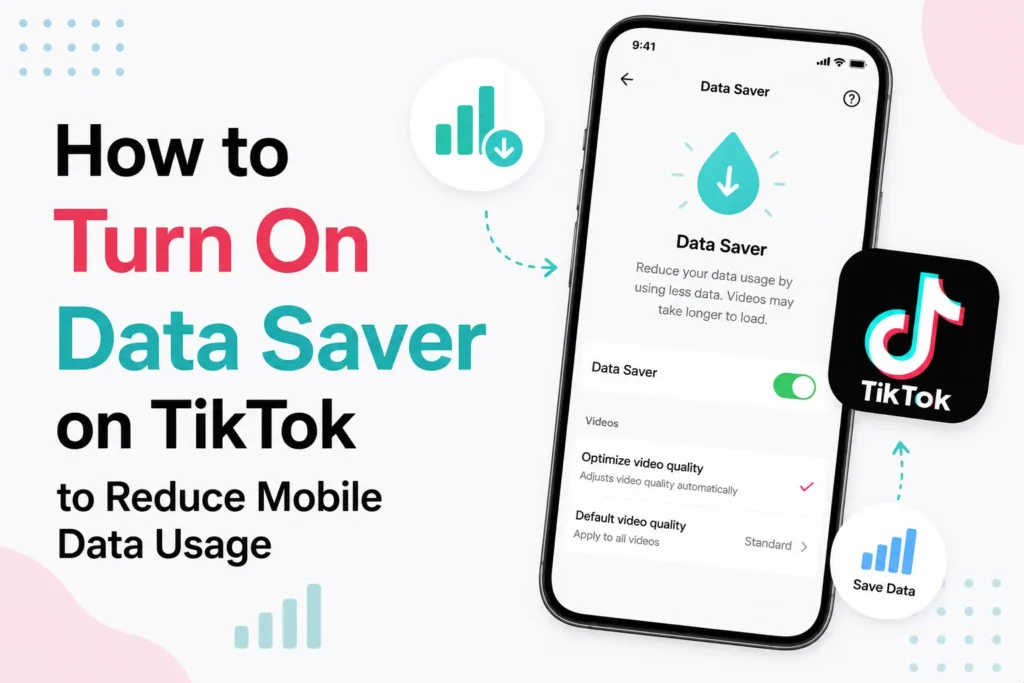
TikTok is an application that seems safe until you check your mobile data. A quick scroll turns into nonstop videos, and before you know it, much of your data is lost. This happens much faster on mobile networks, where high-quality video streams use much more data than most users expect.
The good news is that TikTok already offers a simple solution. It is called Data Saver. When enabled, TikTok optimizes video quality over mobile data and reduces background usage, helping your data last much longer. You can turn on this setting if you do not want to worry about your data balance when you want to continue watching the videos.
What is Data Saver on TikTok?
Data Saver is a built-in TikTok feature that reduces how much mobile data the app consumes. It works by reducing the video resolution and limiting background loading when you are not on Wi Fi.
This feature does not affect the appearance or behavior of TikTok when you are connected to Wi Fi. It only applies when you are using mobile data, so it is the best choice for those with limited plans or slower networks.
How to enable Data Saver on TikTok
It takes just a few seconds to switch on Data Saver. When enabled, it will work automatically in the background.
- Open the TikTok app on your phone
- Tap your Profile icon in the bottom right corner
- Tap the three lines or three dots in the top right corner
- Select Settings and privacy
- Scroll down and find Data Saver
- Tap Data Saver and toggle it on
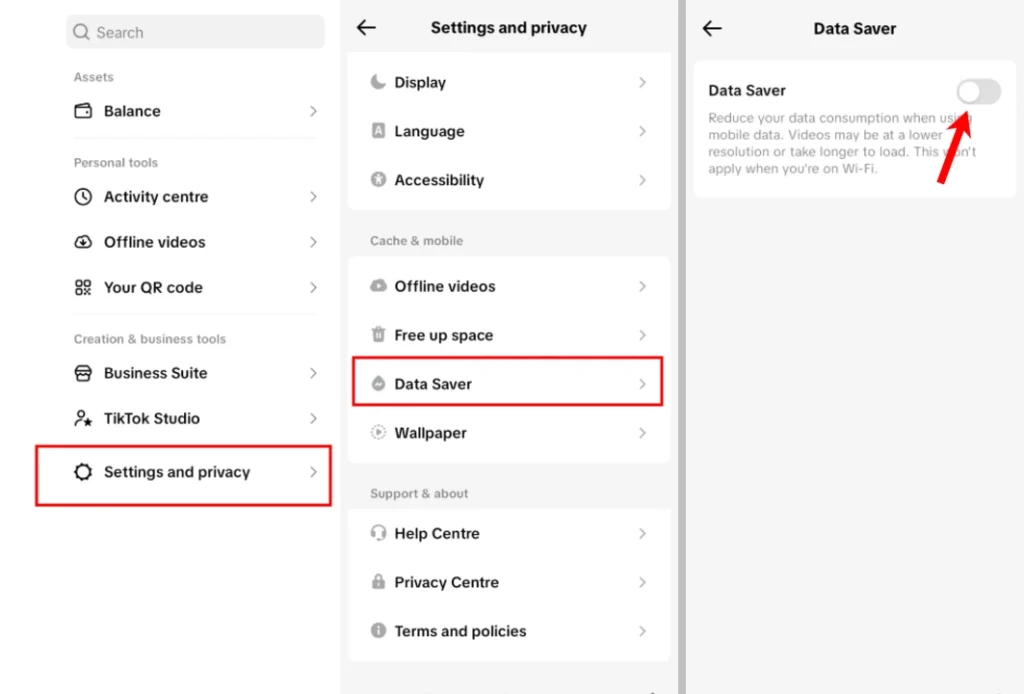
When you are using mobile data, TikTok will immediately start reducing video quality.
Does Data Saver affect video experience?
Data Saver slightly reduces video sharpness, but most users hardly feel the difference on smaller screens. There is no change in audio quality, and all features continue to work normally.
You still see the same content, creators, and recommendations. The only change is how efficiently TikTok uses your data.
Frequently Asked Questions
What does Data Saver do on TikTok?
Data Saver reduces TikTok’s mobile data usage by lowering video quality and limiting background data consumption when you’re using a cellular network.
Does Data Saver affect TikTok when I’m on Wi Fi?
No. Data Saver only applies when you’re using mobile data. Videos play normally when your device is connected to a Wi Fi network.
Will Data Saver reduce video quality?
Yes. TikTok lowers video resolution while using mobile data to reduce data consumption. On most phones, the difference is minor and does not affect normal viewing.
Does Data Saver affect TikTok recommendations or features?
No. Your For You feed, recommendations, comments, likes, and other TikTok features continue to work as usual. Only data usage is reduced.
Can I turn Data Saver off at any time?
Yes. You can enable or disable Data Saver whenever you want by returning to the Data Saver setting in the TikTok app.
Does Data Saver help save battery life?
It can. Since lower quality videos use less data and require less network activity, some users may also notice a small improvement in battery life while using mobile data.







A little discussion goes a long way.
Ask a question, share your experience, or help someone find an answer.
There is room for your perspective.
No discussions match this view yet.
Your voice belongs here
Keep it useful. Keep it kind.