
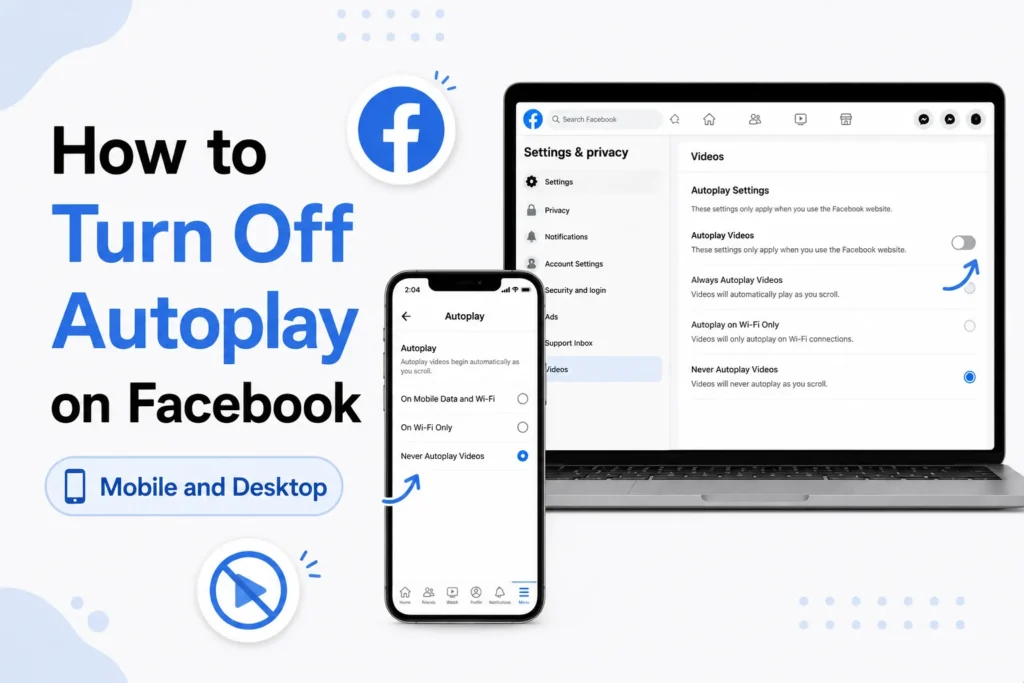
You are not alone who wants to know how to switch off autoplay on Facebook. Autoplay lets videos automatically start playing as you scroll your feed. This can waste mobile data, battery, and even become distracting very quickly.
The good news is that Facebook lets you turn off autoplay on both mobile apps and desktop browsers. You do not need to install any third-party apps or extensions.
Here’s a step-by-step guide for every device.
Turn off Autoplay on Facebook mobile app (iOS and Android)
This method stops videos from playing automatically in your Feed, Stories, and Reels.
- Open the Facebook app on your phone.
- Tap the menu icon (three lines). It appears at the bottom right on iPhone and top right on Android.
- Scroll down and tap Settings & Privacy, then tap Settings.
- Scroll to the Preferences section and tap Media.
- Under Autoplay, select Never.
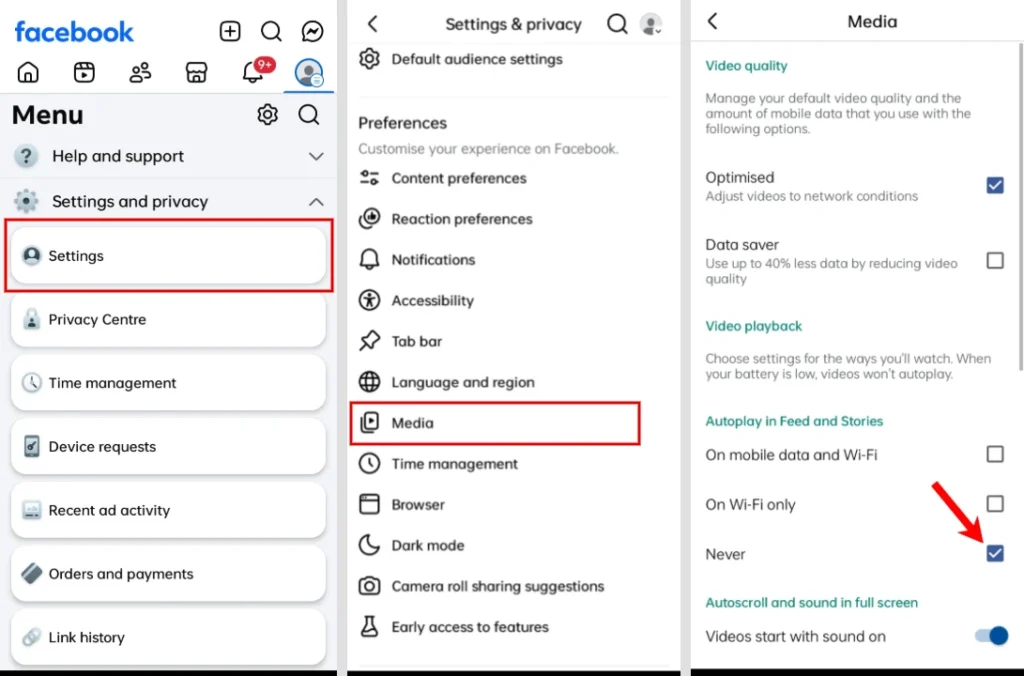
The change applies instantly. Your videos will no longer start playing as you scroll.
Turn Off Autoplay on Facebook desktop (Web browser)
You can also disable autoplay when using Facebook on desktop.
- Go to facebook.com and log in to your account.
- Click your profile picture in the top right corner.
- Select Settings & Privacy, then click Settings.
- From the left sidebar, choose Media.
- Turn Autoplay off.
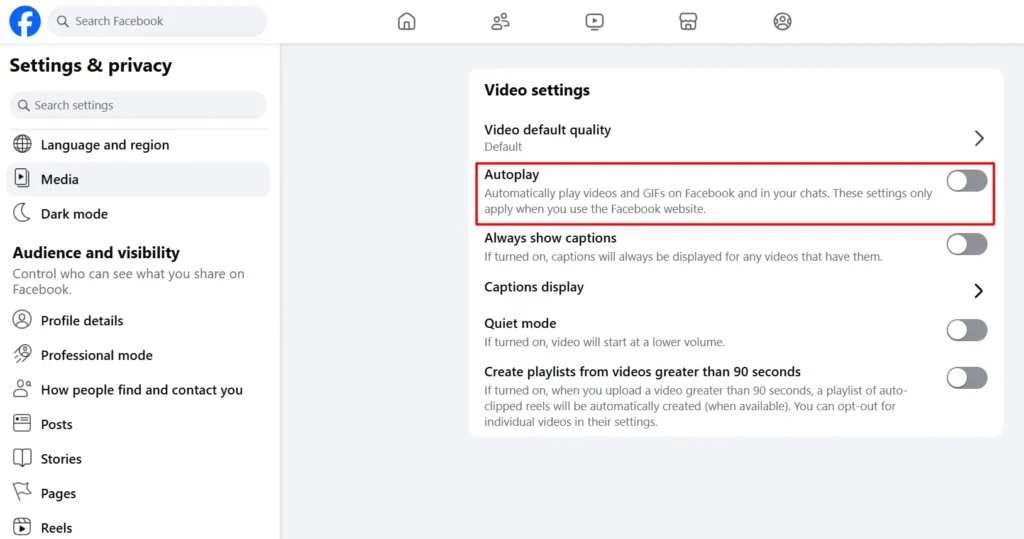
Your settings are saved automatically. Now, videos will only play when you click them.
Stop Autoplay in Facebook watch
If you want to stop continuous reel-style videos, follow these steps.
- Open the Watch tab (TV icon) on the Facebook app or website.
- Tap the three dots in the corner.
- Select “Stop moving to the next reel automatically”.
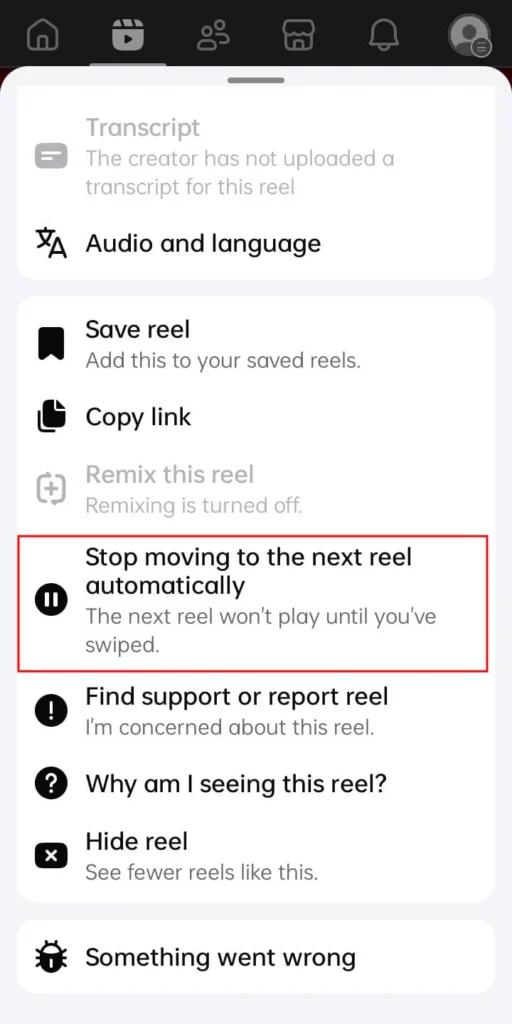
This does not allow Facebook to automatically jump to the next video.
How to turn Autoplay back on
If you change your mind later, you can re-enable autoplay.
- Open Facebook Settings.
- Go to Media.
- Tap Autoplay.
- Choose one of the following options:
- On mobile data and Wi Fi
- On Wi Fi only
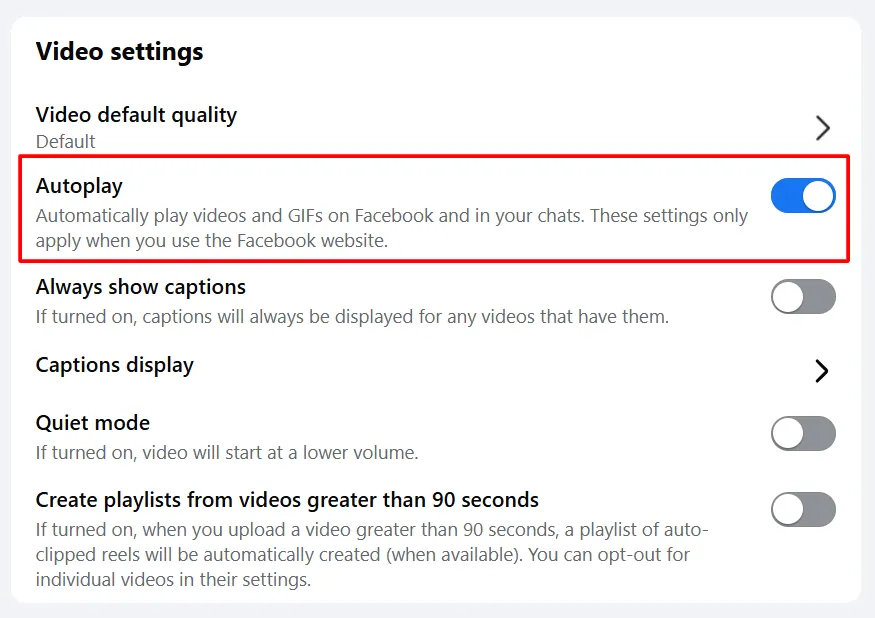
Wi-Fi only is a good option if you need to save mobile data.
Frequently Asked Questions
What is autoplay on Facebook?
Autoplay is a Facebook feature that automatically plays videos as you scroll through your Feed, Stories, Reels, and Watch tab. You can disable it to save mobile data, battery life, and reduce distractions.
How do I stop autoplay on the Facebook app?
Open the Facebook app, go to Settings > Media, then select Never under Autoplay. The change takes effect immediately.
How do I turn off autoplay on Facebook desktop?
Log in to Facebook on your web browser, open Settings, select Media, and turn Autoplay off. Videos will only play when you click them.
Why does Facebook keep autoplaying videos?
Facebook enables autoplay by default to make video content easier to discover and increase engagement. You can disable this feature at any time in your Media settings.
Can I turn autoplay back on later?
Yes. Go to Settings > Media > Autoplay and choose your preferred option, such as autoplay on Wi Fi only or on both mobile data and Wi Fi.







A little discussion goes a long way.
Ask a question, share your experience, or help someone find an answer.
There is room for your perspective.
No discussions match this view yet.
Your voice belongs here
Keep it useful. Keep it kind.