
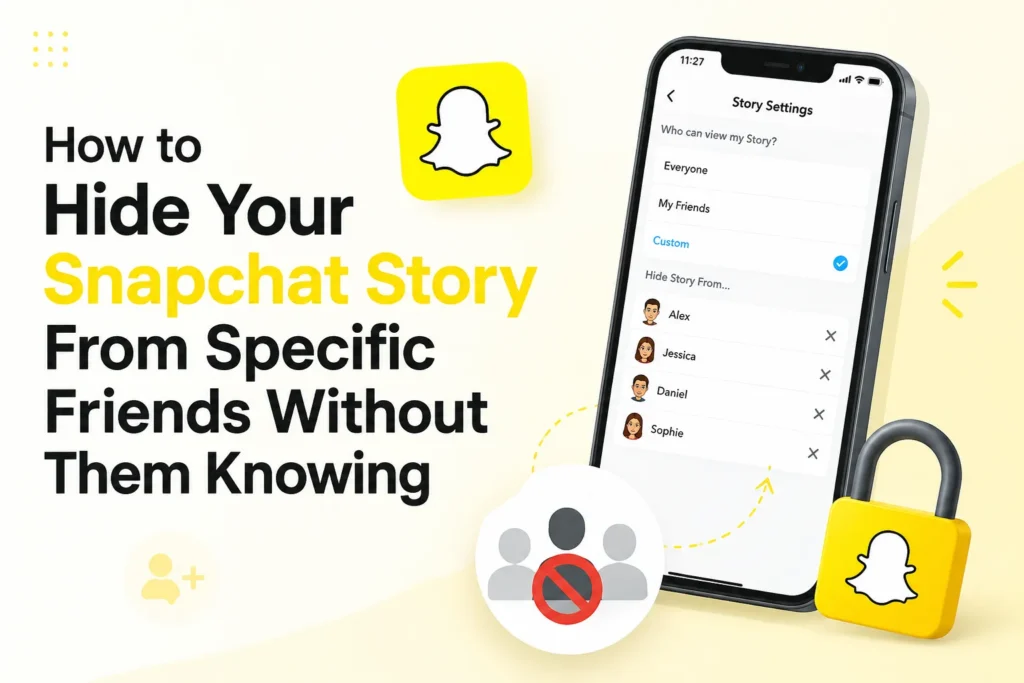
Some stories are meant for everyone. Others are better kept away from a few people. Maybe it was a wild night, a private moment, or something you do not feel like explaining the next day. Snapchat makes it easy to keep a Snap story hidden from someone without turning it into an awkward conversation.
With a few taps, you can block someone who can view your story. They will not be notified, and everything remains smooth. It is a quiet way to keep your privacy and control what to see.
Here are the two easy ways to do it.
1. Use “Custom” under View My Story
Here’s how you can hide your story from one or more friends.
- Open Snapchat and tap your profile icon at the top left.
- Tap the settings icon.
- Scroll to “Privacy Controls,” then tap “View My Story.”
- Tap “Custom.”
- Select the people you want to block from seeing your stories.
- Tap “Block.”
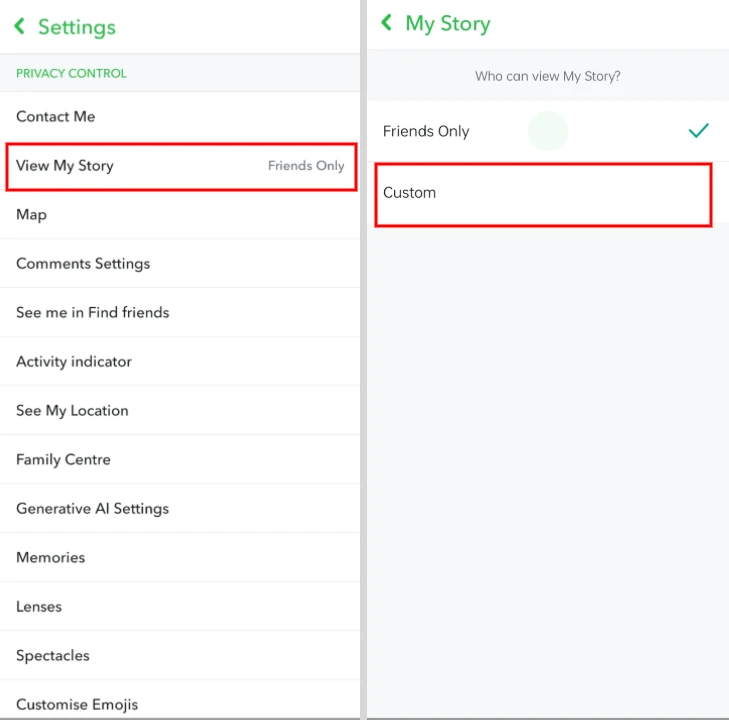
Once done, your story will be visible to everyone except the friends you have selected.
2. Use “Shared Stories” for selective groups
If you want to share a story with a small circle of people, Shared Stories are a good choice.
- Open Snapchat and tap your profile icon.
- Scroll to the My Stories section and tap “New Shared Story.”
- Select the friends who can view and add Snaps to this story.
- Tap “Create Story,” name it, then tap “Done.”
- Take a Snap and choose your Shared Story instead of “My Story.”
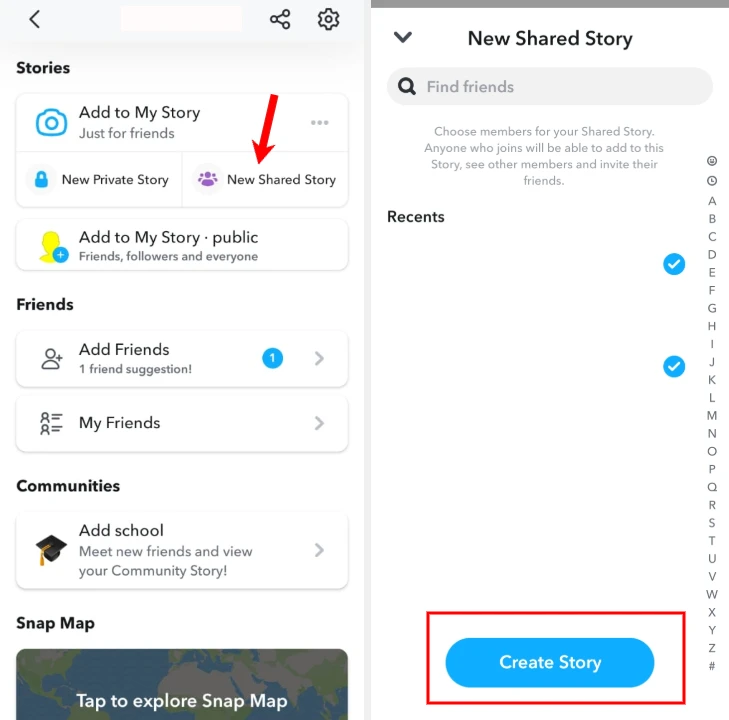
Only the people you selected will see it.
Once you set things up, you are done. Your story is shared with the right people, and those you blocked do not know.
Frequently Asked Questions
Can I hide my Snapchat Story from one person?
Yes. Open Snapchat, go to Settings, tap View My Story, choose Custom, and select the person you want to hide your Story from. They will not receive a notification.
Will someone know if I hide my Snapchat Story from them?
No. Snapchat does not notify users when they are excluded from viewing your Story. They simply will not be able to see new Stories you post.
Can I share my Story with only selected friends?
Yes. You can create a Shared Story and invite only the friends you want to view or contribute to it. Anyone who is not invited will not be able to access the Story.
Can I change who can see my Snapchat Story later?
Yes. You can update your Story privacy settings at any time by returning to View My Story in Snapchat Settings and changing your friend selections.
Does hiding my Story remove someone from my friends list?
No. Hiding your Story only changes who can view it. The person remains on your friends list unless you choose to remove or block them separately.
Can I hide my Snapchat Story from one person?
Yes. Open Snapchat, go to Settings, tap View My Story, choose Custom, and select the person you want to hide your Story from. They will not receive a notification.
Will someone know if I hide my Snapchat Story from them?
No. Snapchat does not notify users when they are excluded from viewing your Story. They simply will not be able to see new Stories you post.
Can I share my Story with only selected friends?
Yes. You can create a Shared Story and invite only the friends you want to view or contribute to it. Anyone who is not invited will not be able to access the Story.
Can I change who can see my Snapchat Story later?
Yes. You can update your Story privacy settings at any time by returning to View My Story in Snapchat Settings and changing your friend selections.
Does hiding my Story remove someone from my friends list?
No. Hiding your Story only changes who can view it. The person remains on your friends list unless you choose to remove or block them separately.







A little discussion goes a long way.
Ask a question, share your experience, or help someone find an answer.
There is room for your perspective.
No discussions match this view yet.
Your voice belongs here
Keep it useful. Keep it kind.